• Which the release of FS2020 we see an explosition of activity on the forun and of course we are very happy to see this. But having all questions about FS2020 in one forum becomes a bit messy. So therefore we would like to ask you all to use the following guidelines when posting your questions:

    • Tag FS2020 specific questions with the MSFS2020 tag.
    • Questions about making 3D assets can be posted in the 3D asset design forum. Either post them in the subforum of the modelling tool you use or in the general forum if they are general.
    • Questions about aircraft design can be posted in the Aircraft design forum
    • Questions about airport design can be posted in the FS2020 airport design forum. Once airport development tools have been updated for FS2020 you can post tool speciifc questions in the subforums of those tools as well of course.
    • Questions about terrain design can be posted in the FS2020 terrain design forum.
    • Questions about SimConnect can be posted in the SimConnect forum.

    Any other question that is not specific to an aspect of development or tool can be posted in the General chat forum.

    By following these guidelines we make sure that the forums remain easy to read for everybody and also that the right people can find your post to answer it.

MSFS20 Custom Jetway Problem

Messages
35
Hi everybody!

I have custom created jetway for MSFS using the Asobo's template but I have a problem that I can't really fix for few days now.
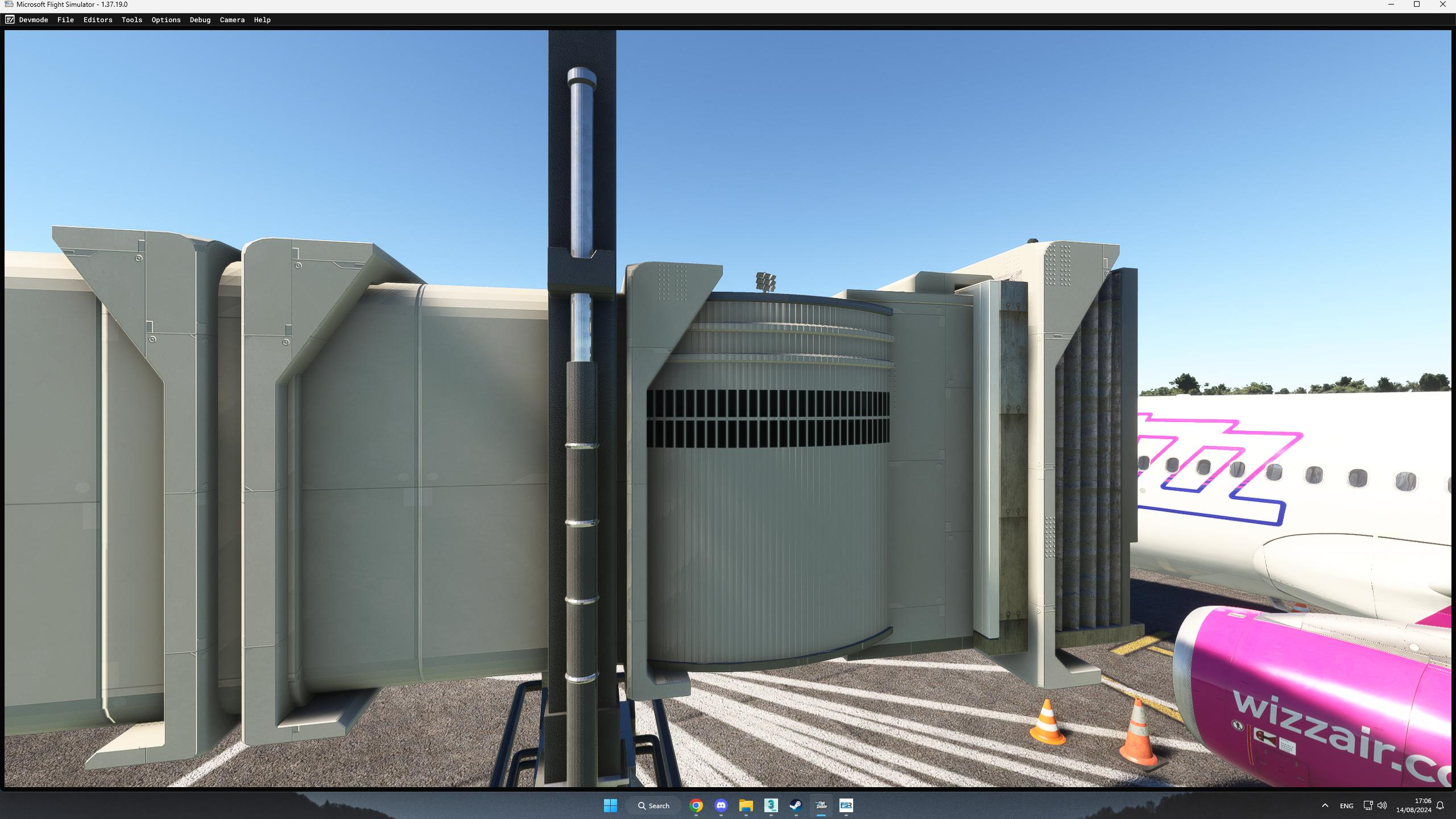
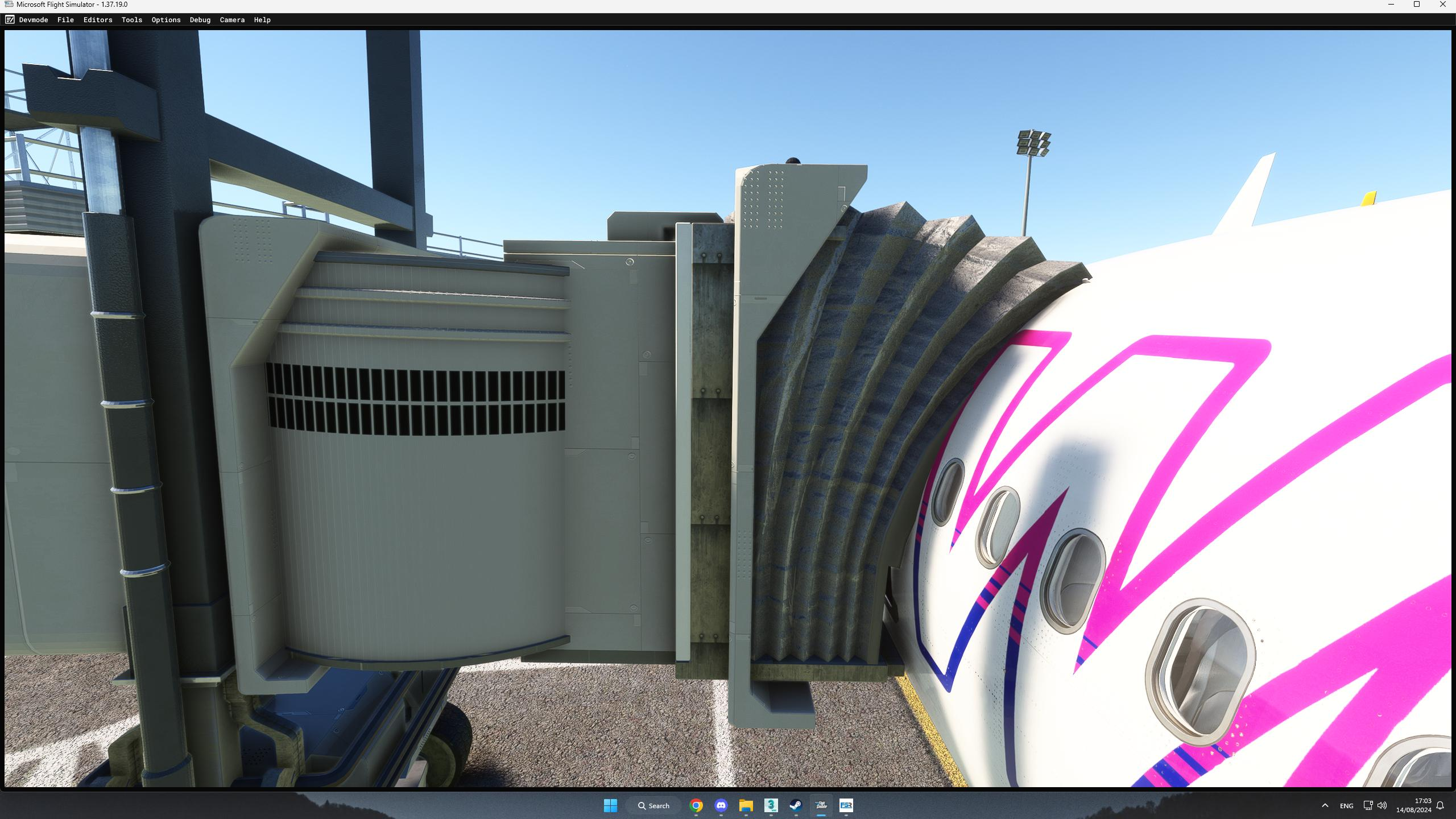
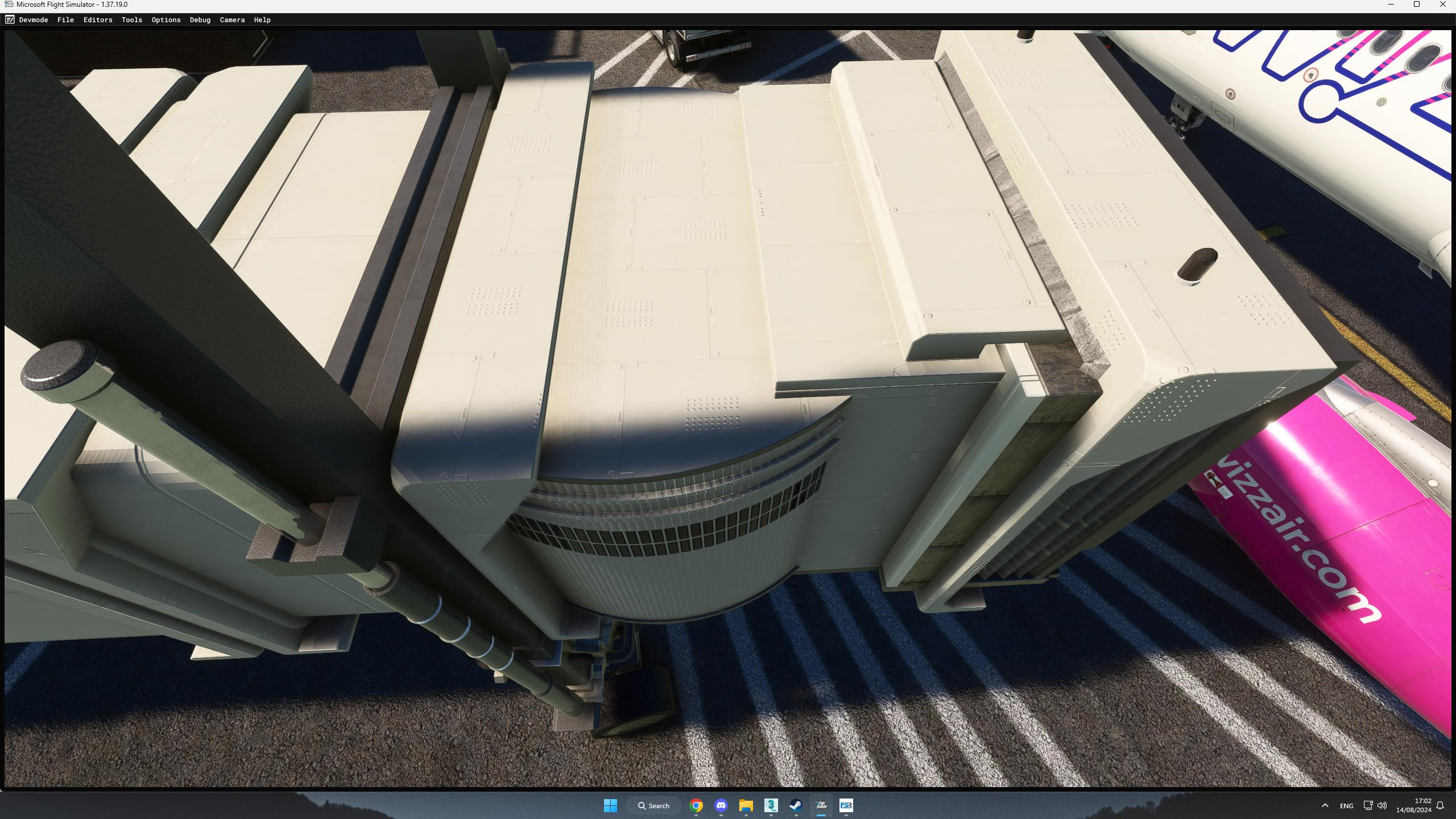
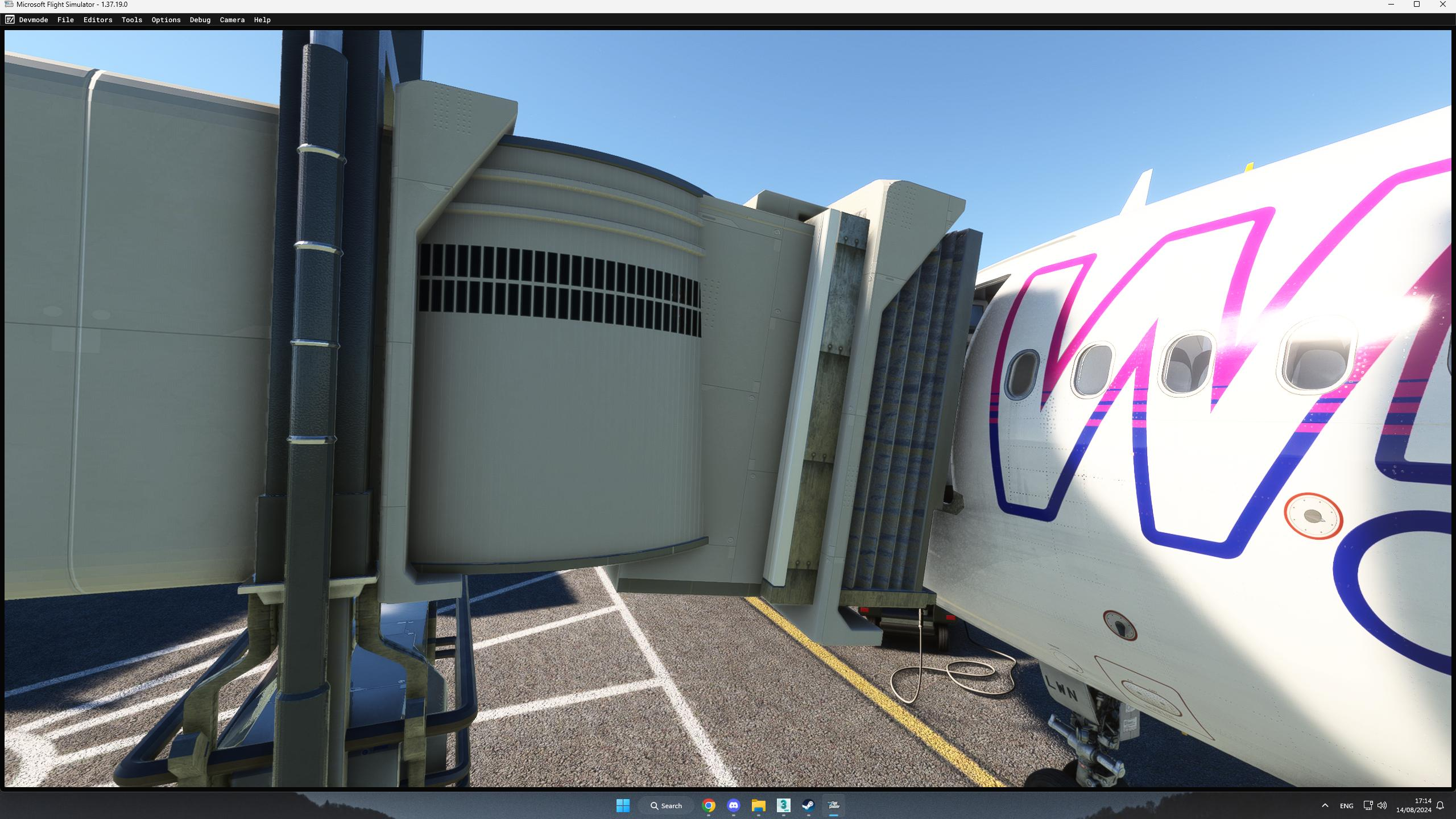
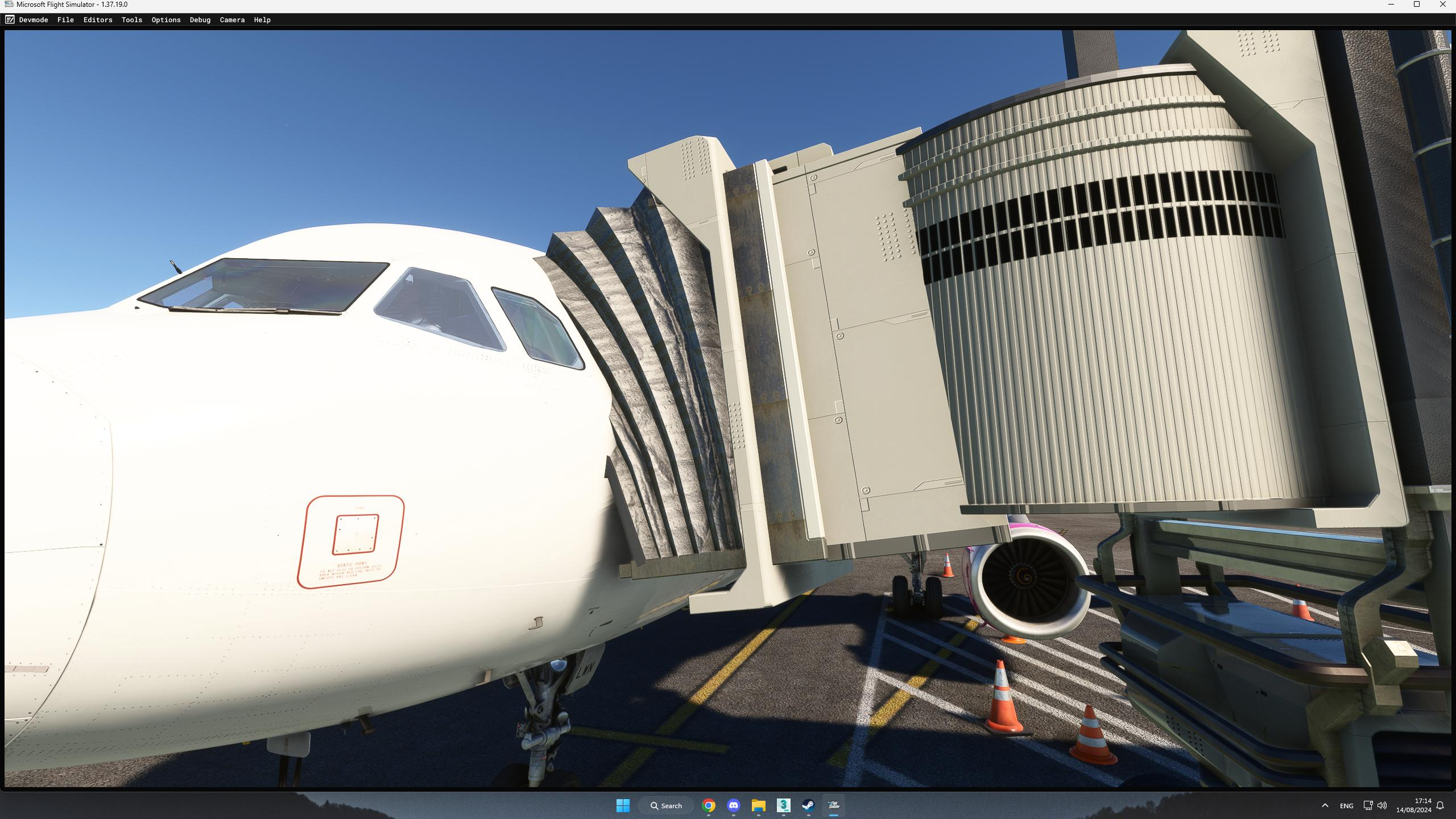
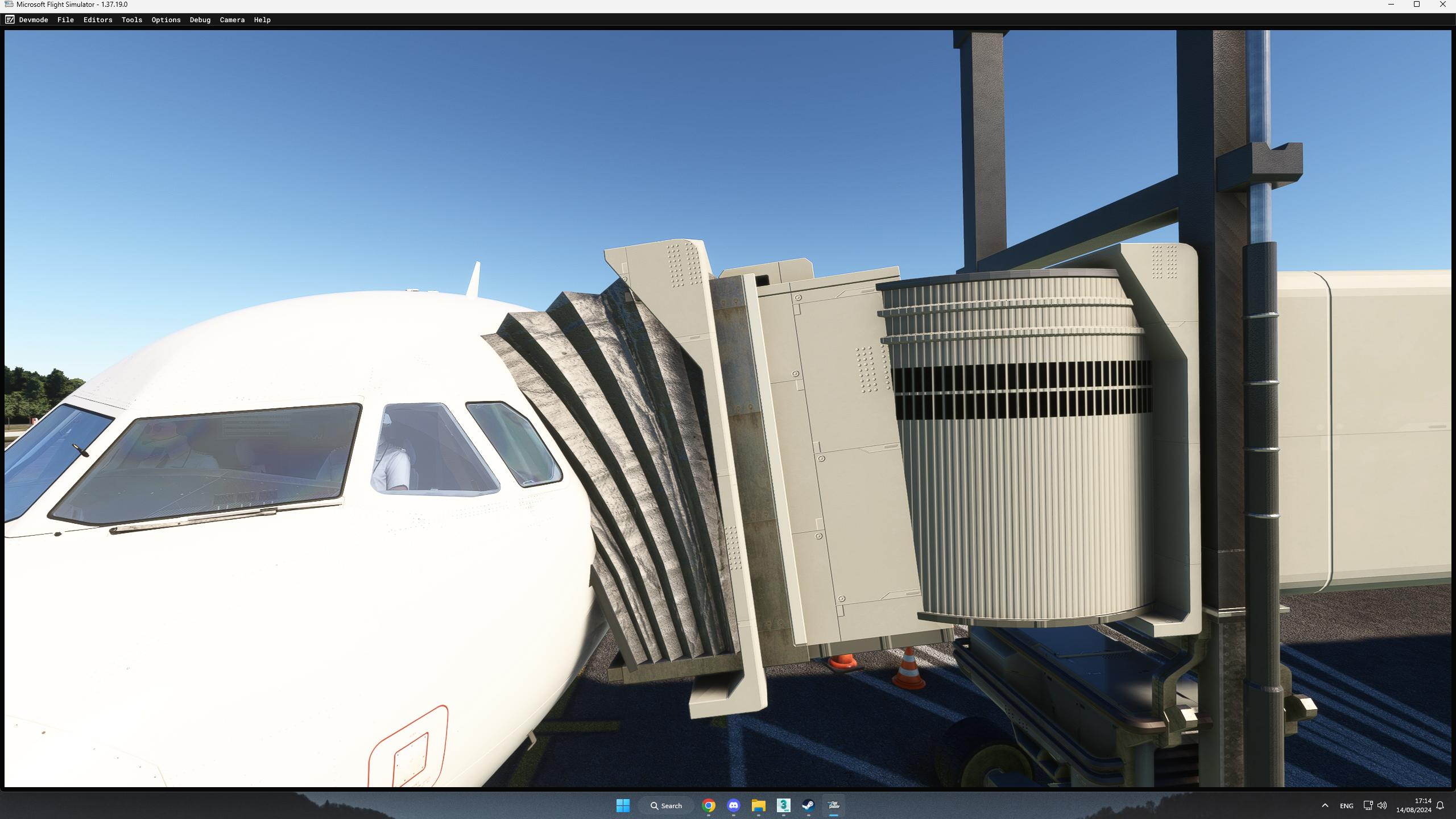
Basically what happens is that the first time I call the jetway the hood area is getting a strange uneven rotation from the very beginning, and as you can see on the images that area is not flat but if it is supposed to rotate by Z and X it is rotating by Y as well and it is looking like it is broken, I recall the jetway, the jetway reverts back to it's normal position and at the second time I call the jetway, it is working perfectly fine, so you can compare the images and you can see what I'm talking about.Also the animation works perfectly fine all other attempts except the very first one!

If anyone had similar problem please let me know, I'm more than happy to share all the informations I have!

Wish you all the best.

The part I'm talking about:
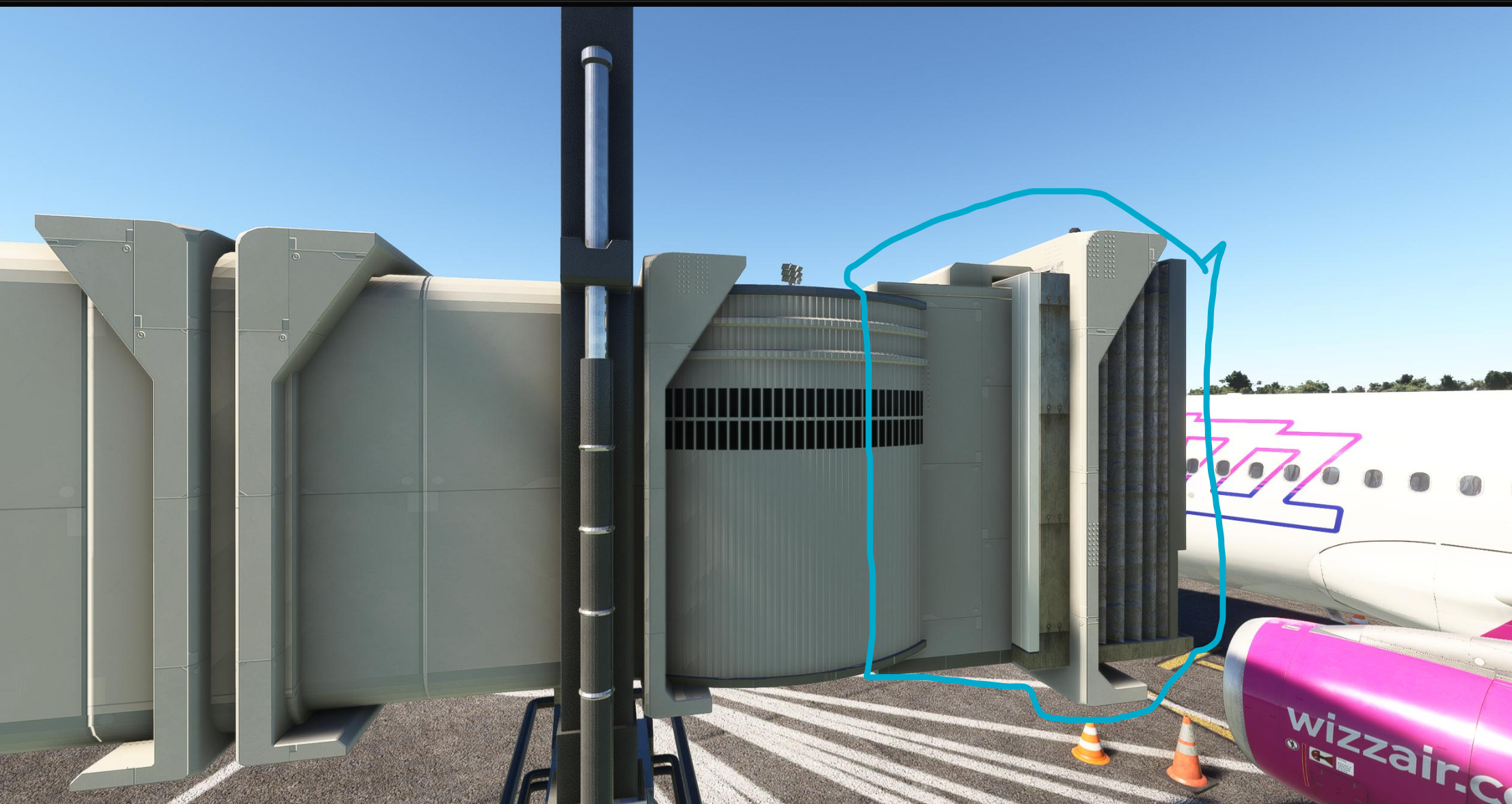
1723648169177.png


Default State Jetway:

1723648073500.png


1723648084802.png


1723648090368.png


The problem:


1723648508894.png
1723648514403.png
1723648519450.png
 
In the xml you have to set the constrains for the last empty. In the default asobo jetway that empty (node) is called "Rotation_End". You only need to leave the lines in the code for the types of rotation you want. In my custom jetways I only have Heading as I do not want Pitch or Bank rotations. Seems like your jetway has Pitch

From the default asobo jetway:
<IKConstraint>
<Node>Rotation_End</Node>
<Pitch/>
<Bank/>
<Heading/>
</IKConstraint>
 
It worked! Thank you so much!

Removed both Pitch and Bank and its working perfect now.
Earlier I was able to fix the problem somehow by changing the rotation of the bone inside 3ds max but forgot what I did exactly and lost the files, but finally got the real solution.I saw this line before and I wanted to remove it completely but in that nervous situation I wasn't thinking clearly to just remove what I DON'T need.

Thanks once again!
 
It worked! Thank you so much!

Removed both Pitch and Bank and its working perfect now.
Earlier I was able to fix the problem somehow by changing the rotation of the bone inside 3ds max but forgot what I did exactly and lost the files, but finally got the real solution.I saw this line before and I wanted to remove it completely but in that nervous situation I wasn't thinking clearly to just remove what I DON'T need.

Thanks once again!
You're welcome. I'm glad it worked
 
Back
Top