
-
Which the release of FS2020 we see an explosition of activity on the forun and of course we are very happy to see this. But having all questions about FS2020 in one forum becomes a bit messy. So therefore we would like to ask you all to use the following guidelines when posting your questions:
- Tag FS2020 specific questions with the MSFS2020 tag.
- Questions about making 3D assets can be posted in the 3D asset design forum. Either post them in the subforum of the modelling tool you use or in the general forum if they are general.
- Questions about aircraft design can be posted in the Aircraft design forum
- Questions about airport design can be posted in the FS2020 airport design forum. Once airport development tools have been updated for FS2020 you can post tool speciifc questions in the subforums of those tools as well of course.
- Questions about terrain design can be posted in the FS2020 terrain design forum.
- Questions about SimConnect can be posted in the SimConnect forum.
Any other question that is not specific to an aspect of development or tool can be posted in the General chat forum.
By following these guidelines we make sure that the forums remain easy to read for everybody and also that the right people can find your post to answer it.
You are using an out of date browser. It may not display this or other websites correctly.
You should upgrade or use an alternative browser.
You should upgrade or use an alternative browser.
GroundPolys
- Thread starter evilnando
- Start date

- Messages
- 31
- Country

I am wondering the same thing. Will the existing ground polys for P3D/FSX be able to be transferred over? I am also wondering about the photoreal, like winter textures and such.

- Messages
- 279
- Country

I'm not sure if the existing can be ported over but glancing over the SDK documentation, ground poly type runways can be made in the scenery editor complete with runway lights.

mendiola_loyola
Resource contributor
- Messages
- 520
- Country

I think that we can create ground polygon with the FS2020 SDK, there is an example:
C:\MSFS SDK\Samples\SimpleProjectedMesh
I compiled the example and test the scenery.
There is a square polygon with asphalt texture in the aiport MYNN
I haven't excluded the default airport.
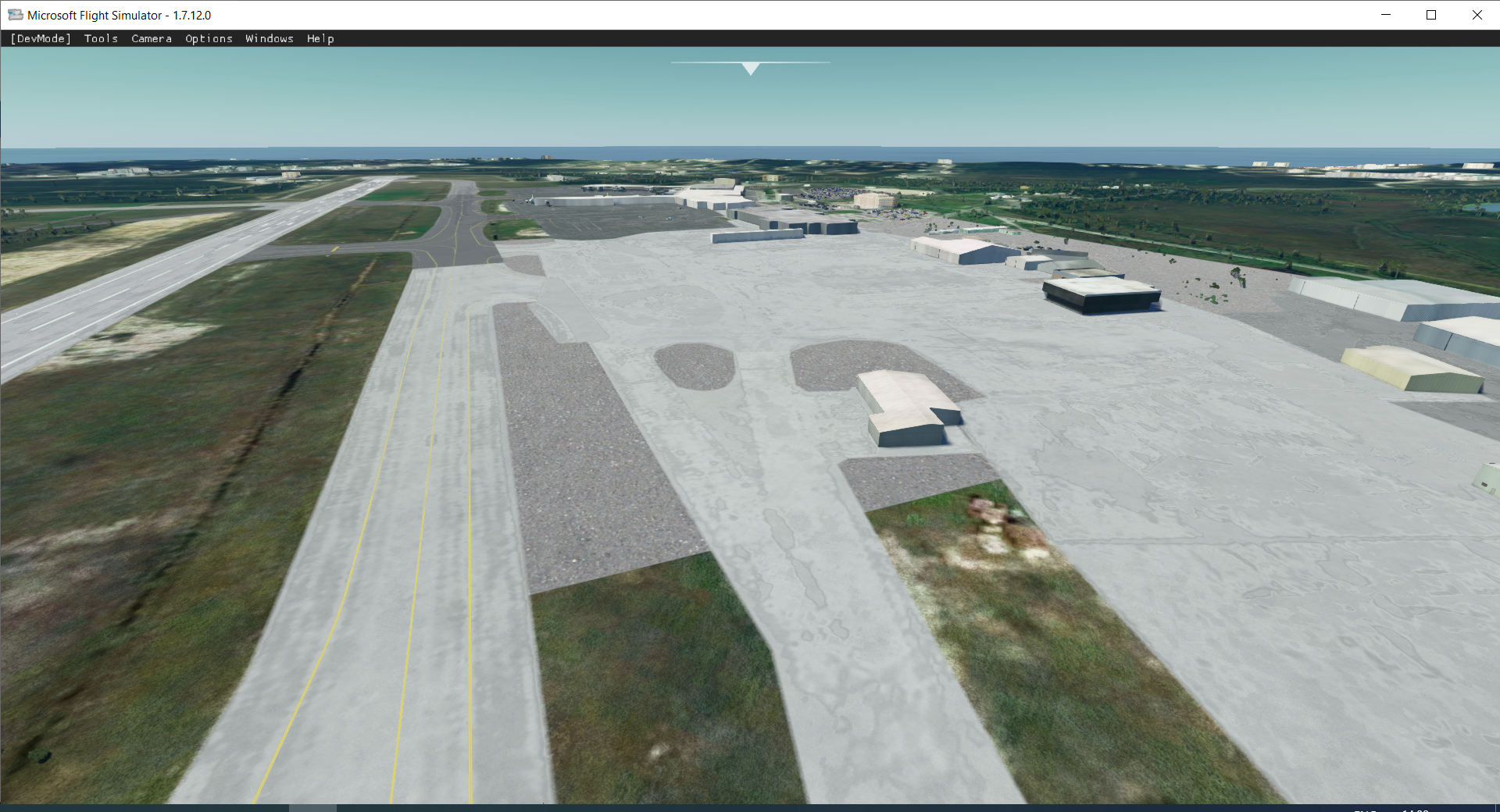
C:\MSFS SDK\Samples\SimpleProjectedMesh
I compiled the example and test the scenery.
There is a square polygon with asphalt texture in the aiport MYNN
I haven't excluded the default airport.


- Messages
- 40
- Country
graciasI think that we can create ground polygon with the FS2020 SDK, there is an example:
C:\MSFS SDK\Samples\SimpleProjectedMesh
I compiled the example and test the scenery.
There is a square polygon with asphalt texture in the aiport MYNN
I haven't excluded the default airport.
View attachment 60973
mendiola_loyola
Resource contributor
- Messages
- 520
- Country
I think that with the SimpleProjectedMesh we could migrate our 3DS Max Ground Polygon airports to FS2020.
But we have to figure out the process.
Regards
But we have to figure out the process.
Regards

- Messages
- 34,981
- Country

Am I right that projected mesh are in effect library objects?
So a model (glTF) is created and placed. The flags for goundMerging, snalToGround and snapToNormal determined the behavior of the object in sim. Presumably these models are planar.
This seems somewhat similar to the process AFX used to create flattens. If so this is good news for ADE
Code:
<ProjectedMesh priority="0" groundMerging="TRUE">
    <!--SceneryObject name: PlaneAsphalt-->
    <SceneryObject lat="25.04575197000920" lon="-77.46249919235127" alt="-10.00332859702968" pitch="0.000656" bank="-0.000656" heading="134.966888" imageComplexity="VERY_SPARSE" altitudeIsAgl="TRUE" snapToGround="FALSE" snapToNormal="FALSE">
        <LibraryObject name="{B0FCE23F-D7B4-461A-809B-747080A1BBC3}" scale="52.347889"/>
    </SceneryObject>
</ProjectedMesh>
So a model (glTF) is created and placed. The flags for goundMerging, snalToGround and snapToNormal determined the behavior of the object in sim. Presumably these models are planar.
This seems somewhat similar to the process AFX used to create flattens. If so this is good news for ADE
- Messages
- 40
- Country
Am I right that projected mesh are in effect library objects?
Code:<ProjectedMesh priority="0" groundMerging="TRUE"> <!--SceneryObject name: PlaneAsphalt--> <SceneryObject lat="25.04575197000920" lon="-77.46249919235127" alt="-10.00332859702968" pitch="0.000656" bank="-0.000656" heading="134.966888" imageComplexity="VERY_SPARSE" altitudeIsAgl="TRUE" snapToGround="FALSE" snapToNormal="FALSE"> <LibraryObject name="{B0FCE23F-D7B4-461A-809B-747080A1BBC3}" scale="52.347889"/> </SceneryObject> </ProjectedMesh>
So a model (glTF) is created and placed. The flags for goundMerging, snalToGround and snapToNormal determined the behavior of the object in sim. Presumably these models are planar.
This seems somewhat similar to the process AFX used to create flattens. If so this is good news for ADE
I dont think its possible to flag a model via the blender plugin unless Im missing something?
mendiola_loyola
Resource contributor
- Messages
- 520
- Country
Yes a model with planar polygons is added on the scenery. I tried it with 3dsmax 2018 plygons and it worked. The guid belongs to a gltf object.Am I right that projected mesh are in effect library objects?
Code:<ProjectedMesh priority="0" groundMerging="TRUE"> <!--SceneryObject name: PlaneAsphalt--> <SceneryObject lat="25.04575197000920" lon="-77.46249919235127" alt="-10.00332859702968" pitch="0.000656" bank="-0.000656" heading="134.966888" imageComplexity="VERY_SPARSE" altitudeIsAgl="TRUE" snapToGround="FALSE" snapToNormal="FALSE"> <LibraryObject name="{B0FCE23F-D7B4-461A-809B-747080A1BBC3}" scale="52.347889"/> </SceneryObject> </ProjectedMesh>
So a model (glTF) is created and placed. The flags for goundMerging, snalToGround and snapToNormal determined the behavior of the object in sim. Presumably these models are planar.
This seems somewhat similar to the process AFX used to create flattens. If so this is good news for ADE
Alfredo
- Messages
- 34,981
- Country
Yes a model with planar polygons is added on the scenery. I tried it with 3dsmax 2018 plygons and it worked. The guid belongs to a gltf object.
Alfredo
Thanks

- Messages
- 31
- Country
Hopefully in a new update for ADE we can directly export already created ground polys to work in FS2020. That would make this really easy. However, Microsoft seems to really want us to use only their tools now, so this is probably unlikely.
- Messages
- 34,981
- Country
Hopefully in a new update for ADE we can directly export already created ground polys to work in FS2020. That would make this really easy. However, Microsoft seems to really want us to use only their tools now, so this is probably unlikely.
I am wading through the treacle at the moment
