
• Which the release of FS2020 we see an explosition of activity on the forun and of course we are very happy to see this. But having all questions about FS2020 in one forum becomes a bit messy. So therefore we would like to ask you all to use the following guidelines when posting your questions:

    • Tag FS2020 specific questions with the MSFS2020 tag.
    • Questions about making 3D assets can be posted in the 3D asset design forum. Either post them in the subforum of the modelling tool you use or in the general forum if they are general.
    • Questions about aircraft design can be posted in the Aircraft design forum
    • Questions about airport design can be posted in the FS2020 airport design forum. Once airport development tools have been updated for FS2020 you can post tool speciifc questions in the subforums of those tools as well of course.
    • Questions about terrain design can be posted in the FS2020 terrain design forum.
    • Questions about SimConnect can be posted in the SimConnect forum.

    Any other question that is not specific to an aspect of development or tool can be posted in the General chat forum.

    By following these guidelines we make sure that the forums remain easy to read for everybody and also that the right people can find your post to answer it.

P3D v4 Horrible lines in google skechup

Messages
16
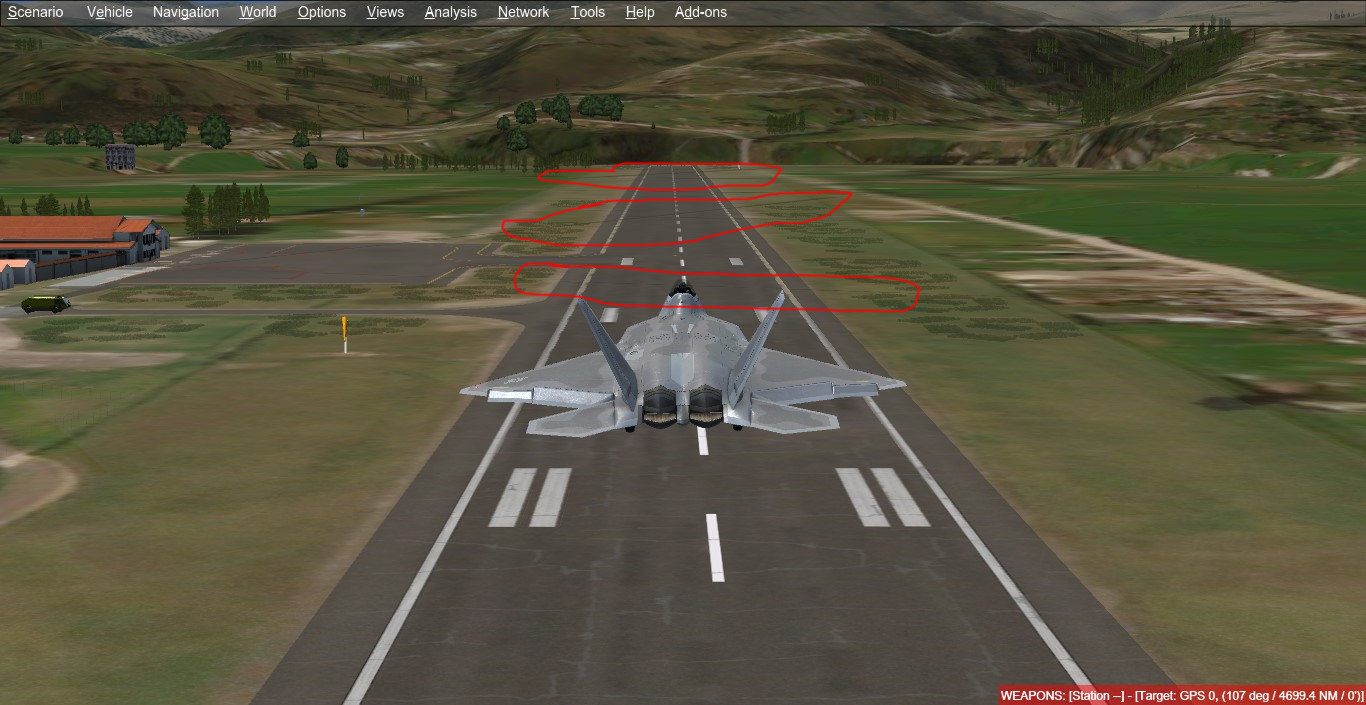
Hello I am new in the development of scenarios a while ago I made a ground poly with skechup but at the time of testing in the simulator I get these strange lines
pregunta.png


It is difficult to notice, but they are black lines that appear in the background of the image, these lines disappear when I approach,
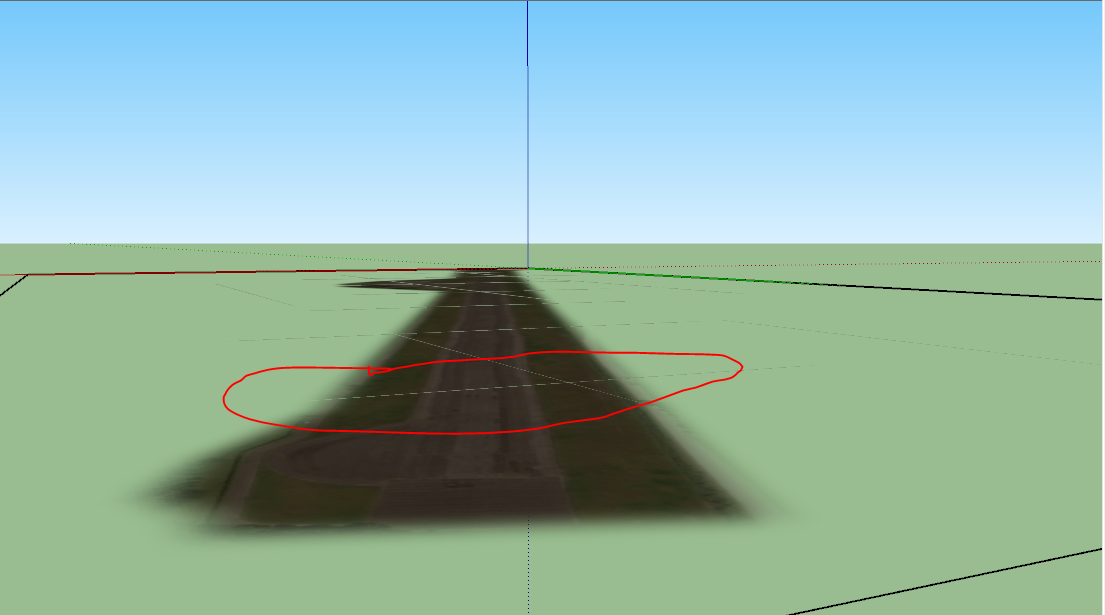
the same happens with skechup when I apply single text to the object, that's when those lines appear
1538577626240.png

how can i solve this help please
use this video as a guide
Sorry for my bad english
 
I am getting those too. Couldn't find any solution yet. May I ask you a few questions about your runway GP?
 
Is your airport properly flattened? Small elevation differences might give cracks between polygons.
 
Is the imagery you are using properly aligned? If there is a slight gap between them, you will get some lines.
 
Back
Top