• Which the release of FS2020 we see an explosition of activity on the forun and of course we are very happy to see this. But having all questions about FS2020 in one forum becomes a bit messy. So therefore we would like to ask you all to use the following guidelines when posting your questions:

    • Tag FS2020 specific questions with the MSFS2020 tag.
    • Questions about making 3D assets can be posted in the 3D asset design forum. Either post them in the subforum of the modelling tool you use or in the general forum if they are general.
    • Questions about aircraft design can be posted in the Aircraft design forum
    • Questions about airport design can be posted in the FS2020 airport design forum. Once airport development tools have been updated for FS2020 you can post tool speciifc questions in the subforums of those tools as well of course.
    • Questions about terrain design can be posted in the FS2020 terrain design forum.
    • Questions about SimConnect can be posted in the SimConnect forum.

    Any other question that is not specific to an aspect of development or tool can be posted in the General chat forum.

    By following these guidelines we make sure that the forums remain easy to read for everybody and also that the right people can find your post to answer it.

Need help modifing a coastline

Messages
42
Country
unitedstates
I'm trying to modify a Catalina Island coastline from the Aerosoft Los Angeles X scenery package.

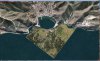
The first photo shows the pier I would like to delete so I can add a 3D Object. This use to be done in FS9 by just editing the right BGL file.

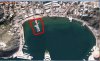
I have managed to remove the water with FSX KML using the tutorial, and add some back (just a test), but it did not remove the pier (photo 2).

I'm I on the right track or can this not be done on a commercial scenery?

Thanks,

:<Ron>
 

Attachments

  • CatalinaBay.jpg
    CatalinaBay.jpg
    139.3 KB · Views: 607
  • CatalinaBay2.jpg
    CatalinaBay2.jpg
    137.7 KB · Views: 489
Pier removal

Hi Ron, yes it can be done but not in the way you are trying to do it (as far as I am aware anyway). I don't have this product but...

I assume that the pier is part of a photo-scenery tile forming part of the scenery. As such you will be unable to change it by making adjustments to the vector watermask. My understanding is that it is not possible to edit imagery in photo-scenery bgl's, so I think you'll have to cheat a little!

I have done something similar when creating motorway bridges and have wanted to edit out the bridge image from photo-scenery to show an unbroken motorway underneath the extrusion.

The method I used was to take a screenshot of the area you want to edit from a source of aerial photography. What you use will depend on what the source quality of what you want to edit is, and what the quality of imagery available to you is! When you have your base image, edit it in Photoshop or similar to get it looking how you want. Then use SBuilderX to place this image as photo-scenery in sim (in a scenery layer higher than the product you want to 'edit').

You may be lucky and find that the image used exactly matches up colour and detail wise, but for best results you will need to apply a transparency and blend mask to the edges of your image to make sure the edit looks seamless.

If you've never used SBX don't worry all the answers as to how to do it are either in the manual or available on the SBX forum or here.

Cheers & happy new year!
K
 
Hi Kevin,

Thanks for the help. After spending all day yesterday trying to use FSX KML to do what I wanted, finding out I was on the wrong track is very helpful!

Yes, I'm trying to change the photo-scenery. It sounds like exactly the same thing you were doing with the bridges. I have used SBuilderX; not sure I really understood what I was doing :) but I followed the tutorial and managed to get the photo textures down, so I'll try that route.
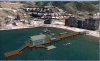
I've already done the 3D pier, but having the photo-texture under it just doesn't look right!

Thanks again,

:<Ron>
 
Pier removal

No problem Ron, you don't need to use the downloaded tiles from SBuilderX to remove your pier. Rather, you want to take a picture and georeference it using SBX so that it is placed correctly.

When you do a transparency you'll need to use an alpha channel in the image. I can't remember off the top of my head which way round it is but either 100% white or black background allows the base image to show through.

I can't remember the exact steps I went through now but I do recall I got it sorted in well under a day :). I think you will need another file as well which will control te blendmask, which I recall will need to be a specific type of tif file, graduated in shades of grey. If I'm wrong I'm sure someone else will correct me but if you get stuck feel free to PM me and I'll work it out again with you :)

K
 
Thanks Kevin,

After a day of trial and error (and help from a tutorial by Luis Féliz-Tirado) I managed to remove the photo-texture pier, replace with water effects and blend it into the existing water. It turned out great!

However, after feeling really good about the results, I noticed that all the autogen objects near the area are gone! What a disappointment! :)

So now I'll go looking for a command I missed that does not delete the autogen.

:<Ron>
 

Attachments

  • CatalinaBay3.jpg
    CatalinaBay3.jpg
    321.5 KB · Views: 543
So now I'll go looking for a command I missed that does not delete the autogen.

I'm taking a guess here that you made a new, small photo area to overlay what was there? Within your small area you have a blendmask file to let the shoreline match and leave other stuff out? If so, your photo file does not have autogen applied via the Autogen Annotator?

Your work overrides what was there, including the autogen for the size of your work area. At least that's what I think is going on. You might try copying the autogen files from the addon over to a \texture folder where your \scenery folder holds your BGL file. Copy, not a cut and paste.
 
Coping the autogen files from the addon to my scenery texture folder did the trick!

Seems obvious once it is pointed out to you.

Thanks for all the help.

:<Ron>
 
Back
Top