

I'm having a problem with a livery I created for the base model Texan T-6 from the Reno Air Races expansion package.
For some reason, a portion of the texture for the trailing edge of the underside of the left wing is being swapped around with a portion of the leading edge texture. I thought I was doing something wrong with my painting or export at first, but after inspecting the default Asobo liveries, it seems the default planes have the same error, but it's not as noticeable because all their wings are solid colours and there is a decal that is placed over the wing texture which hides the defect somewhat.
Here is a sample image of a test livery I painted, with colour changes and markings deliberately to see how they were being mapped in the sim:
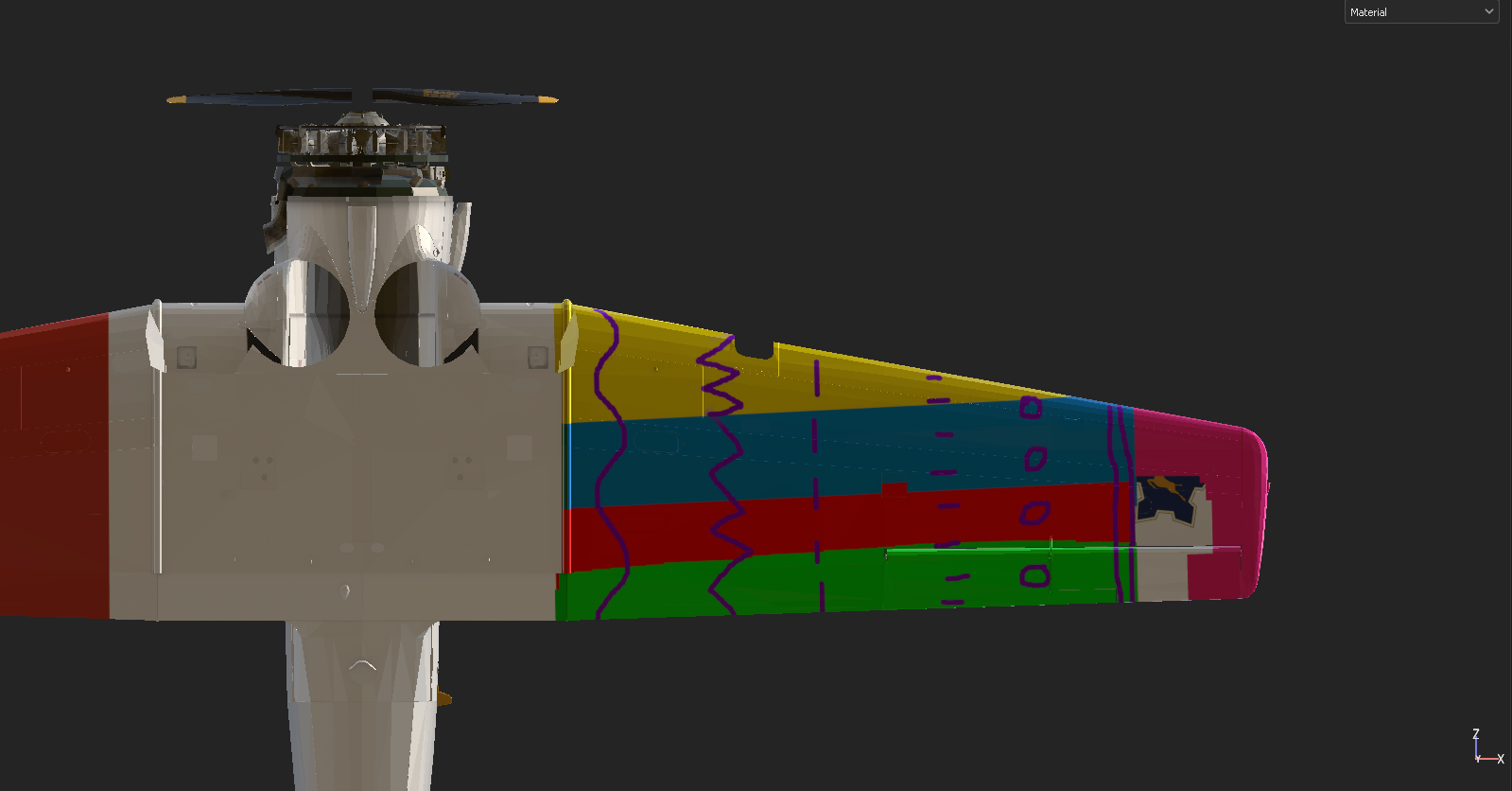
And here is how it gets rendered in the sim:

Notice how on the trailing edge next to the flaps it's repeating part of the texture from the front of the wing (instead of being the green colour it should be)?
The right wing is working perfectly.
Has anyone else picked this up?
For some reason, a portion of the texture for the trailing edge of the underside of the left wing is being swapped around with a portion of the leading edge texture. I thought I was doing something wrong with my painting or export at first, but after inspecting the default Asobo liveries, it seems the default planes have the same error, but it's not as noticeable because all their wings are solid colours and there is a decal that is placed over the wing texture which hides the defect somewhat.
Here is a sample image of a test livery I painted, with colour changes and markings deliberately to see how they were being mapped in the sim:
And here is how it gets rendered in the sim:
Notice how on the trailing edge next to the flaps it's repeating part of the texture from the front of the wing (instead of being the green colour it should be)?
The right wing is working perfectly.
Has anyone else picked this up?