• Which the release of FS2020 we see an explosition of activity on the forun and of course we are very happy to see this. But having all questions about FS2020 in one forum becomes a bit messy. So therefore we would like to ask you all to use the following guidelines when posting your questions:

    • Tag FS2020 specific questions with the MSFS2020 tag.
    • Questions about making 3D assets can be posted in the 3D asset design forum. Either post them in the subforum of the modelling tool you use or in the general forum if they are general.
    • Questions about aircraft design can be posted in the Aircraft design forum
    • Questions about airport design can be posted in the FS2020 airport design forum. Once airport development tools have been updated for FS2020 you can post tool speciifc questions in the subforums of those tools as well of course.
    • Questions about terrain design can be posted in the FS2020 terrain design forum.
    • Questions about SimConnect can be posted in the SimConnect forum.

    Any other question that is not specific to an aspect of development or tool can be posted in the General chat forum.

    By following these guidelines we make sure that the forums remain easy to read for everybody and also that the right people can find your post to answer it.

Problem with Ground Polygon

Messages
187
Country
hungary
Hello again!

I wrote yesterday that i successfully created a ground polygon but not unfortunately :(

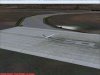
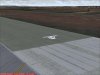
See my attachments (look the runway). In a viewpoint it looks like ok but when i move the camera it sometimes disappear always at the same viewpoint of the camera. I don't understand because when i made my first ground poly yesterday which was a skid with alpha channel it was good and always visible. Is there a special setting in FSSC or in GMax for texture or something else?
 

Attachments

  • 1.jpg
    1.jpg
    46.9 KB · Views: 732
  • 2.jpg
    2.jpg
    53.3 KB · Views: 962
Hi,

If the total object dissapears it could be that you have not set the correct v2 value when you placed the object. FsRegen shows the optimal value for v2 after you have loaded the ASM source file.
 
Yes the whole object disappear. What is the v2 value?

And where is it displayed in FsRegen? When i load the ASM file it only show the next values in the Library Compiler window: Object name, scale, object type, object size.
 
Thx it works but now i have a new problem with flickering.

I made 2 ground polys in gmax. First is the runway the second is a tire layer with alpha channel texture. In FSSC i placed the tire macro over the runway and the tire's layer number higher than the runway (modified in API, runway: layer 38, skid: layer 39). I tried with different layer numbers, but the tire texture over the runway is always flickering. If i placed the tire ground poly to another place for example beside the runway, it looks good and not flickering. What i missed?

Other. If the layer number higher than 40 my ground poly don't visible. Is this normal?
 
Hi,

I would normally use slightly lower lower number. For example 4, 8, 12, 16, etc. In previous version of FS is was needed to increase the value with 4 every time, so that is a habbit I still use. When you do so, you should be able to get them showing nicely on top of each other.
 
Yes it works thx just i have to improve an addon scenery's runway now and there are two concrete edges at the two sides of the runway. These edges layer number about 3x so my new runway ground poly layer number must be minimum 36 if i want that it's not flickering. It's okay but i want to 2 other layers above the runway which are tires, smooth-tire textures etc. The second is ok it's number 40 (36+4) but the third is 44. It is not visible because ground polys don't visible if layer number higher than 40 (at me). What should i do?
 
If I remember correctly any layer number above 24 should display on top of such old style runways.
 
Yes but it's an old style runway and there are 2 concrete edges on the sides of the runway designed by somebody. They number higher than 30. If i place my ground poly layer under 35 the old-runway will be invisible but the two edges looks trough my ground poly.
 
OK, humm, in that case you will indeed have to use the higher layer numbers. Could you try 36 and 40 or so in that case?
 
Back
Top