
• Which the release of FS2020 we see an explosition of activity on the forun and of course we are very happy to see this. But having all questions about FS2020 in one forum becomes a bit messy. So therefore we would like to ask you all to use the following guidelines when posting your questions:

    • Tag FS2020 specific questions with the MSFS2020 tag.
    • Questions about making 3D assets can be posted in the 3D asset design forum. Either post them in the subforum of the modelling tool you use or in the general forum if they are general.
    • Questions about aircraft design can be posted in the Aircraft design forum
    • Questions about airport design can be posted in the FS2020 airport design forum. Once airport development tools have been updated for FS2020 you can post tool speciifc questions in the subforums of those tools as well of course.
    • Questions about terrain design can be posted in the FS2020 terrain design forum.
    • Questions about SimConnect can be posted in the SimConnect forum.

    Any other question that is not specific to an aspect of development or tool can be posted in the General chat forum.

    By following these guidelines we make sure that the forums remain easy to read for everybody and also that the right people can find your post to answer it.

P3D v4 Shadow errors on reflective surfaces

Horst18519

Moderator
Resource contributor
Messages
2,385
Country
germany
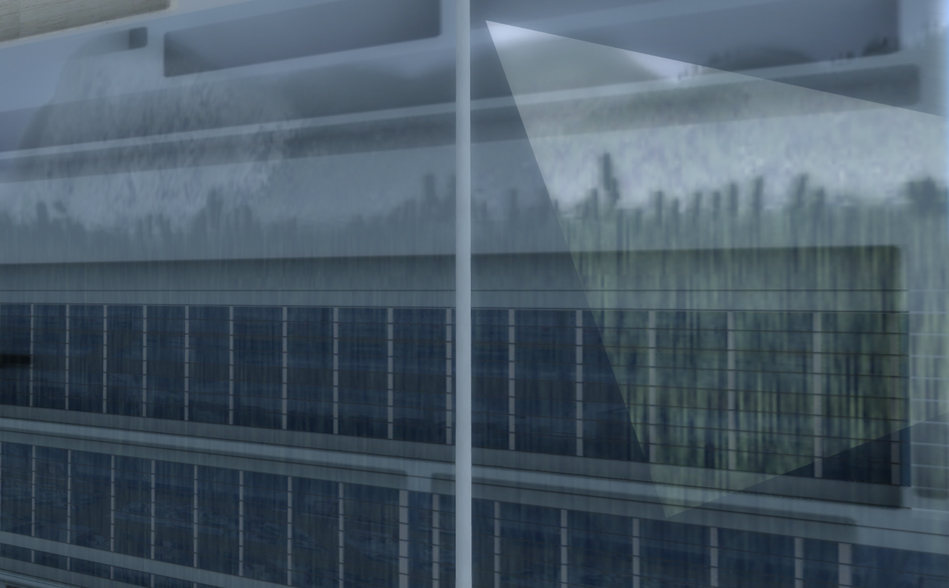
I ran into a problem I never saw before - I'm not sure if this is completely related to P3Dv4 but it looks like. On a textured box using a specular map I get these weird shadow errors when getting very close to the object:
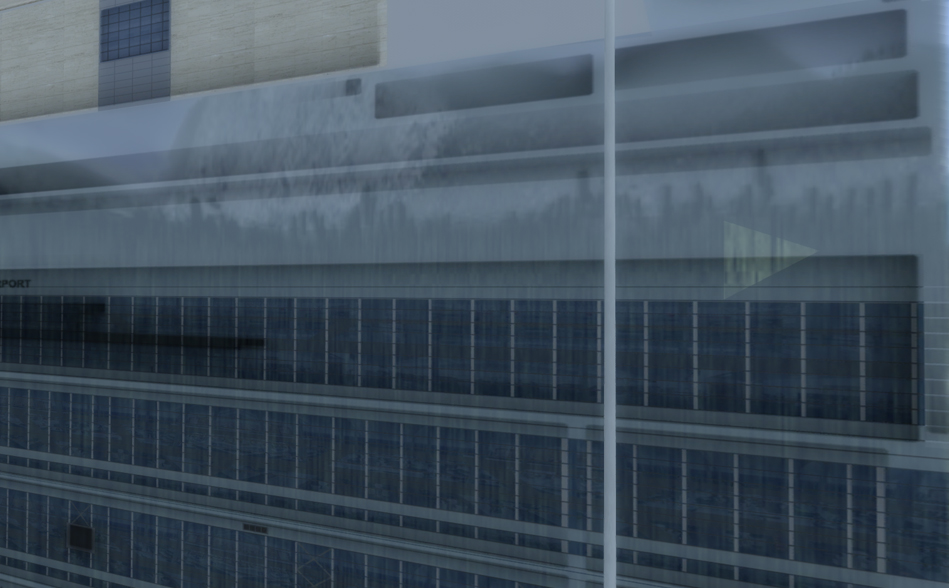
p3dv4reflect_1.jpg
p3dv4reflect_2.jpg


It only happens if "simulation object shadow" cast & receive is enabled in P3Dv4 graphics settings.
It doesn't matter if I use a custom reflection map or if I blend texture / environment via diffuse or specular alpha. As soon as I enable those shadow options I get this effect on all reflective objects in my scene.

Has anyone ever come across that problem?
 
Hi Thorsten:

That is indeed a curious anomaly; is that 3D volumetric grass I'm seeing in the "weird shadow effect" image area ? :scratchch

GaryGB
 

Well, yes, I understand that the custom cubemap is what we are looking at, but what I meant is, within the image area of the custom cubemap, part of the image seen is suggestive of "3D volumetric grass", IMHO.

Would I be correct that, as far as you know, one would have had to purposely include that (what I refer to as "3D volumetric grass") image in the textures applied to the cubemap in order for it to be seen "reflected" in a glass window of the building ?

And would I be correct that, as far as you know, in P3Dv4 there is no mechanism (yet) to "reflect" scenery objects from the surrounding 'environment' independent of what you chose to include in a custom cubemap ? :scratchch

GaryGB
 
Erm... :scratchch ... I think I didn't fully understand the question.
I did not activate custom reflections in the graphics settings so the reflections are solely default cubemap. There is no 3D grass in the scenery to answer the other question. The bug seems only related to self-shadowing of reflective objects - independently of what is reflected.
 
Thanks for pointing those out. I had found the 2nd one as well but wasn't sure that was the same problem. First one looks like though. Since I now found that behavior in other sceneries as well I guess it's a P3D bug that in some occasions is more obvious than in others. I see quite a number of developers flag all their content with "no shadow" to avoid that but I guess that's not really the best option.
 
Back
Top