Follow along with the video below to see how to install our site as a web app on your home screen.
Note: This feature may not be available in some browsers.
Which the release of FS2020 we see an explosition of activity on the forun and of course we are very happy to see this. But having all questions about FS2020 in one forum becomes a bit messy. So therefore we would like to ask you all to use the following guidelines when posting your questions:
Tag FS2020 specific questions with the MSFS2020 tag.
Questions about making 3D assets can be posted in the 3D asset design forum. Either post them in the subforum of the modelling tool you use or in the general forum if they are general.
Questions about aircraft design can be posted in the Aircraft design forum
Questions about airport design can be posted in the FS2020 airport design forum. Once airport development tools have been updated for FS2020 you can post tool speciifc questions in the subforums of those tools as well of course.
Questions about SimConnect can be posted in the SimConnect forum.
Any other question that is not specific to an aspect of development or tool can be posted in the General chat forum.
By following these guidelines we make sure that the forums remain easy to read for everybody and also that the right people can find your post to answer it.
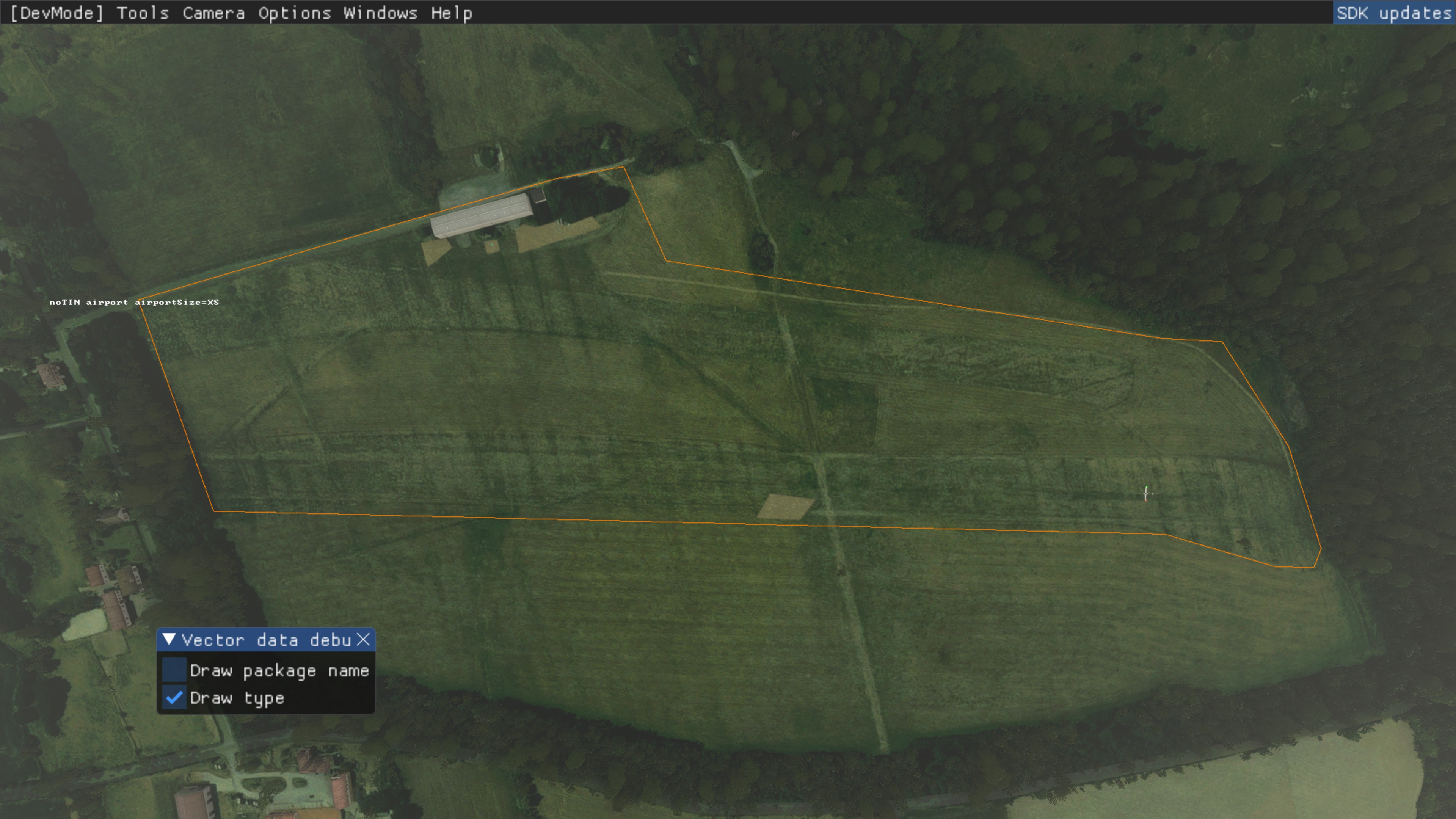
I am struggling with a problem and the problem is called Vector Data. On an airfield (EDIU) that I am working on there is a polygon with the property that it excludes the TIN below.
The properties of the polygon: noTin airport airportSize=XS
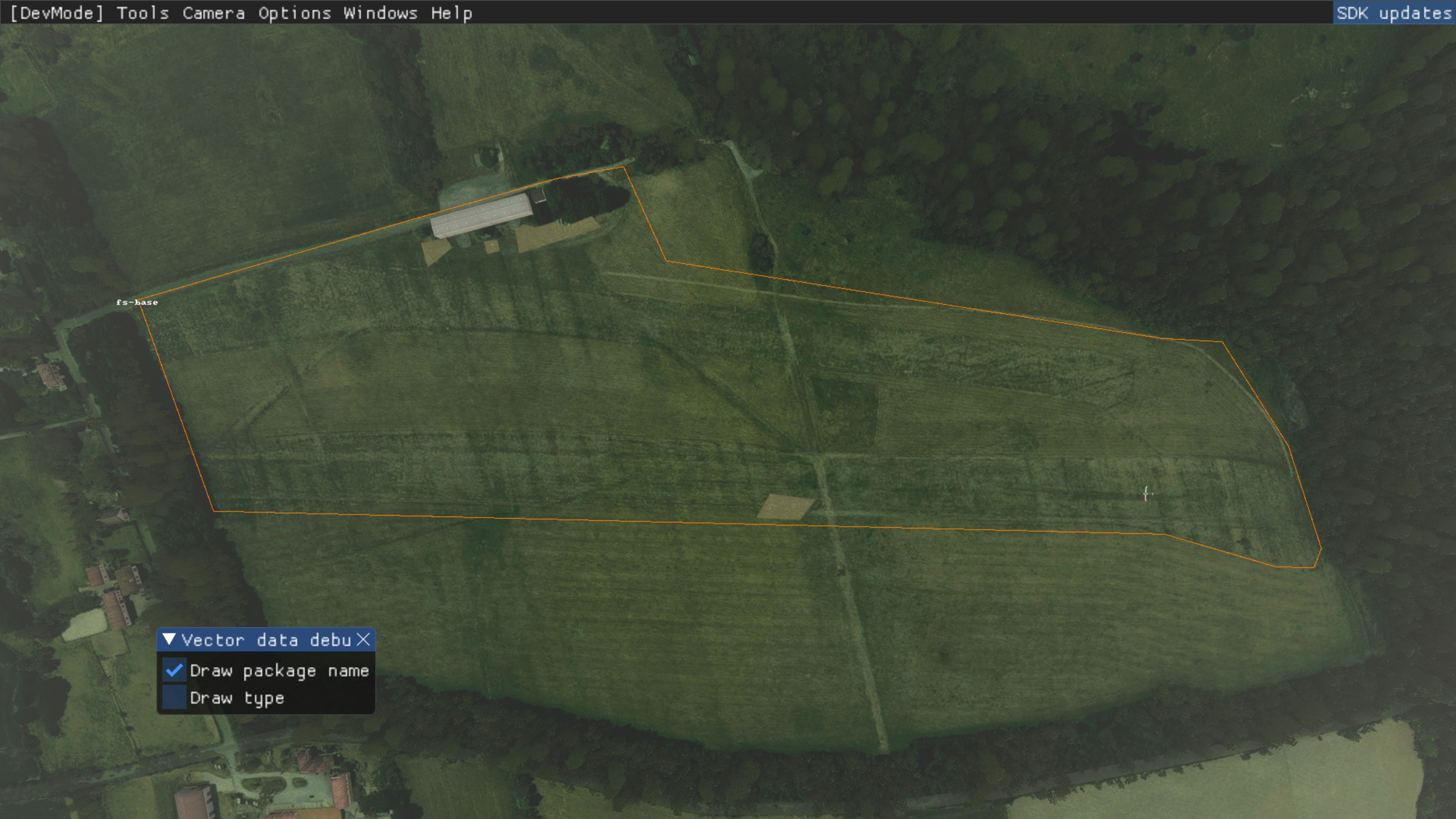
The debug mode shows that it is a polygon from the FS base: fs-base
The result is that my high-resolution 1m LIDAR Mesh does not come into play. The question that naturally arises is how to remove this polygon.
I think I got a little closer to the problem. As it currently looks, it is not due to the described polygon that excludes the TIN. It seems to be due to the runway, because if I play something with the parameters there, then my terrain is shown to me as it should be displayed.
The airfield should have a runway with a natural gradient, so it should not be flat. I am currently doing the main work of the airport attributes with the help of the MSFS built-in scenery editor. However, I have already downloaded and installed the latest version of the Airport Design Editor. There I had loaded the stock data of the MSFS for EDIU to see which files would be suitable for an error analysis. However, I did not get any further there.
Maybe it is a little more complicated than I suspected at the beginning when I wrote the LADAR data directly into the profile of the runway. Or it is the terraforming parameter of the runway itself that is causing the error. I am now experimenting a little further and when the occasion arises, I will report that here.
I think I got a little closer to the problem. As it currently looks, it is not due to the described polygon that excludes the TIN. It seems to be due to the runway, because if I play something with the parameters there, then my terrain is shown to me as it should be displayed.
The airfield should have a runway with a natural gradient, so it should not be flat. I am currently doing the main work of the airport attributes with the help of the MSFS built-in scenery editor. However, I have already downloaded and installed the latest version of the Airport Design Editor. There I had loaded the stock data of the MSFS for EDIU to see which files would be suitable for an error analysis. However, I did not get any further there.
Maybe it is a little more complicated than I suspected at the beginning when I wrote the LiDAR data directly into the profile of the runway. Or it is the terraforming parameter of the runway itself that is causing the error. I am now experimenting a little further and when the occasion arises, I will report that here.
"The following options will be applied to the surface material, as well as any further materials you use (as explained below):
Transparent
Checking this will make the runway materials transparent so they won't be rendered in the scene, although the runway will still be valid and usable. Also note that even when a runway is flagged as transparent, its Markings will still be rendered."
"The following options will be applied to the surface material, as well as any further materials you use (as explained below):
Transparent
Checking this will make the runway materials transparent so they won't be rendered in the scene, although the runway will still be valid and usable. Also note that even when a runway is flagged as transparent, its Markings will still be rendered."
You're a legend Gary! Selflessly offering detailed support over the years. I just wanted to pop my head in and value your contribution. I have learnt alot from your knowledge sharing.
This site uses cookies to help personalise content, tailor your experience and to keep you logged in if you register.
By continuing to use this site, you are consenting to our use of cookies.