• Which the release of FS2020 we see an explosition of activity on the forun and of course we are very happy to see this. But having all questions about FS2020 in one forum becomes a bit messy. So therefore we would like to ask you all to use the following guidelines when posting your questions:

    • Tag FS2020 specific questions with the MSFS2020 tag.
    • Questions about making 3D assets can be posted in the 3D asset design forum. Either post them in the subforum of the modelling tool you use or in the general forum if they are general.
    • Questions about aircraft design can be posted in the Aircraft design forum
    • Questions about airport design can be posted in the FS2020 airport design forum. Once airport development tools have been updated for FS2020 you can post tool speciifc questions in the subforums of those tools as well of course.
    • Questions about terrain design can be posted in the FS2020 terrain design forum.
    • Questions about SimConnect can be posted in the SimConnect forum.

    Any other question that is not specific to an aspect of development or tool can be posted in the General chat forum.

    By following these guidelines we make sure that the forums remain easy to read for everybody and also that the right people can find your post to answer it.

MSFS24 2024: modified ktx2 texture file doesn't show in sim

Messages
4
Country
unitedstates
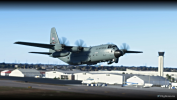
I modified some text on an existing 2024 livery after converting the file to PNG, then exported it back to ktx2 and placed it in the original folder. I also ran the layout generator. But in the simulator , nothing has changed about the livery text. ??
 
I was reading the official dev forum and Asobo added their own special characteristics to KTX2 files. They said converting them with other tools will not work.

But @rhumbaflappy and @FlakNine put together a couple tools that might help you out

 
Last edited:
You could make a bogus package and let the MSFS 2024 compiler do the work. Attached. You'll need to make XML files for the source textures.
 

Attachments

You could make a bogus package and let the MSFS 2024 compiler do the work. Attached. You'll need to make XML files for the source textures.
I used the extract batch file to get PNGs from the ktx2 files. Edited one in particular , in paint.net, changing "US Air Force" to Bush Divers, saved as png. ( the new text was on a 2nd layer....I had already painted over the original text on the primary layer.
Then used ImageToMSFSKTX2.bat very carefully and the log indicated success. I had it output right to the community folder area where this livery sits. This batch file also builds/compiles using the SDK

Upon launching the sim, the lettering has not changed. I realize there will be four ktx2's I need to edit since the text spans over two texture files, and is located on both sides. But I was hoping to at least see that my changes were making it through to the simulator.

 

Attachments

  • HurricaneHunter C130.png
    HurricaneHunter C130.png
    761.6 KB · Views: 114
  • D30_EXT_03_ALBD.PNG
    D30_EXT_03_ALBD.PNG
    1.6 MB · Views: 101
I used the extract batch file to get PNGs from the ktx2 files. Edited one in particular , in paint.net, changing "US Air Force" to Bush Divers, saved as png. ( the new text was on a 2nd layer....I had already painted over the original text on the primary layer.
Then used ImageToMSFSKTX2.bat very carefully and the log indicated success. I had it output right to the community folder area where this livery sits. This batch file also builds/compiles using the SDK

Upon launching the sim, the lettering has not changed. I realize there will be four ktx2's I need to edit since the text spans over two texture files, and is located on both sides. But I was hoping to at least see that my changes were making it through to the simulator.
I have about 30 minutes total time on paint.net and this is my first attempt at editing such files.
 
Back
Top