
-
Which the release of FS2020 we see an explosition of activity on the forun and of course we are very happy to see this. But having all questions about FS2020 in one forum becomes a bit messy. So therefore we would like to ask you all to use the following guidelines when posting your questions:
- Tag FS2020 specific questions with the MSFS2020 tag.
- Questions about making 3D assets can be posted in the 3D asset design forum. Either post them in the subforum of the modelling tool you use or in the general forum if they are general.
- Questions about aircraft design can be posted in the Aircraft design forum
- Questions about airport design can be posted in the FS2020 airport design forum. Once airport development tools have been updated for FS2020 you can post tool speciifc questions in the subforums of those tools as well of course.
- Questions about terrain design can be posted in the FS2020 terrain design forum.
- Questions about SimConnect can be posted in the SimConnect forum.
Any other question that is not specific to an aspect of development or tool can be posted in the General chat forum.
By following these guidelines we make sure that the forums remain easy to read for everybody and also that the right people can find your post to answer it.
You are using an out of date browser. It may not display this or other websites correctly.
You should upgrade or use an alternative browser.
You should upgrade or use an alternative browser.
P3D v4 A220-100 / CS100 (Cancelled)
- Thread starter Osian
- Start date

I’d have to look at your textures to see. You can reach out to me in PM if you want. Been working with PBR since the Leonardo MD-80 beta.So, here we are in P3D
Does anyone know how to not make the letters seem so grey when using PBR?
View attachment 54095

Osian
Resource contributor
- Messages
- 417
- Country

I've figured out what the problem was.I’d have to look at your textures to see. You can reach out to me in PM if you want. Been working with PBR since the Leonardo MD-80 beta.
In my main texture the letters were greyish -_- I didn't look properly haha.
Anyway do you have any info on how to make a metal map for PBR? I haven't figured that out yet and the P3D SDK manual is quite vague.
Thanks!

As far as the programming no. I haven’t a clue honestly. My experience is limited to adjusting the Red, Green and Alpha channels of the metallic files after it’s all programmed. I could look at your texture files and see about creating those files though if you need.I've figured out what the problem was.
In my main texture the letters were greyish -_- I didn't look properly haha.
Anyway do you have any info on how to make a metal map for PBR? I haven't figured that out yet and the P3D SDK manual is quite vague.
Thanks!
Sent PMI would love to know how to make those files with the RGB channels.
I've no Idea how to compile those.
Osian
Resource contributor
- Messages
- 417
- Country
I've got some modeling problems, as you can see there is a line running across the fuselage at the top (you have to look for it to see it in the picture)
and when looking at the windshield area in the second picture there are some odd artifacts which all aren't visible in blender.
Does anyone have a clue?
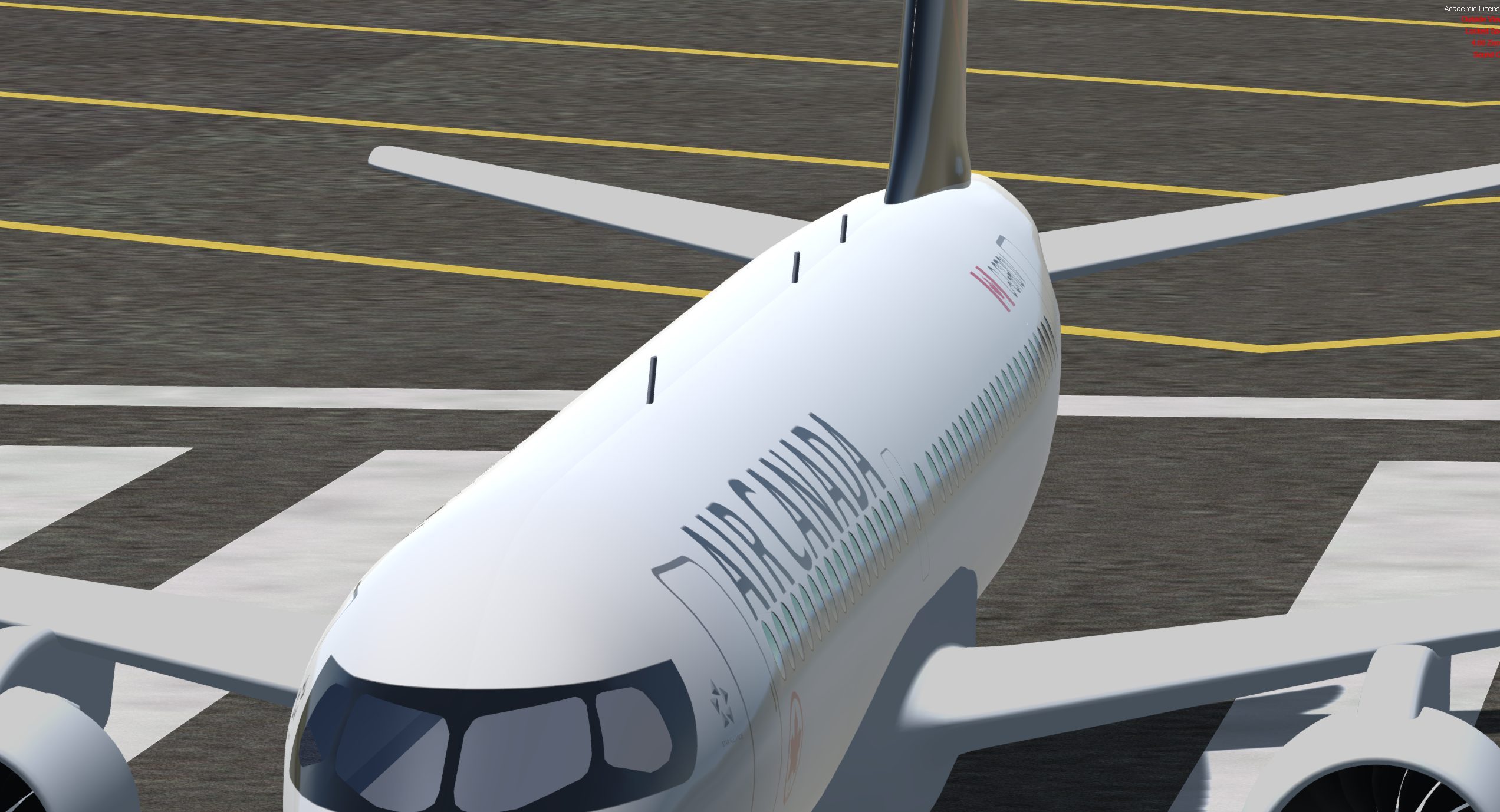
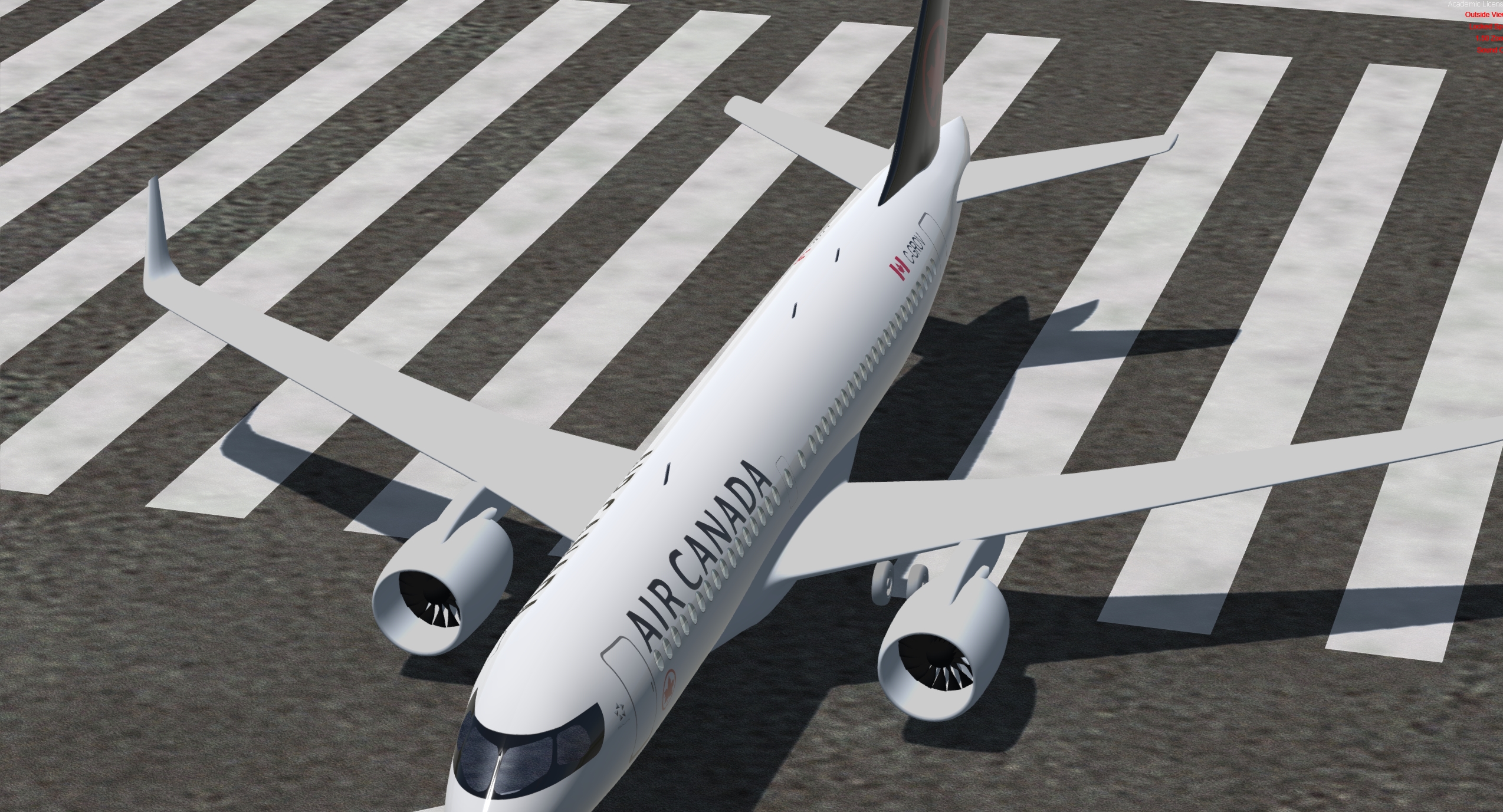
and when looking at the windshield area in the second picture there are some odd artifacts which all aren't visible in blender.
Does anyone have a clue?

- Messages
- 943
- Country

I've got some modeling problems, as you can see there is a line running across the fuselage at the top (you have to look for it to see it in the picture)
and when looking at the windshield area in the second picture there are some odd artifacts which all aren't visible in blender.
Does anyone have a clue?
the line cames from texture mapping, where map divide in to 2 separate map. make sure too that 2 texture has identical setup.
Osian
Resource contributor
- Messages
- 417
- Country
The maps are actually identicalthe line cames from texture mapping, where map divide in to 2 separate map. make sure too that 2 texture has identical setup.

- Messages
- 34
- Country

I've got some modeling problems, as you can see there is a line running across the fuselage at the top (you have to look for it to see it in the picture)
and when looking at the windshield area in the second picture there are some odd artifacts which all aren't visible in blender.
Does anyone have a clue?
View attachment 54221
View attachment 54222
For the fuselage, maybe the line in Blender is a sharp edge; if that's the case, use Clear Sharp.
Or maybe there are vertex doubles that you could merge by selecting them on top of the fuselage and using the "Remove Doubles" option.

dave hoeffgen
Resource contributor
- Messages
- 1,439
- Country

you can use matcap (old) or lookdev mode (2.8) to make these artifacts visible. The windshield one is pretty common when using triangles or distorted rectangles for details like that.I've got some modeling problems, as you can see there is a line running across the fuselage at the top (you have to look for it to see it in the picture)
and when looking at the windshield area in the second picture there are some odd artifacts which all aren't visible in blender.
Does anyone have a clue?
View attachment 54221
View attachment 54222
anyways, could you show a picture of the mesh in these places?