
• Which the release of FS2020 we see an explosition of activity on the forun and of course we are very happy to see this. But having all questions about FS2020 in one forum becomes a bit messy. So therefore we would like to ask you all to use the following guidelines when posting your questions:

    • Tag FS2020 specific questions with the MSFS2020 tag.
    • Questions about making 3D assets can be posted in the 3D asset design forum. Either post them in the subforum of the modelling tool you use or in the general forum if they are general.
    • Questions about aircraft design can be posted in the Aircraft design forum
    • Questions about airport design can be posted in the FS2020 airport design forum. Once airport development tools have been updated for FS2020 you can post tool speciifc questions in the subforums of those tools as well of course.
    • Questions about terrain design can be posted in the FS2020 terrain design forum.
    • Questions about SimConnect can be posted in the SimConnect forum.

    Any other question that is not specific to an aspect of development or tool can be posted in the General chat forum.

    By following these guidelines we make sure that the forums remain easy to read for everybody and also that the right people can find your post to answer it.

MSFS20 ADE 20 - Where am I doing wrong?

Messages
13
Country
italy
Hi to all

My flow:

1) Create from stock, with Asset Group "Airport scenery+Models+Materials
2) Check complete, no error
without changing anything go to File ->BUILD Project (and also test Tools-> Direct Build

and have error, Attach screen (I apologize for my bad english)

If I check only "Airport scenery", Building with no errors (see last image)

Any advice?
Thanks
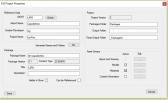
 

Attachments

  • Properties.png
    Properties.png
    21.7 KB · Views: 235
  • Folder.png
    Folder.png
    21.4 KB · Views: 249
  • Project.png
    Project.png
    9.3 KB · Views: 211
  • CheckOK.png
    CheckOK.png
    178.8 KB · Views: 245
  • Build.png
    Build.png
    72.7 KB · Views: 251
  • Build2.png
    Build2.png
    44.7 KB · Views: 236
I suspect the errors are related to Materials? I haven't really implemented anything on that yet. Can you backup your project and attach it to a post here?
 
Thanks for reply.
In short... I do not add or remove nothing from airport:
1) Create from stock
2) Save
3) Build project

In attach backup
 

Attachments

Sorry for the slow reply. As I guessed the build errors come from checking the Materials Asset group

1610708190485.png


Since ADE can't really handle this properly yet it is best to leave it unchecked. With it unchecked the project builds fine

1610708308606.png


I have it on the list to implement the materials asset group in a future update
 
I get a line that is complaining about the naming convention of the file. It still works, and goes into the community folder. But how should I name the project.
I will take a screen shot of the errors in the project dialogue box next time Im with the computer..

How should the the boxes be filled out in the project details?
 
OK - I will wait on the screenshot otherwise I do not know what is happening
 
Here are my pictures of the screen issues.
I have one of what I have my project named, and one of the error on screen.
It still builds the file, and I can see the changes, when I go into the airport.
 

Attachments

  • 6601AA40-EF69-40B6-9548-422346990472.jpeg
    6601AA40-EF69-40B6-9548-422346990472.jpeg
    2.3 MB · Views: 214
  • 774E8866-878A-4028-8DF4-5DBBC3B0A516.jpeg
    774E8866-878A-4028-8DF4-5DBBC3B0A516.jpeg
    727.8 KB · Views: 218
The airport name with those V is how it found the airport in stock upload.
So, I did not change that, or not sure if I can even change it.
 
Well you can change it and I think you need to otherwise those slashes might be treated as folder separators
 
Back
Top