• Which the release of FS2020 we see an explosition of activity on the forun and of course we are very happy to see this. But having all questions about FS2020 in one forum becomes a bit messy. So therefore we would like to ask you all to use the following guidelines when posting your questions:

    • Tag FS2020 specific questions with the MSFS2020 tag.
    • Questions about making 3D assets can be posted in the 3D asset design forum. Either post them in the subforum of the modelling tool you use or in the general forum if they are general.
    • Questions about aircraft design can be posted in the Aircraft design forum
    • Questions about airport design can be posted in the FS2020 airport design forum. Once airport development tools have been updated for FS2020 you can post tool speciifc questions in the subforums of those tools as well of course.
    • Questions about terrain design can be posted in the FS2020 terrain design forum.
    • Questions about SimConnect can be posted in the SimConnect forum.

    Any other question that is not specific to an aspect of development or tool can be posted in the General chat forum.

    By following these guidelines we make sure that the forums remain easy to read for everybody and also that the right people can find your post to answer it.

AI Aircraft landing lights gone :(

Messages
56
Country
unitedstates
Hi guys

I was trying to install a better landing light for FS2004 and It worked like a dandy for my A/C but no AI plane has Taxi or Landing lights now :( Any one had this problem before?? What to twitch to get it back working?? :( I've uninstalled the upgrade but I still have no landing lights for AI. HEEEELP!!!

Help!!

Take Care
 
I have reinstalled all FS2004 and the Lights are still no show. I've deleted EVERYTHING and reinstalled and nothing :(
 
Those lights have something to do with the Fx lights in the effects folder, it isn't?
anyway some folder of tha application must be left behind.
 
I have reinstalled all FS2004 and the Lights are still no show. I've deleted EVERYTHING and reinstalled and nothing :(

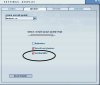
if I recall there is a setting that toggles landing lights showing in the DISPLAY settings of FS. I havent been in the settings in months, but I remember it being somewhere in there.

found it. Under Settings--> Display settings -->Aircraft
 

Attachments

  • set.jpg
    set.jpg
    102.6 KB · Views: 400
Last edited:
THanks for the quick reply. After reinstalling several times I've come up with the following:

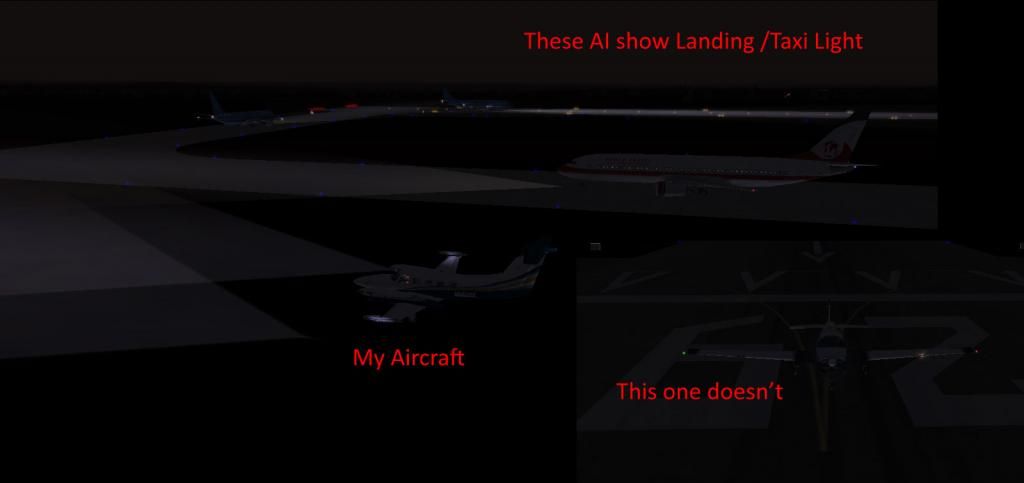
The lights are there. They're just not rendered in the Pavement. Noticed it when under fog conditions, you can see the cone on every aircraft.
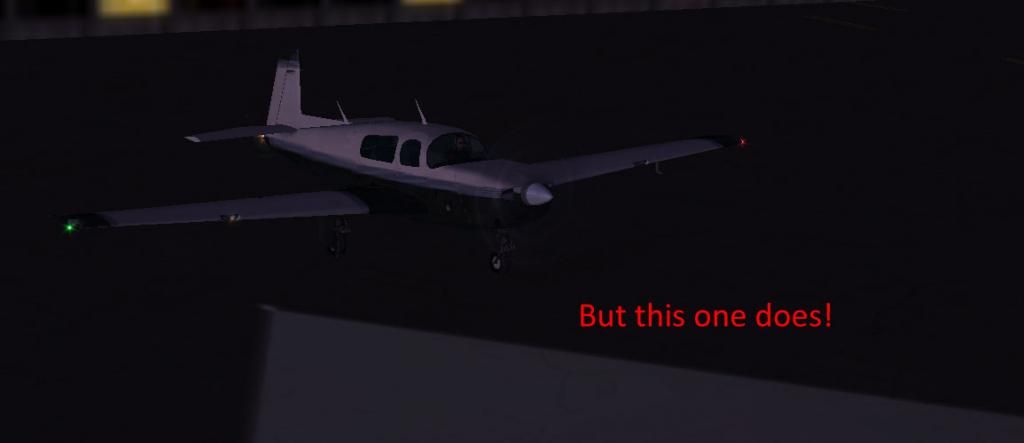
Some AI aircraft do show it, some don't. I haven't been able to figure out why.
Mine always shows them.

I still haven't figured out why the sim does this. I've tried the Landing lights setting and it takes them all off, even mine. When I turn it back on, only some AI lights are shown.

Any other clues?? :(
AI-Lights_zps8d6ec58f.jpg

money-lights_zps31dd5e0e.jpg


Thanks. Take Care
 
Last edited:
Look for spotlight.bmp in the main texture folder. I just changed it after finding a better one that didn't light the whole world up with 8 million candlepower.

I have noticed that it still works will all my ai planes just dimmer.

Greg
 
Back
Top