

Hello peoples from the internet!
I was just (actually hours ago) on my way to animate my plane in gmax after exporting all the necessary files from Maya, which I use for the modeling and UV mapping.
This is the second plane I have tried transmuting into FSX all the way from Maya, and the other plane (a smaller SAAB 340) worked without major issue
I started with the nose gear, set it up and exported it (piggybacking on files for the POSKY A340), and found that the gear did not appear in the little window where the plane spins around, strange...
Then I put it in the sim and encountered that the gear was not moving at all, and in frustration decided to return to gmax and reset the animation c_gear and try again, no bacon.
I figured that it may just be the gear, considering it was a complex object, so I tried doing wingflex for the first time (and in the meantime discovered what linking does) but Nothing was happening!
I went back and kept changing little things and exporting, and after animating the elevators I discovered that the animations were in fact there, but I could only observe them from strange angles.
I digged around (even trying a bounding box(I dont even know if that would have worked for an aircraft) - didnt work) and figured that It was perhaps a problem with certain animations, so I went in and repeatedly removed certain objects from the aircraft until, all of a sudden it was in the sim just fine!
It gets even weirder- all the parts I had to remove were in the tailplane, so I tried exporting with the faces behind a certain point removed, and it worked! Unfortunetly, when I tried to move the aircraft foreward along the axis beyond that point it did not solve the problem.
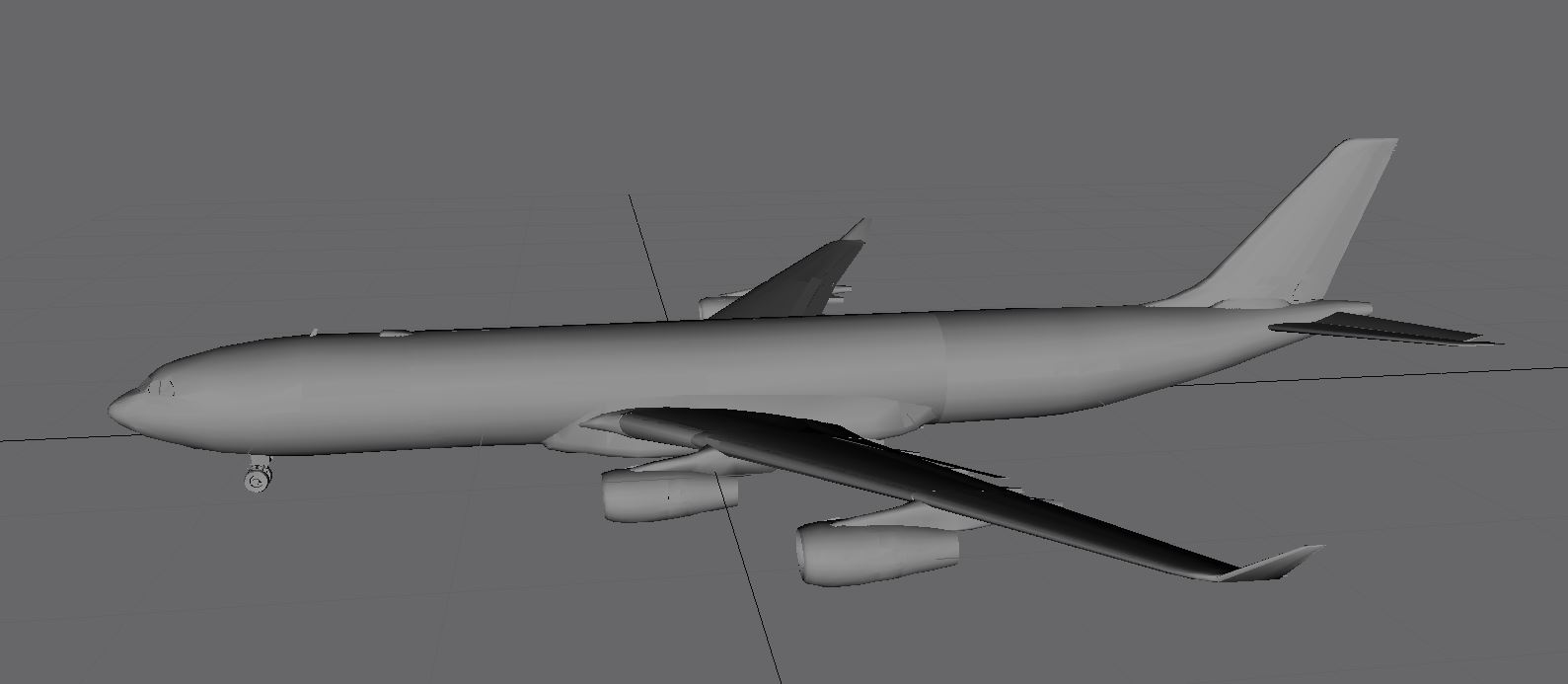
Aircraft in GMAX:
Aircraft in the selection screen:

No animations from this angle:

Animations work from this angle:

Animations from any angle, with tail removed:

Any Ideas as to why and how I could fix this?
Would being an export from maya have any effect?
Side question:
If say I have the wingflex going the wrong way, like it goes up when it should go down, is there an easy way to have it play backwards per say without spinning in the wrong direction?
I was just (actually hours ago) on my way to animate my plane in gmax after exporting all the necessary files from Maya, which I use for the modeling and UV mapping.
This is the second plane I have tried transmuting into FSX all the way from Maya, and the other plane (a smaller SAAB 340) worked without major issue
I started with the nose gear, set it up and exported it (piggybacking on files for the POSKY A340), and found that the gear did not appear in the little window where the plane spins around, strange...
Then I put it in the sim and encountered that the gear was not moving at all, and in frustration decided to return to gmax and reset the animation c_gear and try again, no bacon.
I figured that it may just be the gear, considering it was a complex object, so I tried doing wingflex for the first time (and in the meantime discovered what linking does) but Nothing was happening!
I went back and kept changing little things and exporting, and after animating the elevators I discovered that the animations were in fact there, but I could only observe them from strange angles.
I digged around (even trying a bounding box(I dont even know if that would have worked for an aircraft) - didnt work) and figured that It was perhaps a problem with certain animations, so I went in and repeatedly removed certain objects from the aircraft until, all of a sudden it was in the sim just fine!
It gets even weirder- all the parts I had to remove were in the tailplane, so I tried exporting with the faces behind a certain point removed, and it worked! Unfortunetly, when I tried to move the aircraft foreward along the axis beyond that point it did not solve the problem.
Aircraft in GMAX:
Aircraft in the selection screen:
No animations from this angle:
Animations work from this angle:
Animations from any angle, with tail removed:
Any Ideas as to why and how I could fix this?
Would being an export from maya have any effect?
Side question:
If say I have the wingflex going the wrong way, like it goes up when it should go down, is there an easy way to have it play backwards per say without spinning in the wrong direction?


