
-
Which the release of FS2020 we see an explosition of activity on the forun and of course we are very happy to see this. But having all questions about FS2020 in one forum becomes a bit messy. So therefore we would like to ask you all to use the following guidelines when posting your questions:
- Tag FS2020 specific questions with the MSFS2020 tag.
- Questions about making 3D assets can be posted in the 3D asset design forum. Either post them in the subforum of the modelling tool you use or in the general forum if they are general.
- Questions about aircraft design can be posted in the Aircraft design forum
- Questions about airport design can be posted in the FS2020 airport design forum. Once airport development tools have been updated for FS2020 you can post tool speciifc questions in the subforums of those tools as well of course.
- Questions about terrain design can be posted in the FS2020 terrain design forum.
- Questions about SimConnect can be posted in the SimConnect forum.
Any other question that is not specific to an aspect of development or tool can be posted in the General chat forum.
By following these guidelines we make sure that the forums remain easy to read for everybody and also that the right people can find your post to answer it.
You are using an out of date browser. It may not display this or other websites correctly.
You should upgrade or use an alternative browser.
You should upgrade or use an alternative browser.
FS2004 Aircraft gmax export error
- Thread starter super64
- Start date
D
Deleted member 1281
Guest
OK, does it have a panel folder? Is your mdl correctly referenced in the model.cfg? Any of these factors (and then some more) would render your mdl invisble.
Perhaps simply give your model the name of a default plane and load it in the default plane's folder (after making an backup copy), just to verify that it's there. Then take it from there.
Perhaps simply give your model the name of a default plane and load it in the default plane's folder (after making an backup copy), just to verify that it's there. Then take it from there.

- Messages
- 29
Hi,
after a couple of new exports (and other magic) I can see a lot of parts of the aircraft, but not all.
There is a panel folder (of a default aircraft) and the .cfg isn't referenced, because it's only a basic model without anything else and I never made .cfg references for it.
after a couple of new exports (and other magic) I can see a lot of parts of the aircraft, but not all.
There is a panel folder (of a default aircraft) and the .cfg isn't referenced, because it's only a basic model without anything else and I never made .cfg references for it.

- Messages
- 10,158
- Country

Thats really odd.
Try this. Only export the fuselage and wings and see if they show up properly.
If you have 'some' parts showing up, then at least the compiler is working (to a degree) and you have the model set up right in the model.cfg file.
In the past, I had a plane exporting, I could hear it, but it couldnt be seen. In one point, it was under ground via my mistake on aligning it in the scene correctly. Another model was hovering in the sky about 50 feet up. Had me perplexed for days trying to figure out why it was happening..
Hopefully this is something small.
Do you have visibilities setup on anything? You might have malfunctioning code, or messed up naming parts and that is causing this.
Bill
Try this. Only export the fuselage and wings and see if they show up properly.
If you have 'some' parts showing up, then at least the compiler is working (to a degree) and you have the model set up right in the model.cfg file.
In the past, I had a plane exporting, I could hear it, but it couldnt be seen. In one point, it was under ground via my mistake on aligning it in the scene correctly. Another model was hovering in the sky about 50 feet up. Had me perplexed for days trying to figure out why it was happening..
Hopefully this is something small.
Do you have visibilities setup on anything? You might have malfunctioning code, or messed up naming parts and that is causing this.
Bill


D
Deleted member 1281
Guest
Did you do use any mirroring on the parts that come out as invisible? Because then a cure might be available...
 The model is made by someone else, so I've no idea (but I've his permission to use it as a freeware for FS) about it.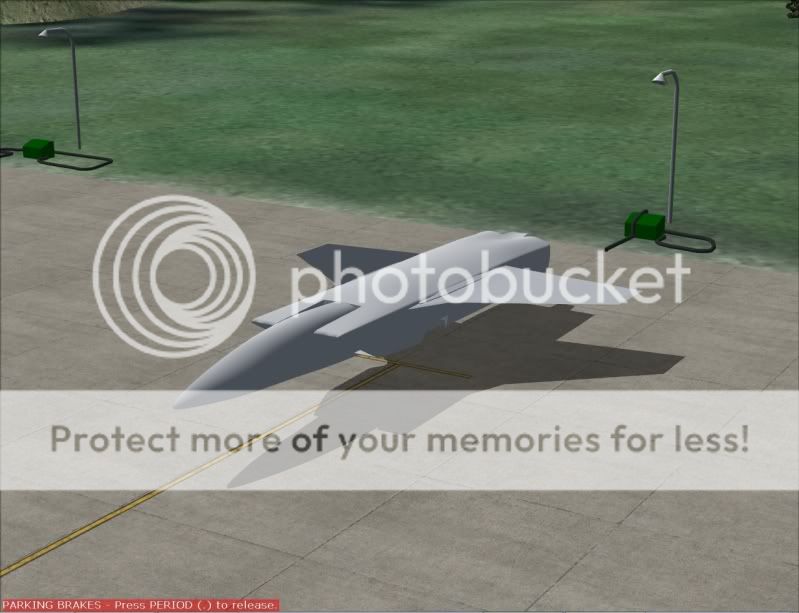


n4gix
Resource contributor
- Messages
- 11,674
- Country

The right wing was created with the infamous "Mirror" icon on the top menu bar, with the result as seen. Although the polys and normals appear to be correct in Max/GMax, in the sim the normals have a value of -1, which is why the shading is inverted.
I suspect that many parts have been cloned/Mirrored this way. You will have to find and fix all of them.
I suspect that many parts have been cloned/Mirrored this way. You will have to find and fix all of them.
n4gix
Resource contributor
- Messages
- 11,674
- Country
Thank you, Bill. How can I do this?
One part at a time...
Select all the affected polys in Max/GMax and add a "Mirror modifier."
Collapse back to E-Poly, then reselect the affected polys in Max and apply the "Mirror Tool" on the top toolbar...
This should reset the polygons' normal values.
- Messages
- 29
One part at a time...
Select all the affected polys in Max/GMax and add a "Mirror modifier."
Collapse back to E-Poly, then reselect the affected polys in Max and apply the "Mirror Tool" on the top toolbar...
This should reset the polygons' normal values.
This is clear magic for me...
Can you tell me with more details how to do this, please?Anyway, I reduced the polygon number from 65.000+ under 50.000: now the model looks like this:

But this is the original model:

- Messages
- 10,158
- Country
Its too bad you cannot simply do the 'unlimited export' system, if this is going into FS9. Then you could have quadruple the amount of polygons with no issues, and have no auto-welding going on.
Also, if the parts that are 'inside out' are not mapped, why not just make new ones from the originals?
* Delete reversed parts
* Clone originals on other side
* Use 'Mirror' from the right hand command flyout (that Mirror works properly)
and then you have all your parts back, mirrored correctly.
Once you learn how to do the unlimited export system, its fairly easy. It really is.
Bill
Also, if the parts that are 'inside out' are not mapped, why not just make new ones from the originals?
* Delete reversed parts
* Clone originals on other side
* Use 'Mirror' from the right hand command flyout (that Mirror works properly)
and then you have all your parts back, mirrored correctly.
Once you learn how to do the unlimited export system, its fairly easy. It really is.
Bill
- Messages
- 29
Problem solved:
The original model was a .max file. I exported it to . obj, than I converted the .obj into .3ds format - and finally imported to gmax.
And it's worked!

The earlier version was made from .max into .3ds and it was imported into gmax. The .obj is the key...
The original model was a .max file. I exported it to . obj, than I converted the .obj into .3ds format - and finally imported to gmax.
And it's worked!
The earlier version was made from .max into .3ds and it was imported into gmax. The .obj is the key...
Last edited: