• Which the release of FS2020 we see an explosition of activity on the forun and of course we are very happy to see this. But having all questions about FS2020 in one forum becomes a bit messy. So therefore we would like to ask you all to use the following guidelines when posting your questions:

    • Tag FS2020 specific questions with the MSFS2020 tag.
    • Questions about making 3D assets can be posted in the 3D asset design forum. Either post them in the subforum of the modelling tool you use or in the general forum if they are general.
    • Questions about aircraft design can be posted in the Aircraft design forum
    • Questions about airport design can be posted in the FS2020 airport design forum. Once airport development tools have been updated for FS2020 you can post tool speciifc questions in the subforums of those tools as well of course.
    • Questions about terrain design can be posted in the FS2020 terrain design forum.
    • Questions about SimConnect can be posted in the SimConnect forum.

    Any other question that is not specific to an aspect of development or tool can be posted in the General chat forum.

    By following these guidelines we make sure that the forums remain easy to read for everybody and also that the right people can find your post to answer it.

MSFS20 Animated People (Character Animation)

Good afternoon.
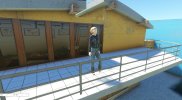
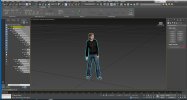
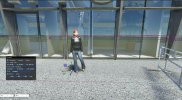
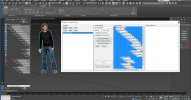
I'm also joining this thread, I have a few questions about exporting the model and if possible I would like to know what I missed.

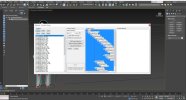
First I created an animation group.
Then, using the Babylon export, I exported the model and got a gltf file, a bin file, and a texture.
I don't have xml file as output.
Do I need to manually create the xml file and write animations to it, or can the xml file be created automatically using Babylon's export tools or the multi-exporter?
Thanks
 

Attachments
  • Emmi1.JPG
    Emmi1.JPG
    244.7 KB · Views: 248
  • Emmi.JPG
    Emmi.JPG
    246.1 KB · Views: 253
  • Emmi2.JPG
    Emmi2.JPG
    71.1 KB · Views: 252
Last edited:
This forum uses English as the common language. Other languages are not to be used. Google Translate works fairly well if you are not familiar with English.

Good afternoon. I am also joining this thread, I have some questions about exporting the model and if possible I would like to know what I have missed. First I created an animation group. Then, using the Babylon export, I exported the model and got a gltf file, a bin file, and a texture. I don't have xml file as output. Do I need to manually create the xml file and write animations to it, or can the xml file be created automatically using Babylon's export tools or the multi-exporter? Thanks
 
Good afternoon.
I'm also joining this thread, I have a few questions about exporting the model and if possible I would like to know what I missed.

First I created an animation group.
Then, using the Babylon export, I exported the model and got a gltf file, a bin file, and a texture.
I don't have xml file as output.
Do I need to manually create the xml file and write animations to it, or can the xml file be created automatically using Babylon's export tools or the multi-exporter?
Thanks
Fascinating you should ask, I'm working from this very discussion myself, this past weekend. I'm using 3ds Max 2022 with the SDK plugins and I have managed to place Carla in the sim, thus far. Unfortunately, my own animated model place, but are static, the anticipation is indescribable.

As to your issue, there is another thread where Christian provided the contents of the carla.xml as part of a comment, I don't have that link in front of me, but I think it would be ok to copy/paste what I copy/pasted and have been using.

<?xml version="1.0" encoding="utf-8" ?>
<ModelInfo version="1.1" guid="{be6f3f4c-c4e5-4665-9c8e-e1c40bf5b443}">
<Animation name="carla" guid="f3945d04-d487-4c4f-96de-3c054a1120ac" type="Standard" typeparam2="carla" typeparam="AutoPlay,Random" />

<LODS>
<LOD MinSize="0" ModelFile="carla.gltf"/>
</LODS>

</ModelInfo>

<ModelBehaviors>

<Component ID="testperson" Node="carla">
<Visibility>
<Parameter>
<Code>(E:LOCAL TIME, Seconds) 18000 &gt;= (E:LOCAL TIME, Seconds) 86400 &lt;= and (A:AMBIENT PRECIP STATE, mask) 3.0 &lt; and if{ 1 } els{ 0 }</Code>
</Parameter>
</Visibility>
</Component>

</ModelBehaviors>

Thus far I have compiled Carla as both a SimObject and a scenery object and it works as the latter, it is visible while placing as a SimObject, but it flickers and vanishes, leaving a placement box, if placed.
 
Thank you for copying the contents of the xml file that Christian provided.

I'm working with 3ds Max 2020 with the latest patches and the MFS SDK. I managed to export to MFS my model, which I made in the populate5.0 application to 3ds Max, but unfortunately, the model is static and does not move.
I'll try to edit the xml file with my guid tonight. I will write about the result after testing.
 
And she's still moving :)

The model was generated in populate5.0, in 3ds_Max2020. Exported to gltf.
Then in Blender I set the same name for the mesh and skin, edited the xml file and everything worked :)

xml file for the model -

<?xml version="1.0" encoding="utf-8"?>
<ModelInfo guid="{ab398e19-2ffa-42cf-a772-dba3128da18e}" version="1.1">

<Animation name="Tamara" guid="f3945d04-d487-4c4f-96de-3c054a1120ac" type="Standard" typeparam2="Tamara" typeparam="AutoPlay,Random" />

</ModelInfo>
 

Attachments

  • 77.JPG
    77.JPG
    211 KB · Views: 265
  • 78.JPG
    78.JPG
    293.5 KB · Views: 240
Blender manipulations can be skipped.
All renaming done in 3ds_Max. Everything works fine, the models move! Thank you all for your help! Christian, you are just brilliant!
 

Attachments

  • 81.JPG
    81.JPG
    221.9 KB · Views: 250
  • 80.JPG
    80.JPG
    489.7 KB · Views: 253
  • 82.JPG
    82.JPG
    253.2 KB · Views: 252
  • 83.JPG
    83.JPG
    293.9 KB · Views: 258
Hi Christian!

I exported to from Blender using the FlightSim Blender glTF 2.0 plugin
Here is a link to this plugin.


In my opinion, the file was exported without errors, but the entire xml file had to be edited.
When I used the second option, namely export from 3ds_Max without using Blender, I created the xml file manually.
 

Attachments

  • 84.JPG
    84.JPG
    358.2 KB · Views: 269
In the past, there was always distortion of people when exporting. Did these distortions go away with the Blender Exporter?
 
I didn't notice any distortion after export. I'll later, export more people and choose clothing, which would be a ladies skirt, or an attached vest, and then I can be more specific.
 
In the past, there was always distortion of people when exporting. Did these distortions go away with the Blender Exporter?
The new exporter exports fine , this Is All made in Blender

(the dancing and idle animation Is from mixamo applied to non mixamo characters)

Distorsion happens when different scale are applied to the armature (either in object mode than in edit mode), to the mesh, and to the keyframes
Also location keyframes can be problematic

(actually i can't find any reason to insert a scale keyframe or location in a human body, in real life Bones cannot be relocated o moved, but only rotated around their joints)

So the recipe Is gonna be:

And empty at 0,0,0
Parented to an armature scale 1 at 0,0,0 location
The armature must have scale 1 also in edit mode
The armature must be parented to a mesh with scale 1
Animation with rotation only keyframes


Inviato dal mio Mi 9 Lite utilizzando Tapatalk
 
Distorsion happens when different scale are applied to the armature (either in object mode than in edit mode), to the mesh, and to the keyframes
Also location keyframes can be problematic
Exactly. This has always been the root cause of Blender bone animation problems. Federico, I love your videos. Have you revisited fencing? I think the patch may have solved some problems with the new VectorLines.
 
Exactly. This has always been the root cause of Blender bone animation problems. Federico, I love your videos. Have you revisited fencing? I think the patch may have solved some problems with the new VectorLines.
Thanks Dick!

I will give the Vectorplacement tool another try, altought i have already read in Devsupport that Is still buggy (why in the hell they claim stuff to be solved without throughly testing Is out of my understanding!)

Inviato dal mio Mi 9 Lite utilizzando Tapatalk
 
I'm not concentrating very hard, but I can't get anything out of the exporter that shows up if it's an imported animated FBX. All I get is an empty space in sim.

I'm doing an animated human library at the moment using the Mixamo straight to FBX2gltf method which works fine. The limited animations on Mixamo are a bit frustrating though.
 
The new exporter exports fine , this Is All made in Blender

(the dancing and idle animation Is from mixamo applied to non mixamo characters)

Distorsion happens when different scale are applied to the armature (either in object mode than in edit mode), to the mesh, and to the keyframes
Also location keyframes can be problematic

(actually i can't find any reason to insert a scale keyframe or location in a human body, in real life Bones cannot be relocated o moved, but only rotated around their joints)

So the recipe Is gonna be:

And empty at 0,0,0
Parented to an armature scale 1 at 0,0,0 location
The armature must have scale 1 also in edit mode
The armature must be parented to a mesh with scale 1
Animation with rotation only keyframes


Inviato dal mio Mi 9 Lite utilizzando Tapatalk
I'm looking forward to your mixamo to MSFS via Blender tutorial. I just can't figure it out and always end up with a deformed T-pose.
 
I'm looking forward to your mixamo to MSFS via Blender tutorial. I just can't figure it out and always end up with a deformed T-pose.

Yup. Mr. Flappy's method works for me.

The only part Blender is used for is exporting the FBX that goes into Mixamo without any animation, just the model. Then you use FBX2gltf to directly convert the FBX that downloads from Mixamo.

You then have to rename the .bin to match the file and open up the gltf with something like Notepad ++ to change the .bin name again inside the gltf file which will be near the top.

Quite often I'm getting semi transparent models for some reason. So in the gltf, search for 'Blend' in the materials and change it to 'Opaque'.

So far it's worked every time. Occasionally Mixamo doesn't auto rig but I either re export from Blender or apply all transforms again.

And if you're doing LODs because Mixamo's labelling is so hopeless I have two browsers with different accounts open at once and I upload the LOD model at the same time so I'm sure the animation matches. Otherwise it might disappear forever, especially if you're changing the stock phases.

That's the original FBXs, then the two outputs, then the final file. You can see what's changed.
 

Attachments

Last edited:
I will try this method, just found this post. Thanks for the info, although from last year, very helpful.

It's still distorted when exporting animations directly from Blender (usually). It's kind of ashame that we are locked into export > mixamo > import > convert > MSFS.
This reduces a lot of the ability to export custom animations directly from Blender (which sort of work, sometimes I can do it without too much distortion, but not usually).
 
Back
Top