• Which the release of FS2020 we see an explosition of activity on the forun and of course we are very happy to see this. But having all questions about FS2020 in one forum becomes a bit messy. So therefore we would like to ask you all to use the following guidelines when posting your questions:

    • Tag FS2020 specific questions with the MSFS2020 tag.
    • Questions about making 3D assets can be posted in the 3D asset design forum. Either post them in the subforum of the modelling tool you use or in the general forum if they are general.
    • Questions about aircraft design can be posted in the Aircraft design forum
    • Questions about airport design can be posted in the FS2020 airport design forum. Once airport development tools have been updated for FS2020 you can post tool speciifc questions in the subforums of those tools as well of course.
    • Questions about terrain design can be posted in the FS2020 terrain design forum.
    • Questions about SimConnect can be posted in the SimConnect forum.

    Any other question that is not specific to an aspect of development or tool can be posted in the General chat forum.

    By following these guidelines we make sure that the forums remain easy to read for everybody and also that the right people can find your post to answer it.

P3D v4 Belgium Photoreal - Version 2

No, no night textures, this would double the file size.
A black layer is actually unnecessary, and also only increases the file size.
 
No, why?
For my Germany Project I also didn't use night textures, and in my opinion it looks very good even at night.
 
it's not bright ?
i never tested a photoreal scenery without night textures in P3D, i did that in FSX and it was horrible
 
No, of course not.
Take a look:
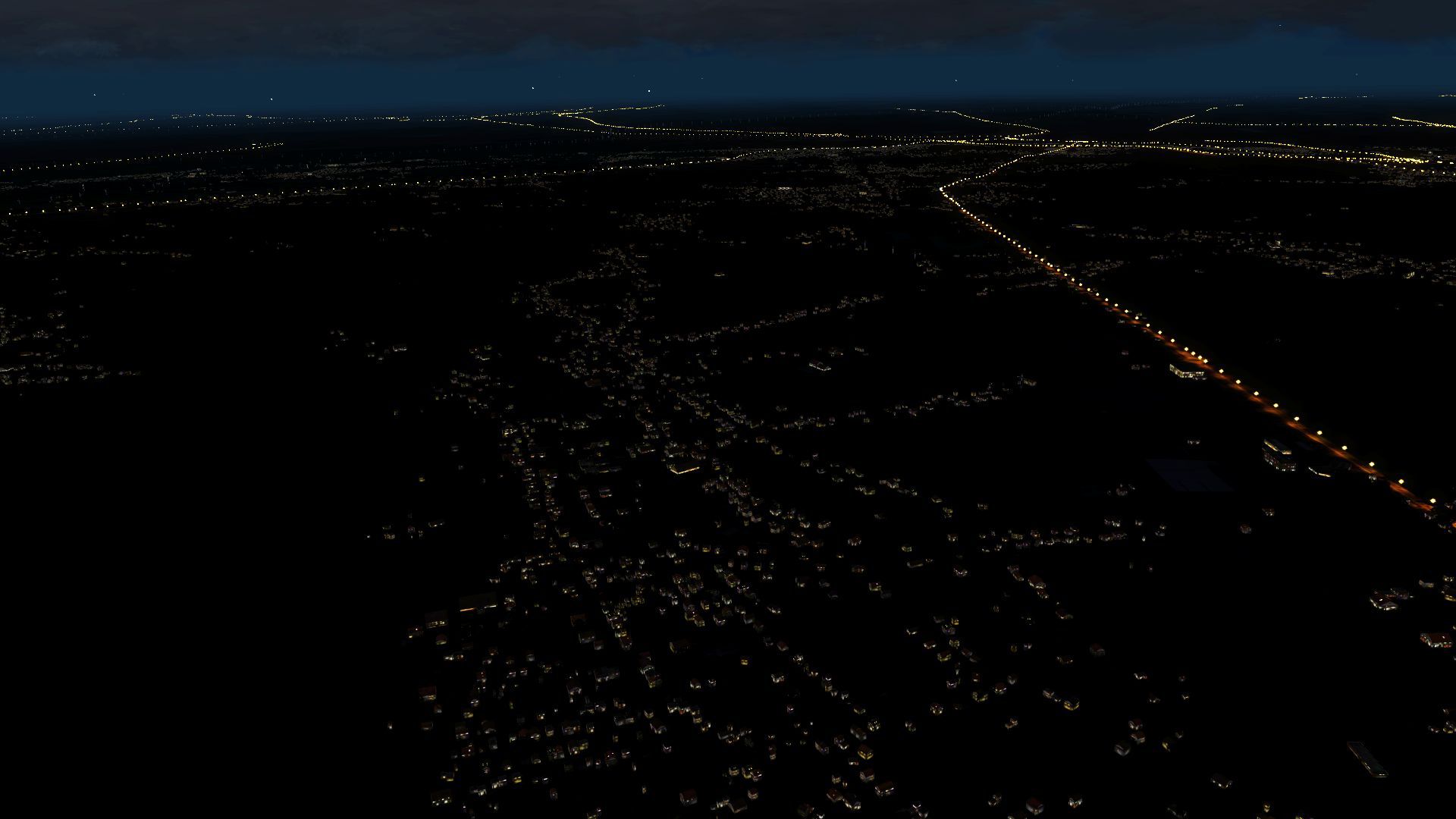
Near Brussels:
2019-7-7_13-3-33-282uyka6.jpg


Of course the night lighting could be improved, but that would affect the fps pretty heavy.
 
no it doesnt look bright...just when u use wrong parameters for compilation...

but why you dont try it out yourself instead of complaining before you even know how it looks?
 
No, of course not.
Of course the night lighting could be improved, but that would affect the fps pretty heavy.

Can I ask which light model you're using there? Is it a default, as I haven't been able to find one for my own work. The ag_lightpole doesn't have a night texture and doesn't seem to work as AGN, only as a BGL, which is very hard on FPS.
 
I am not using any 3d lights. What you see is default ORBX/openLC.
I tried to create 3d lighting based on the lights which are used in Digital Design Tenerife, but these are affecting the fps quite hard...
 
I am not using any 3d lights. What you see is default ORBX/openLC.
I tried to create 3d lighting based on the lights which are used in Digital Design Tenerife, but these are affecting the fps quite hard...

Ah, okay, thanks. I've created a 3D light that's low-poly and has a little light splash beneath it, got it to work with Sceneproc but I'm having a really hard time getting them to show up in the sim. If I ever get them to work, they should perform as well as ORBX's lights.

DC_Designs_Light.jpg
 
Hey @MatthiasKNU
You have to know that any photoreal scenry exclude all lights from orbx except orbx vector cus it is marked as road elements

So to get back some lights you need lib objects planced randomly on residential or commercial landus and polygons

I get very good result using scene proc and it doesnt take size at all
 
You have to know that any photoreal scenry exclude all lights from orbx except orbx vector cus it is marked as road elements

So to get back some lights you need lib objects planced randomly on residential or commercial landus and polygons

I get very good result using scene proc and it doesnt take size at all

That's kind of what we're both looking to achieve with Sceneproc, RedCool - would you be willing to share how you pulled it off? It could save us both some serious head-scratching! :)
 
@Deano1973 and @MatthiasKNU
hello
so this is one of my old sceneries, 3D lights for entire Algeria, i used only one model as i haven't had enough time to make many models
but here it is

Code:
ImportOGR|C:\Users\picos info\Downloads\algeria lights\gis.osm_landuse_a_free_1.shp|*|*|+proj=longlat +datum=WGS84 +no_defs

PlacePointsInPolygon|fclass="residential"|0.001;0.0008|0.8;0.6
PointToPolygon|FTYPE="POINT"|5;5|HDG|String;PLC|place
CreateXMLLibObj|PLC="place"|{c1aa6f3a-5880-4aa2-ab77-a5d236954878}|HDG|55|0|NOCRASH;NOAUTOGENSUPPRESSION

PlacePointsInPolygon|fclass="industrial"|0.003;0.003|0.8;0.6
PointToPolygon|FTYPE="POINT"|5;5|HDG|String;PLC|placei
CreateXMLLibObj|PLC="placei"|{c1aa6f3a-5880-4aa2-ab77-a5d236954878}|HDG|55|0|NOCRASH;NOAUTOGENSUPPRESSION

#ImportOGR|C:\Users\picos info\Downloads\algeria lights\gis.osm_roads_free_1.shp|*|*|+proj=longlat +datum=WGS84 +no_defs

#PlacePointsAlongLine|FROMFILE="gis.osm_roads_free_1.shp"|CONTINUOUS|200;300|0;0|5|String;PLC|road|HDG2
#PointToPolygon|PLC="road"|5;5|HDG2|String;PLC|roda
#CreateXMLLibObj|PLC="roda"|{a7e2b7af-b5fa-4390-8e32-1d6bc85f6fdc}|HDG2|80|0|NOAUTOGENSUPPRESSION;NOCRASH

ExportBGL|FSX|ALGERIA_LIGHTS|E:\BPW\Algeria lights\scenery|KEEPXML

its really good to keep backup for old files, they may help other people too :)
 
@RED COOL @MatthiasKNU Many thanks indeed for the information. My biggest issue right now is that I can get Sceneproc to write a BGL file for my entire area, but nothing shows up in the sim no matter what light model I use ( mine, ORBX or whatever ). Once again, I must be doing something wrong as Sceneproc writes everything else just fine! The joys of development, one step forwards, two steps back... :rolleyes: By the way, sorry to hijack your thread Matthias, awesome work you're doing! :)
 
@RED COOL @MatthiasKNU Many thanks indeed for the information. My biggest issue right now is that I can get Sceneproc to write a BGL file for my entire area, but nothing shows up in the sim no matter what light model I use ( mine, ORBX or whatever ). Once again, I must be doing something wrong as Sceneproc writes everything else just fine! The joys of development, one step forwards, two steps back... :rolleyes: By the way, sorry to hijack your thread Matthias, awesome work you're doing! :)

You need to make your own model and export the library and put it in the folder
 
You need to make your own model and export the library and put it in the folder

Yeah, done all that. My own 3D light is a BGL, it's been added to Library Objects ( is also selectable in the annotator ) and SceneProc compiles the lights no problem. KEEP XML shows me that they're all present and correct but when I start up the sim - nothing. I've placed ag_lightpole with no issues, thousands of them, but they're low-performance and no good for modern scenery, so the scripts I have are okay now. I'm sure I'll figure it out, just very frustrating :confused:
 
Back
Top