

- Messages
- 19
- Country

Hello.
I've been doing some work on this finnish airport, but since it's my first addon creation I planned to just make a AFCAD for version 1.0 and afterwards upgrade it to 2.0 with a groundpoly once I have time to learn how to make a nice looking one.
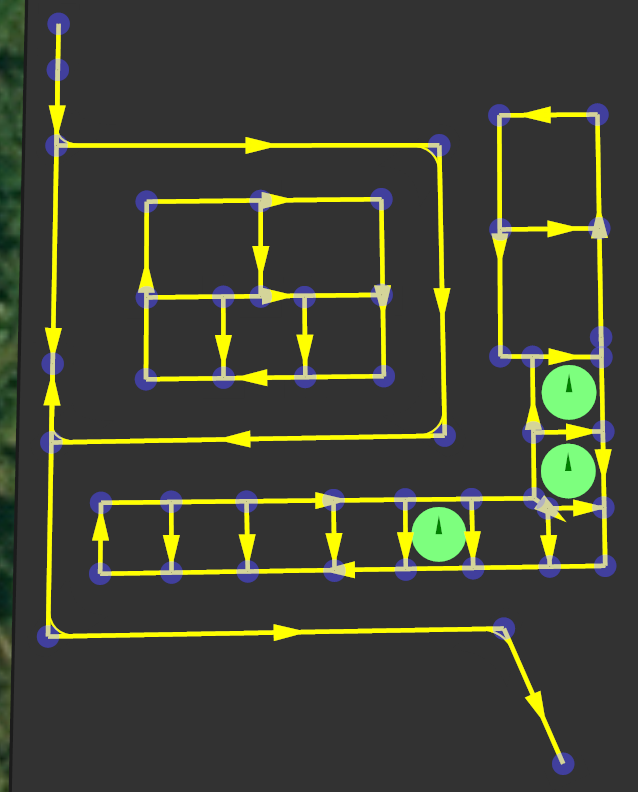
I encountered couple of differences with the airport layout and ADE.. Mostly with GA. Here's a google maps aerial view of the apron (http://goo.gl/maps/YZ1cN), you can see that the General Aviation parking is on the corners of the apron, with a rectangular line marking the area. I can easily of course make the parking spots on the edges, but how can I make the lines to indicate that there are parking spots on the edges? So far my compromise was with the couple parkings in the middle of the taxi lines to just make a apron link connected to it and thats it. But that looks much worse trying to link all those parking spots on the edges to the taxi line.
So I'm wondering if there's a way to create something that would resemble what you can see in real life... I know I can make this layout with a ground poly ofcourse, but that would postpone the release quite a bit as I only have knowledge of how to create a basic, single layer runway groundpoly.
Here's the airport chart: https://ais.fi/ais/eaip/aipcharts/efma/EF_AD_2_EFMA_ADC.pdf
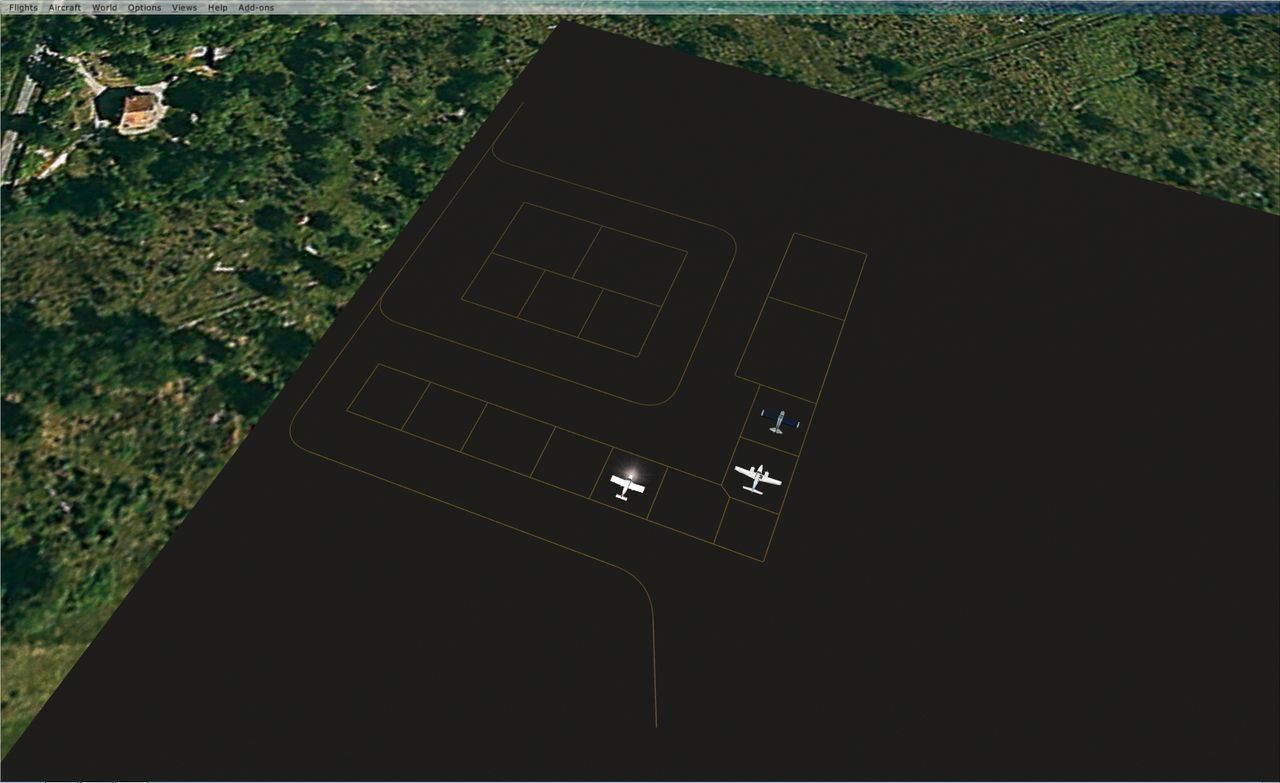
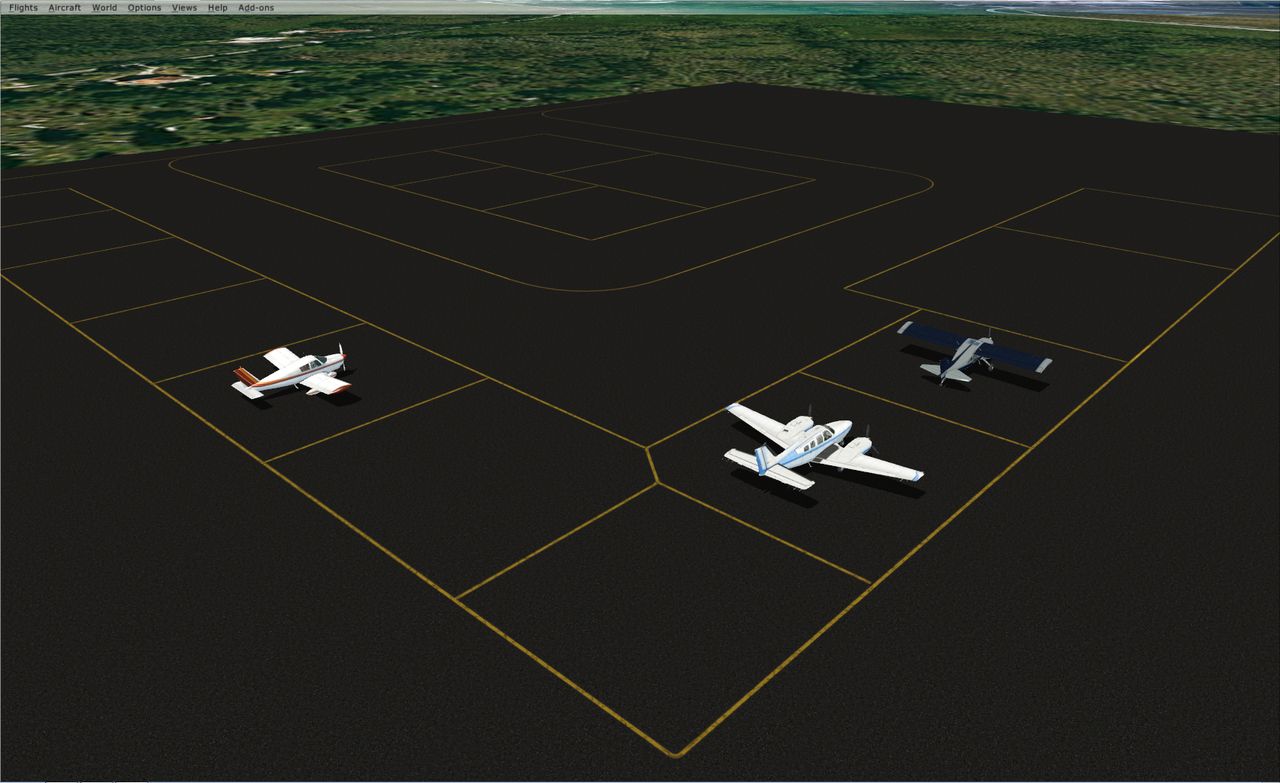
And I attached couple pics how i have it atm in FSX.
Thanks in advance. This scenery creation is really awesome and frustrating at the same time, but always worth it in the end
I've been doing some work on this finnish airport, but since it's my first addon creation I planned to just make a AFCAD for version 1.0 and afterwards upgrade it to 2.0 with a groundpoly once I have time to learn how to make a nice looking one.
I encountered couple of differences with the airport layout and ADE.. Mostly with GA. Here's a google maps aerial view of the apron (http://goo.gl/maps/YZ1cN), you can see that the General Aviation parking is on the corners of the apron, with a rectangular line marking the area. I can easily of course make the parking spots on the edges, but how can I make the lines to indicate that there are parking spots on the edges? So far my compromise was with the couple parkings in the middle of the taxi lines to just make a apron link connected to it and thats it. But that looks much worse trying to link all those parking spots on the edges to the taxi line.
So I'm wondering if there's a way to create something that would resemble what you can see in real life... I know I can make this layout with a ground poly ofcourse, but that would postpone the release quite a bit as I only have knowledge of how to create a basic, single layer runway groundpoly.
Here's the airport chart: https://ais.fi/ais/eaip/aipcharts/efma/EF_AD_2_EFMA_ADC.pdf
And I attached couple pics how i have it atm in FSX.
Thanks in advance. This scenery creation is really awesome and frustrating at the same time, but always worth it in the end


 I'll try it later on today as it is morning here in Finland now and I have real life stuff to do first...


