• Which the release of FS2020 we see an explosition of activity on the forun and of course we are very happy to see this. But having all questions about FS2020 in one forum becomes a bit messy. So therefore we would like to ask you all to use the following guidelines when posting your questions:

    • Tag FS2020 specific questions with the MSFS2020 tag.
    • Questions about making 3D assets can be posted in the 3D asset design forum. Either post them in the subforum of the modelling tool you use or in the general forum if they are general.
    • Questions about aircraft design can be posted in the Aircraft design forum
    • Questions about airport design can be posted in the FS2020 airport design forum. Once airport development tools have been updated for FS2020 you can post tool speciifc questions in the subforums of those tools as well of course.
    • Questions about terrain design can be posted in the FS2020 terrain design forum.
    • Questions about SimConnect can be posted in the SimConnect forum.

    Any other question that is not specific to an aspect of development or tool can be posted in the General chat forum.

    By following these guidelines we make sure that the forums remain easy to read for everybody and also that the right people can find your post to answer it.

FS2004 Creating hi-res photoscenery with Sbuilder

Messages
759
Country
netherlands
Good afternoon,

I am having, for quite some time now, problems with creation of high resolution photoscenery in Sbuilder.

I have tried to use flatten, at different settings, but with no effect. So far the only way I have at least partially successed is textured polygon. However, this method has several disadvantages, such as the fact, that it hides AFCAD, and that I can not use it to show seasonal textures.

Therefore I would like to ask you to help me solve my problems.

Area I need to fill with high resolution photos is part of 10 LOD13 squares, arranged in 2 by 5 rectangle. Underlying bitmap is rather bigger than this area, and may be used for standart resolution scenery later.

What I need, is a photo scenery, that has a resolution of 1.2m/px, seasonal variations and shows AFCAD, or, at least its lights (as actual rwy, twys, apns and such are planned to be made in gmax, but we would like standart lights).

Could the problem be, that I tried flattens at heights of 230 and 231 meters, while ADE gives me 230.1something? Is it possible to apply seasonal variations to textured polys? Is it possible to make high-res scenery show AFCAD?

Thank you.
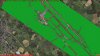
 
OK, so I got to this point by setting both flatten and AF2 altitude to the same height of 230m precisely. I have tried with textures in both texture folder adjacent to scenery folder in which photoscenery bgl is, and in scenery/world/texture folder. Is either the right place, or should I put them elsewhere?

I guess that spike is a matter of LOD sqare being bigger than flatten.
 

Attachments

  • Tuto_001.jpg
    Tuto_001.jpg
    87.7 KB · Views: 748
  • Tuto_004.jpg
    Tuto_004.jpg
    77.5 KB · Views: 727
  • Tuto_002.jpg
    Tuto_002.jpg
    99.3 KB · Views: 623
talking to myself... never mind.

So, after fiddling with different things, I came back to this photo scenery thing.
I looked into SCASM files, and I cant see why they would not show up, if textured polygon does. There are some differences in material list, but I wouldnt know if those cause it... can someone take a look?

Textured polygon:

Code:
Header( 1 50 48 22 20 )
LatRange( 48 50 )

; Textured Poly # 1

Area( 5 48.67492879 21.23291989 50 )
LayerCall( :lcall 4 )
Jump( : )
:lcall
RefPoint( 2 :return 1 48.67492879 21.23291989 E= 230.13000488 v1= 15000 v2= 1038 )
BGLVersion( 0800 )
TextureList( 0 
       6 FF 255 255 255 0 50.000000 apntonw.bmp
       )
MaterialList( 0   0.000 0.502 0.000 1.00   0.000 0.502 0.000 1.00   0.00 0.00 0.00 1.00   0.00 0.00 0.00 1.00   0.00 )
VertexList( 0 
      -0537.4418 0000.0000000  0606.7762 0.0 1.0 0.0 00.000 00.750 ; vertex #000
       0537.4418 0000.0000000  0611.5540 0.0 1.0 0.0 01.000 00.750 ; vertex #001
       0537.4418 0000.0000000 -0611.5540 0.0 1.0 0.0 01.000 00.000 ; vertex #002
      -0537.4418 0000.0000000 -0606.7762 0.0 1.0 0.0 00.000 00.004 ; vertex #003
       )
SetMaterial( 0 0 )
DrawTriList( 0 
       002 001 000
       003 002 000
       )
EndVersion
:return
Return
EndA

Photo scenery polygon

Code:
; High Resolution Photo # 1

Area( B 48.66394043 21.24755859 50 )
LayerCall( :lcall 0 )
Jump( : )
:lcall
RefPoint( 2 :return 1 48.66394043 21.24755859 E= 0230.1000000 v1= 5000 v2= 1200 )
BGLVersion( 0800 )
TextureList( 0 
       6 FF 255 255 255 0 50.000000 011232130321030_1024_Sp.bmp
     256 FF 255 255 255 0 50.000000 011232130321030_1024_Lm.bmp
       6 FF 255 255 255 0 50.000000 011232130321030_1024_Fa.bmp
     256 FF 255 255 255 0 50.000000 011232130321030_1024_Lm.bmp
       6 FF 255 255 255 0 50.000000 011232130321030_1024_Wi.bmp
     256 FF 255 255 255 0 50.000000 011232130321030_1024_Lm.bmp
       6 FF 255 255 255 0 50.000000 011232130321030_1024_Hw.bmp
     256 FF 255 255 255 0 50.000000 011232130321030_1024_Lm.bmp
       6 FF 255 255 255 0 50.000000 011232130321030_1024_Su.bmp
     256 FF 255 255 255 0 50.000000 011232130321030_1024_Lm.bmp
       )
MaterialList( 0   0.10 0.80 0.20 1.00   0.00 0.00 0.00 1.00   0.00 0.00 0.00 1.00   0.00 0.00 0.00 1.00   0.00 )
VertexList( 0 
      -538.6130 0000.0000000 -611.5540 0.0 1.0 0.0 0.000 0.000 ; vertex #000
      -403.9597 0000.0000000 -611.5540 0.0 1.0 0.0 0.125 0.000 ; vertex #001
      -269.3065 0000.0000000 -611.5540 0.0 1.0 0.0 0.250 0.000 ; vertex #002
      -134.6532 0000.0000000 -611.5540 0.0 1.0 0.0 0.375 0.000 ; vertex #003
       000.0000 0000.0000000 -611.5540 0.0 1.0 0.0 0.500 0.000 ; vertex #004
       134.6532 0000.0000000 -611.5540 0.0 1.0 0.0 0.625 0.000 ; vertex #005
       269.3065 0000.0000000 -611.5540 0.0 1.0 0.0 0.750 0.000 ; vertex #006
       403.9597 0000.0000000 -611.5540 0.0 1.0 0.0 0.875 0.000 ; vertex #007
       538.6130 0000.0000000 -611.5540 0.0 1.0 0.0 1.000 0.000 ; vertex #008
      -538.5983 0000.0000000 -458.6655 0.0 1.0 0.0 0.000 0.125 ; vertex #009
      -403.9487 0000.0000000 -458.6655 0.0 1.0 0.0 0.125 0.125 ; vertex #010
      -269.2991 0000.0000000 -458.6655 0.0 1.0 0.0 0.250 0.125 ; vertex #011
      -134.6496 0000.0000000 -458.6655 0.0 1.0 0.0 0.375 0.125 ; vertex #012
       000.0000 0000.0000000 -458.6655 0.0 1.0 0.0 0.500 0.125 ; vertex #013
       134.6496 0000.0000000 -458.6655 0.0 1.0 0.0 0.625 0.125 ; vertex #014
       269.2991 0000.0000000 -458.6655 0.0 1.0 0.0 0.750 0.125 ; vertex #015
       403.9487 0000.0000000 -458.6655 0.0 1.0 0.0 0.875 0.125 ; vertex #016
       538.5983 0000.0000000 -458.6655 0.0 1.0 0.0 1.000 0.125 ; vertex #017
      -538.5836 0000.0000000 -305.7770 0.0 1.0 0.0 0.000 0.250 ; vertex #018
      -403.9377 0000.0000000 -305.7770 0.0 1.0 0.0 0.125 0.250 ; vertex #019
      -269.2918 0000.0000000 -305.7770 0.0 1.0 0.0 0.250 0.250 ; vertex #020
      -134.6459 0000.0000000 -305.7770 0.0 1.0 0.0 0.375 0.250 ; vertex #021
       000.0000 0000.0000000 -305.7770 0.0 1.0 0.0 0.500 0.250 ; vertex #022
       134.6459 0000.0000000 -305.7770 0.0 1.0 0.0 0.625 0.250 ; vertex #023
       269.2918 0000.0000000 -305.7770 0.0 1.0 0.0 0.750 0.250 ; vertex #024
       403.9377 0000.0000000 -305.7770 0.0 1.0 0.0 0.875 0.250 ; vertex #025
       538.5836 0000.0000000 -305.7770 0.0 1.0 0.0 1.000 0.250 ; vertex #026
      -538.5689 0000.0000000 -152.8885 0.0 1.0 0.0 0.000 0.375 ; vertex #027
      -403.9267 0000.0000000 -152.8885 0.0 1.0 0.0 0.125 0.375 ; vertex #028
      -269.2845 0000.0000000 -152.8885 0.0 1.0 0.0 0.250 0.375 ; vertex #029
      -134.6422 0000.0000000 -152.8885 0.0 1.0 0.0 0.375 0.375 ; vertex #030
       000.0000 0000.0000000 -152.8885 0.0 1.0 0.0 0.500 0.375 ; vertex #031
       134.6422 0000.0000000 -152.8885 0.0 1.0 0.0 0.625 0.375 ; vertex #032
       269.2845 0000.0000000 -152.8885 0.0 1.0 0.0 0.750 0.375 ; vertex #033
       403.9267 0000.0000000 -152.8885 0.0 1.0 0.0 0.875 0.375 ; vertex #034
       538.5689 0000.0000000 -152.8885 0.0 1.0 0.0 1.000 0.375 ; vertex #035
      -538.5543 0000.0000000  000.0000 0.0 1.0 0.0 0.000 0.500 ; vertex #036
      -403.9157 0000.0000000  000.0000 0.0 1.0 0.0 0.125 0.500 ; vertex #037
      -269.2771 0000.0000000  000.0000 0.0 1.0 0.0 0.250 0.500 ; vertex #038
      -134.6386 0000.0000000  000.0000 0.0 1.0 0.0 0.375 0.500 ; vertex #039
       000.0000 0000.0000000  000.0000 0.0 1.0 0.0 0.500 0.500 ; vertex #040
       134.6386 0000.0000000  000.0000 0.0 1.0 0.0 0.625 0.500 ; vertex #041
       269.2771 0000.0000000  000.0000 0.0 1.0 0.0 0.750 0.500 ; vertex #042
       403.9157 0000.0000000  000.0000 0.0 1.0 0.0 0.875 0.500 ; vertex #043
       538.5543 0000.0000000  000.0000 0.0 1.0 0.0 1.000 0.500 ; vertex #044
      -538.5396 0000.0000000  152.8885 0.0 1.0 0.0 0.000 0.625 ; vertex #045
      -403.9047 0000.0000000  152.8885 0.0 1.0 0.0 0.125 0.625 ; vertex #046
      -269.2698 0000.0000000  152.8885 0.0 1.0 0.0 0.250 0.625 ; vertex #047
      -134.6349 0000.0000000  152.8885 0.0 1.0 0.0 0.375 0.625 ; vertex #048
       000.0000 0000.0000000  152.8885 0.0 1.0 0.0 0.500 0.625 ; vertex #049
       134.6349 0000.0000000  152.8885 0.0 1.0 0.0 0.625 0.625 ; vertex #050
       269.2698 0000.0000000  152.8885 0.0 1.0 0.0 0.750 0.625 ; vertex #051
       403.9047 0000.0000000  152.8885 0.0 1.0 0.0 0.875 0.625 ; vertex #052
       538.5396 0000.0000000  152.8885 0.0 1.0 0.0 1.000 0.625 ; vertex #053
      -538.5249 0000.0000000  305.7770 0.0 1.0 0.0 0.000 0.750 ; vertex #054
      -403.8937 0000.0000000  305.7770 0.0 1.0 0.0 0.125 0.750 ; vertex #055
      -269.2625 0000.0000000  305.7770 0.0 1.0 0.0 0.250 0.750 ; vertex #056
      -134.6312 0000.0000000  305.7770 0.0 1.0 0.0 0.375 0.750 ; vertex #057
       000.0000 0000.0000000  305.7770 0.0 1.0 0.0 0.500 0.750 ; vertex #058
       134.6312 0000.0000000  305.7770 0.0 1.0 0.0 0.625 0.750 ; vertex #059
       269.2625 0000.0000000  305.7770 0.0 1.0 0.0 0.750 0.750 ; vertex #060
       403.8937 0000.0000000  305.7770 0.0 1.0 0.0 0.875 0.750 ; vertex #061
       538.5249 0000.0000000  305.7770 0.0 1.0 0.0 1.000 0.750 ; vertex #062
      -538.5102 0000.0000000  458.6655 0.0 1.0 0.0 0.000 0.875 ; vertex #063
      -403.8827 0000.0000000  458.6655 0.0 1.0 0.0 0.125 0.875 ; vertex #064
      -269.2551 0000.0000000  458.6655 0.0 1.0 0.0 0.250 0.875 ; vertex #065
      -134.6276 0000.0000000  458.6655 0.0 1.0 0.0 0.375 0.875 ; vertex #066
       000.0000 0000.0000000  458.6655 0.0 1.0 0.0 0.500 0.875 ; vertex #067
       134.6276 0000.0000000  458.6655 0.0 1.0 0.0 0.625 0.875 ; vertex #068
       269.2551 0000.0000000  458.6655 0.0 1.0 0.0 0.750 0.875 ; vertex #069
       403.8827 0000.0000000  458.6655 0.0 1.0 0.0 0.875 0.875 ; vertex #070
       538.5102 0000.0000000  458.6655 0.0 1.0 0.0 1.000 0.875 ; vertex #071
      -538.4956 0000.0000000  611.5540 0.0 1.0 0.0 0.000 1.000 ; vertex #072
      -403.8717 0000.0000000  611.5540 0.0 1.0 0.0 0.125 1.000 ; vertex #073
      -269.2478 0000.0000000  611.5540 0.0 1.0 0.0 0.250 1.000 ; vertex #074
      -134.6239 0000.0000000  611.5540 0.0 1.0 0.0 0.375 1.000 ; vertex #075
       000.0000 0000.0000000  611.5540 0.0 1.0 0.0 0.500 1.000 ; vertex #076
       134.6239 0000.0000000  611.5540 0.0 1.0 0.0 0.625 1.000 ; vertex #077
       269.2478 0000.0000000  611.5540 0.0 1.0 0.0 0.750 1.000 ; vertex #078
       403.8717 0000.0000000  611.5540 0.0 1.0 0.0 0.875 1.000 ; vertex #079
       538.4956 0000.0000000  611.5540 0.0 1.0 0.0 1.000 1.000 ; vertex #080
       )
IfVarRange( :not_spring 38A 77 169 )
   SetMaterial( 0 0 )
   Jump( :draw )
:not_spring
IfVarRange( :not_fall 38A 263 355 )
   SetMaterial( 0 2 )
   Jump( :draw )
:not_fall
IfVarRange( :not_winter1 38A 356 366 )
   SetMaterial( 0 4 )
   Jump( :draw )
:not_winter1
IfVarRange( :not_winter 38A 0 76 )
   SetMaterial( 0 4 )
   Jump( :draw )
:not_winter
IfVarRange( :not_hwinter1 38A -1 366 )
   SetMaterial( 0 6 )
   Jump( :draw )
:not_hwinter1
IfVarRange( :not_hwinter 38A 0 -1 )
   SetMaterial( 0 6 )
   Jump( :draw )
:not_hwinter
   SetMaterial( 0 8 )
:draw
DrawTriList( 0 
      000 010 009 000 001 010 001 002 010 002 011 010 009 010 018 010 019 018 010 020 019 010 011 020 
      018 028 027 018 019 028 019 020 028 020 029 028 027 028 036 028 037 036 028 038 037 028 029 038 
      036 046 045 036 037 046 037 038 046 038 047 046 045 046 054 046 055 054 046 056 055 046 047 056 
      054 064 063 054 055 064 055 056 064 056 065 064 063 064 072 064 073 072 064 074 073 064 065 074 
      002 012 011 002 003 012 003 004 012 004 013 012 011 012 020 012 021 020 012 022 021 012 013 022 
      020 030 029 020 021 030 021 022 030 022 031 030 029 030 038 030 039 038 030 040 039 030 031 040 
      038 048 047 038 039 048 039 040 048 040 049 048 047 048 056 048 057 056 048 058 057 048 049 058 
      056 066 065 056 057 066 057 058 066 058 067 066 065 066 074 066 075 074 066 076 075 066 067 076 
      004 014 013 004 005 014 005 006 014 006 015 014 013 014 022 014 023 022 014 024 023 014 015 024 
      022 032 031 022 023 032 023 024 032 024 033 032 031 032 040 032 041 040 032 042 041 032 033 042 
      040 050 049 040 041 050 041 042 050 042 051 050 049 050 058 050 059 058 050 060 059 050 051 060 
      058 068 067 058 059 068 059 060 068 060 069 068 067 068 076 068 077 076 068 078 077 068 069 078 
      006 016 015 006 007 016 007 008 016 008 017 016 015 016 024 016 025 024 016 026 025 016 017 026 
      024 034 033 024 025 034 025 026 034 026 035 034 033 034 042 034 043 042 034 044 043 034 035 044 
      042 052 051 042 043 052 043 044 052 044 053 052 051 052 060 052 061 060 052 062 061 052 053 062 
      060 070 069 060 061 070 061 062 070 062 071 070 069 070 078 070 079 078 070 080 079 070 071 080 
      )
EndVersion
:return
Return
EndA
 
Hi,

You would normally put all bgl files in the scenery folder of your project. Don't put them in the default folders, that makes it a mess.

Do you have elevation data loaded? I believe SBuilder uses that to set the height of the highres polygons.
 
Every bgl concerning project is put in a working scenery folder, I tried textures both at generic folder (scenery/world/texture or something like that) and in folder adjacent to scenery bgls.

Elevation data is set by Sbuilder to 230.1 upon a 230m flatten polygon.

I just noticed that photoscenery has a layercall of 0, compared to 4 of textured polygon though. I will try to change this right away, and see what will it do.
 
Hi,
That's probably since the apron is on top of the photo layer. I noticed in the SCASM file that the elevation is indeed 230 meter. Are you sure you did not set 230 feet in AFCAD?
 
Yay! It works now!

Thanks for help though. Now just to get rid of the spike... and fiddle with visibility a bit.

Also, I found the answer to usable runway lights... we will use invisible SCASM runway. Still have to figure out taxiways though.
 
Last edited:
Some problems showed up. Any idea how to get rid of them, please?
 

Attachments

  • Tuto_002.jpg
    Tuto_002.jpg
    97.7 KB · Views: 779
  • Tuto_003.jpg
    Tuto_003.jpg
    98.2 KB · Views: 766
  • Tuto_004.jpg
    Tuto_004.jpg
    98 KB · Views: 688
  • Tuto_006.jpg
    Tuto_006.jpg
    98.5 KB · Views: 664
Question, if someone where to alter the scasm file so that autogen is not removed using the high resolution would it work ? if so where can I put the command and what kind of command? would the normal FS2002 SDK polygons hack command work?
 
Hi,

No the usual tweaking (which is using LayerCall commands in SCASM) does not change the removal of the autogen. For that you would need to add a dummy (empty) RefPoint commmand at the end of every Area block. This empty RefPoint command would have latitude, longitude and scale 0.
 
thanks for your response Arno, here is the scm file for the photo

; High Resolution Photo # 2

Area( B 24.54895020 -81.77490234 50 )
LayerCall( :lcall 4 )
Jump( : )
:lcall
RefPoint( 2 :return 1 25.54895020 -80.77490234 E= 0000.0000000 v1= 25000 v2= 1200 )
BGLVersion( 0800 )
TextureList( 0
6 FF 255 255 255 0 50.000000 004123202110203_1024_Su.bmp
256 FF 255 255 255 0 50.000000 004123202110203_1024_Lm.bmp
)
MaterialList( 0 0.10 0.80 0.20 1.00 0.00 0.00 0.00 1.00 0.00 0.00 0.00 1.00 0.00 0.00 0.00 1.00 0.00 )
VertexList( 0
-741.7305 0000.0000000 -611.5540 0.0 1.0 0.0 0.000 0.000 ; vertex #000
-556.2979 0000.0000000 -611.5540 0.0 1.0 0.0 0.125 0.000 ; vertex #001
-370.8653 0000.0000000 -611.5540 0.0 1.0 0.0 0.250 0.000 ; vertex #002
-185.4326 0000.0000000 -611.5540 0.0 1.0 0.0 0.375 0.000 ; vertex #003
000.0000 0000.0000000 -611.5540 0.0 1.0 0.0 0.500 0.000 ; vertex #004
185.4326 0000.0000000 -611.5540 0.0 1.0 0.0 0.625 0.000 ; vertex #005
370.8653 0000.0000000 -611.5540 0.0 1.0 0.0 0.750 0.000 ; vertex #006
556.2979 0000.0000000 -611.5540 0.0 1.0 0.0 0.875 0.000 ; vertex #007
741.7305 0000.0000000 -611.5540 0.0 1.0 0.0 1.000 0.000 ; vertex #008
-741.7224 0000.0000000 -458.6655 0.0 1.0 0.0 0.000 0.125 ; vertex #009
-556.2918 0000.0000000 -458.6655 0.0 1.0 0.0 0.125 0.125 ; vertex #010
-370.8612 0000.0000000 -458.6655 0.0 1.0 0.0 0.250 0.125 ; vertex #011
-185.4306 0000.0000000 -458.6655 0.0 1.0 0.0 0.375 0.125 ; vertex #012
000.0000 0000.0000000 -458.6655 0.0 1.0 0.0 0.500 0.125 ; vertex #013
185.4306 0000.0000000 -458.6655 0.0 1.0 0.0 0.625 0.125 ; vertex #014
370.8612 0000.0000000 -458.6655 0.0 1.0 0.0 0.750 0.125 ; vertex #015
556.2918 0000.0000000 -458.6655 0.0 1.0 0.0 0.875 0.125 ; vertex #016
741.7224 0000.0000000 -458.6655 0.0 1.0 0.0 1.000 0.125 ; vertex #017
-741.7143 0000.0000000 -305.7770 0.0 1.0 0.0 0.000 0.250 ; vertex #018
-556.2857 0000.0000000 -305.7770 0.0 1.0 0.0 0.125 0.250 ; vertex #019
-370.8571 0000.0000000 -305.7770 0.0 1.0 0.0 0.250 0.250 ; vertex #020
-185.4286 0000.0000000 -305.7770 0.0 1.0 0.0 0.375 0.250 ; vertex #021
000.0000 0000.0000000 -305.7770 0.0 1.0 0.0 0.500 0.250 ; vertex #022
185.4286 0000.0000000 -305.7770 0.0 1.0 0.0 0.625 0.250 ; vertex #023
370.8571 0000.0000000 -305.7770 0.0 1.0 0.0 0.750 0.250 ; vertex #024
556.2857 0000.0000000 -305.7770 0.0 1.0 0.0 0.875 0.250 ; vertex #025
741.7143 0000.0000000 -305.7770 0.0 1.0 0.0 1.000 0.250 ; vertex #026
-741.7062 0000.0000000 -152.8885 0.0 1.0 0.0 0.000 0.375 ; vertex #027
-556.2796 0000.0000000 -152.8885 0.0 1.0 0.0 0.125 0.375 ; vertex #028
-370.8531 0000.0000000 -152.8885 0.0 1.0 0.0 0.250 0.375 ; vertex #029
-185.4265 0000.0000000 -152.8885 0.0 1.0 0.0 0.375 0.375 ; vertex #030
000.0000 0000.0000000 -152.8885 0.0 1.0 0.0 0.500 0.375 ; vertex #031
185.4265 0000.0000000 -152.8885 0.0 1.0 0.0 0.625 0.375 ; vertex #032
370.8531 0000.0000000 -152.8885 0.0 1.0 0.0 0.750 0.375 ; vertex #033
556.2796 0000.0000000 -152.8885 0.0 1.0 0.0 0.875 0.375 ; vertex #034
741.7062 0000.0000000 -152.8885 0.0 1.0 0.0 1.000 0.375 ; vertex #035
-741.6981 0000.0000000 000.0000 0.0 1.0 0.0 0.000 0.500 ; vertex #036
-556.2735 0000.0000000 000.0000 0.0 1.0 0.0 0.125 0.500 ; vertex #037
-370.8490 0000.0000000 000.0000 0.0 1.0 0.0 0.250 0.500 ; vertex #038
-185.4245 0000.0000000 000.0000 0.0 1.0 0.0 0.375 0.500 ; vertex #039
000.0000 0000.0000000 000.0000 0.0 1.0 0.0 0.500 0.500 ; vertex #040
185.4245 0000.0000000 000.0000 0.0 1.0 0.0 0.625 0.500 ; vertex #041
370.8490 0000.0000000 000.0000 0.0 1.0 0.0 0.750 0.500 ; vertex #042
556.2735 0000.0000000 000.0000 0.0 1.0 0.0 0.875 0.500 ; vertex #043
741.6981 0000.0000000 000.0000 0.0 1.0 0.0 1.000 0.500 ; vertex #044
-741.6899 0000.0000000 152.8885 0.0 1.0 0.0 0.000 0.625 ; vertex #045
-556.2675 0000.0000000 152.8885 0.0 1.0 0.0 0.125 0.625 ; vertex #046
-370.8450 0000.0000000 152.8885 0.0 1.0 0.0 0.250 0.625 ; vertex #047
-185.4225 0000.0000000 152.8885 0.0 1.0 0.0 0.375 0.625 ; vertex #048
000.0000 0000.0000000 152.8885 0.0 1.0 0.0 0.500 0.625 ; vertex #049
185.4225 0000.0000000 152.8885 0.0 1.0 0.0 0.625 0.625 ; vertex #050
370.8450 0000.0000000 152.8885 0.0 1.0 0.0 0.750 0.625 ; vertex #051
556.2675 0000.0000000 152.8885 0.0 1.0 0.0 0.875 0.625 ; vertex #052
741.6899 0000.0000000 152.8885 0.0 1.0 0.0 1.000 0.625 ; vertex #053
-741.6818 0000.0000000 305.7770 0.0 1.0 0.0 0.000 0.750 ; vertex #054
-556.2614 0000.0000000 305.7770 0.0 1.0 0.0 0.125 0.750 ; vertex #055
-370.8409 0000.0000000 305.7770 0.0 1.0 0.0 0.250 0.750 ; vertex #056
-185.4205 0000.0000000 305.7770 0.0 1.0 0.0 0.375 0.750 ; vertex #057
000.0000 0000.0000000 305.7770 0.0 1.0 0.0 0.500 0.750 ; vertex #058
185.4205 0000.0000000 305.7770 0.0 1.0 0.0 0.625 0.750 ; vertex #059
370.8409 0000.0000000 305.7770 0.0 1.0 0.0 0.750 0.750 ; vertex #060
556.2614 0000.0000000 305.7770 0.0 1.0 0.0 0.875 0.750 ; vertex #061
741.6818 0000.0000000 305.7770 0.0 1.0 0.0 1.000 0.750 ; vertex #062
-741.6737 0000.0000000 458.6655 0.0 1.0 0.0 0.000 0.875 ; vertex #063
-556.2553 0000.0000000 458.6655 0.0 1.0 0.0 0.125 0.875 ; vertex #064
-370.8368 0000.0000000 458.6655 0.0 1.0 0.0 0.250 0.875 ; vertex #065
-185.4184 0000.0000000 458.6655 0.0 1.0 0.0 0.375 0.875 ; vertex #066
000.0000 0000.0000000 458.6655 0.0 1.0 0.0 0.500 0.875 ; vertex #067
185.4184 0000.0000000 458.6655 0.0 1.0 0.0 0.625 0.875 ; vertex #068
370.8368 0000.0000000 458.6655 0.0 1.0 0.0 0.750 0.875 ; vertex #069
556.2553 0000.0000000 458.6655 0.0 1.0 0.0 0.875 0.875 ; vertex #070
741.6737 0000.0000000 458.6655 0.0 1.0 0.0 1.000 0.875 ; vertex #071
-741.6656 0000.0000000 611.5540 0.0 1.0 0.0 0.000 1.000 ; vertex #072
-556.2492 0000.0000000 611.5540 0.0 1.0 0.0 0.125 1.000 ; vertex #073
-370.8328 0000.0000000 611.5540 0.0 1.0 0.0 0.250 1.000 ; vertex #074
-185.4164 0000.0000000 611.5540 0.0 1.0 0.0 0.375 1.000 ; vertex #075
000.0000 0000.0000000 611.5540 0.0 1.0 0.0 0.500 1.000 ; vertex #076
185.4164 0000.0000000 611.5540 0.0 1.0 0.0 0.625 1.000 ; vertex #077
370.8328 0000.0000000 611.5540 0.0 1.0 0.0 0.750 1.000 ; vertex #078
556.2492 0000.0000000 611.5540 0.0 1.0 0.0 0.875 1.000 ; vertex #079
741.6656 0000.0000000 611.5540 0.0 1.0 0.0 1.000 1.000 ; vertex #080
)
SetMaterial( 0 0 )
DrawTriList( 0
000 010 009 000 001 010 001 002 010 002 011 010 009 010 018 010 019 018 010 020 019 010 011 020
018 028 027 018 019 028 019 020 028 020 029 028 027 028 036 028 037 036 028 038 037 028 029 038
036 046 045 036 037 046 037 038 046 038 047 046 045 046 054 046 055 054 046 056 055 046 047 056
054 064 063 054 055 064 055 056 064 056 065 064 063 064 072 064 073 072 064 074 073 064 065 074
002 012 011 002 003 012 003 004 012 004 013 012 011 012 020 012 021 020 012 022 021 012 013 022
020 030 029 020 021 030 021 022 030 022 031 030 029 030 038 030 039 038 030 040 039 030 031 040
038 048 047 038 039 048 039 040 048 040 049 048 047 048 056 048 057 056 048 058 057 048 049 058
056 066 065 056 057 066 057 058 066 058 067 066 065 066 074 066 075 074 066 076 075 066 067 076
004 014 013 004 005 014 005 006 014 006 015 014 013 014 022 014 023 022 014 024 023 014 015 024
022 032 031 022 023 032 023 024 032 024 033 032 031 032 040 032 041 040 032 042 041 032 033 042
040 050 049 040 041 050 041 042 050 042 051 050 049 050 058 050 059 058 050 060 059 050 051 060
058 068 067 058 059 068 059 060 068 060 069 068 067 068 076 068 077 076 068 078 077 068 069 078
006 016 015 006 007 016 007 008 016 008 017 016 015 016 024 016 025 024 016 026 025 016 017 026
024 034 033 024 025 034 025 026 034 026 035 034 033 034 042 034 043 042 034 044 043 034 035 044
042 052 051 042 043 052 043 044 052 044 053 052 051 052 060 052 061 060 052 062 061 052 053 062
060 070 069 060 061 070 061 062 070 062 071 070 069 070 078 070 079 078 070 080 079 070 071 080
)
EndVersion
:return
Return
EndA
What can I put and where?

thanks
 
Last edited:
I would try like this:

Code:
EndVersion
RefPoint( 7 :return 0 0 0 v1= 0 v2= 0 )
:return
Return

While working on the ModelConverterX code I found out that this tweak does not work correctly if there are too many polygons in an Area block. But your code does not look that complex.
 
Back
Top