• Which the release of FS2020 we see an explosition of activity on the forun and of course we are very happy to see this. But having all questions about FS2020 in one forum becomes a bit messy. So therefore we would like to ask you all to use the following guidelines when posting your questions:

    • Tag FS2020 specific questions with the MSFS2020 tag.
    • Questions about making 3D assets can be posted in the 3D asset design forum. Either post them in the subforum of the modelling tool you use or in the general forum if they are general.
    • Questions about aircraft design can be posted in the Aircraft design forum
    • Questions about airport design can be posted in the FS2020 airport design forum. Once airport development tools have been updated for FS2020 you can post tool speciifc questions in the subforums of those tools as well of course.
    • Questions about terrain design can be posted in the FS2020 terrain design forum.
    • Questions about SimConnect can be posted in the SimConnect forum.

    Any other question that is not specific to an aspect of development or tool can be posted in the General chat forum.

    By following these guidelines we make sure that the forums remain easy to read for everybody and also that the right people can find your post to answer it.

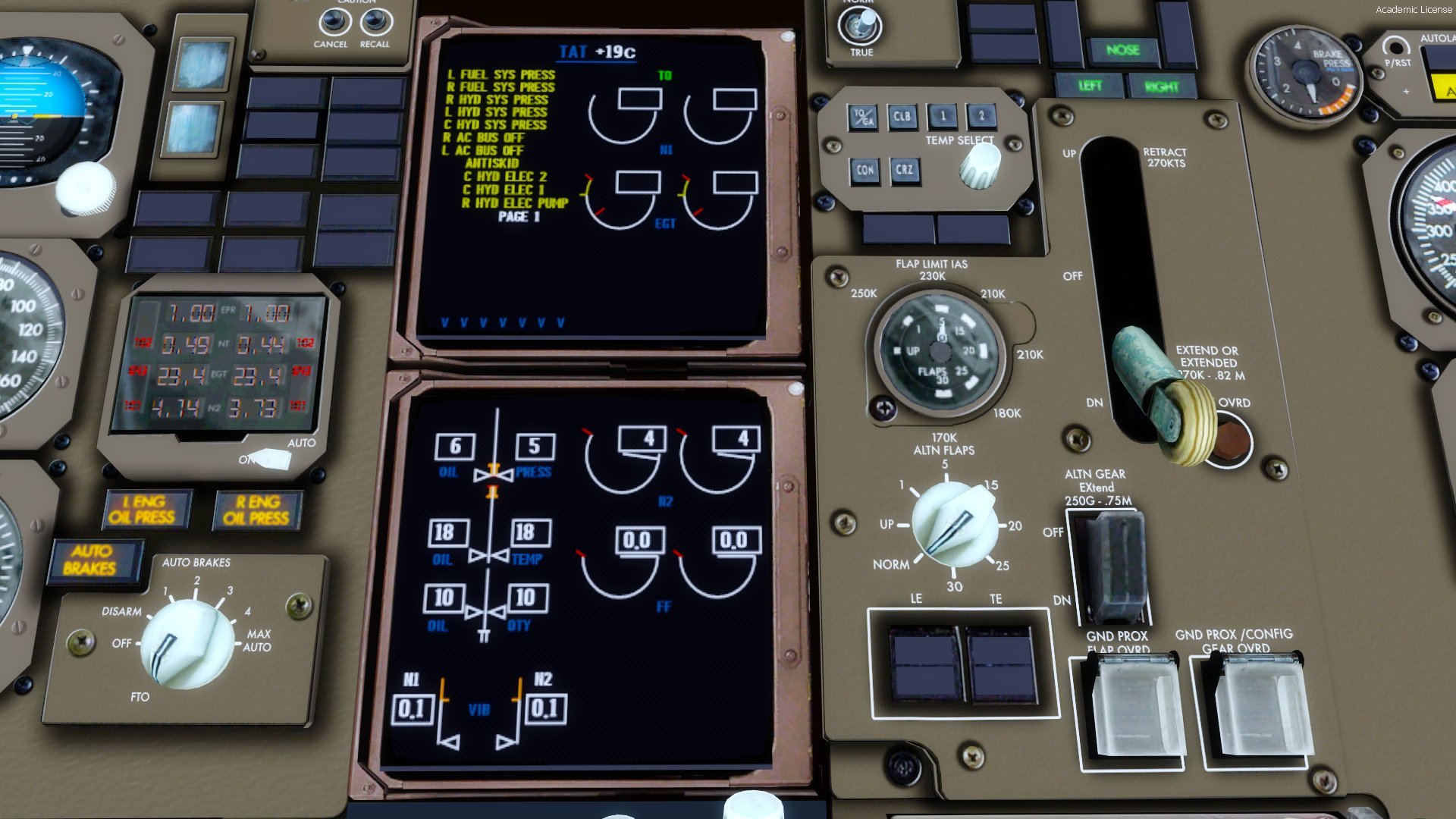
CS 767 high def vc textures

Could the blurry gauges be caused by mipmapping? I've not done VC texturing before but I think there's an option in the sim to turn off mipmaps for the VC right? maybe that would help find out if its due to mipmaps.

 
What about changing
Code:
size_mm=1024,1024

to

Code:
size_mm=4096,4096

Hope this works ;-)

As much as I wish this worked, there's sadly no way to get a gauge surface any larger than 1024x1024. The devs would have to remap the actual gauge to take up more space on it (and subsequently move the gauges that currently consume that space somewhere else). I've spent many hours trying to find a way around that, but there doesn't seem to be one... lol.

The textures themselves look really good! It's awesome to see some life breathed into one of the veteran birds in the fleet.
 
Any chance of an upgrade for the 757?

Which one?
CaptainSim 757 or QualityWings 757? ;)

But don't worry, I am planning to do the textures for the CS757 AND the QW757...
At the moment I have to do some other things, so the 757 textures will need some time...
 
Does anyone know why do cockpit MFD symbols typically look blurry on P3D? It's like the Gauge resolution goes to crap!
However 2D and 3D Cockpit textures look fine, its only the digital gauges.
 
Yes, I have the same problem.
I thought I could fix this, but I couldn't.

The original guage files look quite sharp...
 
What do you think?
zwischenablage012rk7n.jpg
 
Could you perhaps edit the texture of the area behind the switches for the flight director and auto throttle to better fit the shape of the switch? The whole hole the switch goes into just looks a little too big.
 
I really like the look of this VC. I just recently bought the CS 767 and to be honest didn't even realise it needed an upgrade; but this looks amazing.

Cheers,
 
Thanks!

Just a new picture of the MIP...
2016-4-18_19-21-12-49vbjsn.jpg


There is still a lot missing, but the colouring is looking quite good now, I think...
 
Some new pictures of the 767:

2016-4-23_12-46-1-9520szc.jpg


2016-4-23_12-45-24-476zsse.jpg

(On the TCAS-Panel are two typing errors, they are already fixed)
 
Last edited:
Back
Top