• Which the release of FS2020 we see an explosition of activity on the forun and of course we are very happy to see this. But having all questions about FS2020 in one forum becomes a bit messy. So therefore we would like to ask you all to use the following guidelines when posting your questions:

    • Tag FS2020 specific questions with the MSFS2020 tag.
    • Questions about making 3D assets can be posted in the 3D asset design forum. Either post them in the subforum of the modelling tool you use or in the general forum if they are general.
    • Questions about aircraft design can be posted in the Aircraft design forum
    • Questions about airport design can be posted in the FS2020 airport design forum. Once airport development tools have been updated for FS2020 you can post tool speciifc questions in the subforums of those tools as well of course.
    • Questions about terrain design can be posted in the FS2020 terrain design forum.
    • Questions about SimConnect can be posted in the SimConnect forum.

    Any other question that is not specific to an aspect of development or tool can be posted in the General chat forum.

    By following these guidelines we make sure that the forums remain easy to read for everybody and also that the right people can find your post to answer it.

MSFS20 Custom 3D mesh ground poly (convert from P3D to MSFS)

Messages
82
Country
israel
Hi there, so back then in 2020 I created LLER for P3D and in the past few months I've been thinking about converting it to MSFS
due to it's complexity I prefer to convert it as it is instead of building it from scratch (the ground have a very complex structure due to some elevation difference)
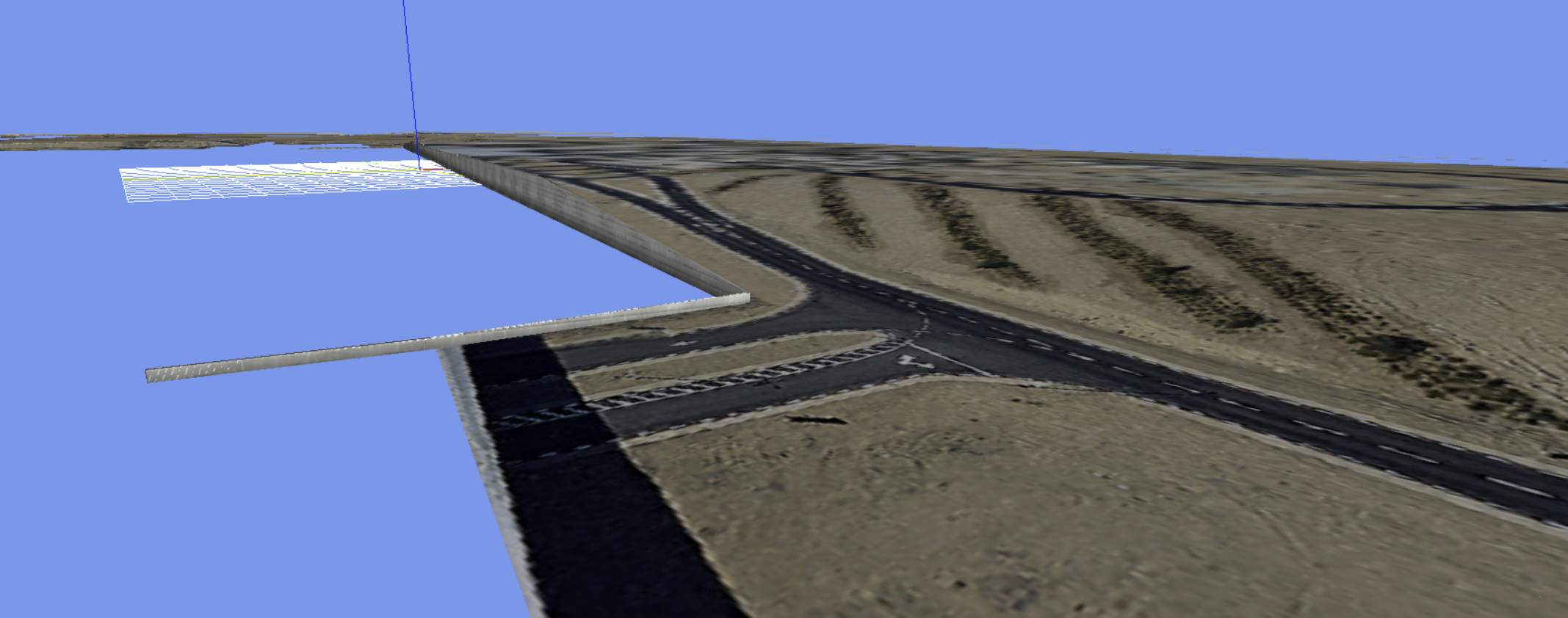
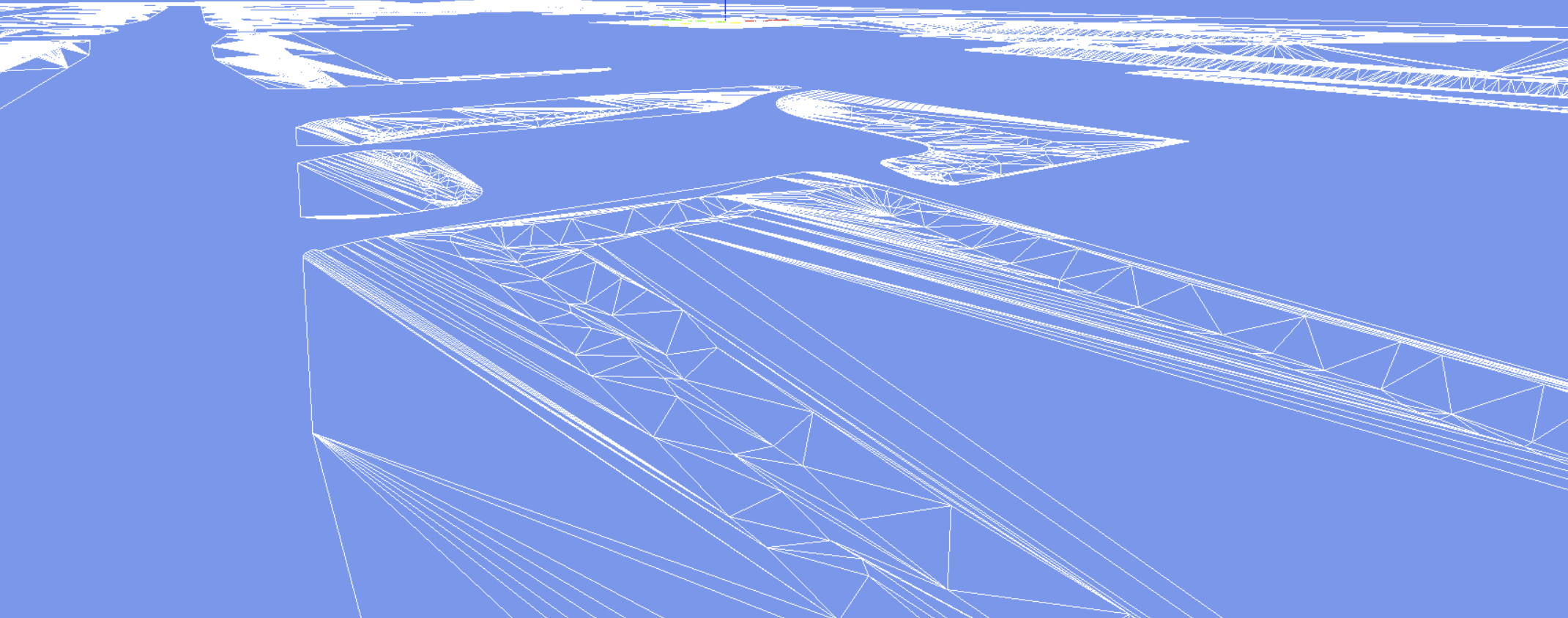
I tried to insert my 3D ground mesh into MSFS but found many problem' the biggest one is that the model won't exclude the terrain and I get elevation problem due to curvature and flickering
my question is there a way to use this 3D mesh as a GP for my airport as it is or do some minor changes to the model (like separation it to parts)

take in mind that after talking with some sim pilots that fly in this region they prefer "any scenery" instead of "no scenery", so my strategy is simply make a conversion with flatten terrain as it used to be In FSX/P3D

thank you :)

3-2.jpg


1691189694145.png


1691189775277.png


1691189880404.png

1691189830984.png


Attachments

  • 1691188752512.png
    1691188752512.png
    1.5 MB · Views: 188
  • 1691188843066.png
    1691188843066.png
    368.2 KB · Views: 188
  • 1691189145015.png
    1691189145015.png
    1.1 MB · Views: 173
  • 1691189181511.png
    1691189181511.png
    244.4 KB · Views: 198
It's definitely possible to bring the mesh into MSFS and there's two way I can think of personally. Really cool to see your LLER scenery in MSFS, love your work!

The first method would be similar to what you see in FlyTampa's Corfu. The main ground is placed as a projected mesh, MSFS' native ground polygon method. This mesh would only consist of the truly flat ground polygon like the asphalt, concrete, lines etc. and it will be "draped" over the MSFS terrain. Then you would use the non flat mesh, like curbs, embankments etc. as a regular 3D model and place them (with their curvature corrected I think?) in the sim like you would place any model. The areas of the terrain would need to use the Fake Terrain shader to get the same shading as the default terrain. This would however be very difficult with the drainage ditches as you would have to manually make sure the terrain at those places is lower than the model to avoid the terrain protruding through the model. Alternatively, you could use terraforming rectangles to "dig out" the ditches and use a projected mesh for this as well (similarly to FlyTampa's Athens use).

Another method would also involve using a mix of models and projected meshes but instead of using the 3D model of your terrain, you could use the 3D model to generate a Digital Elevation Model (DEM) and generate elevation rectangles from said mesh (I've done this myself as seen in this thread). The ground textures you have made are then perfectly aligned with said DEM and thus you have the advantage of using the actual terrain shader as well as being able to incorporate a lot more details in your terrain like sloping runways and taxiways and more. The models like the wall, curbs etc. would still be placed as regular models but the rest of the terrain would be truly native to MSFS.

These are just off the top of my head so you might need to play around with the ideas a bit. Hopefully that helps and feel free to contact me if you need some more help with the terrain!
 
thank you for you help, and sorry for the time it took me to reply, I thought about the first way you wrote in this way or another but I wasn't sure about it, Now I think I will try it, or at least use it as a base for the scenery and then will add the topography (the problem is that I have topography that is above ±0.00 and below so I need to separate the hills and the trenches. also using the DEM can help me with the trenches instead of using 3D models, the problem is the trenches concrete walls, but for now I think I will do it step by step and improvise, thank you again and I will be happy to get help when I will need :)
will inform you about the progress
 
Back
Top