• Which the release of FS2020 we see an explosition of activity on the forun and of course we are very happy to see this. But having all questions about FS2020 in one forum becomes a bit messy. So therefore we would like to ask you all to use the following guidelines when posting your questions:

    • Tag FS2020 specific questions with the MSFS2020 tag.
    • Questions about making 3D assets can be posted in the 3D asset design forum. Either post them in the subforum of the modelling tool you use or in the general forum if they are general.
    • Questions about aircraft design can be posted in the Aircraft design forum
    • Questions about airport design can be posted in the FS2020 airport design forum. Once airport development tools have been updated for FS2020 you can post tool speciifc questions in the subforums of those tools as well of course.
    • Questions about terrain design can be posted in the FS2020 terrain design forum.
    • Questions about SimConnect can be posted in the SimConnect forum.

    Any other question that is not specific to an aspect of development or tool can be posted in the General chat forum.

    By following these guidelines we make sure that the forums remain easy to read for everybody and also that the right people can find your post to answer it.

FSX:SE Custom Ground Line Not Showing in SIM

Messages
252
Country
australia
Hi guys

I have attempted to insert a custom ground line for a walkway at one of my YPAD gates.
Unfortunately it doesn't show in the sim.
This is my first try at custom lines/polys so unsure if I may have done something wrong.

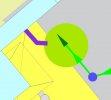
Att: Pic 1: ADE desk view
Att: Pic 2: Sim view
AD4 file attached

Cheers
Andrew
 

Attachments

  • PIC 1.jpg
    PIC 1.jpg
    27.1 KB · Views: 148
  • PIC 2.jpg
    PIC 2.jpg
    55.4 KB · Views: 158
  • YPAD_ADEX_AJS.ad4
    YPAD_ADEX_AJS.ad4
    264.7 KB · Views: 171
Have you the Texture of the walkway in your texture map for the scenery.

Jan
 
Andrew, it took me a while to find it, but is appears on my system. Therefore, I suspect you didn't copy the ... _GP.bgl file into your scenery folder.

Jan (F70), if only the texture were missing the GP would still appear, but it would be black.
 
Hi Don

yes the ...GP.BGL file is there. With this particular scenery I am writing directly to the YPAD scenery folder so I know where the files are ending up.

The only thing which is new for me is when I compile I get a "Compile Parameters" popup. I have "Local Elevation, Full Visibility" radio button selected and "Offset GP Elevation by" set to 7mm. These were the default settings that were presented to me, and shown in the manual. I am unsure what Jan means regarding a "texture map" for my scenery, but the respective GP texture has been produced and placed in the associated texture folder.

Cheers
Andrew
 
Andrew, since you are using SE, the offset elevation is not relevant (and the control should be disabled).

Since the GP appears for me using your files, and you report all necessary files are where they should be. I'm at a loss to explain why you don't see it.
 
Thanks Don,

I can do without it, just a bit more realism.

Does it make any difference regarding the layer that is selected in the editor?

Andrew
 
Does it make any difference regarding the layer that is selected in the editor?
Only when you want to display one GP on top of another.

The only other possibility I can think of is that you have a terrain package installed that places the airport below the declared ARP elevation. (Even a couple millimeters is enough.) Try temporarily deleting the apron on which you expect the GP to be displayed and see if the GP is displayed on the ground. If it is, either place a flatten under your airport whose elevation is ARP elevation, or lower your ARP elevation to actual terrain elevation.
 
Or perhaps is trying to put it on top of an existing GP from an addon airport? If so, a higher layer number might help.
 
So guys, the culprit seems to be an object lightpost with a wash that is causing the issue "lightpost object bigwash ORANGE" from "FSXP_Fillerobjects.BGL"
I have no idea why so any suggestions would be appreciated. At least, though, I now know what the issue is. All I need to do is replace this with another light hopefully.
Thanks for your suggestions as I would not have gone searching for things otherwise. :wizard:

Cheers
Andrew
 
The offending light wash is probably applied using technology similar to GPs. Try using a higher layer number as Tom suggested.
 
Hi Don/Tom

tried setting the layer @ 62, highest it will allow, but to no avail. I'm going to hunt around for some other lights to see how I go with them.

Cheers
Andrew
 
Back
Top