
• Which the release of FS2020 we see an explosition of activity on the forun and of course we are very happy to see this. But having all questions about FS2020 in one forum becomes a bit messy. So therefore we would like to ask you all to use the following guidelines when posting your questions:

    • Tag FS2020 specific questions with the MSFS2020 tag.
    • Questions about making 3D assets can be posted in the 3D asset design forum. Either post them in the subforum of the modelling tool you use or in the general forum if they are general.
    • Questions about aircraft design can be posted in the Aircraft design forum
    • Questions about airport design can be posted in the FS2020 airport design forum. Once airport development tools have been updated for FS2020 you can post tool speciifc questions in the subforums of those tools as well of course.
    • Questions about terrain design can be posted in the FS2020 terrain design forum.
    • Questions about SimConnect can be posted in the SimConnect forum.

    Any other question that is not specific to an aspect of development or tool can be posted in the General chat forum.

    By following these guidelines we make sure that the forums remain easy to read for everybody and also that the right people can find your post to answer it.

MSFS20 Custom markings using Projected Mesh

Messages
269
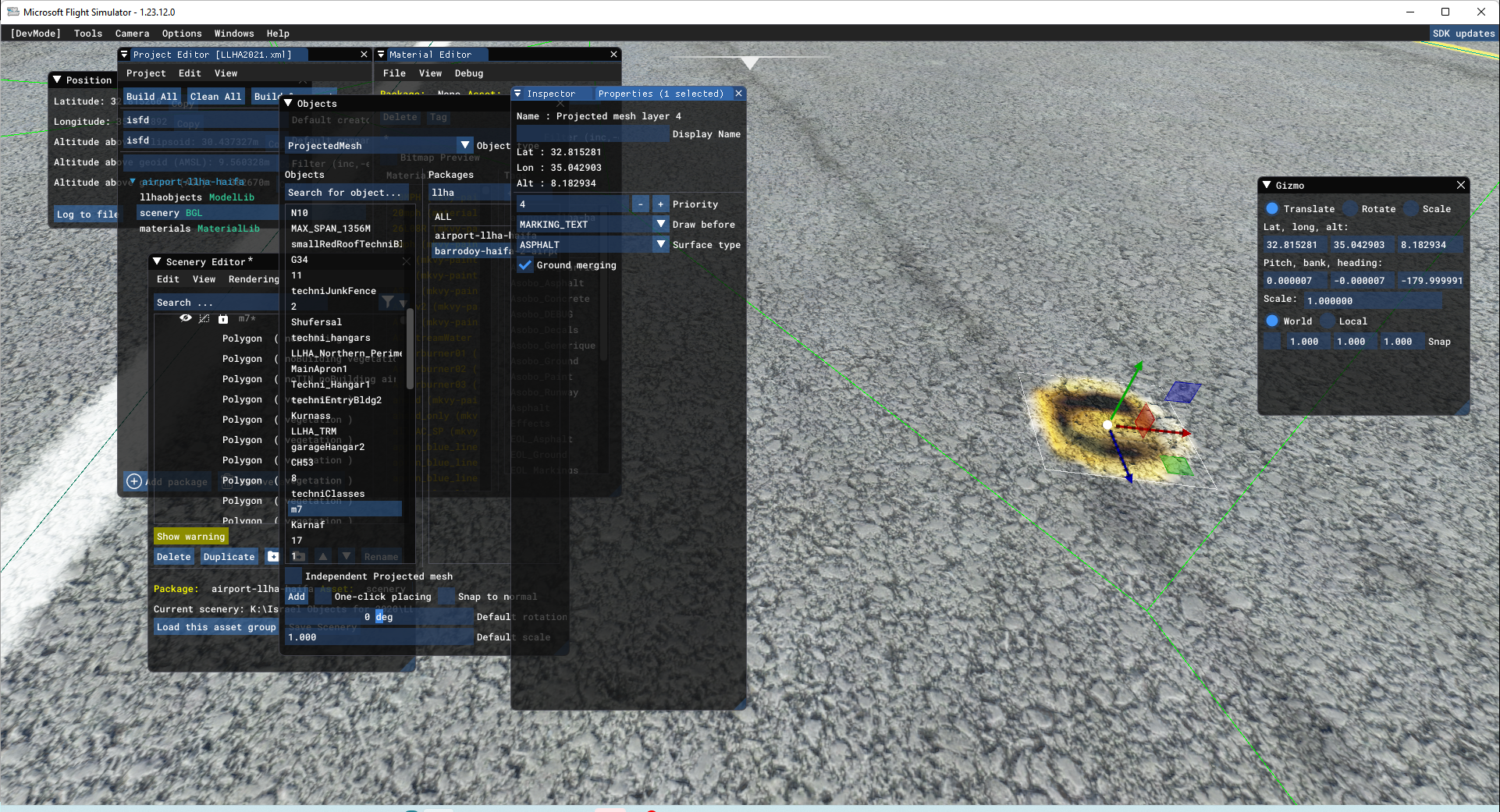
I am trying to use PM for my small parking markings but their are too blurry due to their small size, this one should show "M7" parking mark.
Changine setting doesnt help. It didnt used to be this way a few months ago. I guess some update screw it.
Using aprons for these small markings is a pain. Any ideas how to implement those?

2022-03-06.png
 
Terrain related stuff (aerial images, projected mesh, polygons and aprons) are all limited to 4cm/pixel according to sdk docs
(should be zoom level 21)

""""
IMPORTANT! When being rendered, projected meshes are baked into the terrain textures. This helps reduce the polycount and permits the element to be terraformed. However, it also means that the texture quality won't be any greater than the resolution of the terrain textures themselves. In general, this resolution is around 4cm/pixel at the equator, with the best/highest resolution terrain textures reserved for higher LODs so we have a better quality for airports. For users, they will experience the best resolution possible setting the "Terrain level of detail" option to its maximum value.
""""


If you Need a better resolution, use a 3d object

Or make It larger

Inviato dal mio Mi 9 Lite utilizzando Tapatalk
 
Terrain related stuff (aerial images, projected mesh, polygons and aprons) are all limited to 4cm/pixel according to sdk docs
(should be zoom level 21)

""""
IMPORTANT! When being rendered, projected meshes are baked into the terrain textures. This helps reduce the polycount and permits the element to be terraformed. However, it also means that the texture quality won't be any greater than the resolution of the terrain textures themselves. In general, this resolution is around 4cm/pixel at the equator, with the best/highest resolution terrain textures reserved for higher LODs so we have a better quality for airports. For users, they will experience the best resolution possible setting the "Terrain level of detail" option to its maximum value.
""""


If you Need a better resolution, use a 3d object

Or make It larger

Inviato dal mio Mi 9 Lite utilizzando Tapatalk
Hi, I wanted to ask you if you have any tutorials for developing road markings with meshes. What program can be used? Can I create my horizontal signs in blender and then import them into the MSFS? It seems to me the best way to do mesh signage and not use the paintedlines I've built so far. Thank you
 
Hello. I presume that in order for that method to work, one must flatten out the airport completely else we'd run into z fighting issues, correct?
It just need to be flat where you need to place the billboard
Of course if you plan to do alle the taxiway lines or the airport ground with a plane, all the airport needs to be flat as a pancake
(Btw 2024 will come with better ground resolution according to the trailer)
And there won't be any z-fighting (the flickering when two planes/faces are in the same position), the 3d object billboard will simply protrude into uneven terrain 😉
 
Back
Top