• Which the release of FS2020 we see an explosition of activity on the forun and of course we are very happy to see this. But having all questions about FS2020 in one forum becomes a bit messy. So therefore we would like to ask you all to use the following guidelines when posting your questions:

    • Tag FS2020 specific questions with the MSFS2020 tag.
    • Questions about making 3D assets can be posted in the 3D asset design forum. Either post them in the subforum of the modelling tool you use or in the general forum if they are general.
    • Questions about aircraft design can be posted in the Aircraft design forum
    • Questions about airport design can be posted in the FS2020 airport design forum. Once airport development tools have been updated for FS2020 you can post tool speciifc questions in the subforums of those tools as well of course.
    • Questions about terrain design can be posted in the FS2020 terrain design forum.
    • Questions about SimConnect can be posted in the SimConnect forum.

    Any other question that is not specific to an aspect of development or tool can be posted in the General chat forum.

    By following these guidelines we make sure that the forums remain easy to read for everybody and also that the right people can find your post to answer it.

MSFS20 Default airport still showing after installing airport addon

Messages
101
Country
france
Hello,

I have an issue with a MSFS scenery; when installing it to the Community folder with all my sceneries (which work perfectly), the default MSFS airport is still showing when I launch the simulator.
My Community folder is located into my SSD. Here is the structure :

D:\FS2020\Community

A colleague have the exact same installation and the same scenery works fine for him.
The only difference is he's running on Win10 and I have Win11. Could this be the reason of my problem ?

Do you have any clue about that ?

Thank you
Regards

PS- Sorry I posted this message in the wrong section (FSX, P3D airport development)...
 
Check the console messages in the eveloper mode and check the virtual files system if the status of your community airport is mounted or if there are any errors regarding it.
 
Thank you for your answer.
I can confirm there is no error in the console after building package, and the package does appear in the mount points section in the virtual files system.
Also I forgot to mention that I only used the dev mode and not ADE.
 
Well than if you would provide the package I could try and check it out. I have Win 11 as well. Pls also provide the airport xml file so I can check your settings regarding deletions
You can contact me on discord Guido#4520
 
Well than if you would provide the package I could try and check it out. I have Win 11 as well. Pls also provide the airport xml file so I can check your settings regarding deletions
You can contact me on discord Guido#4520
I've sent you a DM
 
I have a very similar problem that started with SU8. Last year, I created two small airstrips (CYNN, CJT3, both available on Flightsim.to) that were not available in MSFS. When trying SU8 beta, I noticed that both airports were added to the default airport set. I edited my sceneries to exclude existing airports, and that worked fine in SU8 beta.

Then the bummer: about a week after SU8 was officially released, my SU8 beta installation decided to erase itself and I had to reinstall SU8 from scratch. With the official SU8, the default airports are not erased anymore, I have duplicate runways. I tried to recompile my sceneries and played with <DeleteAirport />, <DeleteRunway /> and <DeleteStart />, but nothing helps. Something must have happened on Asobo's side between the last beta version and the official SU8 that ruined the DeleteAirport command.
 
I forgot to specify a thing : While the default airport is still showing when launching MSFS, the addon airport is not appearing; as If I didn't install it.
My issue seems to be fixed thanks to GuidoH; in my XML file, the asset groupe type was 'ArtProj' (idk why) instead of 'ModelLib'.
 
I have a very similar problem that started with SU8. Last year, I created two small airstrips (CYNN, CJT3, both available on Flightsim.to) that were not available in MSFS. When trying SU8 beta, I noticed that both airports were added to the default airport set. I edited my sceneries to exclude existing airports, and that worked fine in SU8 beta.

Then the bummer: about a week after SU8 was officially released, my SU8 beta installation decided to erase itself and I had to reinstall SU8 from scratch. With the official SU8, the default airports are not erased anymore, I have duplicate runways. I tried to recompile my sceneries and played with <DeleteAirport />, <DeleteRunway /> and <DeleteStart />, but nothing helps. Something must have happened on Asobo's side between the last beta version and the official SU8 that ruined the DeleteAirport command.
Neither airport are included with SU8. Something is definitely wrong with your MSFS installation if they are present. Right from the Main Window you can access the Tools | Packages DevMode menu item. here I search for the location of anything "rhumba":
Untitled.png

You should be able to search for cybb or cjt3, and hopefully find out where they are located outside of your Community folder.

At the least, you probably need to do a clean uninstall of MSFS and a reinstall to get back to a virgin setup. (I avoid the betas for just this type of problem... Asobo/Microsoft are pretty sloppy with this sim. Besides we are all already in a paid beta).
 
Neither airport are included with SU8. Something is definitely wrong with your MSFS installation if they are present. Right from the Main Window you can access the Tools | Packages DevMode menu item. here I search for the location of anything "rhumba":


At the least, you probably need to do a clean uninstall of MSFS and a reinstall to get back to a virgin setup. (I avoid the betas for just this type of problem... Asobo/Microsoft are pretty sloppy with this sim. Besides we are all already in a paid beta).
Hello Dick,
thanks a lot for your feedback. I did what you suggested, and there is only one package of CJT3 installed (my own). However, as you can see in the screen shot, I have two runways. I can also see two runways on the ground, and the second one looks just like those Asobo gravel strips. I am pretty sure they added it to SU8, I am really surprised that you do not see that in your SU8 installation. Not sure if a clean reinstall would help: I was forced to do exactly that, and that's when my problems started.

Anyone else: it would be great if someone could check whether CJT3 or CYNN are available on your installation., just to see if that problem is common.

I usually don't so simulator betas either. However, I am a beta tester for Milviz and needed to use SU8 beta for their upcoming Cessna 310R, which uses the new propeller features :)


CJT3problems.png

Thanks,
Peter
 
That is very strange. Your sim shows 3 number 3 runways. Here's what I have after installing your airfield:
Untitled.png
 
Hello Dick,
your installation looks exactly as it is supposed to with my scenery. It looked like that for me in SU7 and in SU8 beta. Good to know that it is likely something on my own system, then I don't have to worry about other users of the scenery :)
Yes, I have those three runway 03s at CJT3. I presume it is a mistake by Asobo. CYNN has "properly" doubled runways (2x 18, 2x 36) :)

I will wait until the next mandatory update and then review the situation.
Thanks a lot,
Peter
 
Just to follow up on this: during the last 2-5 days, the problem with double runways suddenly disappeared. I am not in SU9 beta and did not make any changes. Strange, but good that it's gone.
 
Hello,

Profiting the title of this thread, I would need some help here, please.
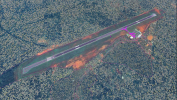
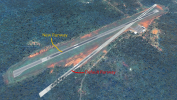
The default runway doesn't go away.
This was a perfect working scenery made by me, I opened the project (DevMode) to make some changes and after a new compilation the default runway doesn't disappears.
Don't know if any SDK update could have change something here.
In the project it does disappear, but when is uploaded in normal sim it still shows. In the menu the runway is alright (180º-360º orientation+-) but with the starting points of the default one, and also 3 runways "18" as you can see.
I have done some changes, new runways, save as new project, among other things, nothing seems to works.
The other sceneries I created are alright, even after new compilations in actual SDK.
It is possible to have some help here, I have no knowledge to go further.
Sorry the English.
Thank you
Antonio.
 

Attachments

  • b.PNG
    b.PNG
    2.1 MB · Views: 231
  • c.png
    c.png
    2.1 MB · Views: 273
  • Screenshot 2022-08-13 024709.jpg
    Screenshot 2022-08-13 024709.jpg
    757.5 KB · Views: 244
Doubble check your delete runways= statement inside the airport tag in yout xml code of the airport file. See also the pretty detailled documentation on the msfs sdk web
 
Doubble check your delete runways= statement inside the airport tag in yout xml code of the airport file. See also the pretty detailled documentation on the msfs sdk web
Just to conclude, I found it. It is something between Navigraph and the Beta 10 Update, it messes the content.xml and the position of the packages. It is ok if uninstalling one of the two.
This airport doesn't exists in the default MSFS scenery, and it is added by Navigraph (I didn't remember this, only until I checked the airport debug) so maybe there is some problems with this fact too.
Doing what they say at Navigraph (uninstalling and Installing) doesn't solve. https://forum.navigraph.com/t/duplicated-runway-issue-inquiry/2178/4
I made a simple new airport just to check if it was my scenery, but the same problem appeared.
Thank you anyway.
 
Back
Top