
• Which the release of FS2020 we see an explosition of activity on the forun and of course we are very happy to see this. But having all questions about FS2020 in one forum becomes a bit messy. So therefore we would like to ask you all to use the following guidelines when posting your questions:

    • Tag FS2020 specific questions with the MSFS2020 tag.
    • Questions about making 3D assets can be posted in the 3D asset design forum. Either post them in the subforum of the modelling tool you use or in the general forum if they are general.
    • Questions about aircraft design can be posted in the Aircraft design forum
    • Questions about airport design can be posted in the FS2020 airport design forum. Once airport development tools have been updated for FS2020 you can post tool speciifc questions in the subforums of those tools as well of course.
    • Questions about terrain design can be posted in the FS2020 terrain design forum.
    • Questions about SimConnect can be posted in the SimConnect forum.

    Any other question that is not specific to an aspect of development or tool can be posted in the General chat forum.

    By following these guidelines we make sure that the forums remain easy to read for everybody and also that the right people can find your post to answer it.

Effect attachpoints offset in compiled library

Messages
258
Country
us-california
Working with 2.0.0.7 I created a light as follows:

Guid to Call=d4cf67e24c33558234062aab00390422
Guid to Attach=f7589b314f1f44c2c5ca0eaf797623a7
Light Only=False
All in One=False
Use Effect=*
No. Bulbs=1
Strobe Firing Sequence=0
Total Strobe Flashes=8
Strobe Seed=0
Color_Front=Split-Red
Slope (deg.)=0
Base Model Name=Omni
Kill Shadow=False

In the sim I don't see the effect displayed:
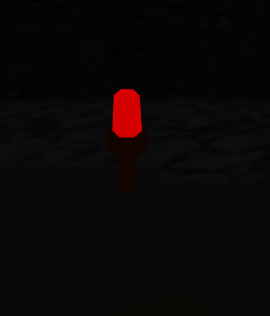
no_effect.png


I opened the library BGL and it seems the attachpoint is far offset from the model. I'm attaching pics of the model in MCX before and after I added a correction of +100 (on the y-axis I think) in the attached object editor.
Before: displaced_attpt.png
After: corrected_attpt.PNG

Library folder is also attached.

Thanks,
Barry
 

Attachments

The problem is that FSX does not support nesting of attachpoints, i.e. attachpoints attached to attachpoints. I thought that in Version 2, I had suppressed the use of effects (v.s. BGL_LIGHTs) which constitute nesting of attachpoints. Turns out, all I had suppressed was using effects generally to replace BGL_LIGHTS.

This limitation is not a big-deal, however since, when you use FS9 models for FSX, the light is processed with BGL_LIGHTS which are automatically converted to equivalent effects by FSX.

In the next release, I will also ignore the specification for an effect on individual models. In the meantime, just change Effect to BGL_LIGHT.

Incidentally, the "before" screenshot shows the attachpoint at 0,0,0. Whats wrong with that?

Don
 
Incidentally, the "before" screenshot shows the attachpoint at 0,0,0. Whats wrong with that?

I don't know whether it's wrong, but it seemed odd that adding 100 to the Y coordinate seemed to put the attpt in the correct spot at the center of the light lens. I guess that has to do with this nesting of attachpoints.

I'll do some more experimenting. At some point (maybe with 2.0.0.6) I had the lights looking really good but that was before the UV issue fix.

Thanks,
Barry
 
No mystery. You can't turn effects on and off. So, the way I chose to turn effects off was to position them 100m underground - that was before I realized you couldn't use effects in FSX with FS9 models.

Don
 
Back
Top