
-
Which the release of FS2020 we see an explosition of activity on the forun and of course we are very happy to see this. But having all questions about FS2020 in one forum becomes a bit messy. So therefore we would like to ask you all to use the following guidelines when posting your questions:
- Tag FS2020 specific questions with the MSFS2020 tag.
- Questions about making 3D assets can be posted in the 3D asset design forum. Either post them in the subforum of the modelling tool you use or in the general forum if they are general.
- Questions about aircraft design can be posted in the Aircraft design forum
- Questions about airport design can be posted in the FS2020 airport design forum. Once airport development tools have been updated for FS2020 you can post tool speciifc questions in the subforums of those tools as well of course.
- Questions about terrain design can be posted in the FS2020 terrain design forum.
- Questions about SimConnect can be posted in the SimConnect forum.
Any other question that is not specific to an aspect of development or tool can be posted in the General chat forum.
By following these guidelines we make sure that the forums remain easy to read for everybody and also that the right people can find your post to answer it.
You are using an out of date browser. It may not display this or other websites correctly.
You should upgrade or use an alternative browser.
You should upgrade or use an alternative browser.
P3D v5 Germany Photoreal
- Thread starter MatthiasKNU
- Start date

MatthiasKNU
Resource contributor
- Messages
- 962
- Country

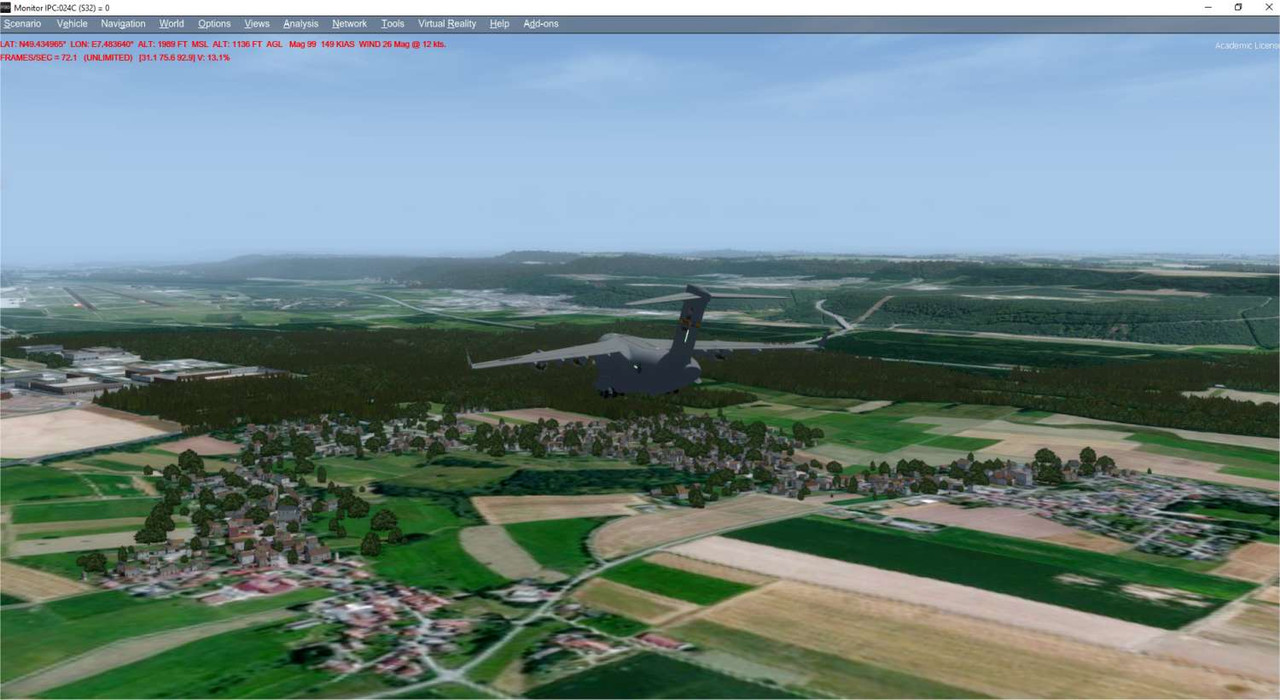
A few pictures from one of the smallest states, the Saarland:
Saarbrücken Airport

Saarbrücken itself:

and a bit north


Saarbrücken Airport
Saarbrücken itself:
and a bit north
MatthiasKNU
Resource contributor
- Messages
- 962
- Country
.
Last edited:

- Messages
- 12,244
- Country

Hi Matthias,
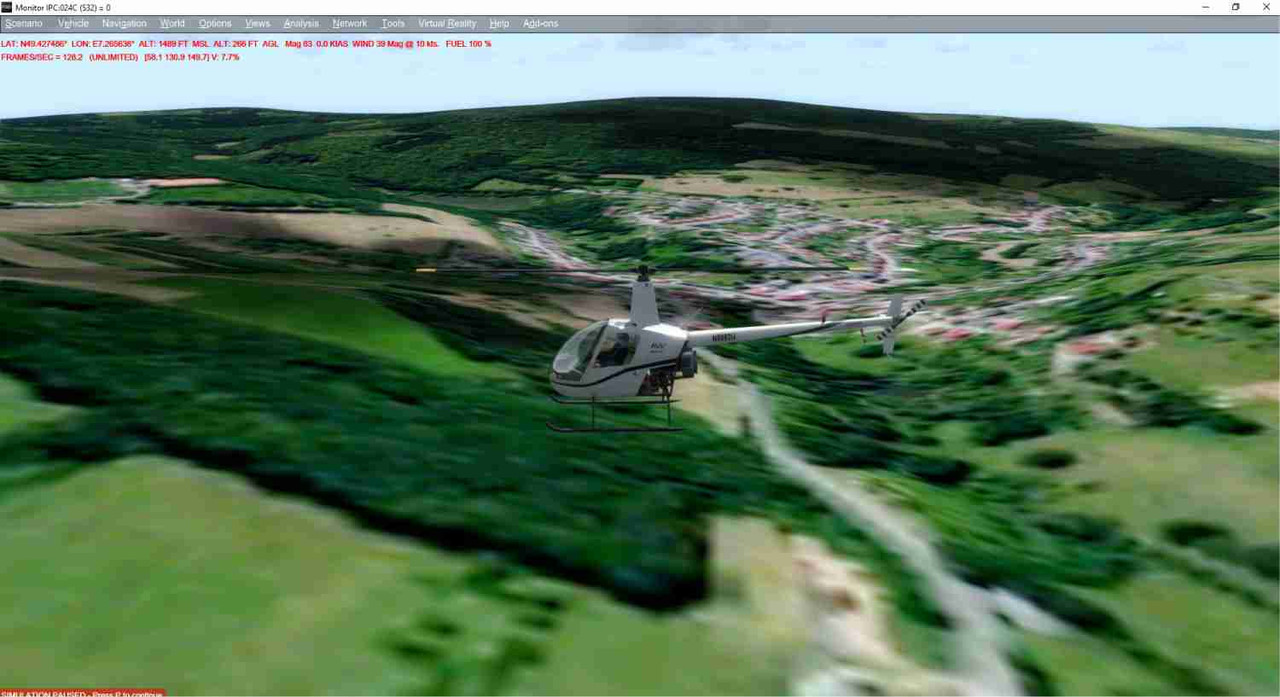
Could you please show me what you see over 011222113312202an.agn which I believe is about Lat 49.427490 Long 7.265625
This is what I see in P3D V4 (and FSZ):
 anthropology jobs salary
Could you please show me what you see over 011222113312202an.agn which I believe is about Lat 49.427490 Long 7.265625
This is what I see in P3D V4 (and FSZ):
anthropology jobs salary
MatthiasKNU
Resource contributor
- Messages
- 962
- Country
It looks like it should...
Maybe you have to create for each state an own scenery folder, otherwise you could have such problems in the border regions:

Maybe you have to create for each state an own scenery folder, otherwise you could have such problems in the border regions:
- Messages
- 12,244
- Country
Hmm, it looks fine in Annotator:

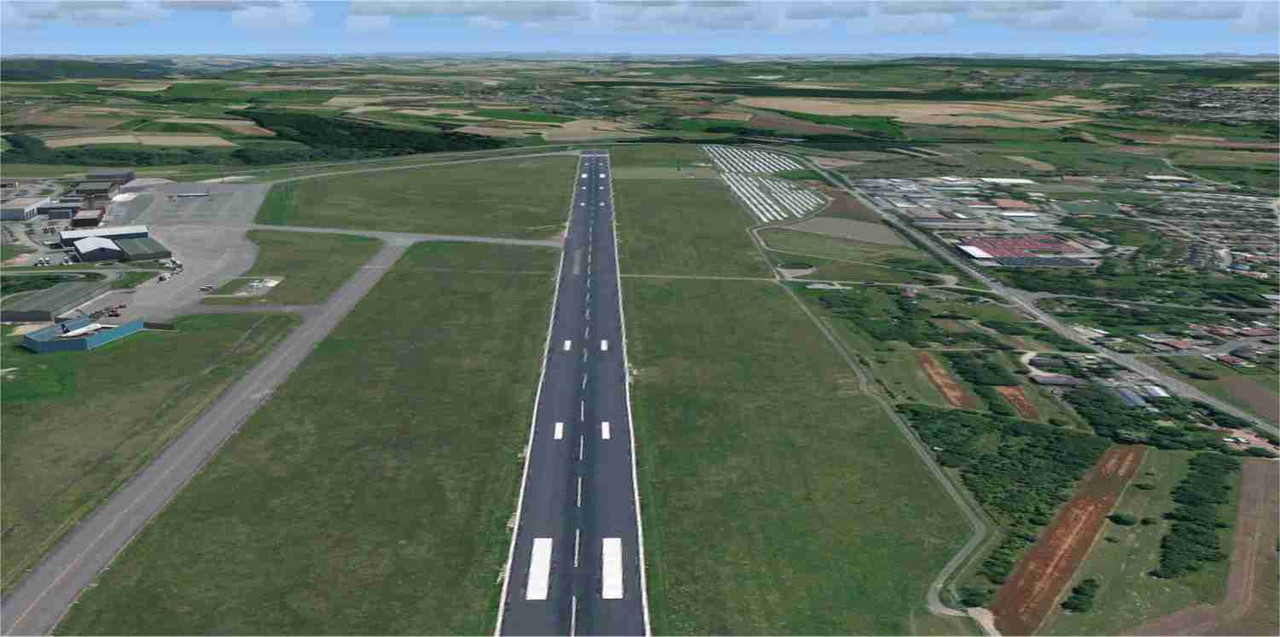
But I see no vegetation nor buildings in FSX:
 picture hosting
It worked fine in the Bayern region.
Do you have a special AutogenDescriptions.spb or or models?
But I see no vegetation nor buildings in FSX:
picture hostingIt worked fine in the Bayern region.
Do you have a special AutogenDescriptions.spb or or models?
MatthiasKNU
Resource contributor
- Messages
- 962
- Country
No, nothing, I am using the default models to get maximum compatibility.
Is it possible that another scenery excludes the autogen? The autogen itself is definitly working.
Does it happen just in the area of the saarland and Rhineland Palatinate or is it also in Hessen?
As I said, i think a scenery you have installed is causing this problem...
Is it possible that another scenery excludes the autogen? The autogen itself is definitly working.
Does it happen just in the area of the saarland and Rhineland Palatinate or is it also in Hessen?
As I said, i think a scenery you have installed is causing this problem...

MatthiasKNU
Resource contributor
- Messages
- 962
- Country
You are right, there are a few areas without autogen. To be honest, I have no idea what could cause this.
The input data is alright without anything that could create such holes. Also during merging the autogen no data gets lost.
I therefore suspect ScenProc that there is any effect that causes such holes. Maybe @arno has an idea?
The input data is alright without anything that could create such holes. Also during merging the autogen no data gets lost.
I therefore suspect ScenProc that there is any effect that causes such holes. Maybe @arno has an idea?
MatthiasKNU
Resource contributor
- Messages
- 962
- Country
Thank you Arno!
I will look into that...
I will look into that...

Deano1973
Resource contributor
- Messages
- 384
- Country

Thank you Arno!
I will look into that...
A minor observation here: I'm working on a much smaller project while using the annotator, and I realised recently that if autogen buildings / custom buildings are put down first, then their presence will "block" the appearance of autogen vegetation added afterward using the annotator. It seems to me that buildings have precedence over vegetation, which was the cause of my own tree density reduction and sometimes failure to display. Removing custom BGLs in the same area allowed the trees to show at full density.
The scale of what I'm doing is much smaller, but I suspect the same rule may apply to your work.
MatthiasKNU
Resource contributor
- Messages
- 962
- Country
A minor observation here: I'm working on a much smaller project while using the annotator, and I realised recently that if autogen buildings / custom buildings are put down first, then their presence will "block" the appearance of autogen vegetation added afterward using the annotator. It seems to me that buildings have precedence over vegetation, which was the cause of my own tree density reduction and sometimes failure to display. Removing custom BGLs in the same area allowed the trees to show at full density.
The scale of what I'm doing is much smaller, but I suspect the same rule may apply to your work.
Thank you!
I have changed my script and will now try it out in the federal state of North Rhine-Westphalia!

- Messages
- 34,350
- Country

I don't think in scenproc the order should matter. They are always written in the same order in the AGN file.
For rectangular vegetation I know it can conflict with buildings, so typically I remove the vegetation that overlaps the building. But for polygonal vegetation I'm not sure it matters.
For rectangular vegetation I know it can conflict with buildings, so typically I remove the vegetation that overlaps the building. But for polygonal vegetation I'm not sure it matters.
MatthiasKNU
Resource contributor
- Messages
- 962
- Country
Ok, while I still have no real solution for this problem, I added another function to my script, which is to make sure that all agn files were created for the whole federal state.
I tried it out now on North Rhine-Westphalia with success and it seems that for the upcoming state really all agn files are there.
Anyway, it seems that this won't help very much...
Now I will try to subtract the buildings from the forest rectangles...
I tried it out now on North Rhine-Westphalia with success and it seems that for the upcoming state really all agn files are there.
Anyway, it seems that this won't help very much...
Now I will try to subtract the buildings from the forest rectangles...
Last edited:
MatthiasKNU
Resource contributor
- Messages
- 962
- Country
Sorry Mathias,
Double finger trouble. I had the low-res photo texture in the France scenery area
And didn't have the hi-res photo texture active
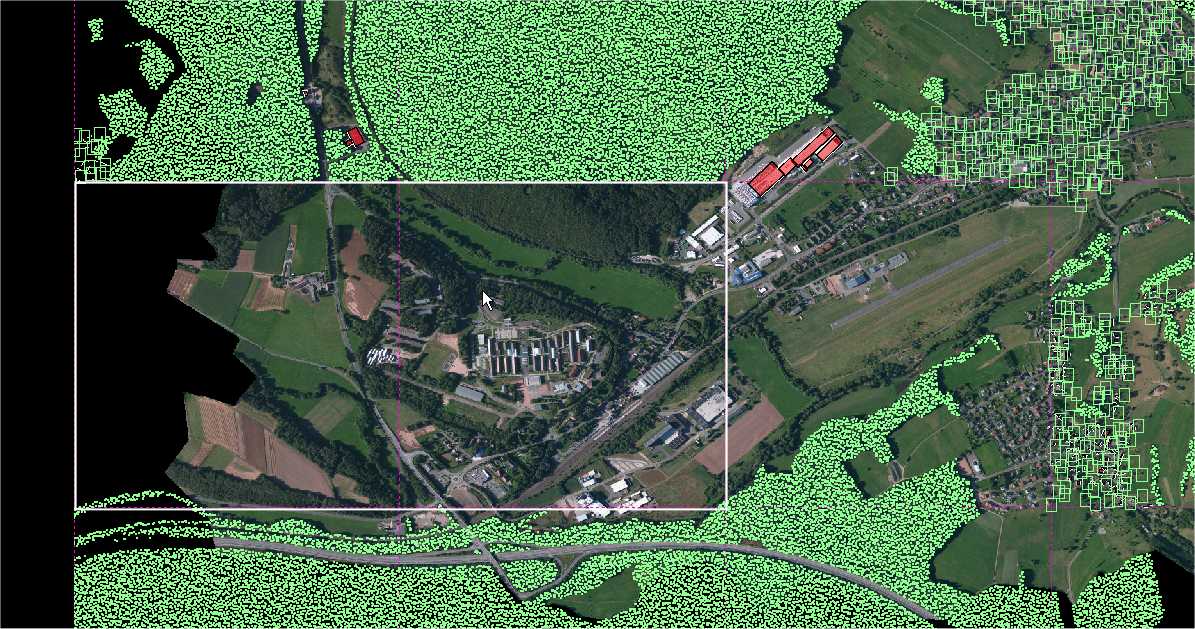
However, there are a few "holes" in your agn files in this area:
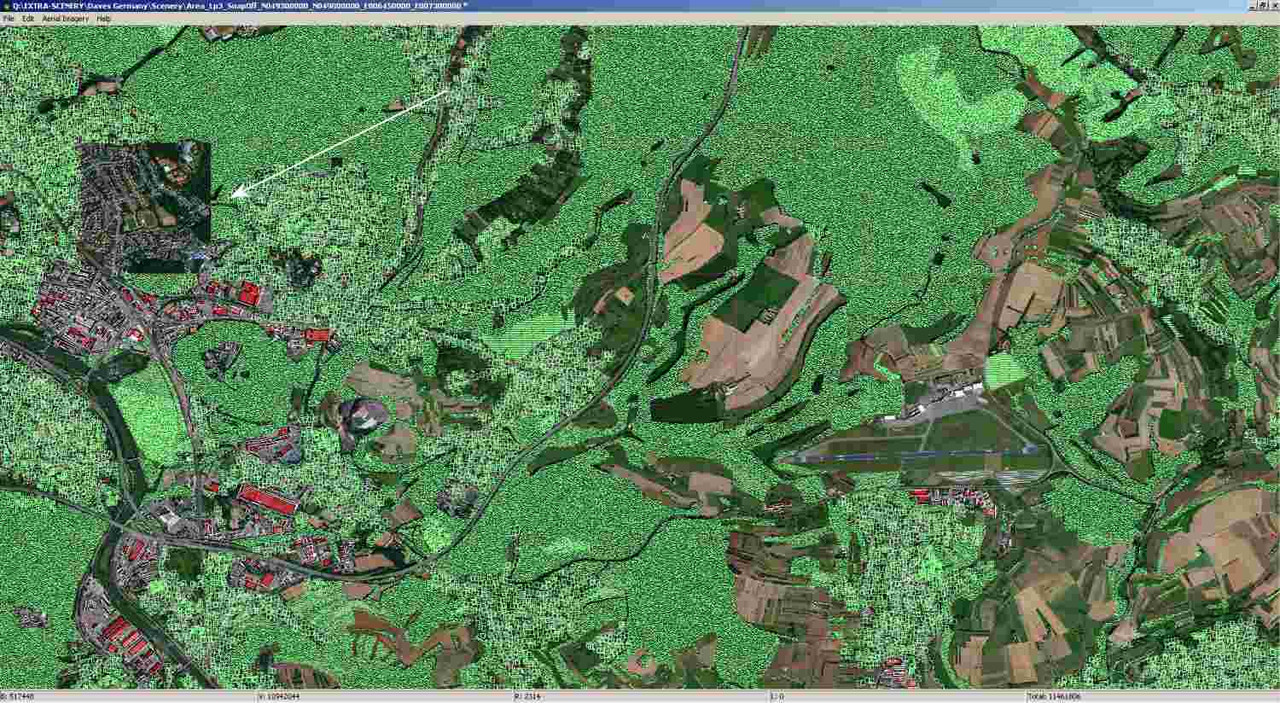
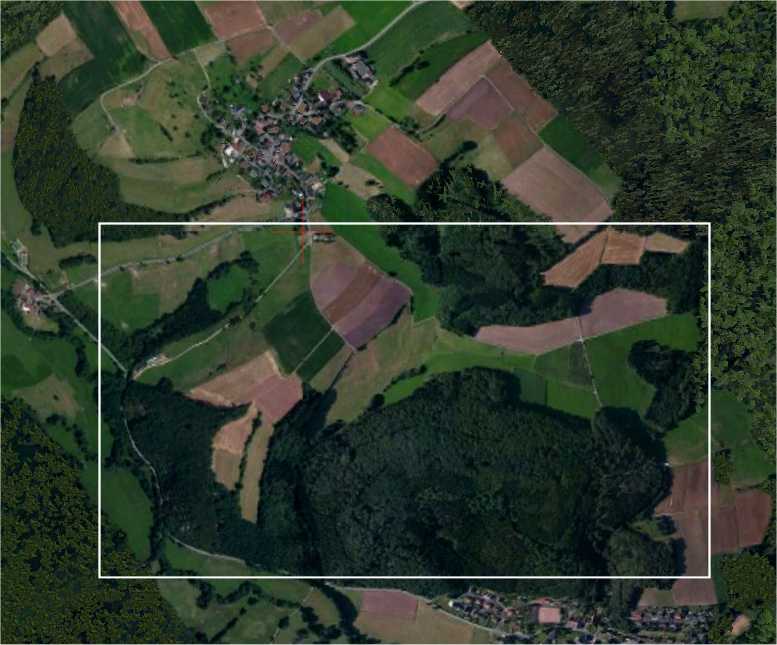
Regarding this screenshot:
I looked into that problem... But I cannot reproduce it.

This screenshot shows the area, where the autogen should be missing (like in your screenshot). But it doesn't. It looks, like it should...
Are you sure you copied all agn files to the right directory?
- Messages
- 12,244
- Country
Hi Mathias,
If you look at the bottom-left of the white rectangle in the Annotator shot, you can see a few vegetation rectangles.
This shows that the agn file is present, but that it does not have a full complement of objects.
The one to the right appears to have no objects.
I will edit the files in Annotator to add further trees.
Are you sure you copied all agn files to the right directory?
If you look at the bottom-left of the white rectangle in the Annotator shot, you can see a few vegetation rectangles.
This shows that the agn file is present, but that it does not have a full complement of objects.
The one to the right appears to have no objects.
I will edit the files in Annotator to add further trees.
MatthiasKNU
Resource contributor
- Messages
- 962
- Country
I am sorry, i was referring to the Screenshot you posted yesterday at 01:51...
I still have to Look into The one with the 2 missing tiles
I still have to Look into The one with the 2 missing tiles
- Messages
- 12,244
- Country
OK, here is a link to the photo scenery, two agns and their text equivalents.
As you can see there is very little agn.
https://www.dropbox.com/preview/Public/RogueAGNs.ZIP?role=personal
As you can see there is very little agn.
https://www.dropbox.com/preview/Public/RogueAGNs.ZIP?role=personal