
-
Which the release of FS2020 we see an explosition of activity on the forun and of course we are very happy to see this. But having all questions about FS2020 in one forum becomes a bit messy. So therefore we would like to ask you all to use the following guidelines when posting your questions:
- Tag FS2020 specific questions with the MSFS2020 tag.
- Questions about making 3D assets can be posted in the 3D asset design forum. Either post them in the subforum of the modelling tool you use or in the general forum if they are general.
- Questions about aircraft design can be posted in the Aircraft design forum
- Questions about airport design can be posted in the FS2020 airport design forum. Once airport development tools have been updated for FS2020 you can post tool speciifc questions in the subforums of those tools as well of course.
- Questions about terrain design can be posted in the FS2020 terrain design forum.
- Questions about SimConnect can be posted in the SimConnect forum.
Any other question that is not specific to an aspect of development or tool can be posted in the General chat forum.
By following these guidelines we make sure that the forums remain easy to read for everybody and also that the right people can find your post to answer it.
You are using an out of date browser. It may not display this or other websites correctly.
You should upgrade or use an alternative browser.
You should upgrade or use an alternative browser.
P3D v5 Germany Photoreal
- Thread starter MatthiasKNU
- Start date

MatthiasKNU
Resource contributor
- Messages
- 962
- Country

Hm, interesting...
Might I ask what you changed?
Might I ask what you changed?
MatthiasKNU
Resource contributor
- Messages
- 962
- Country
Good morning George!
I spent the half night to find the cause...
But I don't have any good news, I can't understand the problem.
I really downloaded the agn files from the server (so that no error could have occurred there) and what should I say...
Here is a picture of the area you mentioned, and it looks like it should in the sim:

I have not changed anything...
Something I found out:
I'm currently working on the federal state of NRW and I noticed that when I look at the finished agn files in Annotator, exactly the effect you show in your screenshots occurs.
Namely that apparently many agn tiles are wrong. But as soon as you look at it in the simulator it fits. At least for me.
At the moment I suspect the autogen annotator that it can't cope with such a large amount of agn.
Anyway, I will continue to find another solution so that it is working for you, too!
I spent the half night to find the cause...
But I don't have any good news, I can't understand the problem.
I really downloaded the agn files from the server (so that no error could have occurred there) and what should I say...
Here is a picture of the area you mentioned, and it looks like it should in the sim:
I have not changed anything...
Something I found out:
I'm currently working on the federal state of NRW and I noticed that when I look at the finished agn files in Annotator, exactly the effect you show in your screenshots occurs.
Namely that apparently many agn tiles are wrong. But as soon as you look at it in the simulator it fits. At least for me.
At the moment I suspect the autogen annotator that it can't cope with such a large amount of agn.
Anyway, I will continue to find another solution so that it is working for you, too!
Last edited:
MatthiasKNU
Resource contributor
- Messages
- 962
- Country
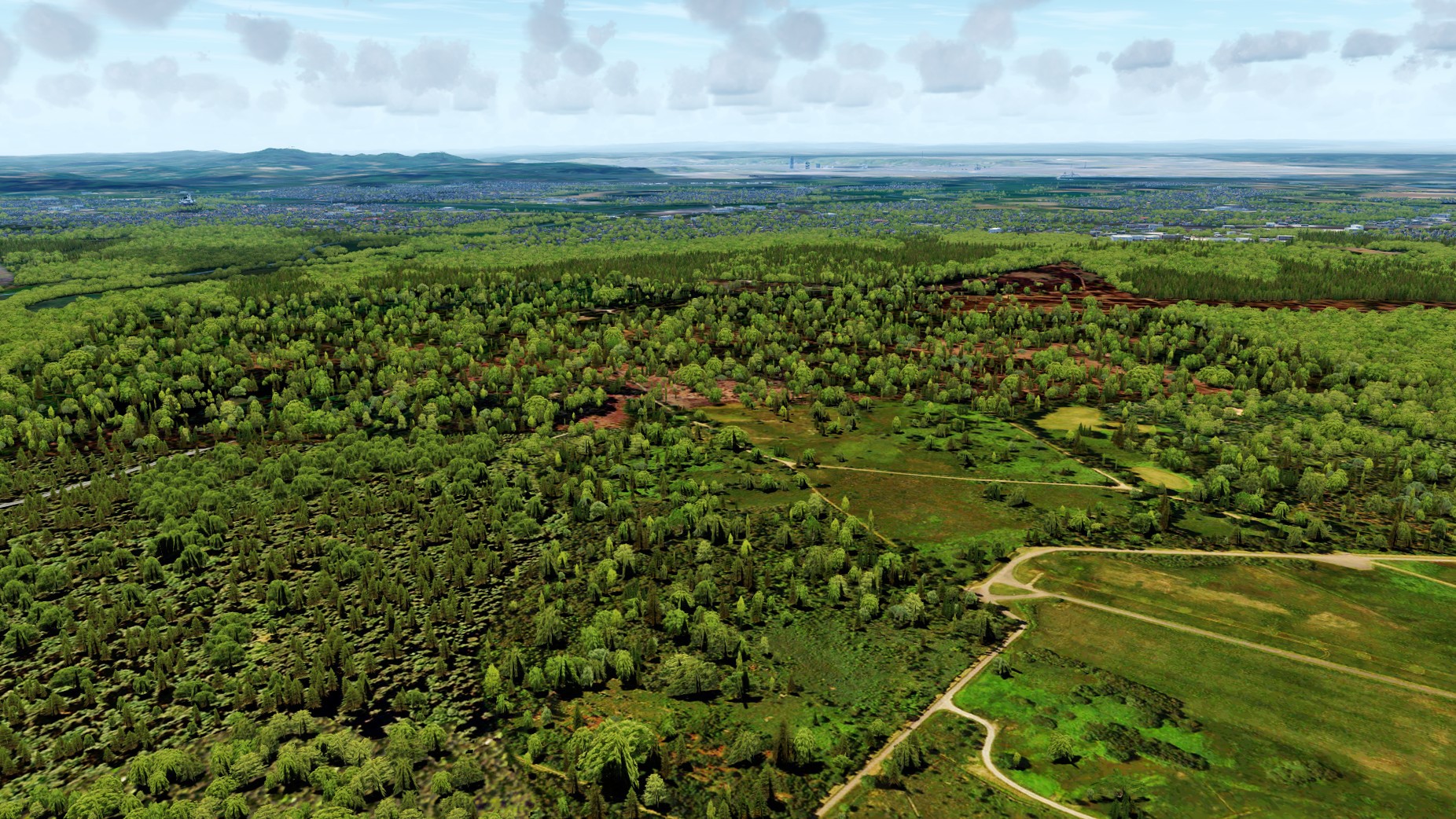
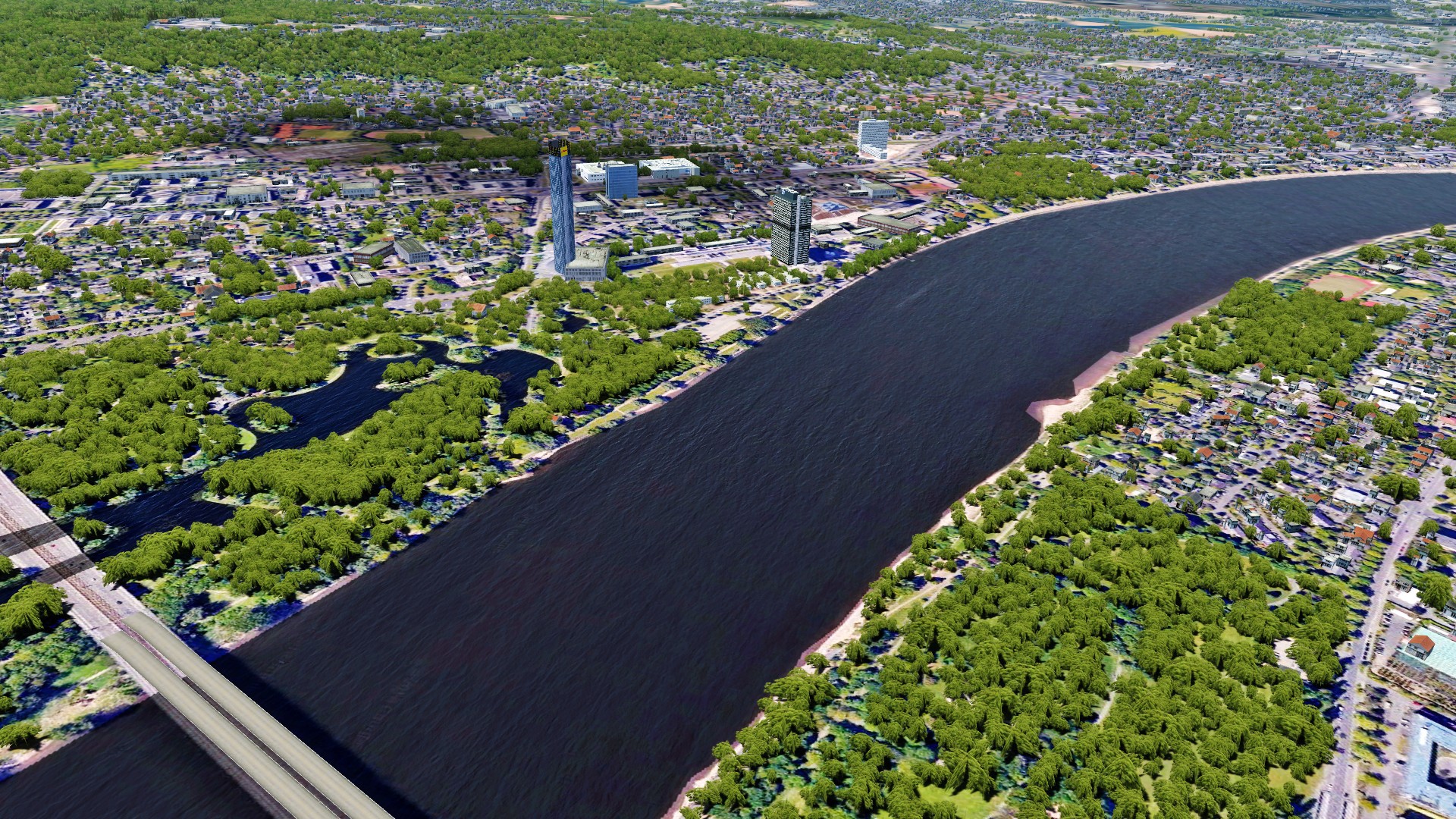
Anyway, a few new pictures out of NRW:
South of EDDK (In the right corner of the picture you can still see the airport area):

The former capital city, Bonn:
A few kilometers west, in November:
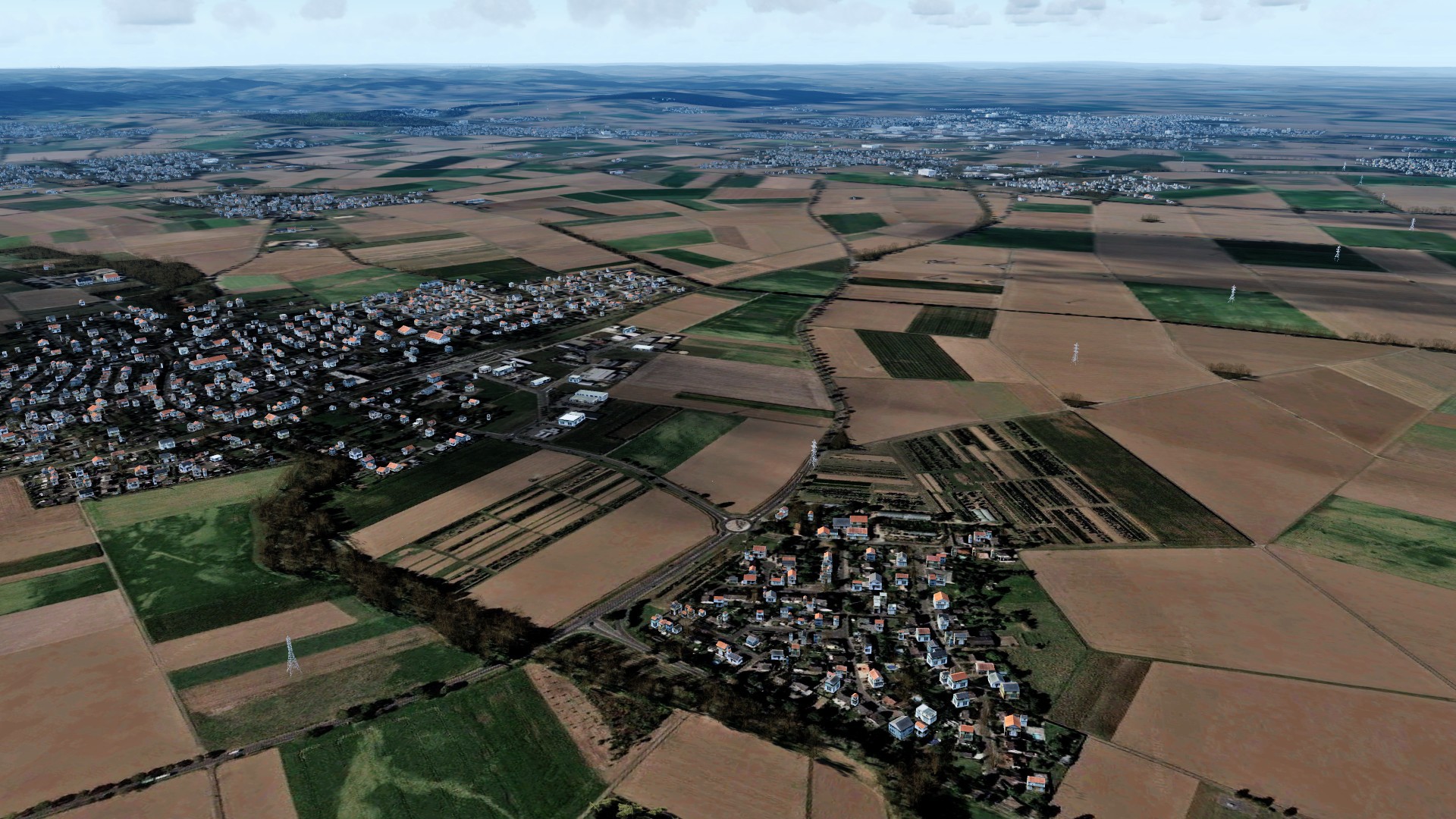
And one more:

South of EDDK (In the right corner of the picture you can still see the airport area):
The former capital city, Bonn:
A few kilometers west, in November:
And one more:
MatthiasKNU
Resource contributor
- Messages
- 962
- Country
.
Last edited:
MatthiasKNU
Resource contributor
- Messages
- 962
- Country
The content of the agn files is completely different.
I have attached the two txt-files for the two agn-files.
Maybe the FSX is also a problem, because I am using the P3Dv4.4-SDK to create the autogen. Even if there shouldn't be any difference in the autogen itself.
I have attached the two txt-files for the two agn-files.
Maybe the FSX is also a problem, because I am using the P3Dv4.4-SDK to create the autogen. Even if there shouldn't be any difference in the autogen itself.
Attachments
MatthiasKNU
Resource contributor
- Messages
- 962
- Country
I might have an idea...
In which order do you have the Photosceneries (with the autogen) in the scenery bib?
If you search for the filename 011222113123200an.agn, how many files do you find? (You should find 2.)
In which order do you have the Photosceneries (with the autogen) in the scenery bib?
If you search for the filename 011222113123200an.agn, how many files do you find? (You should find 2.)

- Messages
- 12,244
- Country

Sorry, I don't understand. Surely there can only be one file with that name in a directory?
I have that file in two directories. One with the overall German photo scenery and one with the (higher resolution) photo scenery for all German airfields photo scenery.
In any case, the agn files displayed incorrectly in Annotator and Arno's AGN2TXT also confirmed this.
Still testing your latest files.
I have that file in two directories. One with the overall German photo scenery and one with the (higher resolution) photo scenery for all German airfields photo scenery.
In any case, the agn files displayed incorrectly in Annotator and Arno's AGN2TXT also confirmed this.
Still testing your latest files.
MatthiasKNU
Resource contributor
- Messages
- 962
- Country
.
Last edited:
- Messages
- 12,244
- Country
Well, the two files you posted cause FSX, P3D and Annotator to crash 
G:\ModelConverterX>agn2txt 011222113123201an.agn
Location 011222113123201
Variant -1
GenericBuildingTexture Default
RowHouseTexture Default
BuildingHeights 81695325.4 92639762.6 41265358.4 41268661.7
VegetationClasses 0 0
VegetationDensity 0 0
VegetationHeights 0 0 0 0
G:\ModelConverterX>agn2txt 011222113123200an.agn
Location 011222113123200
Variant -1
GenericBuildingTexture Default
RowHouseTexture Default
BuildingHeights 81695325.4 92639762.6 41265358.4 41268661.7
VegetationClasses 0 0
VegetationDensity 0 0
VegetationHeights 0 0 0 0
I will edit the files I downloaded to add vegetation but it will be difficult to add the buildings.
G:\ModelConverterX>agn2txt 011222113123201an.agn
Location 011222113123201
Variant -1
GenericBuildingTexture Default
RowHouseTexture Default
BuildingHeights 81695325.4 92639762.6 41265358.4 41268661.7
VegetationClasses 0 0
VegetationDensity 0 0
VegetationHeights 0 0 0 0
G:\ModelConverterX>agn2txt 011222113123200an.agn
Location 011222113123200
Variant -1
GenericBuildingTexture Default
RowHouseTexture Default
BuildingHeights 81695325.4 92639762.6 41265358.4 41268661.7
VegetationClasses 0 0
VegetationDensity 0 0
VegetationHeights 0 0 0 0
I will edit the files I downloaded to add vegetation but it will be difficult to add the buildings.
Last edited:
MatthiasKNU
Resource contributor
- Messages
- 962
- Country
.
Last edited:
- Messages
- 12,244
- Country
Unfortunately, that is not possible because I have all of German photo textures in one directory.But you would need BOTH files
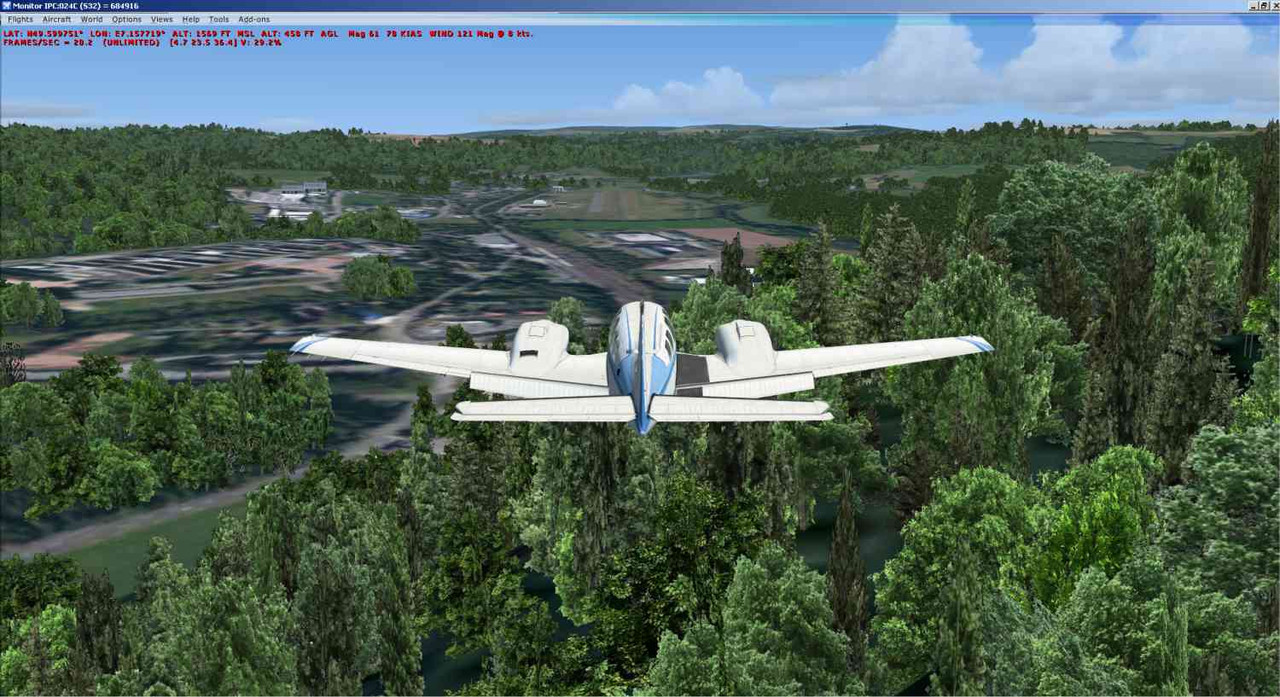
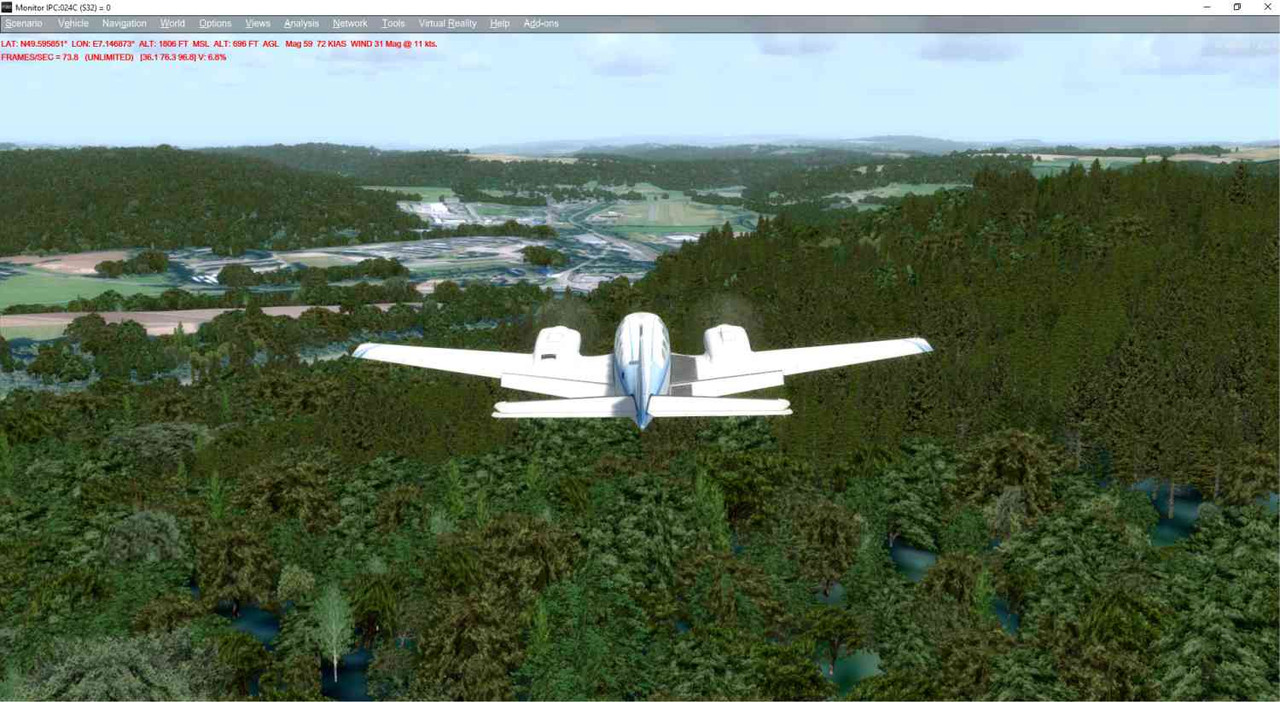
Nevertheless, I have made a quick and dirty edit to both of the files in Annotator and they are now acceptable to me (even though there are no buildings).
FSX:
P3D:
MatthiasKNU
Resource contributor
- Messages
- 962
- Country
.
Last edited:

MatthiasKNU
Resource contributor
- Messages
- 962
- Country
That's why I created a python-script for merging the agn-files... 
