• Which the release of FS2020 we see an explosition of activity on the forun and of course we are very happy to see this. But having all questions about FS2020 in one forum becomes a bit messy. So therefore we would like to ask you all to use the following guidelines when posting your questions:

    • Tag FS2020 specific questions with the MSFS2020 tag.
    • Questions about making 3D assets can be posted in the 3D asset design forum. Either post them in the subforum of the modelling tool you use or in the general forum if they are general.
    • Questions about aircraft design can be posted in the Aircraft design forum
    • Questions about airport design can be posted in the FS2020 airport design forum. Once airport development tools have been updated for FS2020 you can post tool speciifc questions in the subforums of those tools as well of course.
    • Questions about terrain design can be posted in the FS2020 terrain design forum.
    • Questions about SimConnect can be posted in the SimConnect forum.

    Any other question that is not specific to an aspect of development or tool can be posted in the General chat forum.

    By following these guidelines we make sure that the forums remain easy to read for everybody and also that the right people can find your post to answer it.

MSFS20 Ground Decals

Messages
1,233
Country
us-texas
Hi,

I have created a set of ramp ground markings using a "planar" style object model, with a short ground offset (.05m). This works well during the day, but at night the decal becomes totally black, and ramp lighting has no effect on it. If I add any emmisive coloring using MCX (even a dark gray), it just recycles the diffuse texture as a light map at night, essentially becoming a neon sign on the ground.

Now if I try adding a light map (environment texture), it seems to work well except that the edges of the transparency alpha become white bright.

Any ideas of what to try? It really seems like a light map is the best solution except for the edge issues on the transparency (alpha transition).

Note: I am not using a specular nor a dedicated Albedo texture for this.

Thanks!
David
 
Ok, here is a mesh textured with a transparent material as you describe. You'll want to take special note of metallic and roughness settings and possibly improve on them.

approval day.png


Here is that polygon inside flood light wash at night.

approval floodlight.png


and outside flood light wash at night.

approval night.png


Looks almost perfect imo. What is happening, is that we battle glare. Currently your metal and roughness are probably set at 1, which equals maximum metal and maximum roughness. The sim is interpreting your polygon as steel wool and of course it will only absorb light, right? The thing is that both settings involve "reflectivity" - aside from color and shadow, reflectivity is about all we can change. Metal is like "sparkle" reflection and roughness is like toothpaste reflection. Too much roughness will not reflect, but I know from experience that an excess of metal can look black in sunlight. If it is not reflecting directly, just like a brilliant chrome rim, a polygon might reflect only black at the particular angle that it points at something black. So my letters are good to not reflect sunlight, too dark to properly reflect flood light.
 
are you inserting it as a scenery or projectedmesh? I would recommend using a COMP instead of changing the metal and roughness parameters
 
are you inserting it as a scenery or projectedmesh? I would recommend using a COMP instead of changing the metal and roughness parameters
Unless there is some need to alter the rain/snow fx on the ground texture, using the material parameters will save on draw calls and vram usage.
 
Numeric comp values are always superior to texture dithering, it is just vastly easier to get a lot of values in a small space using gradients, despite the dithering. What I mean by "dithering," is that we are using black and white gradients to represent metallic and roughness values that only go six decimal places. Since the gradient is infinite, relatively speaking, the engine must dither out those specific numeric values from it.
 
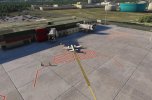
I was able to get the texture to reflect properly at night, but the edges kept lighting up. I went ahead and created a material using the same transparency I used for the flat object, and placed it as a decal using a "rectangle", and it worked perfectly like P3D Ground Polygons. Also a little bit more useful because you can control the transparency this way.

Thank you all!
 

Attachments

  • FB_IMG_1708314970352.jpg
    FB_IMG_1708314970352.jpg
    84.1 KB · Views: 218
Back
Top