• Which the release of FS2020 we see an explosition of activity on the forun and of course we are very happy to see this. But having all questions about FS2020 in one forum becomes a bit messy. So therefore we would like to ask you all to use the following guidelines when posting your questions:

    • Tag FS2020 specific questions with the MSFS2020 tag.
    • Questions about making 3D assets can be posted in the 3D asset design forum. Either post them in the subforum of the modelling tool you use or in the general forum if they are general.
    • Questions about aircraft design can be posted in the Aircraft design forum
    • Questions about airport design can be posted in the FS2020 airport design forum. Once airport development tools have been updated for FS2020 you can post tool speciifc questions in the subforums of those tools as well of course.
    • Questions about terrain design can be posted in the FS2020 terrain design forum.
    • Questions about SimConnect can be posted in the SimConnect forum.

    Any other question that is not specific to an aspect of development or tool can be posted in the General chat forum.

    By following these guidelines we make sure that the forums remain easy to read for everybody and also that the right people can find your post to answer it.

ADE Ground poly displaying weirdly

Messages
27
Country
france
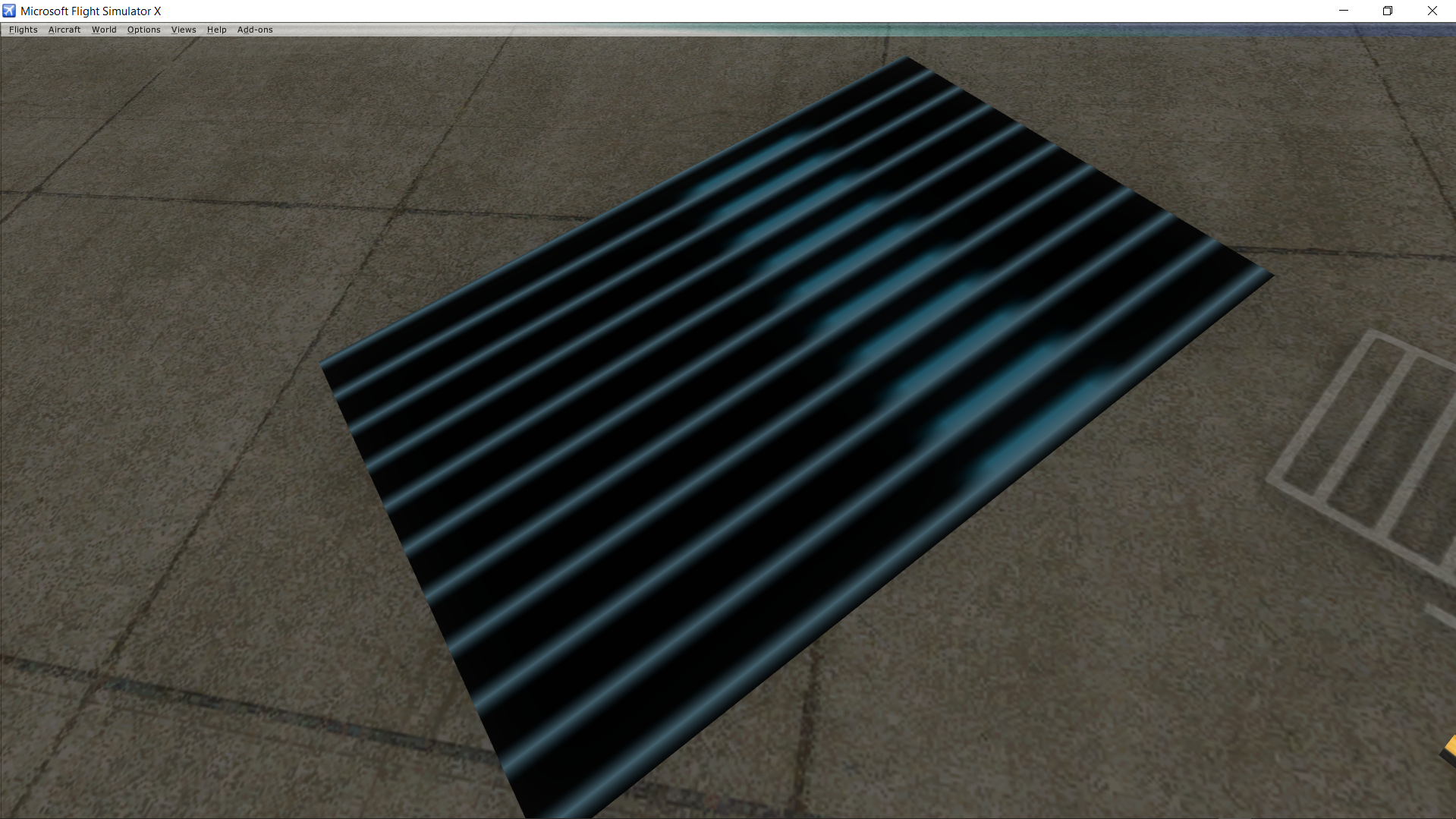
Hey, I have a little with ground poly, which I wanted to use to do gate markings. I have a 1024*1024 file with a lot of numbers and I have selected one for the poly :
Screenshot_56.png
Screenshot_57.png

And it display like this in the sim :
Screenshot_54.png

I have attached the project + the texture so you can see.
Hope it is resovable ;)

Thanks,
Bastien
 

Attachments

Last edited:
Hi,

Your 32 bit texture is not in an FS compatible format. I loaded it into DXTBmp and re-saved it, still as a 32 bit texture. The GP now displays fine:

ade_gp_fixed.jpg
 
?? DXTBMP can create DDS files, as well as DXT1 and DXT3 BMP files. If you have no grayscale alpha channels (i.e. partially transparent areas) then DXT1 may be most efficient but DDS works OK too. If you do plan on partially transparent areas then DDS format is fine. A 32 bit format as you had originally is usually overkill for these scenery bitmap files.
 
As a rule it is
enter your batch file in ImageTool
To select
DTX1 for an opaque material
Or
DTX5 for translucent material
Save as DDS

That's 95% of the time :)
 
Let's not get too many instructors here.

If you are using DXTbmp, then load your 32-bit file and just save as DXT1 in your ADE Textures folder.

If using Imagetool, again load the 32-bit file, using Format under the Image menu change the format to DXT1 and save in your ADE Textures folder.

There's no need for batch processing.
 
Back
Top