

arwasairl
Resource contributor
- Messages
- 62
- Country

Hey all,
I recently completed most of the bug fixes and things like that on the 747VC, but I am having some issues. One of the issues is that the VC keeps disappearing when I move my camera around. I'm not entirely sure what is causing this to happen, but I noticed if I keep my camera at a certain angle the model does not disappear. Otherwise it does. See pictures below.
When looking at the VC left or right, model is visible:


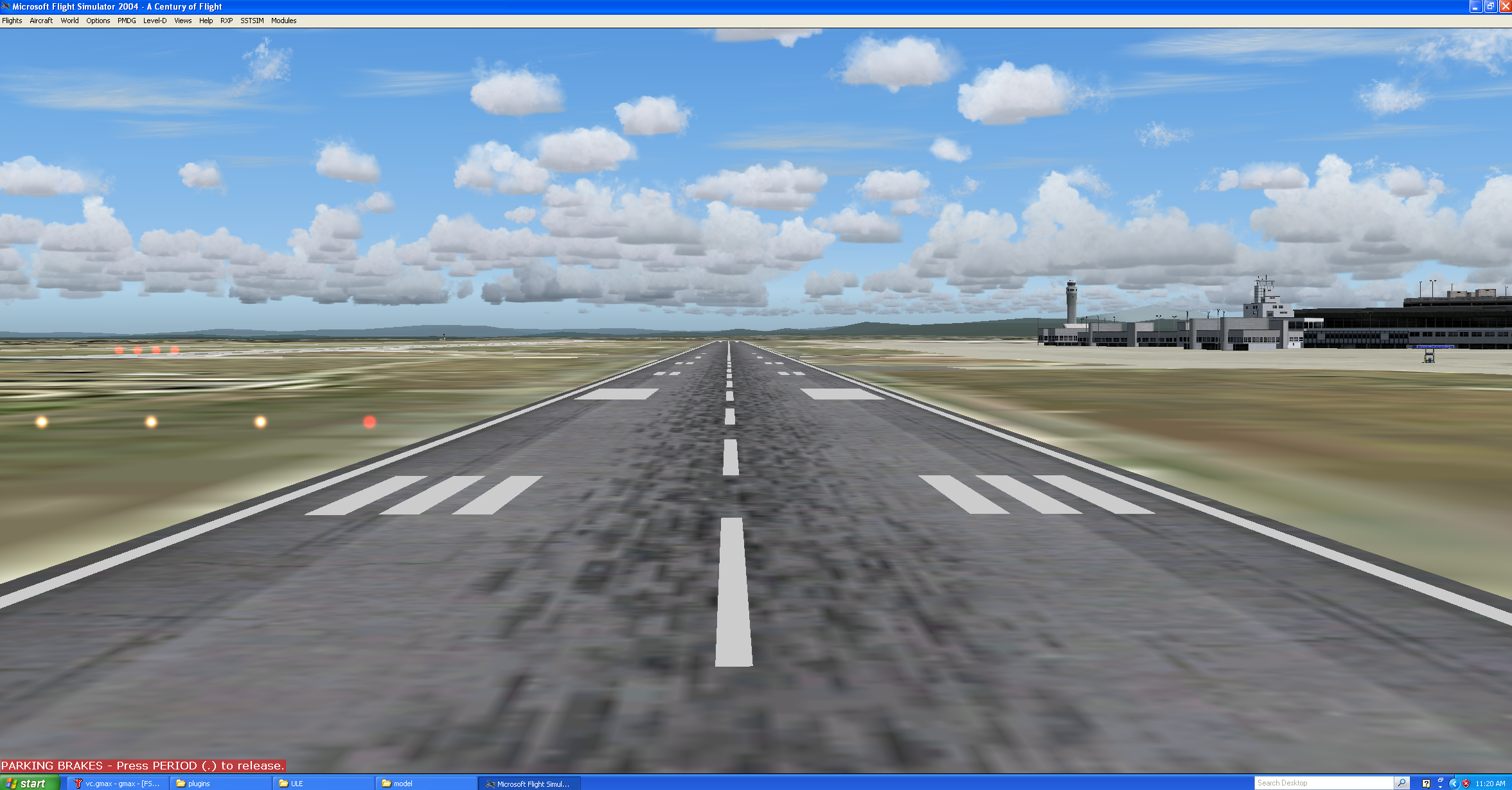
When looking at the VC straight-on, model completely disappears:
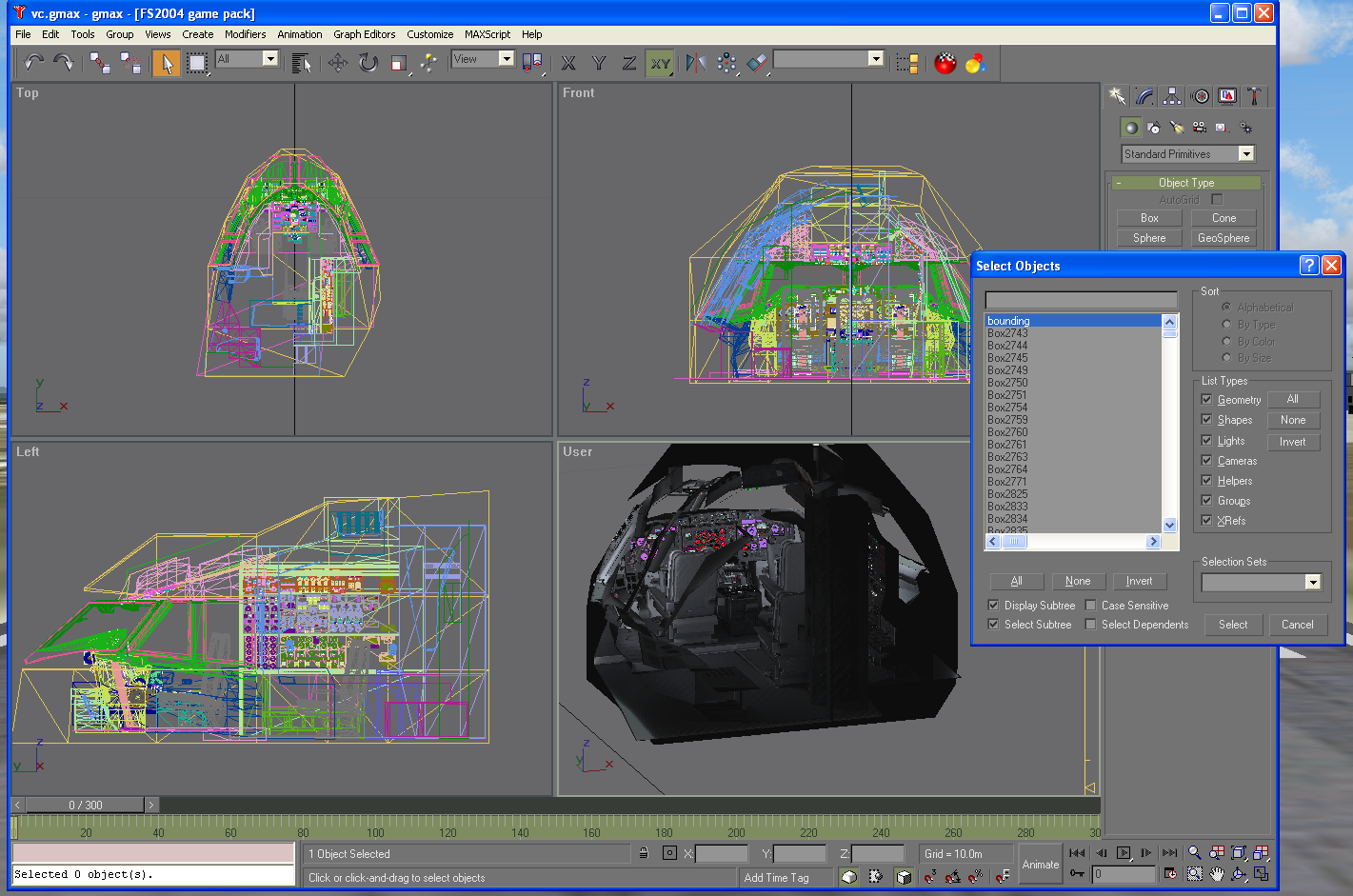
I have attempted to create a 100m x 100m box around the VC model but with no luck. It still disappears. I'm not sure if this is an important detail or not, but the bounding box is a singleton and has no children or parents.
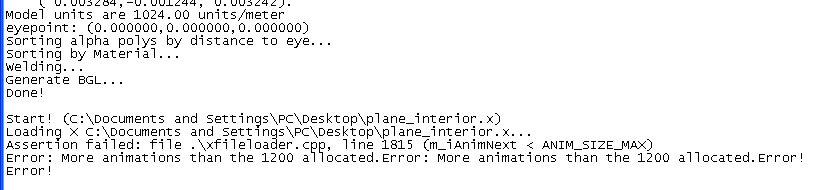
The second, more annoying problem is that I am getting an error when exporting with animations (even if my .X files have zero animations!!!)
In my setup, LOD 500 is where all animated parts reside. Even if I don't include this .X file, or just rename it to a completely different name, MakeMDL complains that I have reached the "1200 animation limit" despite none of the rest of the objects having any keyframes.
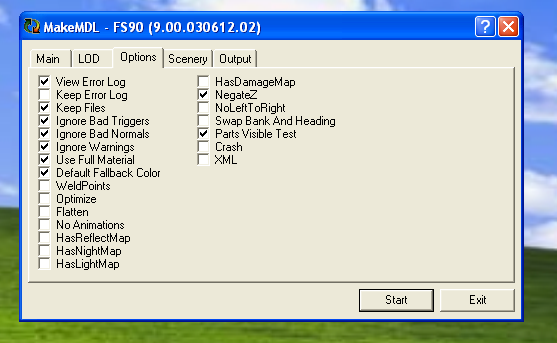
I have the following settings checked. Note that plane_interior_500.x includes all my animations for the VC and in this export, I did not include it just to show that I am having this problem despite the rest of the models not having any animations.

When "No Animations" is checked, the export goes through perfectly fine. It is worth nothing that I am using the standard makemdl.parts.xml file for this compilation.
Any thoughts?
Thanks
I recently completed most of the bug fixes and things like that on the 747VC, but I am having some issues. One of the issues is that the VC keeps disappearing when I move my camera around. I'm not entirely sure what is causing this to happen, but I noticed if I keep my camera at a certain angle the model does not disappear. Otherwise it does. See pictures below.
When looking at the VC left or right, model is visible:
When looking at the VC straight-on, model completely disappears:
I have attempted to create a 100m x 100m box around the VC model but with no luck. It still disappears. I'm not sure if this is an important detail or not, but the bounding box is a singleton and has no children or parents.
The second, more annoying problem is that I am getting an error when exporting with animations (even if my .X files have zero animations!!!)
In my setup, LOD 500 is where all animated parts reside. Even if I don't include this .X file, or just rename it to a completely different name, MakeMDL complains that I have reached the "1200 animation limit" despite none of the rest of the objects having any keyframes.
I have the following settings checked. Note that plane_interior_500.x includes all my animations for the VC and in this export, I did not include it just to show that I am having this problem despite the rest of the models not having any animations.
When "No Animations" is checked, the export goes through perfectly fine. It is worth nothing that I am using the standard makemdl.parts.xml file for this compilation.
Any thoughts?
Thanks

