
-
Which the release of FS2020 we see an explosition of activity on the forun and of course we are very happy to see this. But having all questions about FS2020 in one forum becomes a bit messy. So therefore we would like to ask you all to use the following guidelines when posting your questions:
- Tag FS2020 specific questions with the MSFS2020 tag.
- Questions about making 3D assets can be posted in the 3D asset design forum. Either post them in the subforum of the modelling tool you use or in the general forum if they are general.
- Questions about aircraft design can be posted in the Aircraft design forum
- Questions about airport design can be posted in the FS2020 airport design forum. Once airport development tools have been updated for FS2020 you can post tool speciifc questions in the subforums of those tools as well of course.
- Questions about terrain design can be posted in the FS2020 terrain design forum.
- Questions about SimConnect can be posted in the SimConnect forum.
Any other question that is not specific to an aspect of development or tool can be posted in the General chat forum.
By following these guidelines we make sure that the forums remain easy to read for everybody and also that the right people can find your post to answer it.
You are using an out of date browser. It may not display this or other websites correctly.
You should upgrade or use an alternative browser.
You should upgrade or use an alternative browser.
MSFS20 help with TAPA airport parking gates (no visable parking to edit inside ADE)
- Thread starter B757200
- Start date


- Messages
- 6,511
- Country

Where did you get this BGL? It's a mess as it contains 5 separate TATA airports.

Where did you get this BGL? It's a mess as it contains 5 separate TATA airports.
With a file named "scenery.bgl" I can only guess that was a typo for TAPA, otherwise with there being (5), one might conclude "nice (ICAO) TATA's" ?

Tata Airport - Wikipedia
If ADE 2020 did not in all ways, first enforce Project creation
GaryGB
Hi guys,
Its from Tropicalsim, TAPA - https://en.wikipedia.org/wiki/V._C._Bird_International_Airport
 www.simflight.com
How would i fix this issue? i simply want to modify a few gates and make them heavy.
Its from Tropicalsim, TAPA - https://en.wikipedia.org/wiki/V._C._Bird_International_Airport
Tropicalsim – VC Bird Intl Antigua TAPA MSFS
www.simflight.com
How would i fix this issue? i simply want to modify a few gates and make them heavy.

- Messages
- 34,981
- Country

If ADE 2020 did not in all ways, first enforce Project creationbeforeit loaded airports, perhaps I might have quickly examined the airport(s) in question.
Who says you can't do that now?
Open File (Read Only) does what you request. It's covered in the on-line manual
- Messages
- 6,511
- Country
Attached is a Project file that should let you alter the gate types. I would do it in DevMode, but you could try to import the XML in ADE. This is a Commercial scenery, so you should not redistribute your alterations.
What I have done is deleted and recreated the runway-taxiway-parking-jetway system. You do not need to recreate the entire airport. If this is a Marketplace purchase, it might not even work. I named the package to start with a 'z' so it will load late (hopefully after the original).
What I have done is deleted and recreated the runway-taxiway-parking-jetway system. You do not need to recreate the entire airport. If this is a Marketplace purchase, it might not even work. I named the package to start with a 'z' so it will load late (hopefully after the original).
Attachments
- Messages
- 6,511
- Country
I could import the XML to ADE, so it should work.
waw this is great, thank you, yes i will not share with anyone.Attached is a Project file that should let you alter the gate types. I would do it in DevMode, but you could try to import the XML in ADE. This is a Commercial scenery, so you should not redistribute your alterations.
What I have done is deleted and recreated the runway-taxiway-parking-jetway system. You do not need to recreate the entire airport. If this is a Marketplace purchase, it might not even work. I named the package to start with a 'z' so it will load late (hopefully after the original).
Btw when you mean edit in devmode you mean within MSFS itself? i tought it is only possible to edit gates/parking via ADE if its a 3rd party airport.
I will give it a try.
Who says you can't do that now?
View attachment 84701
Open File (Read Only) does what you request. It's covered in the on-line manual
Hi Jon:
Thanks for the heads-up on the updated info now available at the ADE 2020 Online Help website you linked above.

More specifically, thanks for (finally) using the word "airport" to indicate what the Open Files feature actually reads.
Based on my (rather hasty) prior scans of the "Alpha Notes" PDF files included with several earlier builds of ADE 2020, I did not discern that this feature was actually intended to be able to open entire airports in the ADE work-space GUI.
Rather, I inferred this may have been a replacement for the "Load Stock Data" feature still present in FS2Kx ADE versions ...that otherwise no longer appears on the ADE 2020 Menu > Tools pull-down menu.
IMHO, that earlier documentation seemed to go to great lengths to avoid using the word ..."airport".

"22. Open Files (Read Only) (IIRC, as seen in Alpha releases 13 through 20 HF2---GGB)
This provides a way to load an XML or MSFS Bgl files into ADE to test integrity etc. It loads
without a project so saving and building are disabled. At the moment this is done on a blanket
basis so you may see a request to save or click build but nothing will happen. It is possible to
edit what you see but that cannot be saved so treat this as read only. It can be useful to look at
third party xml or bgl and also check that the results of your work after compile mirrors the
source. To access use Tools > Open Files (Read Only). You will get a open file dialog and choose
between bgl files or xml files.
ADE sets a message indicating that the file loaded is read only
Please do not use this function with bgl files other than MSFS. Doing so will cause a CTD.
Note that the save and build menus appear active but have no effect in this mode. Also you
may see Save messages which again have no effect. If this function appears useful in production
then these issues will be addressed"
My initial test of this feature intending to use data in example airports was unsuccessful, so I did not try using it again.
As much as I appreciate your very nicely presented Help info, and although I refer folks to that info often, based on my initial unsuccessful results attempting to use that feature, I had not yet made a repeat visit to that section of your website to see the updated info you so kindly linked us to above.
IIRC, my initially unsuccessful results may have been due to ASOBO having 'relocated' all but Deluxe / Premium airports into a "Generic" category, and ADE not yet having updated its internal search path when finding MSFS airport BGLs.
[EDITED]
Does ADE now have the ability in this (experimental ?) Open Files (Read Only) feature to auto-locate airport BGLs 'relocated' by ASOBO ?
[END_EDIT]
If not, how is the OP (or others), intended to find the "airport" BGL file in question via a provided [...] browse button ?
Surely we cannot expect MSFS users to be reliant on also having an installation of FS2Kx / P3D to locate airport BGLs ?
But, it is because I do have such an installation of FS2Kx / P3D to locate airport BGLs, that I can easily locate ICAO
[MSFS-2020_Packages_install_path]\Official\OneStore\fs-base-genericairports\scenery\0303\APX31250.bgl
Hopefully someone here is ready / willing / able to post a MSFS method to identify which airport BGL contains
If not, I can post my work-flow using an installation of FS2Kx / P3D to locate airport BGLs until ADE is updated for this.
GaryGB
Last edited:
The airport is not TATA but TAPA.Hi Jon:
Thanks for the heads-up on the updated info now available at the ADE 2020 Online Help website you linked above.
More specifically, thanks for (finally) using the word "airport" to indicate what the Open Files feature actually reads.
Based on my (rather hasty) prior scans of the "Alpha Notes" PDF files included with several earlier builds of ADE 2020, I did not discern that this feature was actually intended to be able to open entire airports in the ADE work-space GUI.
IMHO, that earlier documentation seemed to go to great lengths to avoid using the word ..."airport".
"22. Open Files (Read Only) (IIRC, as seen in Alpha releases 13 through 20 HF2---GGB)
This provides a way to load an XML or MSFS Bgl files into ADE to test integrity etc. It loads
without a project so saving and building are disabled. At the moment this is done on a blanket
basis so you may see a request to save or click build but nothing will happen. It is possible to
edit what you see but that cannot be saved so treat this as read only. It can be useful to look at
third party xml or bgl and also check that the results of your work after compile mirrors the
source. To access use Tools > Open Files (Read Only). You will get a open file dialog and choose
between bgl files or xml files.
View attachment 84705
ADE sets a message indicating that the file loaded is read only
Please do not use this function with bgl files other than MSFS. Doing so will cause a CTD.
View attachment 84706
Note that the save and build menus appear active but have no effect in this mode. Also you
may see Save messages which again have no effect. If this function appears useful in production
then these issues will be addressed"
Rather, I inferred this may have been a replacement for the "Load Stock Data" feature still present in FS2Kx ADE versions ...that otherwise no longer appears on the ADE 2020 Menu > Tools pull-down menu.
My initial test of this feature intending to use data in example airports was unsuccessful, so I did not try using it again.
As much as I appreciate your very nicely presented Help info, and although I refer folks to that info often, based on my initial unsuccessful results attempting to use that feature, I had not yet made a repeat visit to that section of the website to see the updated info you so kindly linked us to above.
IIRC, my initially unsuccessful results may have been due to ASOBO having 'relocated' all but Deluxe / Premium airports into a "Generic" category, and ADE not yet having updated its internal search path when finding MSFS airport BGLs.
Does ADE now have the ability in this (experimental ?) feature to auto-locate the airport BGL 'relocated' by ASOBO ?
If not, how is the OP (or others), intended to find the "airport" BGL file in question via a provided [...] browse button ?
Surely we cannot expect MSFS users to be reliant on also having an installation of FS2Kx / P3D to locate airport BGLs ?
But, it is because I do have such an installation of FS2Kx / P3D to locate airport BGLs, that I can easily locate ICAO TATA:
[MSFS-2020_Packages_install_path]\Official\OneStore\fs-base-genericairports\scenery\0303\APX31250.bgl
Hopefully someone here is ready / willing / able to post a MSFS method to identify which airport BGL contains TATA ?
If not, I can post my work-flow using an installation of FS2Kx / P3D to locate airport BGLs until ADE is updated for this.
GaryGB
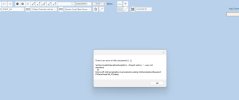
I tried opening the XML that was attach here but got an error saying project element not complete i will post the error via screenshot.
How would i go about editing the parking spot?
Attachments

- Messages
- 6,511
- Country
In ADE, you need to import the 'TAPA Fix Gates\PackageSources\data\TAPA-Taxiways.xml'
The airport is not TATA but TAPA.
I tried opening the XML that was attach here but got an error saying project element not complete i will post the error via screenshot.
How would i go about editing the parking spot?
Hello:
Indeed, we know your project is TAPA and not TATA; just a brief bit of mischief there (you are among friendly folks here)
[EDITED]
Below is a step-by-step guide to prepare ADE for your task using procedures in the current build of ADE 2020 Alpha 21, HF-5.

NOTE: This worked example uses MSFS' default TAPA airport rather than your BGL in the OP, or the XML attached above by rhumbaflappy
IMHO, learning how to use ADE 2020 to Exclude and Replace portions of a default- or 3rd party airport is essential to your task.
AFAIK, it is generally regarded as unlikely to incur the wrath of a payware author / publisher to mod a product for personal use, as there are MSFS SDK compliant ways that one can leave portions of such a 3rd party airport to display normally, while also Excluding and Replacing other portions of an airport that we wish to 'mod' for our personal use (never to be re-distributed directly- or indirectly- to others.)
IIUC, in theory, one could selectively Exclude portions of the payware TAPA, and Replace those portions via edits in ADE.
One may then use ADE to compile a "Replacement" BGL as a smaller version of the source TAPA BGL, (typically called a "stub" airport).
Learning how such procedures may be done via ADE or manual XML edits takes time; but IMHO, it is a preferred method to mod airports.
AFAIK, that way we do not change the source BGL, and instead load our own BGL to 'mod' how a source BGL displays in MSFS at runtime.
Example work-flow using MSFS' default TAPA BGL:
ADE Menu > File > Create Project From MSFS BGL
In F20 Project Properties dialog, enter:
IDENT: TAPA
Click: [Check] button
Creator / Developer: (enter name or initials)
Project Name: (ex: TAPA-V-C-Bird-Intl-Mod
Click: [Go] button
In 'Browse' dialog, Select:
[MSFS-2020_Packages_install_path]\Official\OneStore\fs-base-genericairports\scenery\0303\APX31250.bgl
Click: [Open] button
Back in F20 Project Properties dialog, enter:
Title: (ex: TAPA-V-C-Bird-Intl-Mod)
Description: (ex: TAPA-V-C-Bird-Intl-Mod)
Under 'Asset Groups' sub-section:
Check: Models check-box
Check: Materials check-box
At Bottom of dialog:
Check: 2-Way Edit check-box
Click: [Save] button
To edit airports in ADE:
* Read any / all ADE 2020 Alpha-21 (latest version) and Hot Fix "Notes" in PDF files included with ZIP file downloads of ADE 2020:
https://www.mediafire.com/file/ry2vhavg5gk021h/ade_2020_alpha_21-HF5.zip/file
* Visit the ADE 2020 online Help website at:
https://scruffyduck.org.uk/ade_2020_help/Introduction.html
* Download and review the ADE FS2KX version 1.65 PDF manual at:
https://download843.mediafire.com/0u9dopdqqn5g/8rp6jr7en9xwdls/manual_english_165.zip
FYI: Most- but not all- procedures in the ADE 2020 version work-space GUI are similar to those used in the ADE FS2Kx version.
PS: I am not certain if you will receive any further reply that explains in detail how to mod a payware airport by utilizing Dick's XML file.
Personally, I do not work with large airports, and specifically I do not work with "heavies", jetways, or related AFD infrastructure.
But, if you have further questions, feel free to inquire; perhaps others here may be ready / willing / able to post additional help.
[END_EDIT]
GaryGB
Last edited:
Attached is a Project file that should let you alter the gate types.
I would do it in DevMode, but you could try to import the XML in ADE.
This is a Commercial scenery, so you should not redistribute your alterations.
What I have done is deleted and recreated the runway-taxiway-parking-jetway system.
You do not need to recreate the entire airport.
If this is a Marketplace purchase, it might not even work.
I named the package to start with a 'z' so it will load late (hopefully after the original).
I could import the XML to ADE, so it should work.
Hi Guys,
I am unable toopenthe attach XML rhumbaflappy has post.
Attach is the screenshot of the error i get.
In ADE, you need to import the 'TAPA Fix Gates\PackageSources\data\TAPA-Taxiways.xml'
Hi Dick:
When you cite a procedure in ADE to "import" XML to ADE 2020 Alpha-21, HF-5, are you referring to:
ADE Menu > File > Create Project From XML ?
Thanks in advance for your further clarification (...after so generously deleting / recreating a runway-taxiway-parking-jetway system).

GaryGB
Last edited:
- Messages
- 34,981
- Country
I am sorry but I do not understand most of what is being posted here. I sense there is some comment that the Read Only function does not work
I can only say that I used that function for the airport TAPA and the scenery.bgl file posted at the top of the thread and got thiis
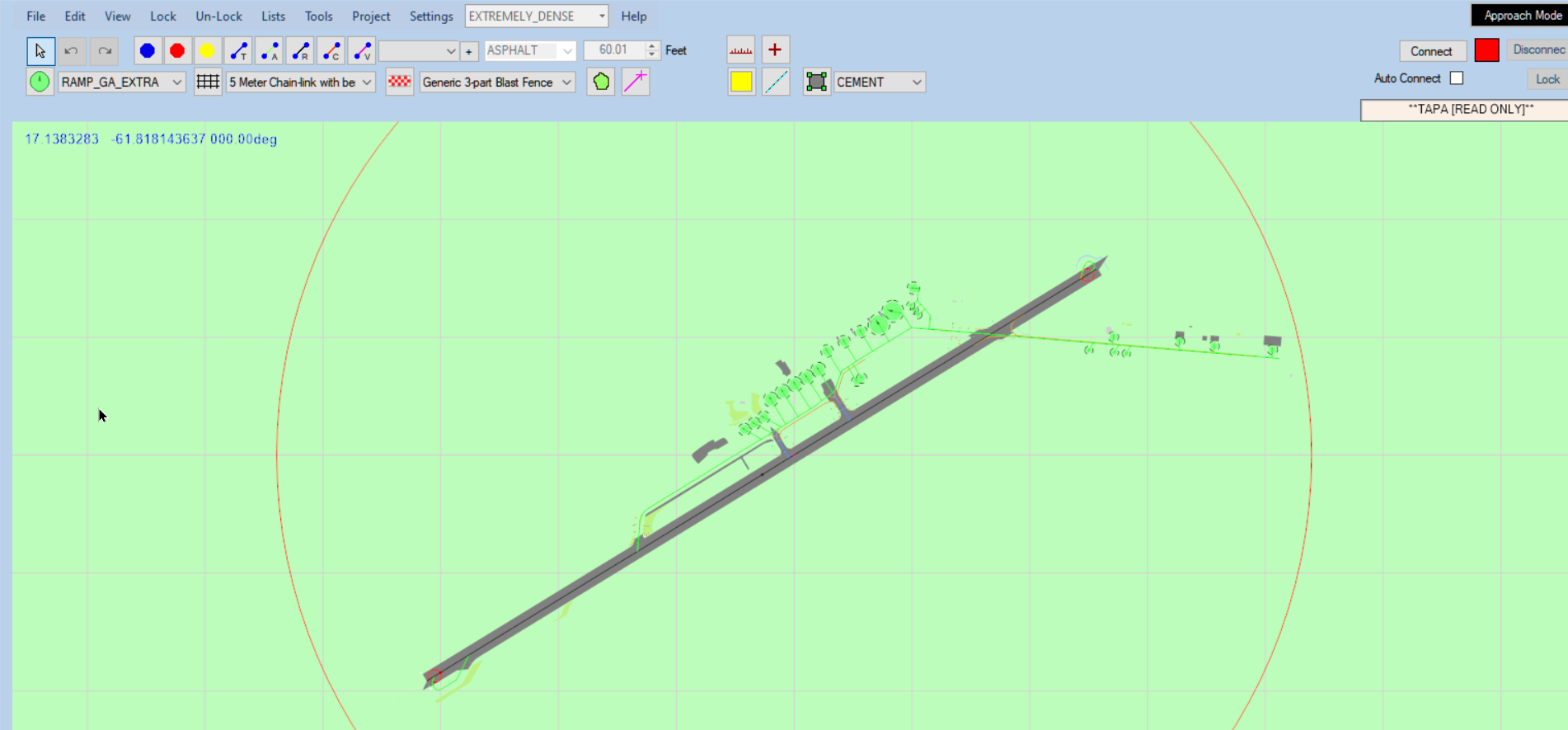
Please don't follow up on this since, as mentioned above I do not follow the conversation.
I can only say that I used that function for the airport TAPA and the scenery.bgl file posted at the top of the thread and got thiis
Please don't follow up on this since, as mentioned above I do not follow the conversation.
"Bumped" for edits to my posts above.
Note to the OP for this thread:
ADE 2020 Alpha-21, HF-5 is capable of loading and running (2) separate instances of itself at the same time, within their own work-spaces.
In one, you may wish to use Open Files (Read Only) feature to open the worked example XML attached by rhumbaflappy.
In the other ADE instance, you may wish to open either the default, your original attached airport, or the payware airport BGL ...to edit.
You may then be able see how to implement Excludes for unwanted features, and Replace specific original objects with those you want.
Finally, you may save / compile any changes (aka "mods") in a "stub" BGL to be loaded along with the original source airport BGL.
I hope this helps you achieve your goal for (1) TAPA.
Now I'm off to look for (5) TATAs.
Oops, I mean, this thread now has made me hungry for (at least 5) TAPAs.
https://en.wikipedia.org/wiki/Tapas
GaryGB
Note to the OP for this thread:
ADE 2020 Alpha-21, HF-5 is capable of loading and running (2) separate instances of itself at the same time, within their own work-spaces.
In one, you may wish to use Open Files (Read Only) feature to open the worked example XML attached by rhumbaflappy.
In the other ADE instance, you may wish to open either the default, your original attached airport, or the payware airport BGL ...to edit.
You may then be able see how to implement Excludes for unwanted features, and Replace specific original objects with those you want.
Finally, you may save / compile any changes (aka "mods") in a "stub" BGL to be loaded along with the original source airport BGL.
I hope this helps you achieve your goal for (1) TAPA.
Now I'm off to look for (5) TATAs.
Oops, I mean, this thread now has made me hungry for (at least 5) TAPAs.
https://en.wikipedia.org/wiki/Tapas
GaryGB
Last edited:
- Messages
- 6,511
- Country
I think the OP's original problem has been addressed. I locking the thread before Gary turns this into some meaningless filibuster (more than halfway there already).