

- Messages
- 1,451
- Country

Good day lads!
I have a "working" animation (well... kind of) for a float system. It already have the necessary code to control visibility tags; however, just popping the "bananas" out of their bags, it doesn't look very nice and much less real. As a side note, they are already exported to the simulator and they look exactly the same than in Gmax. I made sure that the 1 mm threshold was respected in each single part of the entire model.
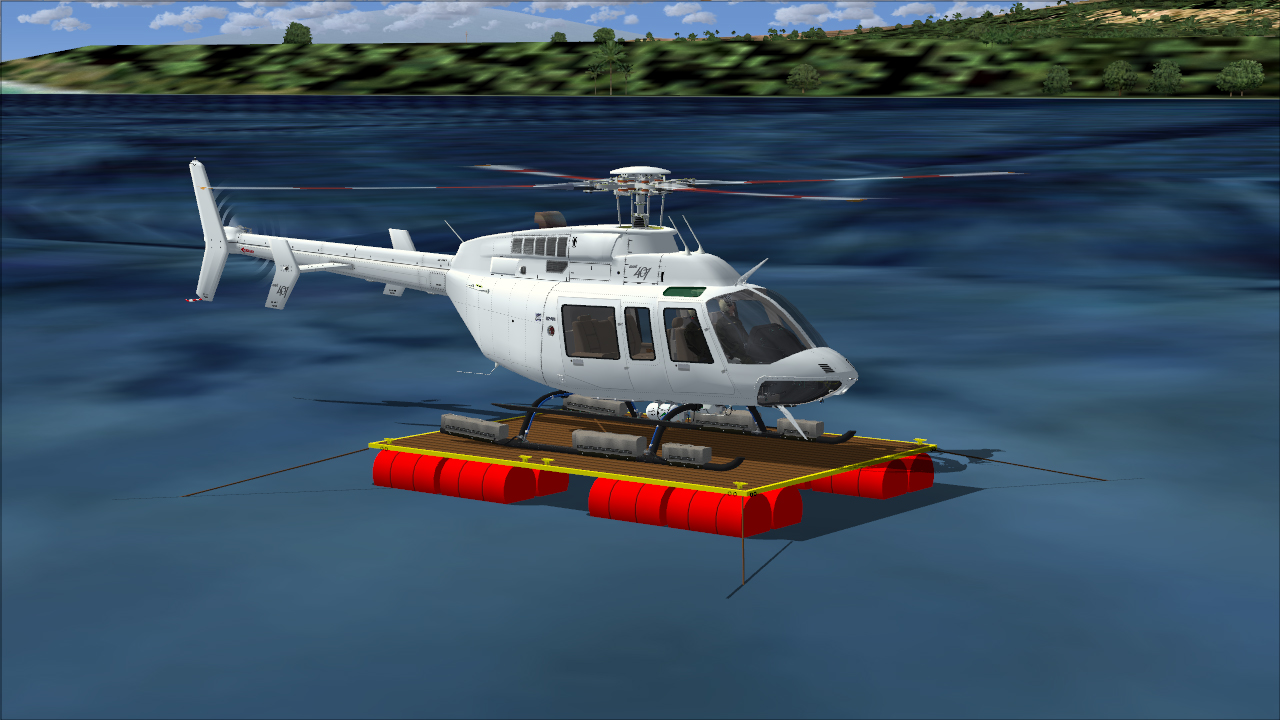
In the first test (shown below), the 2D gauges were working in tandem with the corresponding 3D switches in the VC. So far so good, no issues in the interaction between gauges and 3d parts. Visibility tags, are working as they are meant to be.
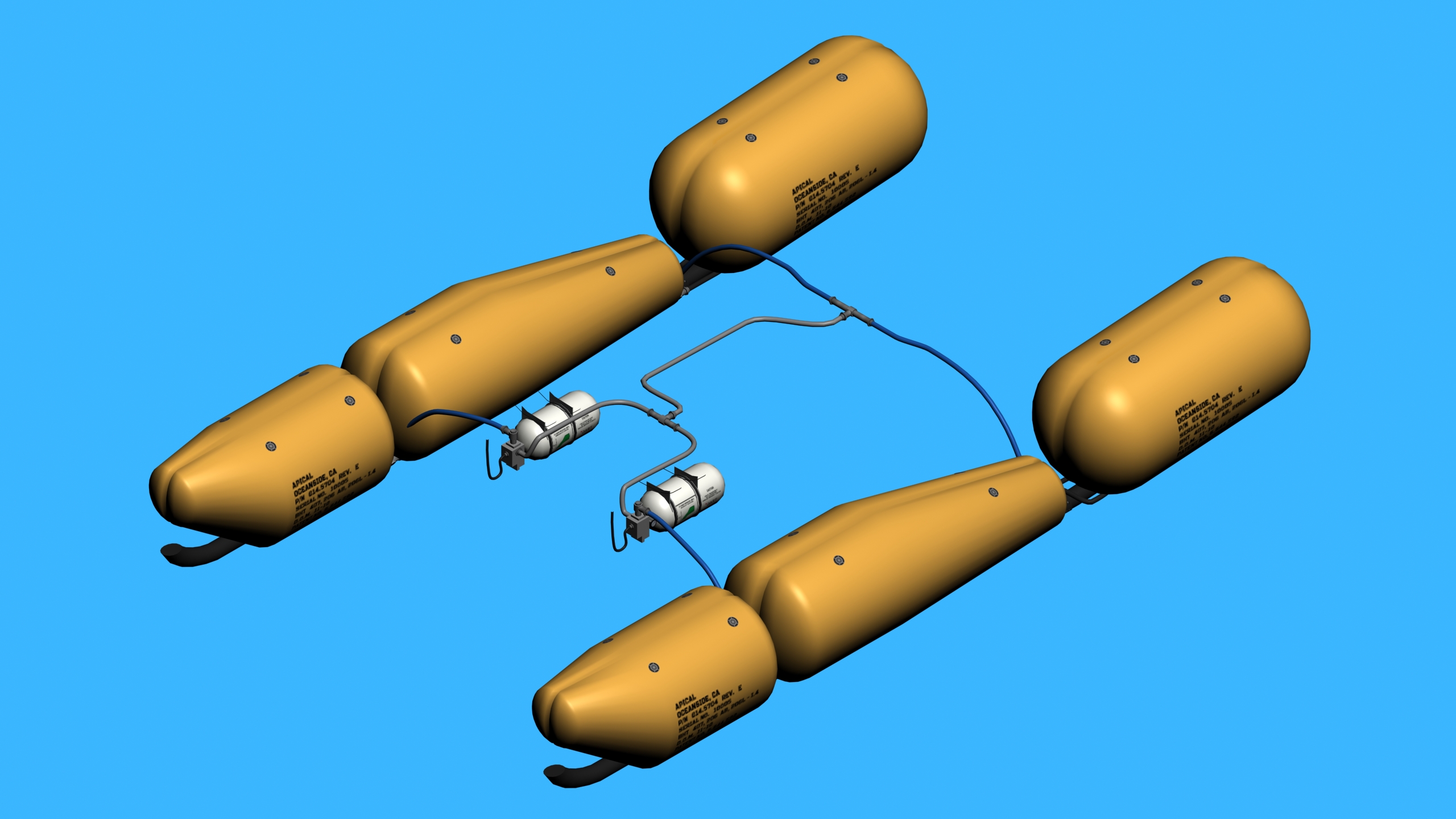
There you go, our "victims":

I am comfortable using rotations and translations, so I imagine this would be something similar. I've seen a sequence done before; but I am not sure if makemdl.exe will weld vertices used within the animation. Because my plan is to sequence the float scaling using 100 frames:
1.- I will start the animations scaling the floats from 100% to a suitable scale to fit inside the fabric casings (all percentages will be written, in case memory fails!).
I am not sure if I need to begin in frame 0 or frame 1.
2.- I will "pop out" one float at different key frames; from the reduced scale to 100%. This will be done between keys 0 and 50.
3.- To finish the animation, I will rescale from 100% to the written values originally stated in step 1 (keys: 50 to 100).
So, my question is: In FS9 is allowed to animate the floats using a combination of scale keys?
In advance, thank you for any new ideas or hints in this regard.
All the best,
Sergio.
I have a "working" animation (well... kind of) for a float system. It already have the necessary code to control visibility tags; however, just popping the "bananas" out of their bags, it doesn't look very nice and much less real. As a side note, they are already exported to the simulator and they look exactly the same than in Gmax. I made sure that the 1 mm threshold was respected in each single part of the entire model.
In the first test (shown below), the 2D gauges were working in tandem with the corresponding 3D switches in the VC. So far so good, no issues in the interaction between gauges and 3d parts. Visibility tags, are working as they are meant to be.
There you go, our "victims":
I am comfortable using rotations and translations, so I imagine this would be something similar. I've seen a sequence done before; but I am not sure if makemdl.exe will weld vertices used within the animation. Because my plan is to sequence the float scaling using 100 frames:
1.- I will start the animations scaling the floats from 100% to a suitable scale to fit inside the fabric casings (all percentages will be written, in case memory fails!).
I am not sure if I need to begin in frame 0 or frame 1.
2.- I will "pop out" one float at different key frames; from the reduced scale to 100%. This will be done between keys 0 and 50.
3.- To finish the animation, I will rescale from 100% to the written values originally stated in step 1 (keys: 50 to 100).
So, my question is: In FS9 is allowed to animate the floats using a combination of scale keys?
In advance, thank you for any new ideas or hints in this regard.
All the best,
Sergio.


 t happens... I really don't like the idea to use


