• Which the release of FS2020 we see an explosition of activity on the forun and of course we are very happy to see this. But having all questions about FS2020 in one forum becomes a bit messy. So therefore we would like to ask you all to use the following guidelines when posting your questions:

    • Tag FS2020 specific questions with the MSFS2020 tag.
    • Questions about making 3D assets can be posted in the 3D asset design forum. Either post them in the subforum of the modelling tool you use or in the general forum if they are general.
    • Questions about aircraft design can be posted in the Aircraft design forum
    • Questions about airport design can be posted in the FS2020 airport design forum. Once airport development tools have been updated for FS2020 you can post tool speciifc questions in the subforums of those tools as well of course.
    • Questions about terrain design can be posted in the FS2020 terrain design forum.
    • Questions about SimConnect can be posted in the SimConnect forum.

    Any other question that is not specific to an aspect of development or tool can be posted in the General chat forum.

    By following these guidelines we make sure that the forums remain easy to read for everybody and also that the right people can find your post to answer it.

How to paint a personal "company" hanger/office building?

Messages
16
Country
unitedstates
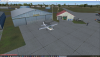
I want to take one of the hangers and *simply* repaint it with "company" signage (on the wall, not free standing), then place it as a static object into an airfield with ADE. In my mind that sounds simple enough. But where do I find the file of the hanger(s) to repaint? And would it really be that simple?
 

Attachments

  • buildings.png
    buildings.png
    2.6 MB · Views: 260
The hangar i n question will be without a doubt on one of your airports.
I think this is an addon airport and you will probably find the building as a file with a .bgl extension in your addon scenery/xxx(name of the airport)/scenery.
Open the bgl with ModelConverterX and you will find out what kind of textures have been used.
Find the texture (extension BMP or DDS) that you want to change and open it with DXTBMP or ImageTool. Then send it to your favorite paint program and make the necessary changes.
Import it again in DXTBMP or ImageTool, make sure you save it as a DXT.BMP or DDS and place it again in the texture folder of the airport it should be in.
 
Thank you. That is the process I expected. I do have the issue of the building not being an installed piece of the airfield that I'm looking at according to what I see with ADE. So my guess is that it is likely an autogen from either default or Orbx libraries (I'll have to turn off autogen to confirm this, of course). I have looked through the scenery texture folder, but haven't found any that appear to be this one. So my initial issue is in finding the building's file "somewhere" (or a suitable similar one)...

I read that you presume that this particular building may be included in some other add-on airfield that I have and, from that, autogen may be calling it to use here? I'll have to take a stroll through my add-on airfields to see what has been added in them?
 
Last edited:
Does something like this interest you at all? It's 75' wide and 60' deep. I can export a texture with a blank sign so you can paint whatever you want on it. I also have a version of it in green and I can change to any color quite easily. It has an attached shadow it casts on the ground and an LOD that raises the shadow up as you move away from it so it doesn't flicker (too much). I can hook you up with a library you can add to ADE and place as many copies of it as you like. I built it (and 10,000 other similar hangars) for the fun of it and never used it.

gen_75x60_hangar_red.jpg


You might even sweet talk me into building a version with the doors open as I was thinking about doing that anyway.

Jim
 
Jim, why don't you put them in the resources section? So we can use them all. They are beautiful and I like them too
 
Assuming your scenery file is not too large....just open the texture folder and open every texture until you find the one that has the building you want, and edit it directly.
 
Jim, why don't you put them in the resources section? So we can use them all. They are beautiful and I like them too
It would be a nightmare trying to go through and find everything, some were built in gmax and some in Sketchup, some were never even exported as models and many never had their textures finished. Also I was in Orbx when I did a lot of this with an eye towards submitting them to the Orbxlibs, therefore most of the texture names have an "Orbx_" prefix in the filename which would need to be changed. Doable of course but it would take a lot of messing around. Then there's the problem with other developers using them, do they require the installation of "jr hangar libraries" to distribute or do they compile the .mdls into their own libraries with the GUIDs randomized? I personally hate it when I download a scenery and it tells me I need to have ie. the EZ Scenery and/or runway12 libraries installed, usually it's just one or two models the dev has used from those libraries and I hate the whole concept of bloated global libraries to begin with. Lastly, in practice I find it very rare that I actually have a suitable model already built up that works in a particular scenery I'm trying to build, 99% of the time there's just something not right about it, maybe I have to scale it ridiculously to make it fit a certain footprint on the photoreal, and then things like door heights become inconsistent throughout the scenery. In that case I usually end up building a custom model anyway so I sometimes question the value a library of generic items has to a scenery developer other than maybe a few of the weekend ADE warriors that just want to replace an ugly default hangar for their own use.
 
I have been pedaling through my scenery files, but there are well over a thousand in there to sift through. Needless to say, it gets quite frustrating. There are all kinds of add-on planes, add-on sceneries, add-on airfields, and this and that -- but no add-on buildings.

JRobinson: That building up there is fantastic! I would love to use it - only for personal use, of course. Please drop me a message relating how we can make this happen. I will be very grateful.
 
Jim, can you send me with PM the Hangar in your photo? I want use it for our virtual pilots association, twentyfive years old in this year and put it in some sceneries that we use.
 
I ran into a snag with the building shadows in FSX so I need to open them back up in gmax and modify / re-export them. I'm trying to get that done today and hopefully I'll send you both a .zip file tomorrow.

Jim
 
Back
Top