• Which the release of FS2020 we see an explosition of activity on the forun and of course we are very happy to see this. But having all questions about FS2020 in one forum becomes a bit messy. So therefore we would like to ask you all to use the following guidelines when posting your questions:

    • Tag FS2020 specific questions with the MSFS2020 tag.
    • Questions about making 3D assets can be posted in the 3D asset design forum. Either post them in the subforum of the modelling tool you use or in the general forum if they are general.
    • Questions about aircraft design can be posted in the Aircraft design forum
    • Questions about airport design can be posted in the FS2020 airport design forum. Once airport development tools have been updated for FS2020 you can post tool speciifc questions in the subforums of those tools as well of course.
    • Questions about terrain design can be posted in the FS2020 terrain design forum.
    • Questions about SimConnect can be posted in the SimConnect forum.

    Any other question that is not specific to an aspect of development or tool can be posted in the General chat forum.

    By following these guidelines we make sure that the forums remain easy to read for everybody and also that the right people can find your post to answer it.

MSFS24 LOD System (Vertex Count)

Messages
97
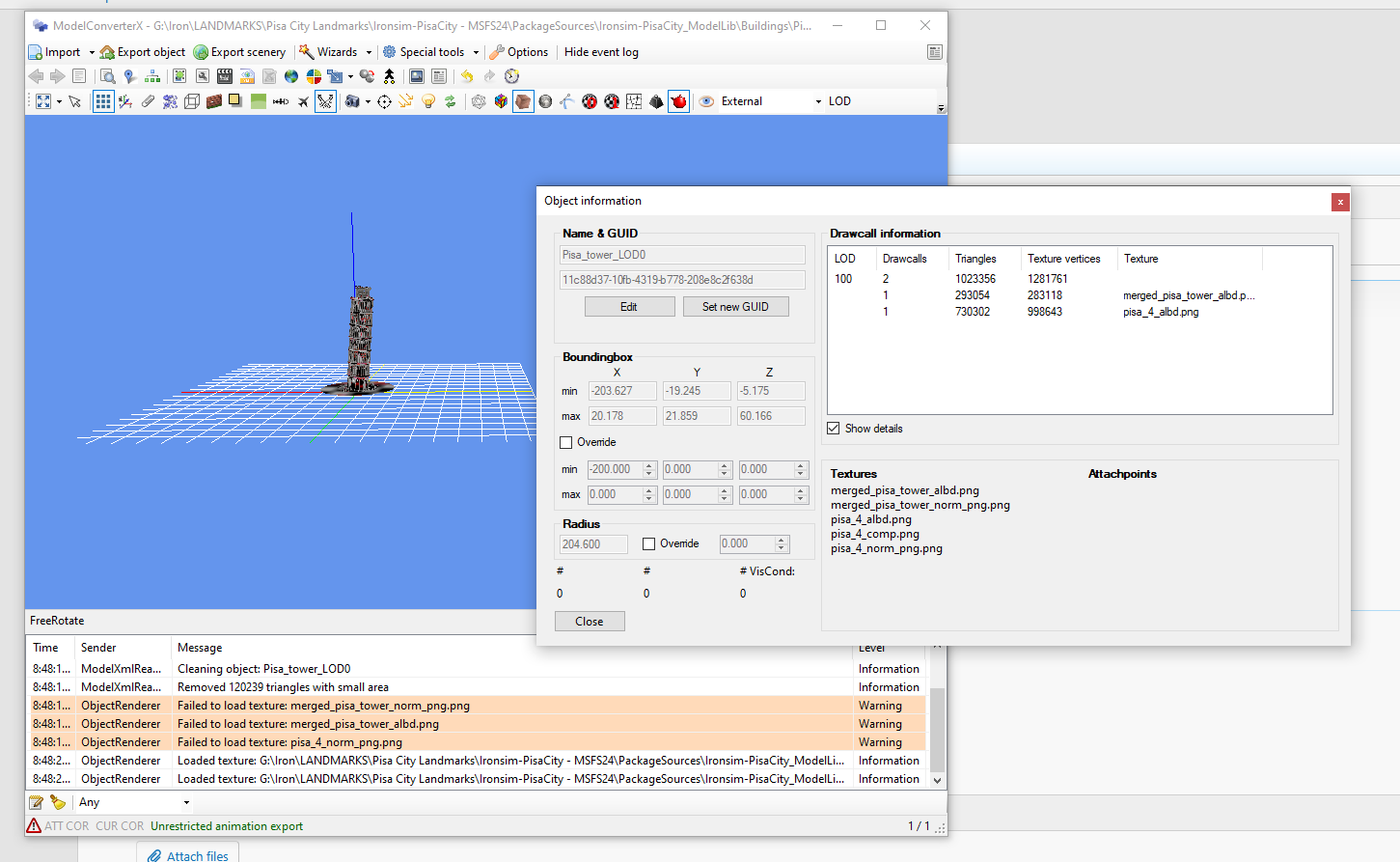
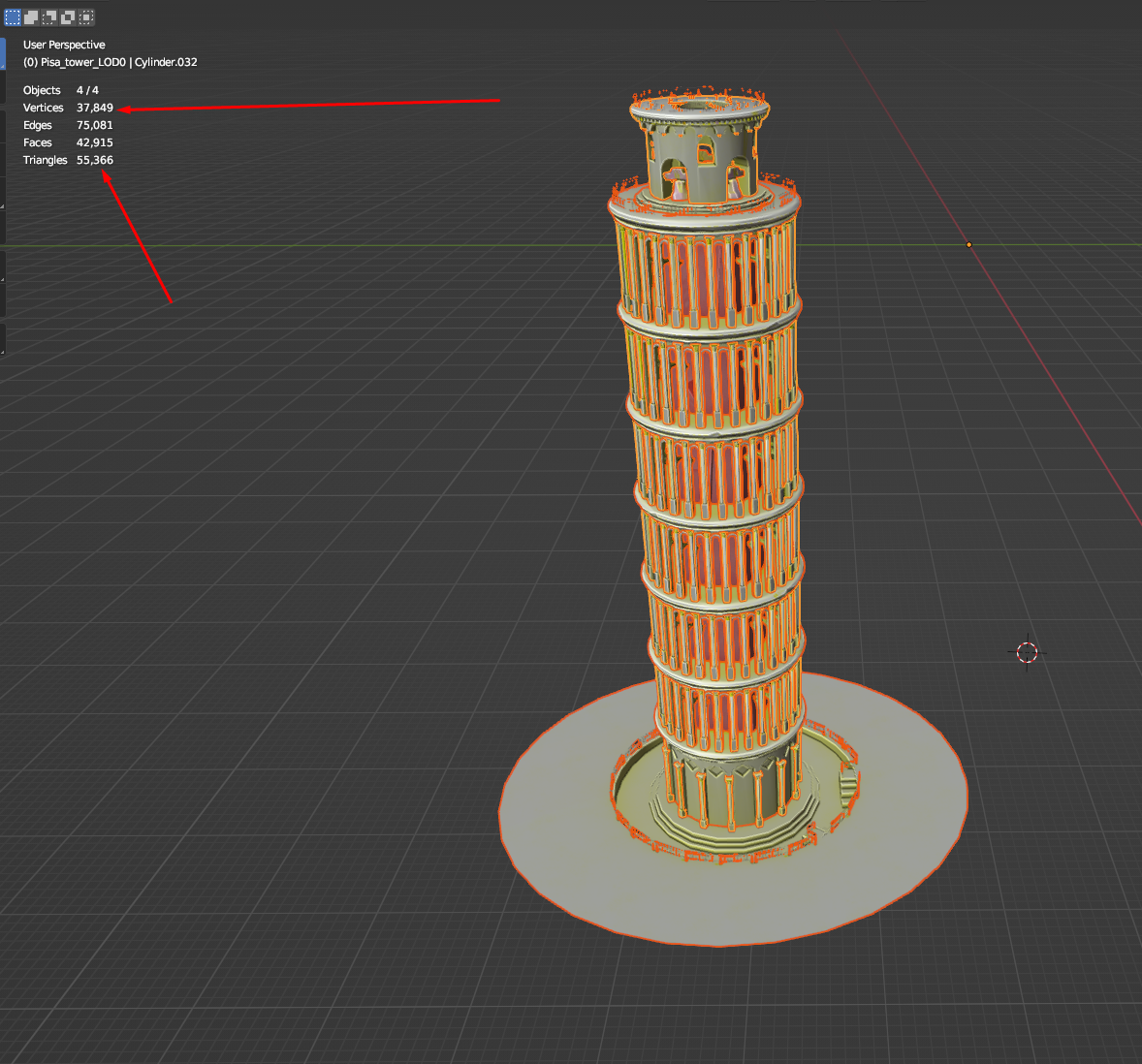
Hello there, i want to understand which vertex does MSFS24 use for LOD Limitations. my model vertices are different and texture vertices are different as attached in screenshots below. if the sim uses Texture vertices then how do i monitor them or make the model efficient so it doesnt exceed too much vertice limits.


1753459454279.png
1753459425001.png
 
Hi,

Good question, to which I don't know the answer. In MCX I use the texture vertices for the calculations indeed and I think MSFS does the same, given the way the vertices, normals and indices are stored in the glTF file. But I'm not sure.
 
I kind of understand and dont at the same time however i am more leaned towards learning how to reduce the texture vertices as if what would be the best practices for it.
 
Are we looking at the same objects in Blender and MCX? Because the gab between 50000 triangles and 1 million is really a lot.

To reduce the amount of texture vertices you would have to ensure that for a certain position the nornal and texture mapping is also the same.
 
Welcome to LOD hell. Here's a link explaining the basic calculations from Asobo: https://devsupport.flightsimulator....ssue-lods-screen-size/13580/91?u=rhumbaflappy
Here's a cube in Blender. It's faces are quads.
quads.png


Here's the same object, but triangulated in Blender:
tris.png


This is the original Quad object glTF imported to Blender:
reimported_glTF.png


So the glTF created by Blender is not what you modeled. The glTF creation process will change the mesh.
In the sim, the glTF is shown as this:
InSimProfile.png


24 vertices. Just what the Blender export to glTF created.

MSFS2024_count.png


Adding textures instead of vertex colors does not increase the calculation of vertices. This is the same number of Texture Vertices in MCX. So to get the actual number of MSFS 2024 vertices in your model, you can load it into MCX or import the glTF into Blender, to get the right count. The Windows 3D Viewer also gives the right count of the glTF.
 
Untitled.png


On the left, the original quad-meshed .blend model. On the right, the glTF it produced from Blender. The only way to tell how many vertices a model will have is have Blender generate the glTF, and then view that. Your .blend file vertex count is not the same as the exported glTF.
 
Back
Top