• Which the release of FS2020 we see an explosition of activity on the forun and of course we are very happy to see this. But having all questions about FS2020 in one forum becomes a bit messy. So therefore we would like to ask you all to use the following guidelines when posting your questions:

    • Tag FS2020 specific questions with the MSFS2020 tag.
    • Questions about making 3D assets can be posted in the 3D asset design forum. Either post them in the subforum of the modelling tool you use or in the general forum if they are general.
    • Questions about aircraft design can be posted in the Aircraft design forum
    • Questions about airport design can be posted in the FS2020 airport design forum. Once airport development tools have been updated for FS2020 you can post tool speciifc questions in the subforums of those tools as well of course.
    • Questions about terrain design can be posted in the FS2020 terrain design forum.
    • Questions about SimConnect can be posted in the SimConnect forum.

    Any other question that is not specific to an aspect of development or tool can be posted in the General chat forum.

    By following these guidelines we make sure that the forums remain easy to read for everybody and also that the right people can find your post to answer it.

FSX Missing lights on aircraft

Messages
92
Country
poland
Hi.

I have a problem:
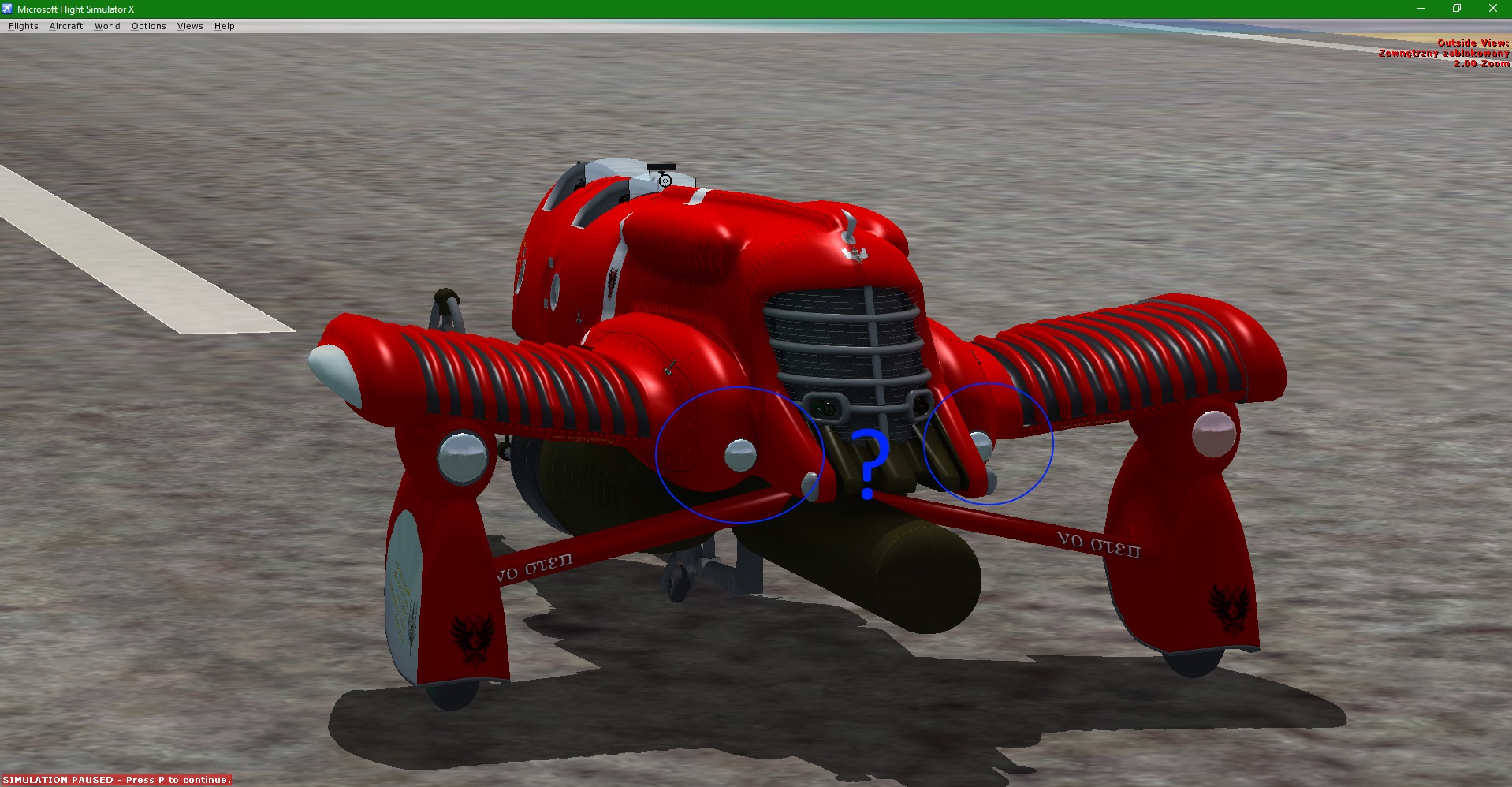
For unknown reasons all lights I have on my aircraft model are invisible when looking on them with the aircraft as a background, but are visible when I have ground as background.

Here are some photos of my problem:
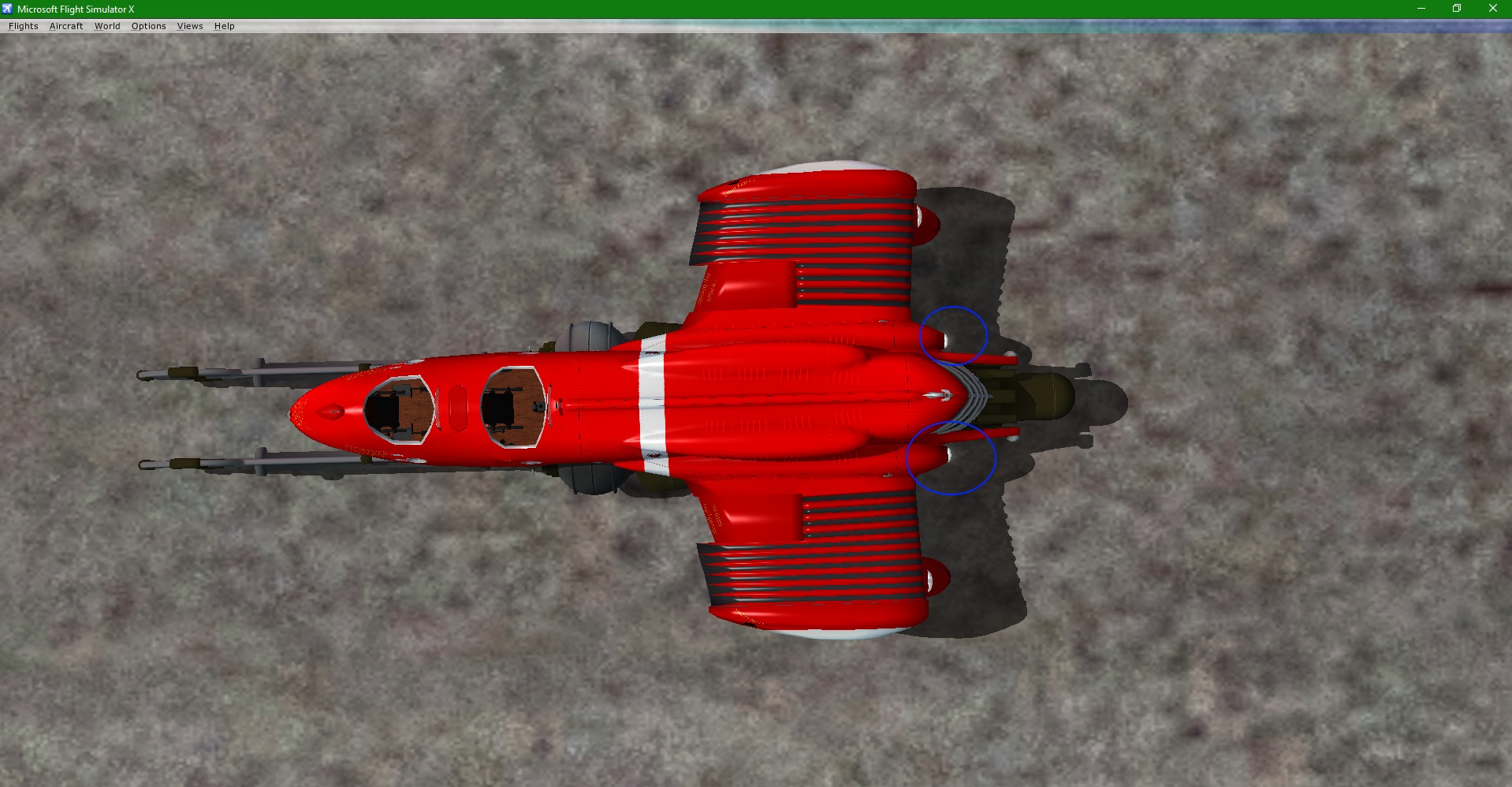
1.jpg
2.jpg


Of course on both light are on.
I'm using here "fx_landing" effect, so nothing self-created.
I have same problem with "fx_navred" and "fx_navgre".
 
Move them forward/backward a bit?

In case those are supposed to be headlights, you'll need to attach them to some polygons in your modeling tool.
See the "New Aircraft Procedures" chapter in the FSX SDK help file.
 
You need to point Your axis correctly - this is one thing that the SDK covers well - Read the Landing Lites Section - Johnman :cool:
 
I tried moving it, they are sill invisible when craft is in background:
sdgsd.jpg


Right now I need only static light effect working right, so I will be dealing with attaching them to model later.
 
Ok, I did and it didn't help.
Both "fx_landing" added to meshes in model and "fx_navred" and "fx_navgre" added normally, in aircraft.cfg file, are invisible when the craft is in the background.
 
Doesn't Blender show the axis on Your Geometry - and can't You rotate it ?? - or Flip the Normals on Your Poly - Johnman :cool:
 
Yes it does and I have the axis rotated the right way (according to that toolset article on the wiki).
If I filp normals on my craft's body it disperses (is shown inside-out).
 
Are you running FSX in DirectX 10 mode?

I think regular effects-based lights had some problems in DX10 without using some fixed files.
 
It worked!
Thank you so much!

PS.: A little off topic question: Is there a bool variable, witch says that jet engine is running.
 
Ok, I'm digging up old topic, because I have a similar problem with navigation lights.

I have a light in light part of aircraft.cfg:

Code:
light.0=3, -15,  0.0,  5.35, fx_navred

and it is not visible (the light point, I can see red "shadows" on craft's surface).

I tried it without any model attachpoints and with this attachpoint:
Code:
Attachpoint name: attachpt_landing_7_41
Effect: fx_navred
Visibility: general_light
(yes, general_light - I want it to turn on with landing lights)
 
Back
Top