• Which the release of FS2020 we see an explosition of activity on the forun and of course we are very happy to see this. But having all questions about FS2020 in one forum becomes a bit messy. So therefore we would like to ask you all to use the following guidelines when posting your questions:

    • Tag FS2020 specific questions with the MSFS2020 tag.
    • Questions about making 3D assets can be posted in the 3D asset design forum. Either post them in the subforum of the modelling tool you use or in the general forum if they are general.
    • Questions about aircraft design can be posted in the Aircraft design forum
    • Questions about airport design can be posted in the FS2020 airport design forum. Once airport development tools have been updated for FS2020 you can post tool speciifc questions in the subforums of those tools as well of course.
    • Questions about terrain design can be posted in the FS2020 terrain design forum.
    • Questions about SimConnect can be posted in the SimConnect forum.

    Any other question that is not specific to an aspect of development or tool can be posted in the General chat forum.

    By following these guidelines we make sure that the forums remain easy to read for everybody and also that the right people can find your post to answer it.

MSFS20 Missing parts

Messages
160
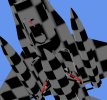
Missing parts after export.
Note - I can't export with animations as I don't have a key, so have to rely on someone who does.

Importing a P3Dv4 model, then exporting as FS2020 -
Parts missing including ALL wheels
Red lines in the pic are the missing parts.
Wheels are all MIA.

Using latest dev release to view.
 

Attachments

  • missing.jpg
    missing.jpg
    72.8 KB · Views: 200
Does this happen on any model or just this specific one?
 
I'll have a look at your model, see if I can reproduce.
 
Hi,

I can reproduce the issue. When I export the model you attached to glTF and then import it back the wheels are missing. I need to check what is going on there.
 
Thanks Arno.
There are a few parts from the landing gear missing also - the red lines on the pic.

Originally it was produced in FSDS, saved as FS9 then converted to P3Dv4 - Don't know if that makes any difference?
 
Should not make a difference, for MCX it's just a bunch of animated triangles. I'll debug later what happens here.
 
I might have a theory (came to me with something that Firebird mentioned in a PM) -

FS9 - I used the "always visible" wheel options in FSDS and not "blurred" and "still" options, and that's the FS9 model that I convert to P3Dv4
Converting the P3D model to FSX results in everything being there
Taking the FSX export and re-exporting as MSFS results in the same issues as a direct P3Dv4 to MSFS conversion.

John from MAIW I believe uses the blurred and still options, and his models convert from FSX to MSFS with visible wheels.

Could that be the difference?
Still wouldn't explain the missing parts though, although they are all landing gear parts.
 
I would not expect that matters. But I guess we'll only know for sure once I have found the bug :)
 
Hi,

I have found the bug. There was an issue in the code that selects only the nodes for a specific LOD (since glTF has a separate file for each LOD). In this model parts from different LODs where sometimes nested as child. I will try to push a new development release later today that fixes the bug.
 
Sweet, many thanks!

Always wondered why some parts were not always in the same place in the heirarchy, or one LOD it would be separate, another LOD it would be nested.
 
I don't know why that is, I assume the mdl file has that structure already.
 
Hi Arno
I got Firebird to convert a P3D Falcon to MSFS one using your latest developer MCX.
Wheels are back as are the missing parts.

Have 1 issue -
[edit] It looks like LOD0 and LOD1 contains all the wheels including those from LOD2 - So LOD0 and LOD1 has 3 sets of port / stbd/ and centre wheels.
LOD2 has only LOD 2 wheels - which is good.

Ditto for the missing parts that are now back, they are duplicated.
 
Last edited:
Hopefully this helps.
I have attached just the undercarriage (no animations though) still cant do that part.
Also a pic showing the hierarchy tree where the duplicates are.
errors.jpg
 

Attachments

Let me check, I still have your model from last time to test with.
 
Hi,

Very sharp that you noticed this. I have now added a test case for MCX that checks if the amount of triangles is the same for each LOD. That helped me to debug this issue, so in the next development release it will be fixed.
 
Thanks again Arno.
Got a bit lucky (not a sharp spot).
When rotating the model in MCX I noticed the wheel was 'shimmering'.
When that happens in FSDS it is an overlapping part, so that gave me the idea that there might be a duplicated wheel. Wasn't until I started going through the hierarchy I realised that all the missing parts from the previous developer release export were now duplicated in the current one.
 
Update - Just tried your latest dev release 18/01/2022
Looks like you've nailed it, duplicate parts are gone.
Many, many, thanks!
 
Back
Top