
• Which the release of FS2020 we see an explosition of activity on the forun and of course we are very happy to see this. But having all questions about FS2020 in one forum becomes a bit messy. So therefore we would like to ask you all to use the following guidelines when posting your questions:

    • Tag FS2020 specific questions with the MSFS2020 tag.
    • Questions about making 3D assets can be posted in the 3D asset design forum. Either post them in the subforum of the modelling tool you use or in the general forum if they are general.
    • Questions about aircraft design can be posted in the Aircraft design forum
    • Questions about airport design can be posted in the FS2020 airport design forum. Once airport development tools have been updated for FS2020 you can post tool speciifc questions in the subforums of those tools as well of course.
    • Questions about terrain design can be posted in the FS2020 terrain design forum.
    • Questions about SimConnect can be posted in the SimConnect forum.

    Any other question that is not specific to an aspect of development or tool can be posted in the General chat forum.

    By following these guidelines we make sure that the forums remain easy to read for everybody and also that the right people can find your post to answer it.

MSFS20 Model exported glitches

Messages
55
Country
spain
Hi all,

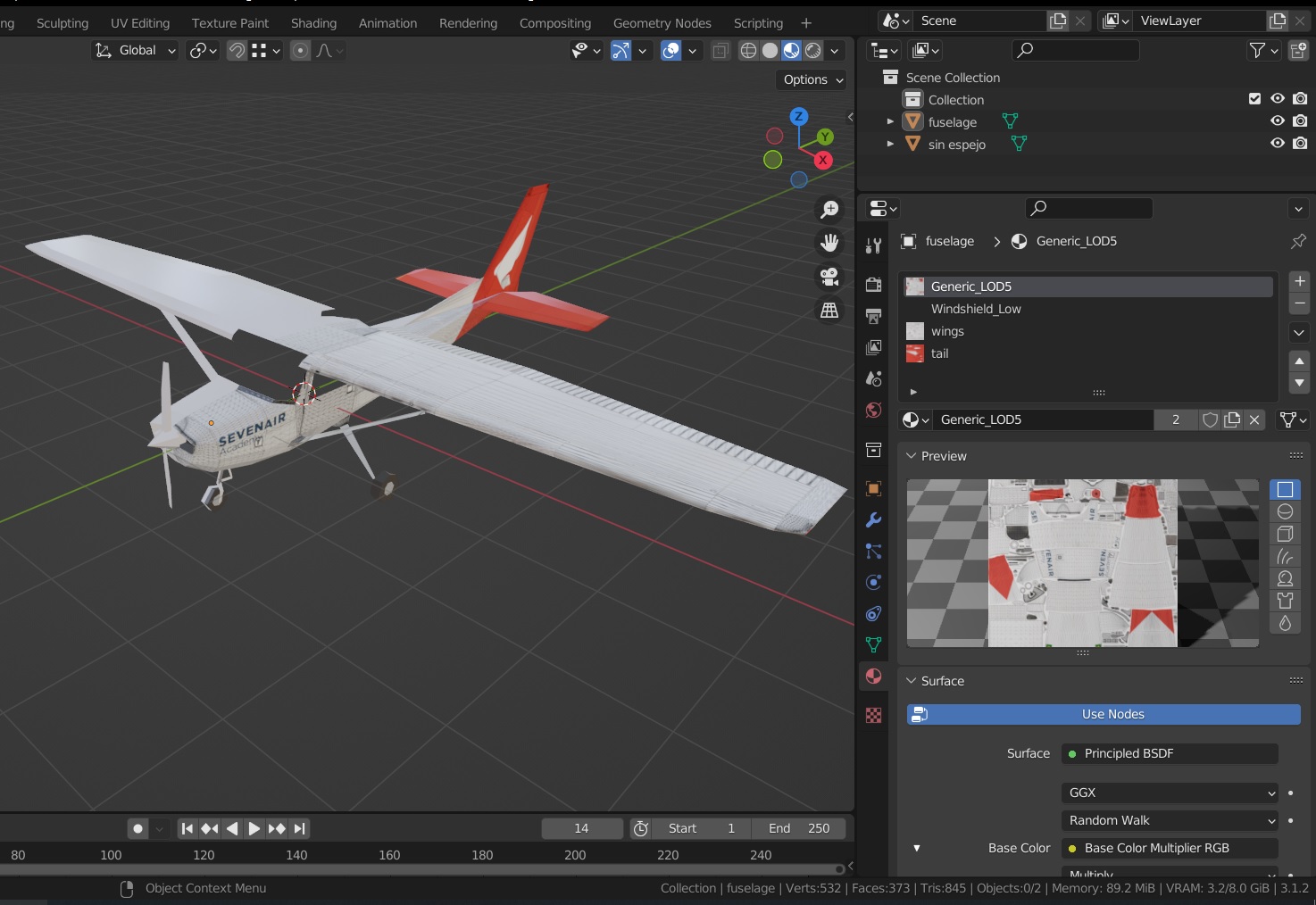
In blender I see the model OK: (don't worry, it will be a mirrored UV)
c152blender.jpg

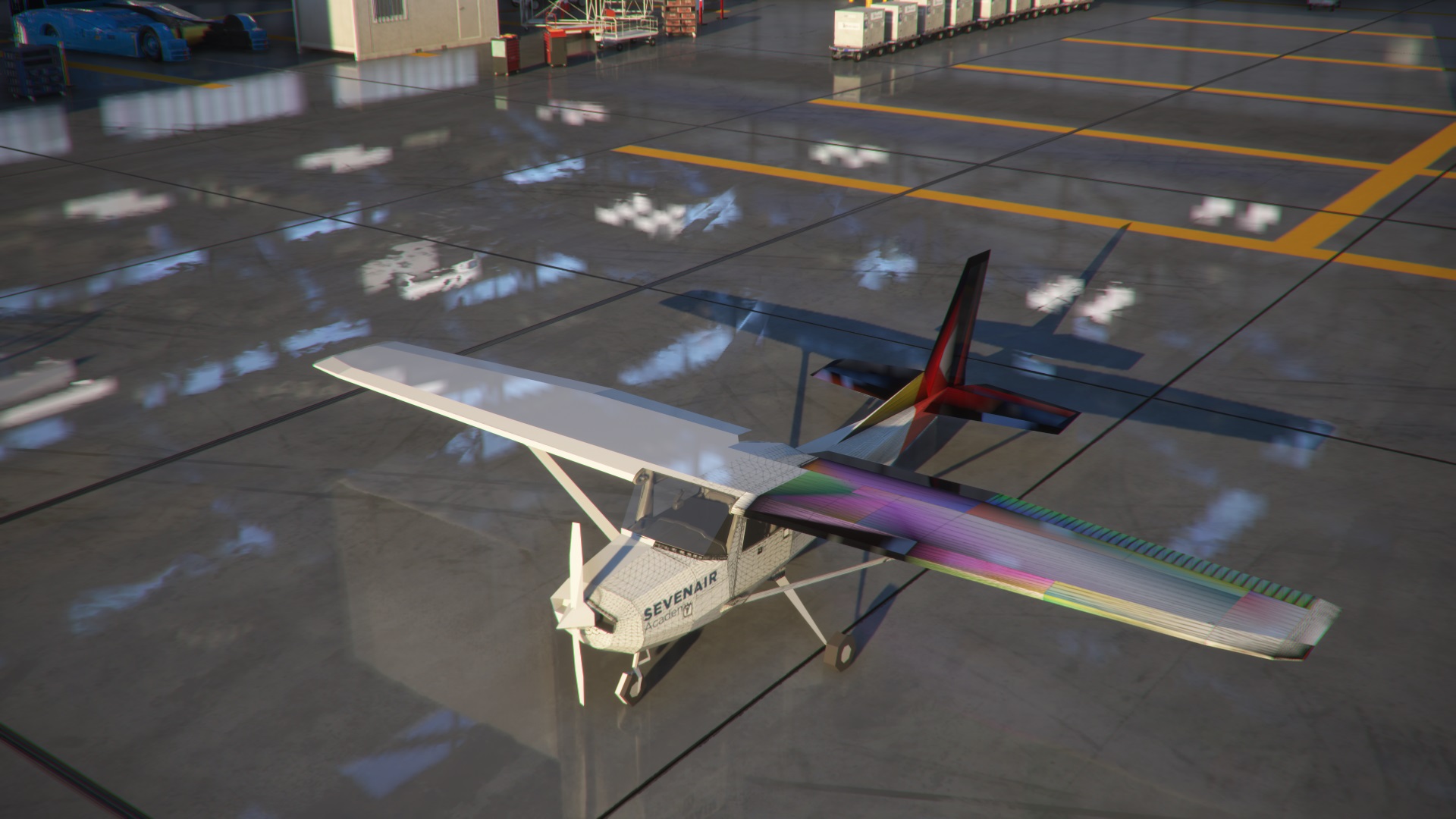
But after compile it in MSFS I see it like a hippie version:
c152glitched.jpg

The glitched areas are wing and tail. I found the problem is when I add new materials, once compiled in MSFS the color change. The first material for main fuselage, Generic_LOD5, looks OK. The others materials, wing and tail, are copies from Generic_LOD5, they are exactly with the same parameters. but they look glitched.

Why could this be happening?

(I've tried the exportation with the latest Asobo and Flybywire plugins with the same result)
 
I just discover that the problem aren't the copied materials, the problem is the position on the list of materials in Blender :S The material positioned at first position looks OK, the others no. Some ideas?

Cheers
c152 blender materials switch position.jpg

c152 compilation glitch.jpg
 
Hi,
Usually only one material is applied to a part. But from what I can see, you have 3 materials on the object, hence the problems.
It is possible to split your object in several elements: fuselage, right wing, left wing, tail, stabilizer ... and apply only one material (or one set of textures) to each element
 
I think I see what you means: three textures distribued on one "file/texture" and the UV are distribued on this texture.
But in my opinion, it is better to create one material for each element/objet: it is more easy to realize that you have in mind.

PS: a material normally consists of one (albedo) or more textures (albedo, comp, normal, emissive ...) and parameters (metalic level, roughness level, etc) applied on this texture
 
Instead of using multiple textures. you might consider combining the textures and reworking the UV mapping. MCX has a feature to optimize drawcalls that can do this. I'm not sure if there is a addon for Blender to do this.
 
c152withOneObjectPerMaterial.jpg

one material is applied to a part
Oh yeah it works!! I'm reading the SDK little by little and didn't found that rule... Is it at the SDK documentation? I think i need to start reading a totally noob MSFS 3D creation documentation xD.
I never would have figure out that rule, because imported models from Asobo to Blender, have several materials per object, I thought I could do the same to optimize a little bit more the model like the original:
Originalc152LOD0.jpg

you might consider combining the textures and reworking the UV mapping
Yeah, that's what I have in mind for the "livery creators" versión of this fix. I´m trying to fix the c152 LODs to avoid missing liveries from parked aircrafts while I'm taxing. One version will be for users, the model will automatically load the default liveries textures. And other version more optimized for creators, only one texture with all the other textures combined.

Thanks for all! Cheers :)
 
Hi,

Remember this: do not confuse material and texture.
Combining several "textures" (i.e. material) is not easy because if this material has an albedo, a comp and a normal, you will have to combine these three "textures" as well
 
Back
Top