

- Messages
- 203
- Country

I'm trying to create models using transparencies for FSX in Sketchup. Using a 32bit BMP with an alpha channel I can use textures with transparencies in Sketchup with no problem apparently - everything displays as it should.
The problem comes when I try to import a saved .dae file (exported from Sketchup using the transparent textures) into ModelconverterX.
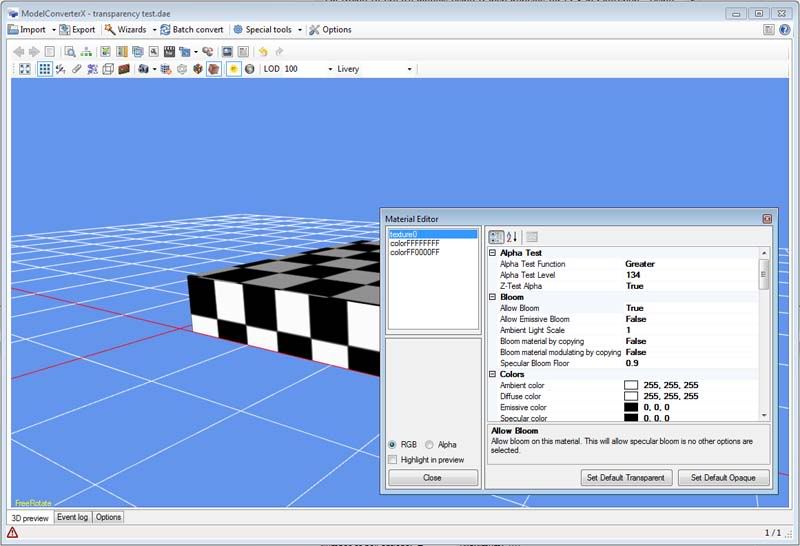
All textures are then shown with a black and white checkerboard. I've gone into the material editor and clicked on 'Set default transparent' but it's still the same. When I look at the event log the error message below appears.
19:23 ObjectRenderer Warning Failed to load texture: texture0.bmp
Is there something simple I'm missing or doing wrong please?!?!
Thanks in advance for any help you can offer
The problem comes when I try to import a saved .dae file (exported from Sketchup using the transparent textures) into ModelconverterX.
All textures are then shown with a black and white checkerboard. I've gone into the material editor and clicked on 'Set default transparent' but it's still the same. When I look at the event log the error message below appears.
19:23 ObjectRenderer Warning Failed to load texture: texture0.bmp
Is there something simple I'm missing or doing wrong please?!?!
Thanks in advance for any help you can offer


 Any texture with some transparent element hasn't shown up at all!
