
-
Which the release of FS2020 we see an explosition of activity on the forun and of course we are very happy to see this. But having all questions about FS2020 in one forum becomes a bit messy. So therefore we would like to ask you all to use the following guidelines when posting your questions:
- Tag FS2020 specific questions with the MSFS2020 tag.
- Questions about making 3D assets can be posted in the 3D asset design forum. Either post them in the subforum of the modelling tool you use or in the general forum if they are general.
- Questions about aircraft design can be posted in the Aircraft design forum
- Questions about airport design can be posted in the FS2020 airport design forum. Once airport development tools have been updated for FS2020 you can post tool speciifc questions in the subforums of those tools as well of course.
- Questions about terrain design can be posted in the FS2020 terrain design forum.
- Questions about SimConnect can be posted in the SimConnect forum.
Any other question that is not specific to an aspect of development or tool can be posted in the General chat forum.
By following these guidelines we make sure that the forums remain easy to read for everybody and also that the right people can find your post to answer it.
You are using an out of date browser. It may not display this or other websites correctly.
You should upgrade or use an alternative browser.
You should upgrade or use an alternative browser.
MV-22B Osprey (Release 1.0)

Is this hang after a few percent load ??Hey guys I have a problem . Every time I select the aircraft FSX stops working . Kalong and I are trying to figure out the problem . Any ideas what's wrong ? I have window 10 and FSX acceleration
if so:
Do you have FSX installed in the default Programs folder ?
Problem may be related to handling a saved file in the FSX SavedFlight folder, which goes wrong.
Kalong: maybe the same problem as I originally had before Beta1 ??

- Messages
- 943
- Country

@Brandon Moffit said it crash at first time, he never can load it. I still waiting his response in private conversation to localize the problem.
will try every possibility I can get.
will try every possibility I can get.

- Messages
- 59
this custom camera issue from P3D (work in P3D only), I have same happen in first shot. I not yet going too deep learning it. so solution now is:
delete camera definition on aircraft.cfg, delete this all
.
Yeah ok that works for now. Thanks
Yes, that was exactly the problem I had too, when you first introduced the v22 sav file. ..@Brandon Moffit said it crash at first time, he can never load it .
Hence my suggestion it might be related to trying to read the .sav file (which is not created yet of course)
- Messages
- 943
- Country
should I give and sav file to him?
can you sent me your saved flight (default and mv22), cause @Brandon Moffit use FSXA.
rather than has another problem with P3D saved flight format not compatible with FSX
can you sent me your saved flight (default and mv22), cause @Brandon Moffit use FSXA.
rather than has another problem with P3D saved flight format not compatible with FSX
Last edited:

- Messages
- 15
- Country

Same problem here, I select the aircraft and FSXA crashes right away. Windows 10

- Messages
- 30
- Country

If some of you wants to give it a try to one of the texture. Remember i'm learning and trying to do my best with what i know. If you dont like it delete it. If you see something wrong please let me know. Here is the link for the VMM-265-02 "Low-Vis"
https://drive.google.com/file/d/0ByDa9IjWMC5WcWhhTDNubTIxUjQ/view?usp=sharing
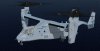
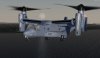
https://drive.google.com/file/d/0ByDa9IjWMC5WcWhhTDNubTIxUjQ/view?usp=sharing
Last edited:
- Messages
- 30
- Country
I'd like to try the Osprey, but both Google and Dropbox links above are bombing out on Firefox. Suggestions?
Have you tried with Chrome? Did you update your Firefox to the latest version? If it still does not work Private message me we will try to find another way to send it to you.

- Messages
- 244
- Country

Great job on the Osprey so far, but I do have a couple of issues, using P3dv3.4. on Win 10.
Firstly, if I load my default flight, then change to the Osprey most times the engine nacelles are at 0 degrees (fully forward) with the engines running, but the props are stationary. (doesn't always happen, but usually 8 times out of 10). I can rotate the nacelles to 90 and take off, but the props are not moving. Saving and reloading the flight will fix it, but it's a bit of a pain.
Secondly, clicking any MFD button will result in a CTD most times, (but again, not always). If they do work, then it's fine for the rest of the session. Crash report seems to be pointing to "kernelbase.dll"
Any ideas?
Firstly, if I load my default flight, then change to the Osprey most times the engine nacelles are at 0 degrees (fully forward) with the engines running, but the props are stationary. (doesn't always happen, but usually 8 times out of 10). I can rotate the nacelles to 90 and take off, but the props are not moving. Saving and reloading the flight will fix it, but it's a bit of a pain.
Secondly, clicking any MFD button will result in a CTD most times, (but again, not always). If they do work, then it's fine for the rest of the session. Crash report seems to be pointing to "kernelbase.dll"
Any ideas?
- Messages
- 943
- Country
Hi @DaveWG,
because of Osprey has unique feature that not cover by default FSX/P3D, some unique feature are creating by my self or team (VTOL, C++). it some kind a mandatory to save a flight (not each time) to make feature work as it should be. when on testing I make several saved flight. i.e. saved Wing fold and stow, saved cold and dark (no folding), saved with engine running, saved when cruising. IMO saved flight are more handy than I must go through whole process just want to test in cruising behavior.
do you install P3D using default address or in root folder?
default folder, i.e P3D installed on Program Files or Program Files (x86). this default address in particular make some issue.
I using root folder like C:\"name of sim" as my installation.
for CTD on WIN 10 will ask to expert, @Naruto-kun and I need your crash report to start with
because of Osprey has unique feature that not cover by default FSX/P3D, some unique feature are creating by my self or team (VTOL, C++). it some kind a mandatory to save a flight (not each time) to make feature work as it should be. when on testing I make several saved flight. i.e. saved Wing fold and stow, saved cold and dark (no folding), saved with engine running, saved when cruising. IMO saved flight are more handy than I must go through whole process just want to test in cruising behavior.
do you install P3D using default address or in root folder?
default folder, i.e P3D installed on Program Files or Program Files (x86). this default address in particular make some issue.
I using root folder like C:\"name of sim" as my installation.
for CTD on WIN 10 will ask to expert, @Naruto-kun and I need your crash report to start with
Last edited:
- Messages
- 244
- Country
If I load my default aircraft, then switch to the MV-22 the nacelles are at zero, props still, but engines are running. I can manually rotate the nacelles all the way to 90, take off, land, and rotate the nacelles back to zero. The engines are running all the time, but no prop animation.
If I save the flight with the nacelles at zero and re-load, the nacelles automatically rotate up to 60 and are limited as they should be. It's not a problem to use a saved flight if that is what is needed.
I've just tried the MV-22 again twice now and the CTD is instant as soon as a MFD button is pressed and no crash report is generated.
If I save the flight with the nacelles at zero and re-load, the nacelles automatically rotate up to 60 and are limited as they should be. It's not a problem to use a saved flight if that is what is needed.
I've just tried the MV-22 again twice now and the CTD is instant as soon as a MFD button is pressed and no crash report is generated.


- Messages
- 244
- Country
Tried again and the MFD's worked fine! Shut down P3d, restarted and tried again and CTD.
Event viewer shows the following under "information":
and this under "error":
Full crash report here: link
Event viewer shows the following under "information":
Code:
Fault bucket 108638968113, type 1
Event Name: APPCRASH
Response: Not available
Cab Id: 0

Problem signature:
P1: Prepar3D.exe
P2: 3.4.18.19475
P3: 5851bfd2
P4: KERNELBASE.dll
P5: 10.0.14393.479
P6: 58256d37
P7: c000041d
P8: 000da832
P9:
P10:

Attached files:
\\?\C:\ProgramData\Microsoft\Windows\WER\Temp\WERE87.tmp.WERInternalMetadata.xml

These files may be available here:
C:\ProgramData\Microsoft\Windows\WER\ReportArchive\AppCrash_Prepar3D.exe_bb821f93f24a55995b51546c40769eddeb8196_3ae76017_2ac914b1

Analysis symbol:
Rechecking for solution: 0
Report ID: 7a42097b-a9a7-4b44-8315-44dc4b27a200
Report Status: 1
Hashed bucket: b8ed7b09b2d5c2be4d6da189202440f0
and this under "error":
Code:
Faulting application name: Prepar3D.exe, version: 3.4.18.19475, time stamp: 0x5851bfd2
Faulting module name: KERNELBASE.dll, version: 10.0.14393.479, time stamp: 0x58256d37
Exception code: 0xc000041d
Fault offset: 0x000da832
Faulting process ID: 0xe8c
Faulting application start time: 0x01d29b2eb199e862
Faulting application path: E:\Prepar3D v3\Prepar3D.exe
Faulting module path: C:\WINDOWS\System32\KERNELBASE.dll
Report ID: 7a42097b-a9a7-4b44-8315-44dc4b27a200
Faulting package full name:
Faulting package-relative application ID:
Full crash report here: link
- Messages
- 30
- Country
Dave,
I would strongly recommend to create some safe flights like it is describe in the manuel. Either Hot or C&D. That should eliminate the Nacelles problem. I had that problem and do not recall seeing it after using the save flights.
It might also help for the CTD problem. I always let the bird do the initial sequence for usually a minute before beginning the startup sequence or setting up things that give you time to look at this great plane. P3D was giving some weird problems from time to time compare to FSX when loading the plane from other flights.
I would strongly recommend to create some safe flights like it is describe in the manuel. Either Hot or C&D. That should eliminate the Nacelles problem. I had that problem and do not recall seeing it after using the save flights.
It might also help for the CTD problem. I always let the bird do the initial sequence for usually a minute before beginning the startup sequence or setting up things that give you time to look at this great plane. P3D was giving some weird problems from time to time compare to FSX when loading the plane from other flights.

