• Which the release of FS2020 we see an explosition of activity on the forun and of course we are very happy to see this. But having all questions about FS2020 in one forum becomes a bit messy. So therefore we would like to ask you all to use the following guidelines when posting your questions:

    • Tag FS2020 specific questions with the MSFS2020 tag.
    • Questions about making 3D assets can be posted in the 3D asset design forum. Either post them in the subforum of the modelling tool you use or in the general forum if they are general.
    • Questions about aircraft design can be posted in the Aircraft design forum
    • Questions about airport design can be posted in the FS2020 airport design forum. Once airport development tools have been updated for FS2020 you can post tool speciifc questions in the subforums of those tools as well of course.
    • Questions about terrain design can be posted in the FS2020 terrain design forum.
    • Questions about SimConnect can be posted in the SimConnect forum.

    Any other question that is not specific to an aspect of development or tool can be posted in the General chat forum.

    By following these guidelines we make sure that the forums remain easy to read for everybody and also that the right people can find your post to answer it.

MV-22B Osprey

I can help test for you on FSX:SE again if you would like :). I also agree with rob on attempting the version 2 of the V-22 compatible with FSX. Maybe to make it easier, VS2015 could be included in the download, unless that would be infringing on any Microsoft rights..

They are called redistributables for a reason :)

Although, not totally necessary. VS2010 was an odd version that few devs used. 2013 and 2015 are more popular and in active use so chances are most already have them.
 
As only a very happy user of your marvellous MV-22b, Maryadi, I vote for Option 1 ("- option #1 would make my life easier, I can maintain gauge for x86 bit and x64 bit mean it will compatible for FSXA, FSX:SE, and all P3D version.").

Installing VS2015 does not seem to be a difficult proposition and it is likely that all Windows users will be compelled to upgrade to it shortly.

Mark
 
Following on from my last:-

I just downloaded VS2015 and its Update3 but the installation failed. Trying to find why, I came across a video and one of its suggestions was to go into Programs and Features and uninstall any copy of VS2015 that is already there. So I did that, uninstalling VS2015(x64) but this made no difference. Still won't install VS2015 Update 3.

Any ideas?

Mark
 
think you need uninstall then restart the system. I have 2 redistributable package, x86 and x64 installed in my system.
 
Hui Maryadi,

Yes, I tried that with no success.

All the sites I found on the 'net were no use. One suggested 'Run as an Administrator' - that didn't work. Then I noticed that the error message said that it required Win XP!!

So I tried both: Run as Administrator AND: Properties -> Compatibility Mode -> Run this program in compatibility mode for: Windows 7. And that worked!

Perhaps this workaround will help someone else..?

Keep up the good work! Can't wait to have V.2.

Mark
 
Pat,

I have yet another problem!

Am not able to show the list of objects for the sling when hitting Shift-J. It used to work perfectly but no longer. Don't know what has gone wrong or where to start looking for the problem...

Mark
 
Pat,

I have yet another problem!

Am not able to show the list of objects for the sling when hitting Shift-J. It used to work perfectly but no longer. Don't know what has gone wrong or where to start looking for the problem...

Mark
???
Mark,
I assume you intended to post this on the SOH forum , not FS-Developer ...LoL

Rob
 
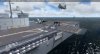
transferring to VS2015 and compiling for P3D v4, everything work fine.

2017-7-18_20-58-28-164.jpeg

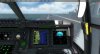
2017-7-18_21-0-18-31.jpeg
 
Beautiful cockpit Maryadi! that "radio call" plate in next to the CDU, do those numbers change when you change the atc callsign in the menu?
 
Back
Top