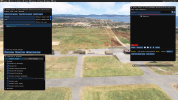
Can someone please do me a favor and help me remove the default buildings at default airport SVHG?
After following this old thread:
I got stuck at creating the rectangle. I can't seem to find where to disable only buildings. I tried creating the exclusions, but that did not work for me.
Can someone help me with a simple tutorial or create the exclusion folder and upload it here? It's just a tower and about 5 buildings.
Thanks.
Jose
After following this old thread:
Hi All. First post.
Here is what I am trying to accomplish. The default airport at where I want to operate placed a huge hangar type building on what is the main parking ramp. When I look at the satellite photo from bing, I understand why. The concrete in that area is very very white, and unless one looks closely, it almost looks like the top of a building. I want that building removed so I can use it as a ramp.
So I've been doing some reading about the airport editor and it is my understanding that we can't yet really edit the default airport objects, so what we have to do is...
Here is what I am trying to accomplish. The default airport at where I want to operate placed a huge hangar type building on what is the main parking ramp. When I look at the satellite photo from bing, I understand why. The concrete in that area is very very white, and unless one looks closely, it almost looks like the top of a building. I want that building removed so I can use it as a ramp.
So I've been doing some reading about the airport editor and it is my understanding that we can't yet really edit the default airport objects, so what we have to do is...
- LarryD
- Replies: 9
- Forum: MSFS Airport Design General
I got stuck at creating the rectangle. I can't seem to find where to disable only buildings. I tried creating the exclusions, but that did not work for me.
Can someone help me with a simple tutorial or create the exclusion folder and upload it here? It's just a tower and about 5 buildings.
Thanks.
Jose