• Which the release of FS2020 we see an explosition of activity on the forun and of course we are very happy to see this. But having all questions about FS2020 in one forum becomes a bit messy. So therefore we would like to ask you all to use the following guidelines when posting your questions:

    • Tag FS2020 specific questions with the MSFS2020 tag.
    • Questions about making 3D assets can be posted in the 3D asset design forum. Either post them in the subforum of the modelling tool you use or in the general forum if they are general.
    • Questions about aircraft design can be posted in the Aircraft design forum
    • Questions about airport design can be posted in the FS2020 airport design forum. Once airport development tools have been updated for FS2020 you can post tool speciifc questions in the subforums of those tools as well of course.
    • Questions about terrain design can be posted in the FS2020 terrain design forum.
    • Questions about SimConnect can be posted in the SimConnect forum.

    Any other question that is not specific to an aspect of development or tool can be posted in the General chat forum.

    By following these guidelines we make sure that the forums remain easy to read for everybody and also that the right people can find your post to answer it.

MSFS20 net rendering problem (SOLVED)

Messages
54
Country
italy
Hi all developers,
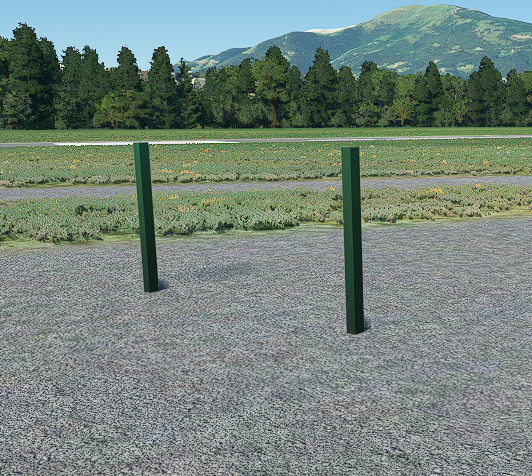
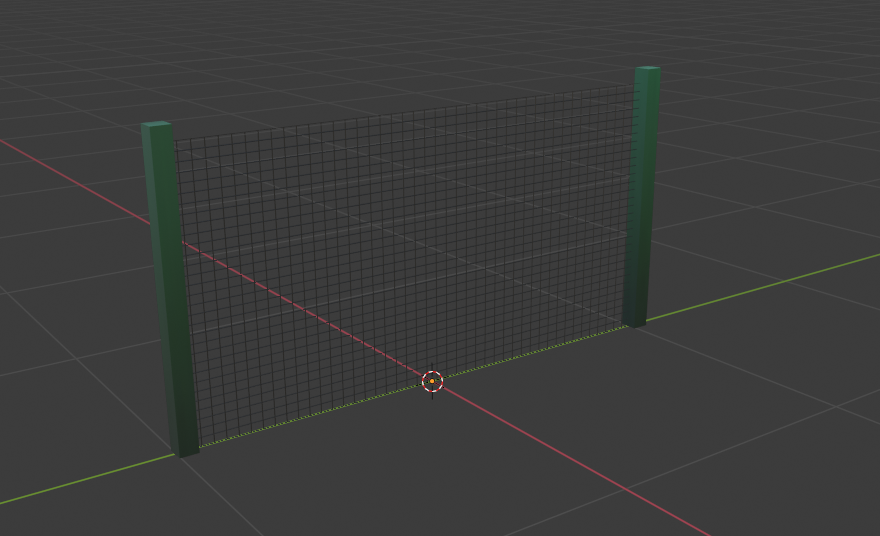
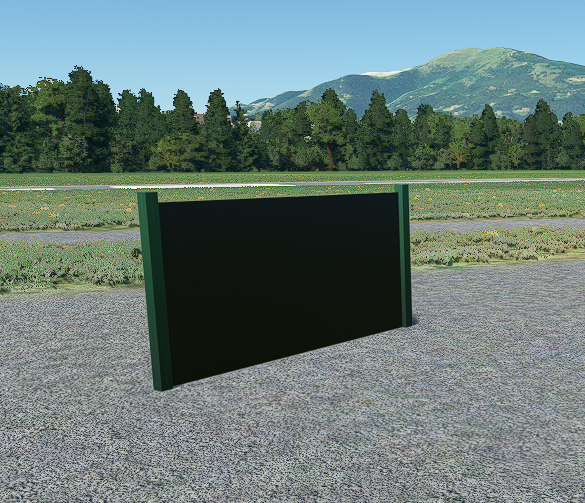
I'm new of blender. I'm trying to make a net to export into MSFS 2020. I don't know where is the problem so I ask help. I have used a plane then the "wireframe" modifier. In blender it's ok. Into the simulator I have on side with black face, and rotating, in other side , nothing.. so a transparent face. What do I have to do for a correct visualization ?
For export I'm using the latest plugin and the 2.9 version of blender.
Thanks
1.png
2.png
3.png
 
Last edited:
4 things to check......

1. In Blender check that you have set the alpha blend mode to "blend"
2. Check your texture image file is the correct dimension 256x256 or 512x412 etc
3 Just before you export from Blender use ctrl+A the tick "all modifiers"
4 In Blender make sure backface culling is off in the texture properties.

Regards
Stinger


Sent from my SM-T813 using Tapatalk
 
Hi stinger2K2
the check 1,2,4 are ok checking in blender. I don't know how to apply "all modifiers" . could you explain me better ? thanks
 
hi @conradf104 I have been thinking about creating my own chainlink fencing but most of the tutorials on line are heavy duty. How did you go about creating yours? I used to use photoshop and Alpha channels for FSX or was it all done in Blender
 
Last edited:
hi @conradf104 I have been thinking about creating my own chainlink fencing but most of the tutorials on line are heavy duty. How did you go about creating yours? I used to use photoshop and Alpha channels for FSX or was it all done in Blender
Hi psk1414 sorry I have read your question right now. I only used blender and a simple color texture. made the fence with a plane and subdivide option
 
Hello sir,
Make sure the normals aren't flipped in blender sir, I this the notmals are flipped inside during modeling to check the normals are facing the right direction go to overlay menu and check face orientation.

Sent from my SM-G610F using Tapatalk
 
Back
Top