-
Which the release of FS2020 we see an explosition of activity on the forun and of course we are very happy to see this. But having all questions about FS2020 in one forum becomes a bit messy. So therefore we would like to ask you all to use the following guidelines when posting your questions:
- Tag FS2020 specific questions with the MSFS2020 tag.
- Questions about making 3D assets can be posted in the 3D asset design forum. Either post them in the subforum of the modelling tool you use or in the general forum if they are general.
- Questions about aircraft design can be posted in the Aircraft design forum
- Questions about airport design can be posted in the FS2020 airport design forum. Once airport development tools have been updated for FS2020 you can post tool speciifc questions in the subforums of those tools as well of course.
- Questions about terrain design can be posted in the FS2020 terrain design forum.
- Questions about SimConnect can be posted in the SimConnect forum.
Any other question that is not specific to an aspect of development or tool can be posted in the General chat forum.
By following these guidelines we make sure that the forums remain easy to read for everybody and also that the right people can find your post to answer it.
You are using an out of date browser. It may not display this or other websites correctly.
You should upgrade or use an alternative browser.
You should upgrade or use an alternative browser.
MSFS20 North American T-28 Trojan
- Thread starter Anthony31
- Start date


Lagaffe
Resource contributor
- Messages
- 992
- Country

Hi,
I find that the price of manuals is a bit expensive, there is also Avialogs.com which is much more affordable
I find that the price of manuals is a bit expensive, there is also Avialogs.com which is much more affordable
Yes, AircorpsLibrary is very pricey. It's $15 to download each drawing and that's after you've already paid to subscribe (I just screenshot the drawings and save them as png for use in Blender). Same with the manuals, you have to pay extra to download them otherwise you can only read them in a browser. At least with Avialogs you can download the files without having to pay extra (I hope they still do that, it was like that the last time I used them where I downloaded everything they had on the T28). On the other hand, Aircorps has technical drawings which Avialogs doesn't (at least the last time I looked)Hi,
I find that the price of manuals is a bit expensive, there is also Avialogs.com which is much more affordable


- Messages
- 153
- Country

Wow I've been waiting for your T-28 to come over to MSFS. Cant wait for those 1820 sounds!
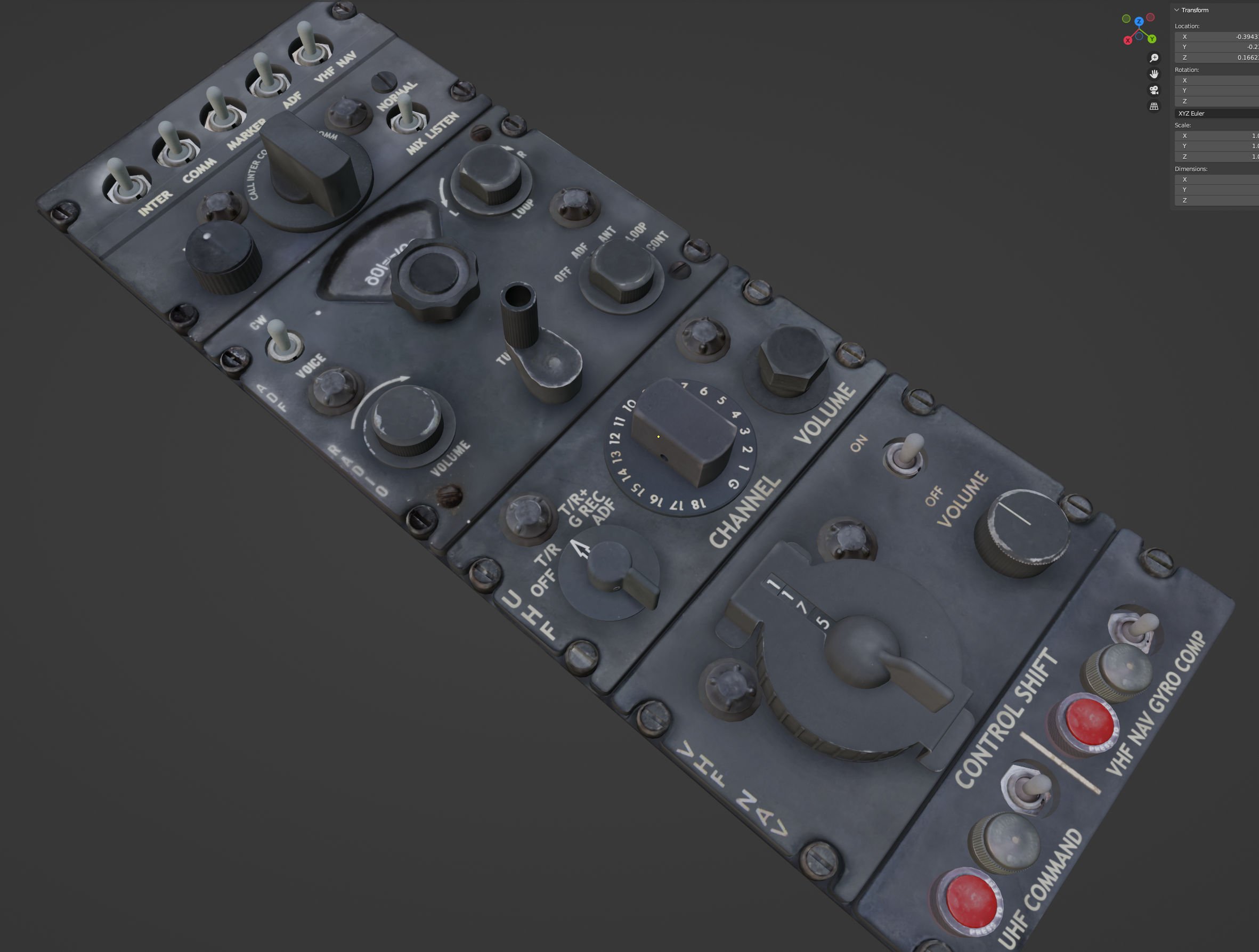
Here's the radio panel. Most of the textures here are hand drawn/composited because most T28s don't have these radios installed nowadays and even finding halfway decent pictures on the internet is difficult. I need to redo the textures for the fixing screws. I'm not happy with these ones and I have some pictures of others which are better. A few more screws needed too.


DragonflightDesign
Resource contributor
- Messages
- 1,357
- Country

ebay is actually a really good place to trawl for instrument pics. I've got quite a collection from over the years.


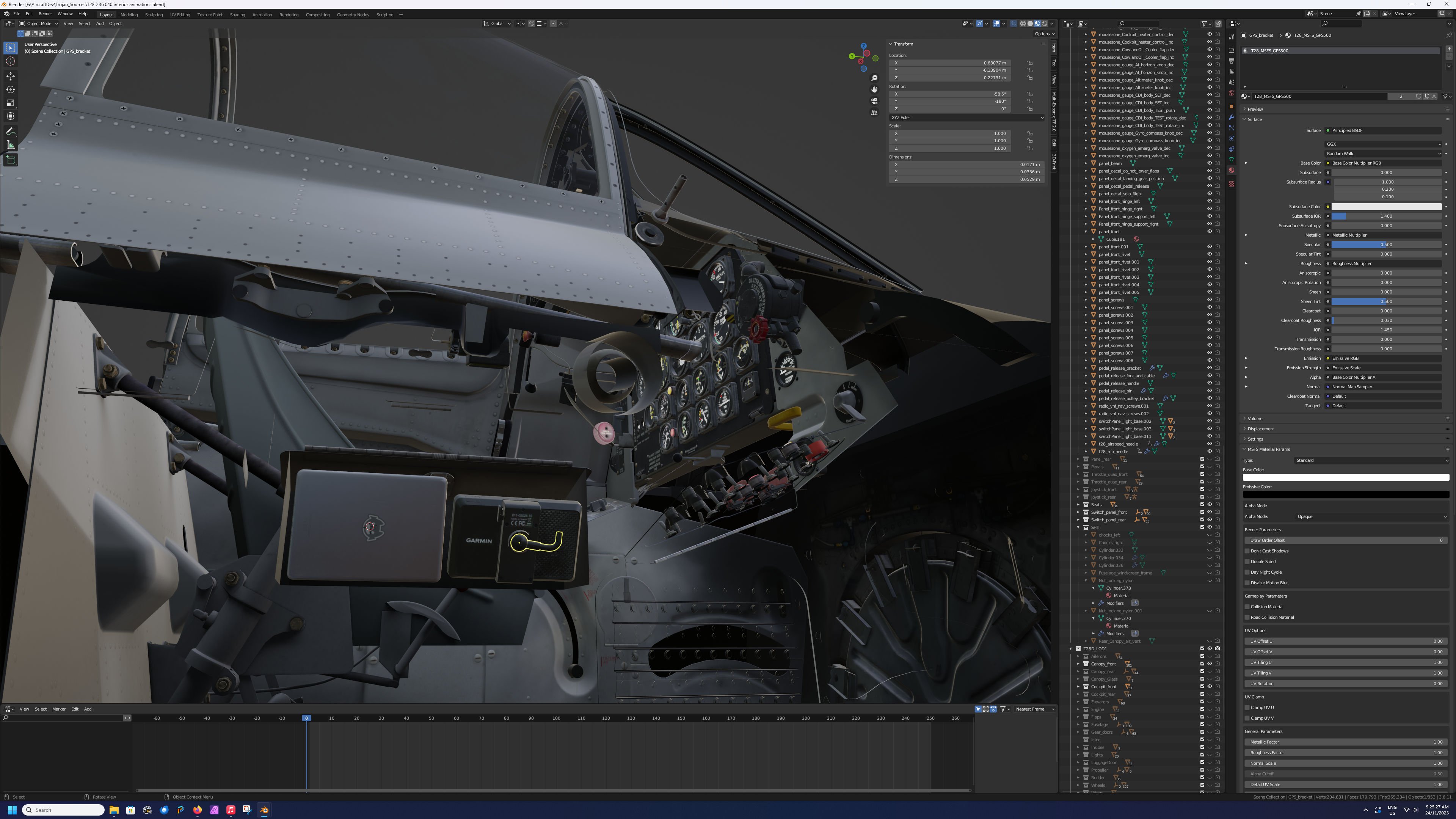
This is getting ridiculous. Hartwell H5000 flush latch. I even tried looking for a 3D model of this rather than do it myself but no luck so here we are. The most ridiculous thing is from the normal eye position you can't even see the underside like this. Anyway, I still thought I'd do this so there is somewhere to stow the GPS and Tablet.
Very funny story about this. In the first post I said I was using technical drawings so I know that this console is the correct width. The radios have a known published width so I know they are correct and I know the map case lid has a certain width from the drawings. The only problem is the radios and map case lid don't fit within the console width. I had been putting off resolving this problem until now and in the end I just shortened the width of the map case lid by an inch to squeeze it into the space.
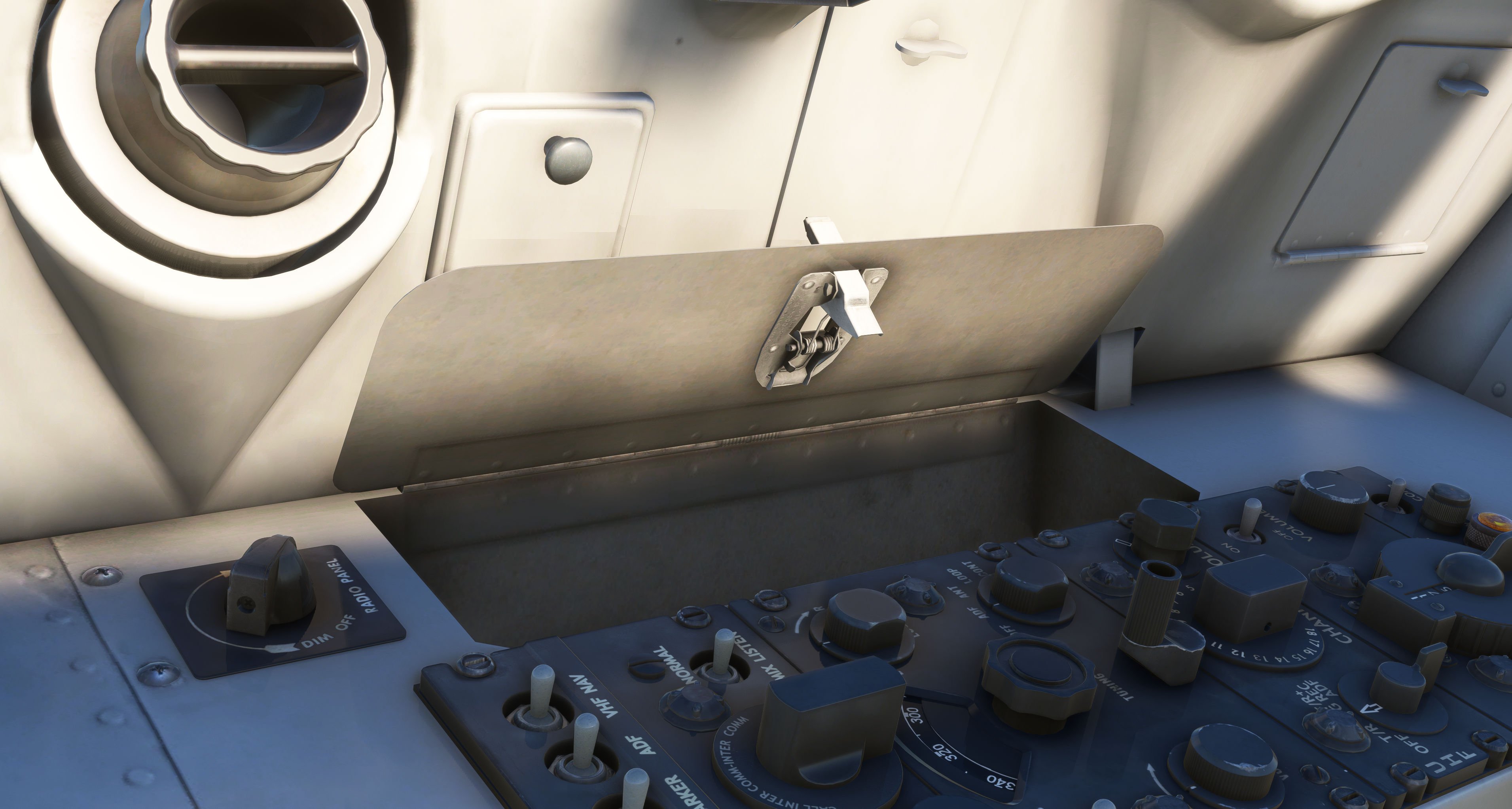
Very funny story about this. In the first post I said I was using technical drawings so I know that this console is the correct width. The radios have a known published width so I know they are correct and I know the map case lid has a certain width from the drawings. The only problem is the radios and map case lid don't fit within the console width. I had been putting off resolving this problem until now and in the end I just shortened the width of the map case lid by an inch to squeeze it into the space.
Adding in the tablet and GPS. This is the kind of view you see 95% of the time when building aircraft. Weird angles and half the parts missing so you can see what you are doing. I need to keep the canopy visible to make sure the GPS doesn't pass through it even though it's a pain to work around.