

hi, everyone!! i am nearly done with the A300 for my P3D. i am doing and i had gotten to get some switches clickable, the engine start and the selcal + call switch . If I do the engine anti-ice or the pitot heat (tool tip), it won't change to pitot-norm. what is off in red (minus the selcal+call switches) is what i have been trying to work on, amongst the other systems. How do i fix this?
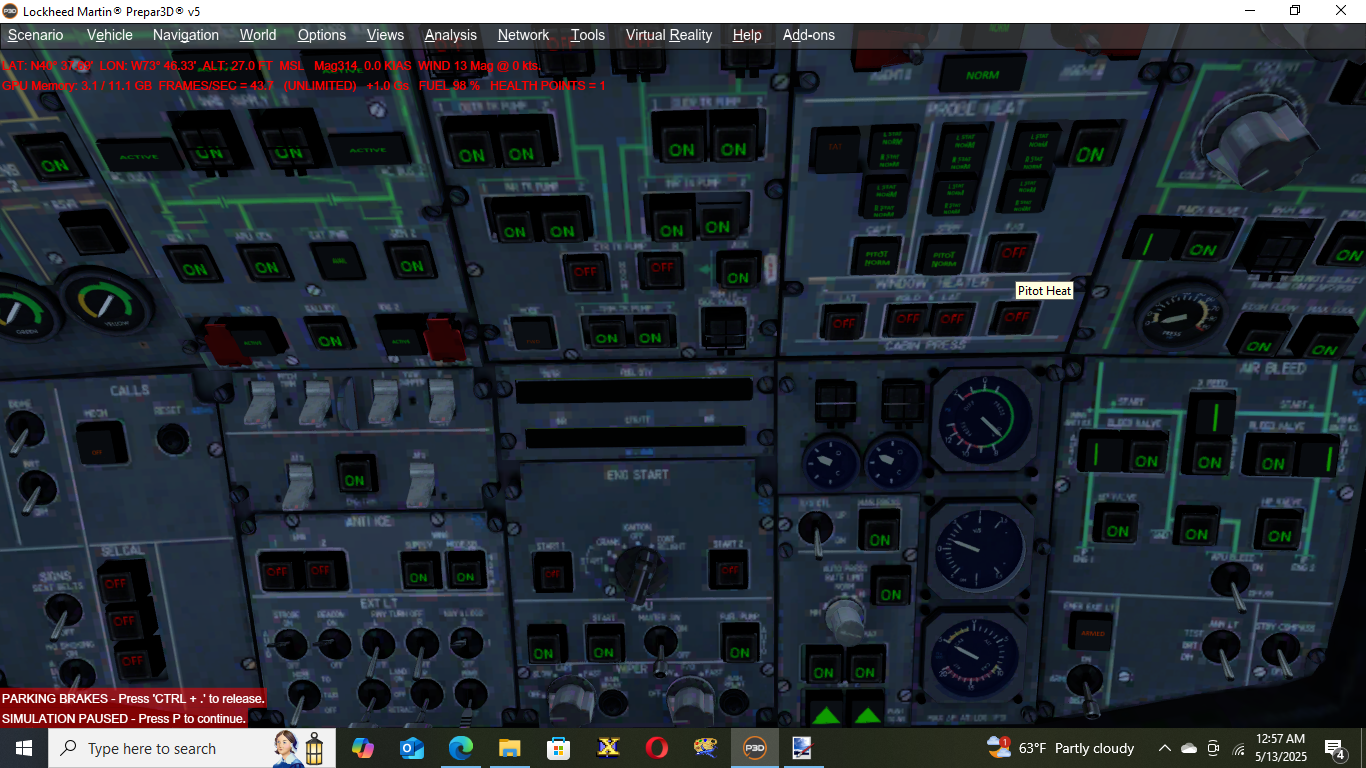
here is the code for the xml of the pitot probe heat (F/O side) pitot is spaced out (because of the emoji it generates):
<Gauge Name="A300pitotfo" Version="1.0">
<Image Name="offswitch.bmp"/>
<Element>
<Visible>(A: PITOT HEAT SWITCH:1, bool) 1 ==</Visible>
<Element>
<Visible>(A: PITOT HEAT SWITCH:1, bool) 1 ==</Visible>
<Image Name="pitotnorm.bmp"/>
</Element>
</Element>
<Mouse>
<Tooltip>Pitot Heat</Tooltip>
<Cursor Type="Hand"/>
<Click>
(>K: PITOT_HEAT_TOGGLE)
</Click>
</Mouse>
<Element>
<Select>
<Value>
(A:ELECTRICAL MASTER BATTERY, bool) 0 == if{ 1 (>L:ADR1, bool) } else{ 0 (>L:ADR1, bool) }
</Value>
</Select>
</Element>
</Gauge>
what I'm trying to get it to show:

here is the code for the xml of the pitot probe heat (F/O side) pitot is spaced out (because of the emoji it generates):
<Gauge Name="A300pitotfo" Version="1.0">
<Image Name="offswitch.bmp"/>
<Element>
<Visible>(A: PITOT HEAT SWITCH:1, bool) 1 ==</Visible>
<Element>
<Visible>(A: PITOT HEAT SWITCH:1, bool) 1 ==</Visible>
<Image Name="pitotnorm.bmp"/>
</Element>
</Element>
<Mouse>
<Tooltip>Pitot Heat</Tooltip>
<Cursor Type="Hand"/>
<Click>
(>K: PITOT_HEAT_TOGGLE)
</Click>
</Mouse>
<Element>
<Select>
<Value>
(A:ELECTRICAL MASTER BATTERY, bool) 0 == if{ 1 (>L:ADR1, bool) } else{ 0 (>L:ADR1, bool) }
</Value>
</Select>
</Element>
</Gauge>
what I'm trying to get it to show:


