
• Which the release of FS2020 we see an explosition of activity on the forun and of course we are very happy to see this. But having all questions about FS2020 in one forum becomes a bit messy. So therefore we would like to ask you all to use the following guidelines when posting your questions:

    • Tag FS2020 specific questions with the MSFS2020 tag.
    • Questions about making 3D assets can be posted in the 3D asset design forum. Either post them in the subforum of the modelling tool you use or in the general forum if they are general.
    • Questions about aircraft design can be posted in the Aircraft design forum
    • Questions about airport design can be posted in the FS2020 airport design forum. Once airport development tools have been updated for FS2020 you can post tool speciifc questions in the subforums of those tools as well of course.
    • Questions about terrain design can be posted in the FS2020 terrain design forum.
    • Questions about SimConnect can be posted in the SimConnect forum.

    Any other question that is not specific to an aspect of development or tool can be posted in the General chat forum.

    By following these guidelines we make sure that the forums remain easy to read for everybody and also that the right people can find your post to answer it.

P3D AI TRAFFIC LIGHTS and more

Messages
30
Country
spain
Hello!
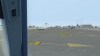
Im a user of the new p3d v3. Since then, all my ai traffic lights (managed with shockwave lights) have doubled their size and made strange views. (watch my attachemnt)
does someone know waht do we have to do to arrange this stuff?
before, in prepar3dd v2.5 all was normal.
now, not only that, but the great "aiseparation" software (says to me: "fs is not connected"), and the FSTRAMP neither.

thanks in advance for those who are looking for a solution like me!
 

Attachments

  • Captura2.PNG
    Captura2.PNG
    311.8 KB · Views: 772
yea,... it got "mucked up" this time around pretty bad. I too had my WOAI lights looking good in v2.5 so you are not alone. What I usually do in this case is first see if any of the default aircraft have any good lights to begin with. For example, the strobe lights. If they are good I will just use them in the AI aircraft light section. And then do the same with landing lights, nav lights... you get the idea.

If nothin' looks good then I usually dig into an effects file and mess around until I create something I like. Currently just haven't had the time to get into it right now so I will have to put it on hold for now.
 
Thank you Clutch! i will do the same. If i find something good, i will say it also to you.!
p3d v3 is great, and im sure ther is a solution for that!
thank you for your help
abraham.
 
Just a little update on this, I am having better results if I change the halo.bmp in the texture folder. I am using one I created for a few versions back which have smaller light lights. They are not so huge when watching an aircraft several miles away. Then again they can be too small when viewing an aircraft up close. It's all a fine balance from what I remember messing with this a ways back. Still landing lights (I use a modified A2A shockwave light) and strobe sequences need to be worked out.

Again however, starting with different halo.bmp's can possibly give one a better place to start. Try googling for something like "halo.bmp" and you might get a few hits. I think I found a few freeware versions that way.

good luck,

Clutch
 
could you send me your "halo.bmp"? i continue having a bug ball of light on ai traffic while im flying at tnight!
 
Back
Top