
• Which the release of FS2020 we see an explosition of activity on the forun and of course we are very happy to see this. But having all questions about FS2020 in one forum becomes a bit messy. So therefore we would like to ask you all to use the following guidelines when posting your questions:

    • Tag FS2020 specific questions with the MSFS2020 tag.
    • Questions about making 3D assets can be posted in the 3D asset design forum. Either post them in the subforum of the modelling tool you use or in the general forum if they are general.
    • Questions about aircraft design can be posted in the Aircraft design forum
    • Questions about airport design can be posted in the FS2020 airport design forum. Once airport development tools have been updated for FS2020 you can post tool speciifc questions in the subforums of those tools as well of course.
    • Questions about terrain design can be posted in the FS2020 terrain design forum.
    • Questions about SimConnect can be posted in the SimConnect forum.

    Any other question that is not specific to an aspect of development or tool can be posted in the General chat forum.

    By following these guidelines we make sure that the forums remain easy to read for everybody and also that the right people can find your post to answer it.

P3D v4 to FSX

Messages
160
To save myself a little time I though I would be able to convert my AI Falcon from P3Dv4 back to FSX.

I am either missing something (probably) or it can't be done.
So basically...
I take my AI P3Dv4.4 Falcon which displays and works perfectly in P3D...
Import into MCX...
Export as FSX (using P3D v1.4 SDK)...

In FSX
All the animation pivot points are hosed.
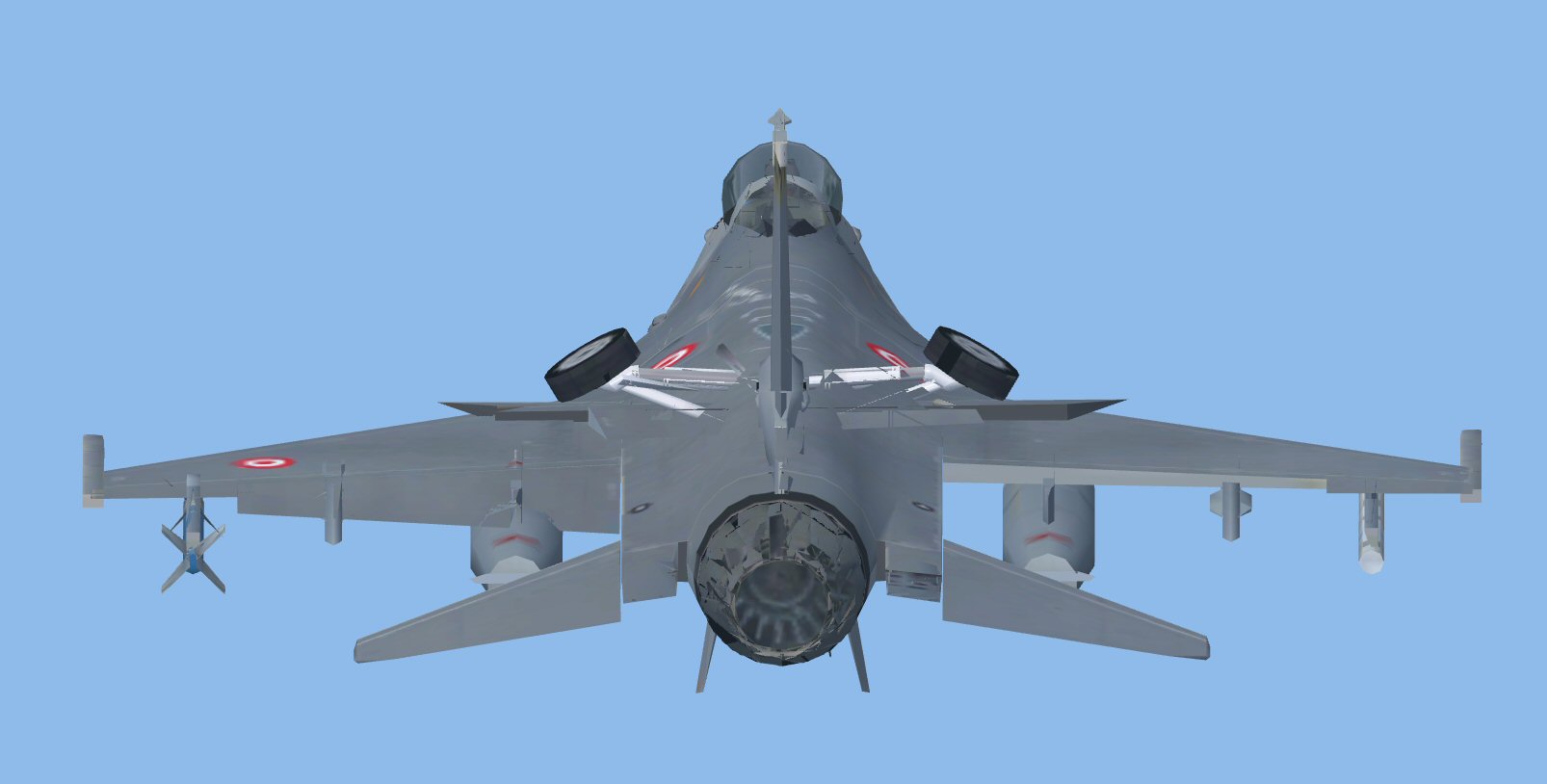
screwed.jpg


Check FSX model back in MCX, everything looks fine.
MCX.jpg
 
Import the converted model and export it again. This usually fixes this. You might have to do it more than once.
 
Thanks Tom, but I don't think that's it, I tried lots of times like you suggested.
Did some testing...
Looks like maybe MCX is having problems with the LODs.
You can't see from the FSX pic, but all LODs are visible. - 400, 100, 50, 10
Changed the air file so it displays in the selection menu.
Doesn't show anything.
So I removed all LOD's apart from the main one ( 400 ) in MCX and recompiled.
You can now see the aircraft in the FSX selection menu.
BUT - MCX removed all the animated parts.

Same issues with the latest MCX development release.

I think its the LODs that are causing the problem.

Cheers
 
Update - One of our guys has found that setting CollapseModelParts to True fixed it.
Going to try tonight.
 
Further update - Very hit and miss, but it does work, most of the time.
Two caveats -
1) The afterburner effect is moved down so it is no longer inline with the exhaust.
2) The built in lights either don't display at all or only for a short time.
 
Back
Top