
• Which the release of FS2020 we see an explosition of activity on the forun and of course we are very happy to see this. But having all questions about FS2020 in one forum becomes a bit messy. So therefore we would like to ask you all to use the following guidelines when posting your questions:

    • Tag FS2020 specific questions with the MSFS2020 tag.
    • Questions about making 3D assets can be posted in the 3D asset design forum. Either post them in the subforum of the modelling tool you use or in the general forum if they are general.
    • Questions about aircraft design can be posted in the Aircraft design forum
    • Questions about airport design can be posted in the FS2020 airport design forum. Once airport development tools have been updated for FS2020 you can post tool speciifc questions in the subforums of those tools as well of course.
    • Questions about terrain design can be posted in the FS2020 terrain design forum.
    • Questions about SimConnect can be posted in the SimConnect forum.

    Any other question that is not specific to an aspect of development or tool can be posted in the General chat forum.

    By following these guidelines we make sure that the forums remain easy to read for everybody and also that the right people can find your post to answer it.

Photoscenery LOD Radius issue?

RicherSims

Resource contributor
Messages
574
Country
dominica
Ok guys here's the issue.

I'd previously made a mix of Zoom level 16 and 19 photoscenery with no problems in SbuilderX.

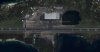
Next time around, for the same area, I decided to add seasonal variants and zoom levels 17 and 18 for smoother transtions. Only this time there seems to be a "Level of Detail Radius" issue with the scenery showing up in FSX. (See attachement).

Where ever my aircraft is centered, the hi-res (level 19) terrain shows up only for a few miles on all sides. The rest is all level 16.

Any ideas on what could be the issue?

Note: In my previous compile the level 19 phototerrain showed up fine everywhere it was supposed to.
Also increasing the LOD Radius in FSX does not fix the issue.
 

Attachments

  • MOUSY terrain issue.jpg
    MOUSY terrain issue.jpg
    558.3 KB · Views: 978
That sounds like the behaviour you might expect if you have conflicting or missing LODs.

Do you have any conflicting LOD levels in the bgl files? How can you tell that the wrong LOD is loading?

How is the fileset for each of the LODs organised? (ie which LOD levels are included in which bgl files)

What texture resolution is FSX set to?
 
Thanks for the quick reply.

There should be no conflicting LODS as the base is level 16, there is a medium res at level 17 and a high res at level 19. Each in a seperate BGL.
I can tell that the wrong LOD is loading because the hi-res loads closest to the aircraft and not further away.
The LODs are all handled by SBuilderX, so they are set to Auto in the inf file.
FSX is set to 15cm/px, which corresponds to my level 19 (LOD18) terrain.

Your mention of conflicting LODs has prompted me to remove the AUTO from the .inf file and manually compile it. I will let you know the outcome in about 30 minutes (or maybe in the morning, if I fall asleep, as it is 5am here).
 
Yes ... Auto will compile LODs in a range up to the pixel resolution of your photosource.

It may be easier to control if the inf files are manually edited, specifying different LOD levels

eg
LOD = 16,17

or

LOD = 18

LOD = Auto will compile LOD 13 to 18 (for example)
 
Manual compilation did not fix the problem either.

Just to be sure: level 16 Zoom in SbuilderX corresponds to LOD15
level 19 Zoom corresponds to LOD18. Right?
These are the values that I used in the inf file.

:( Any other ideas?
 
Open the bgl files in tmfviewer.exe and check the LODs under the View Menu option.

Other than that, perhaps some may have some idea.
 
Checked the LODs in TMFviewer. No difference from the BGLs that did not have seasonal variation. They all have LODs from 6 down to 16 (or 19 for the hi-res).

Any other suggestions or similar experiences are welcome.
 
Although I'm pretty sure there is a definite fix, I found a work around to the problem by blending out the underlying lowest-resolution terrain. That way there is no conflicting phototerrain in the same area.

What is really weird is there is a lot of conflict between the LOD15 and the LOD16 and/or LOD18, but none between the LOD16 and LOD18 which cover the same area. And it only happens when seasons have been added. No such conflict occurs between the 3 BGLs when no seasons are present. Each higher LOD shows up above the lower ones.

If anybody comes across a similar problem and finds a fix, please post it here for the benefit of others.
 
Someone else posted some info in another thread so I've come back here to post the fix.

Turns out FSX loads BGLs alphabetically, so if your higher-res terrain is loaded after a BGL with lower-res terrain in the same area, there is going to be conflict like in the picture attachment above.

Simple fix is to rename the BGLs so high-res loads first.
 
Someone else posted some info in another thread so I've come back here to post the fix.

Turns out FSX loads BGLs alphabetically, so if your higher-res terrain is loaded after a BGL with lower-res terrain in the same area, there is going to be conflict like in the picture attachment above.

Simple fix is to rename the BGLs so high-res loads first.

Brilliant! Thanks for posting that Mousy.
 
Back
Top