• Which the release of FS2020 we see an explosition of activity on the forun and of course we are very happy to see this. But having all questions about FS2020 in one forum becomes a bit messy. So therefore we would like to ask you all to use the following guidelines when posting your questions:

    • Tag FS2020 specific questions with the MSFS2020 tag.
    • Questions about making 3D assets can be posted in the 3D asset design forum. Either post them in the subforum of the modelling tool you use or in the general forum if they are general.
    • Questions about aircraft design can be posted in the Aircraft design forum
    • Questions about airport design can be posted in the FS2020 airport design forum. Once airport development tools have been updated for FS2020 you can post tool speciifc questions in the subforums of those tools as well of course.
    • Questions about terrain design can be posted in the FS2020 terrain design forum.
    • Questions about SimConnect can be posted in the SimConnect forum.

    Any other question that is not specific to an aspect of development or tool can be posted in the General chat forum.

    By following these guidelines we make sure that the forums remain easy to read for everybody and also that the right people can find your post to answer it.

Place object heading problem

Messages
26
Country
netherlands
I made a model in Sketchup: it is a building on the airport of Inishmaan. Very satisfied with it.:)
Now I opened the DAE-file in ModelConverterX and exported the object to a MDL-file. So far so good. Added some nice objects, like lights and smoke and exported the MDL-file again. After that I opened the Convert and place object wizard... in ModelConverterX . At the option Show map I located the position of the building, and found a red square visible on the map indicating the building . But, I could not see where the frontside of the model was, so I adjusted the heading according to the map not knowing if it will be placed the wrong way around. Of course Murphy's Law........ the model turns up in P3D backwards. The backside is faced forward.:mad:

Is there any smart way in which the placement of the object can be done without this issue ?
 
Hi,

There is no smarter way to this. But since you designed the building you know in which orientation you made the model, e.g. which side is facing north in the model. Then you know which side to turn it to.
 
Hi Arno,
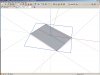
Thanks for your reply. I am still somewhat confused. I send you hereby a screenprint of a small building which is a garage at Inishmore airport. I made the model in SketchUp after some pictures I found at the internet. I imported the SketchUp model in ModelConverterX and want to place it on the right spot. When I open the Map viewer the little red rectangle shows up, but I don't know which side of the rectangle is the north side or the south side of the building. So maybe the heading must be 120 degrees or 300 degrees. I don't know. The only thing I know is that the building is on the spot, but I cannot see whether it is facing backward or not. I hope my question is clear enough ?
Screen Shot 02-01-19 at 10.08 PM.JPG
 
Hello:

Generally speaking, in Cartography, the Top of a map is North.

Google or BING 'Satellite' mode can be used instead of Open Street Map (aka "OSM") in MCX "Object Placement Wizard"


Info on alignment of the 3D model with Axes of the 3D world and how they correlate with Geographic 'Cardinal Directions':

https://help.sketchup.com/en/sketchup/adjusting-drawing-axes

0c8aa372bcd92a04187951dd65304f65bac61195.jpg


You may wish to review this post regarding a work-around for the Geo-location feature in Sketchup version 8:

https://www.fsdeveloper.com/forum/threads/updated-sketchup-wont-work.440430/post-777782


Personally, I always Geo-locate (aka "Geo-reference") my 3D models in Sketchup, then export as a Google Earth *.KMZ file.

When I import the *.KMZ file into MCX it will already be precisely placed at its correct Geographic location and Heading.

I can then convert / re-size as 'Powers of 2' / over-write Texture Materials mapped onto a 3D model in MCX "Material Editor"

Finally, In MCX, I use [Export Scenery] button to create a BGL containing both the 3D MDL and placement info.


Alternatively, you can use P3D SDK SimDirector in a P3D flight with a live preview to place 3D scenery objects:

https://www.google.com/search?q=P3D...6wKHUhoCmMQ_AUICSgA&biw=1173&bih=756&dpr=1.09


Hope this helps with the learning process. :)

GaryGB
 
Last edited:
In MCX the green axis is also pointing north. So that's how the model is oriented with heading 0.
 
Hi GaryGB and Arno,
Thank you very much for helping me with this issue. I never realised that I should start in SketchUp to indicate the location of the model. I just made a model from pictures and after that I positioned the model with ModelConverterX. I made a Dutch translation of the Work-around made by GaryGB. For people who are interested I attach this file hereby. Maybe someone can have a look to see if my translation is correct ?
 

Attachments

Hi,

You can set the geolocation in SketchUp already, but nothing wrong if you do it afterwards while placing the model. That's also common practice. If you want to place a model in different locations its easier to not do it in SketchUp.
 
Indeed as Arno indicates, most people may simply center their objects on the ex: Sketchup 3D world "Origin of Axes" with the "Front" Face of their 3D model oriented to the North at 0 Degrees.

They can then use ex: MCX "Object Placement Wizard" to assign any required Heading to the "Front" Face of their 3D model.

[EDITED]

BTW: When I made a footprint for your building (Geo-located in Sketchup by the Geo-location work-around I linked to above), if we assume the Door is the "Front" Face of the 3D model:

* The plane of that Face is 120.2 Degrees clockwise from the North-South Geographic 'Cardinal Direction'.

...Or, worded differently:

* The plane of that Face is 30.2 Degrees clockwise from the East-West Geographic 'Cardinal Direction'.

inishmore_aerodrome_google-earth_path_3d_model_sketchup_v8-jpg.47614


[END_EDIT]


PS: I attached the resulting *.KMZ file which can be imported into any version of Sketchup

< Please excuse the somewhat imprecise nature of this file which was made as a "quick-and-dirty" example only. >


Hope this helps a bit more. :)

GaryGB
 

Attachments

Last edited:
Hi GaryGB and Arno,
Thanks for your help so far. I am going to experiment with your instructions. Maybe I encounter some more issues: I hope to re-vitalize this thread then.

Jan
 
"Bumped" for edits to my latter post immediately above.

FYI: I mis-interpreted the angular measurements performed with the 'axial frame handles' for the top (sur-)face of the entire grouped object using the Sketchup "Move" Tool. :duck:

IIUC, I should have instead worked with the Sketchup "Rotate" Tool using Radial Lines drawn from the axial central origin (aka "datum") of the footprint object to the outer Edge of the footprint ...in order to perform those angular measurements more accurately (...read from the "Value Control Box" aka "VCB" at the bottom right of the Sketchup work-space). :idea:


AFAIK, that would make the placement Heading for MSFS / LM-P3D 120.2 Degrees clockwise from Geographic North
(not 'Magnetic' North) ...assuming the "Front" Face of your 3D building model is oriented to Geographic North at 0 Degrees.


NOTE: This is the opposite of the default 'direction' used in Sketchup with Camera views, as "Front" means the camera view will actually look to the North.

However, the Face of a "Block"-type 3D object that is actually seen when the Sketchup "Front" camera view is chosen:

Sketchup Menu > Camera > Standard Views > Front

...is actually the "South" Face (...not the 'North' Face). :alert:


PS: To verify accuracy of 3D model placement outside MCX and/or MSFS / LM-P3D , install Google Earth Desktop Edition.

https://www.google.com/earth/versions/#earth-pro


Then, in Sketchup version 8: :pushpin:

Sketchup Menu > File > Preview in Google Earth

inishmore_aerodrome_google-earth_path_3d_model_preview-jpg.47615


GaryGB
 

Attachments

  • Inishmore_Aerodrome_Google Earth_Path_3D_Model_Preview.jpg
    Inishmore_Aerodrome_Google Earth_Path_3D_Model_Preview.jpg
    247.7 KB · Views: 549
Last edited:
Back
Top