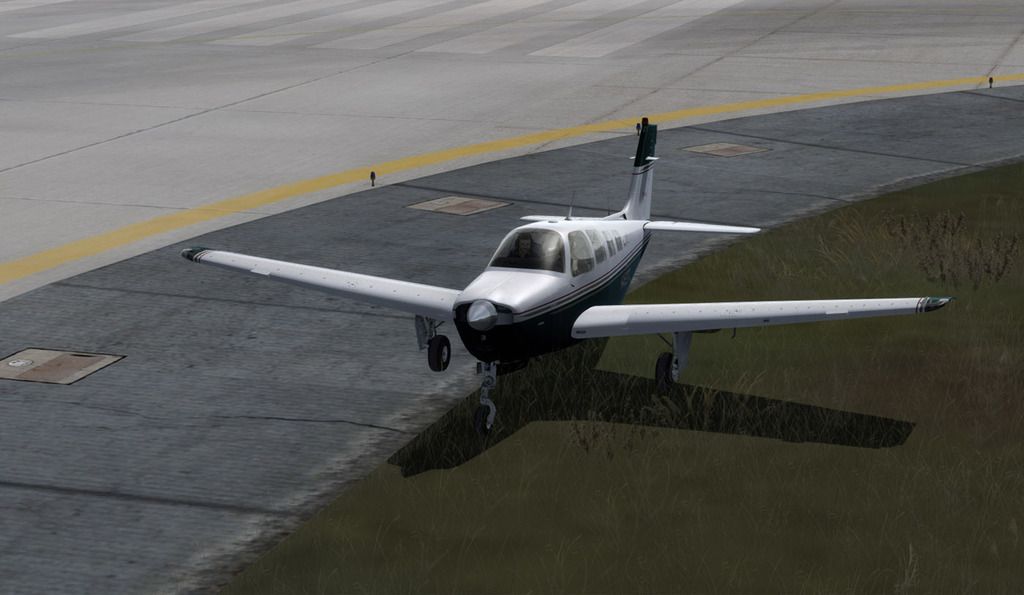
• Which the release of FS2020 we see an explosition of activity on the forun and of course we are very happy to see this. But having all questions about FS2020 in one forum becomes a bit messy. So therefore we would like to ask you all to use the following guidelines when posting your questions:

    • Tag FS2020 specific questions with the MSFS2020 tag.
    • Questions about making 3D assets can be posted in the 3D asset design forum. Either post them in the subforum of the modelling tool you use or in the general forum if they are general.
    • Questions about aircraft design can be posted in the Aircraft design forum
    • Questions about airport design can be posted in the FS2020 airport design forum. Once airport development tools have been updated for FS2020 you can post tool speciifc questions in the subforums of those tools as well of course.
    • Questions about terrain design can be posted in the FS2020 terrain design forum.
    • Questions about SimConnect can be posted in the SimConnect forum.

    Any other question that is not specific to an aspect of development or tool can be posted in the General chat forum.

    By following these guidelines we make sure that the forums remain easy to read for everybody and also that the right people can find your post to answer it.

Prepar3D v4 support

arno

Administrator
Staff member
FSDevConf team
Resource contributor
Messages
34,328
Country
netherlands
I have just released a new build of my tools that supports Prepar3D v4 as well. Below it is listed what this means for the different tools.

ModelConverterX

As far as I know now the MDL and BGL format in Prepar3D v4 are the same as in Prepar3D v2, so there is no new file format you can export to. But ModelConverterX will automatically recognise the Prepar3D v4 SDK when installed. Also the Convert and Place Object Wizard has been extended to support Prepar3D v4 as output simulator.

scenProc

The autogen configuration files from Prepar3D v4 can be read and you can thus select this version of the simulator as the active version. Besides that the Prepar3D SDK will be recognised when searching for certain tools.

FXEditor

Prepar3D v4 is added as supported version, which means you can select it as the active simulator version so that the effect files will be read from that effects folder.

For the Autogen Configuration Merger tool I have posted a beta release to the forum today as well. Once that has been tested better I will officially release it.

All other tools didn’t seem to require changes at this moment, but if you have issue using them with Prepar3D v4 please let me know.

Continue reading...
 
Thanks Arno.
I've seen in the SDK that v4 mdls now support a second UV channel per object and also the ability to link a LUA script to a material. Material settings can be altered in-sim with these scripts.
I don't know if MCX supports these or if they will cause problems reading a mdl that uses them.
 
Tanks Arno,

is it possible to add the dynamic light feature to MCX? Would be nice to see in MCX direct how a floodlight is illuminating the ground.
 
Thanks Arno.
I've seen in the SDK that v4 mdls now support a second UV channel per object and also the ability to link a LUA script to a material. Material settings can be altered in-sim with these scripts.
I don't know if MCX supports these or if they will cause problems reading a mdl that uses them.
Let me check how those items are stored in the mdl file. But sounds like there is a need for a separate export format in that case.

Do you know a default object that uses these options so I can check the model?
 
Tanks Arno,

is it possible to add the dynamic light feature to MCX? Would be nice to see in MCX direct how a floodlight is illuminating the ground.
I need to check. They are made through effect files not? Illumination of the ground is probably possible in MCX, illuminate other objects I'm not sure how easy that is.
 
Let me check how those items are stored in the mdl file. But sounds like there is a need for a separate export format in that case.

Do you know a default object that uses these options so I can check the model?

I don't know of any default objects, but I could export a simple mdl with a couple of objects with the new settings.
 
I need to check. They are made through effect files not? Illumination of the ground is probably possible in MCX, illuminate other objects I'm not sure how easy that is.

yes, I use the fx_landing effect on my floodlights on my objects. Havn't checkt it yet if the effect need to be of a specific type
 
I don't know of any default objects, but I could export a simple mdl with a couple of objects with the new settings.
That would be great!
 
Thanks, this should be enough to get me going. I see the MDL header is the same, but there are some new RIFF sections in it.
 
I think something about the ground poly changed also, I lost the aircraft shadow :(

P3D4%20GP%20shadows_zpsfm0olue5.jpg
 
Hi Arno,
here's a simple model. 4 cubes, one with just a diffuse texture applied, one with a lua script assigned, one with an extra UVW channel and detail map, and one with both script and extra UVW.
I've included the .x file as well. MCX will open the .x file OK, but throws up errors when I try and load the mdl.

http://daveg.cbfsim.org/beta/v4testparts.zip
If you need anything else, just shout.

This is very useful, there is a whole bunch of new material settings. My first priority is to import and export them correctly, so that nothing gets lost when working with MCX. Later I'll try to update the preview to actually render them as well.
 
This is very useful, there is a whole bunch of new material settings. My first priority is to import and export them correctly, so that nothing gets lost when working with MCX. Later I'll try to update the preview to actually render them as well.
Arno....

Would it be helpful if the v1.4 made into the stable release of MCX, taking it to P3Dv3.x... and any other releases following be Development Releases?
 
I have no time to finish the manual now, so I can't finish a stable release at this moment. I prefer to spend my time on new features for now.
 
Arno,

I'm on P3D4 only now, but have FSX, P3D3 and P3D4 SDK's still installed. The FSX one because of Gmax, the P3D3 one because of ADE171 and so on. Do you think I now should point McX to the P3D4 SDK and give it a run? I only use it to convert n old model now and then for the time being.

I have a feeling I can uninstall the FSX SDK, if Gmax can use the P3D3 one?
 
MCX will use the different SDKs based on what formats you want to export. If you export FSX MDL it uses the FSX or P3D v1 SDK. If you export the P3D v2 MDL it will use the P3D v2, v3 or v4 SDK.

Now that I know P3D v4 has some changes in the MDL format, there will be a new P3D v4 MDL export option soon.

For GMax you still need to use the FSX SDK.
 
Arno

This may be a silly question just coming from my lack of IT background... will MCX convert to 64? I mean if I take an old fs9 AI model and convert it with the MCX release compatible with P3D4, will that new converted model benefit from the 64 speed or will be just compatible but at 32 speed?

Thank you

Kano
 
Arno

This may be a silly question just coming from my lack of IT background... will MCX convert to 64? I mean if I take an old fs9 AI model and convert it with the MCX release compatible with P3D4, will that new converted model benefit from the 64 speed or will be just compatible but at 32 speed?

Thank you

Kano
The models don't operate in a 32/64 bit world. They don't require anything done to them as they're just an instruction set on how to build the objects. P4D will accept and show the old models just fine
 
So a simple 64 bit question for dummies such as myself......what does 64 bit really do? Will a 64 bit be able to handle much complex sceneries without VAS or OOM issues?
 
Back
Top