
Making the Normal map a uniform color would not save any space or memory because all textures are compiled into .dds files, which are uncompressed, which means that even a single color texture would have the same file size as a more complex texture.So you actually remove the texture file altogether from the material for LOD1, or do you make a uniform color version of that Normal texture so that it hardly takes any space?

-
Which the release of FS2020 we see an explosition of activity on the forun and of course we are very happy to see this. But having all questions about FS2020 in one forum becomes a bit messy. So therefore we would like to ask you all to use the following guidelines when posting your questions:
- Tag FS2020 specific questions with the MSFS2020 tag.
- Questions about making 3D assets can be posted in the 3D asset design forum. Either post them in the subforum of the modelling tool you use or in the general forum if they are general.
- Questions about aircraft design can be posted in the Aircraft design forum
- Questions about airport design can be posted in the FS2020 airport design forum. Once airport development tools have been updated for FS2020 you can post tool speciifc questions in the subforums of those tools as well of course.
- Questions about terrain design can be posted in the FS2020 terrain design forum.
- Questions about SimConnect can be posted in the SimConnect forum.
Any other question that is not specific to an aspect of development or tool can be posted in the General chat forum.
By following these guidelines we make sure that the forums remain easy to read for everybody and also that the right people can find your post to answer it.
You are using an out of date browser. It may not display this or other websites correctly.
You should upgrade or use an alternative browser.
You should upgrade or use an alternative browser.
MSFS20 [Released] 8AK5 Fort Crosby, Alaska | Detailed Backcountry Airstrip
- Thread starter Rotornut44
- Start date

Rotornut44
Resource contributor
- Messages
- 671
- Country

The last few weeks have been a bit slow-going, but I have still been making decent progress on the remaining modeling and texturing.
Today, I have finished painting the last of the buildings I had planned. Next step is finishing off windows and materials in Blender, then getting them placed in the sim.
Over the next week, I plan on jumping back into object placement and polishing up/optimizing the 3D models.
I may still have a few smaller models to create, but I'll know more once I give the coverage area another good look-over. I likely will be creating a couple of additional color variants of a few of the more generic cabins, so that they can be reused throughout the scenery.
All of these models will be available in the next Emerald Object Library update, which will release alongside this airport.
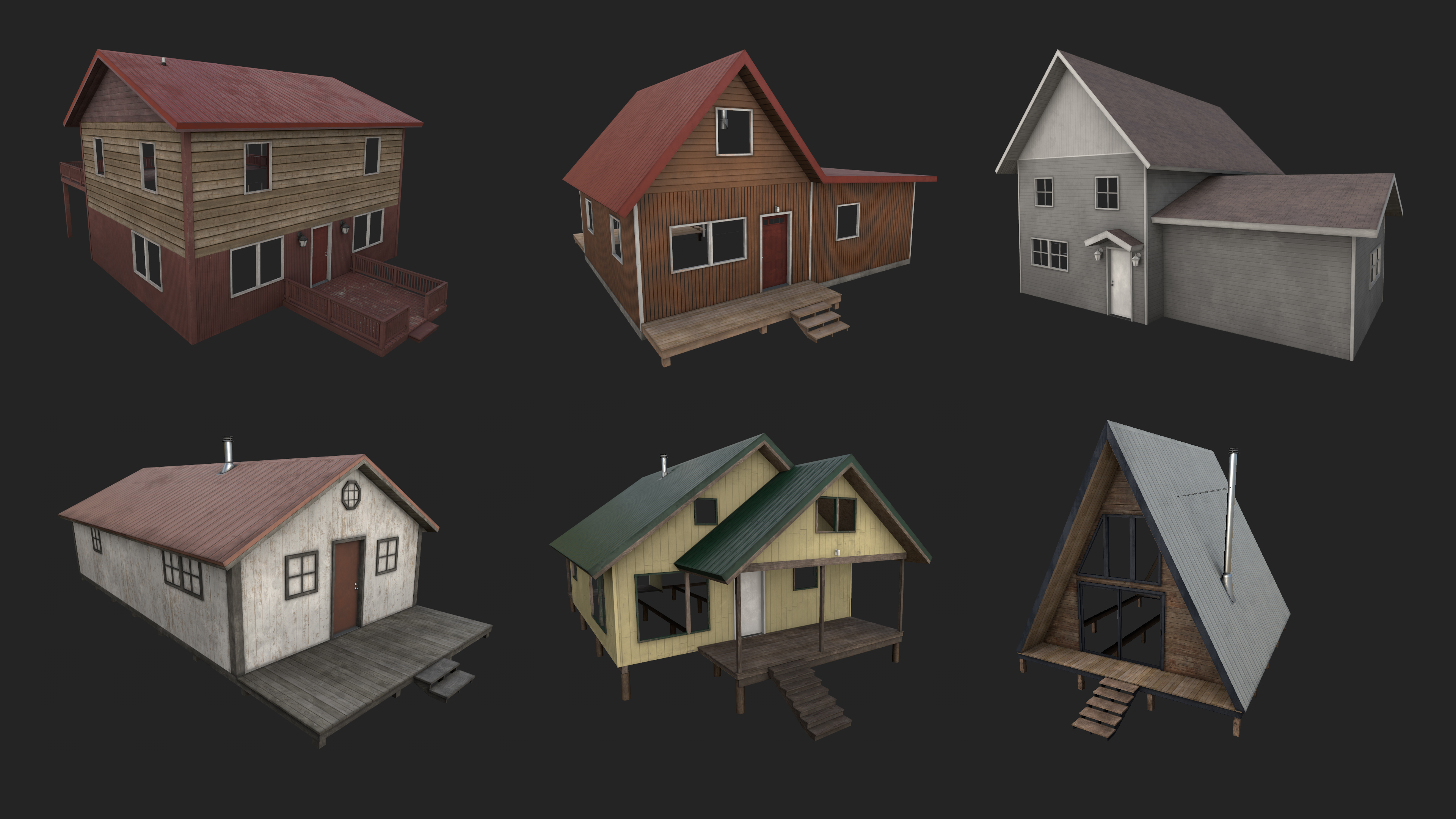
Today, I have finished painting the last of the buildings I had planned. Next step is finishing off windows and materials in Blender, then getting them placed in the sim.
Over the next week, I plan on jumping back into object placement and polishing up/optimizing the 3D models.
I may still have a few smaller models to create, but I'll know more once I give the coverage area another good look-over. I likely will be creating a couple of additional color variants of a few of the more generic cabins, so that they can be reused throughout the scenery.
All of these models will be available in the next Emerald Object Library update, which will release alongside this airport.

- Messages
- 203
- Country

Very nice, are those decals on the walls and roofs to get the irregular/weathered look, or all baked into one diffuse texture?
Rotornut44
Resource contributor
- Messages
- 671
- Country
It's all baked in Substance.Very nice, are those decals on the walls and roofs to get the irregular/weathered look, or all baked into one diffuse texture?
Rotornut44
Resource contributor
- Messages
- 671
- Country
Now that the bulk of the modeling is done, I have been working on getting the above buildings polished up and placed in the sim, as well as better filling out the areas around them and placing more models throughout the coverage area.
I also did another polishing pass on the aerial imagery, cleaning up building footprints and some shadows around the airstrip.
I hope to have almost everything, including dynamic stuff placed by this weekend and then move into optimization next week. So far it's still looking good for a Fall release (Hopefully next month if all goes smoothly)!
Here's the latest batch of shots showing off some of the locations throughout the coverage area:
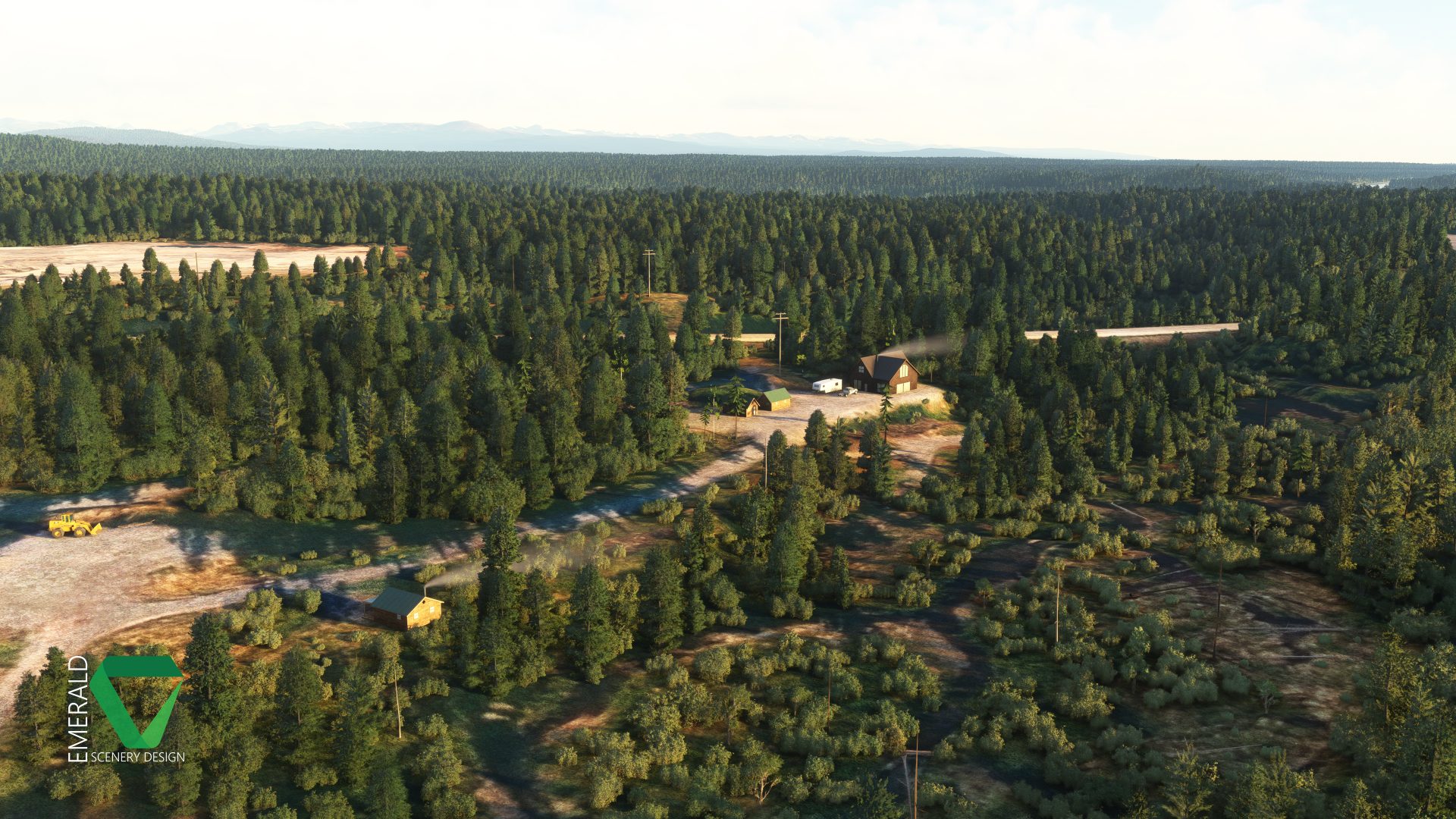

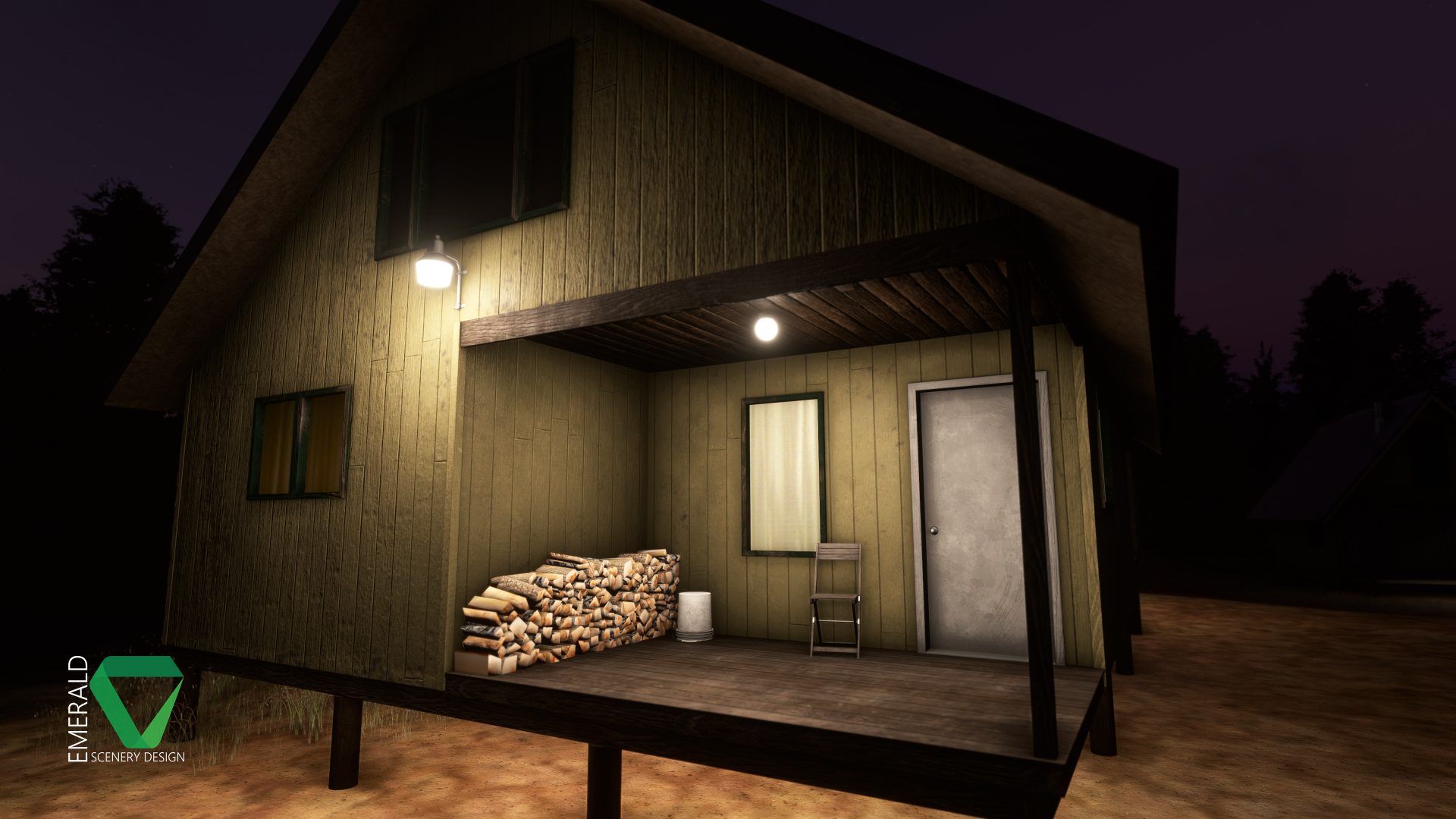
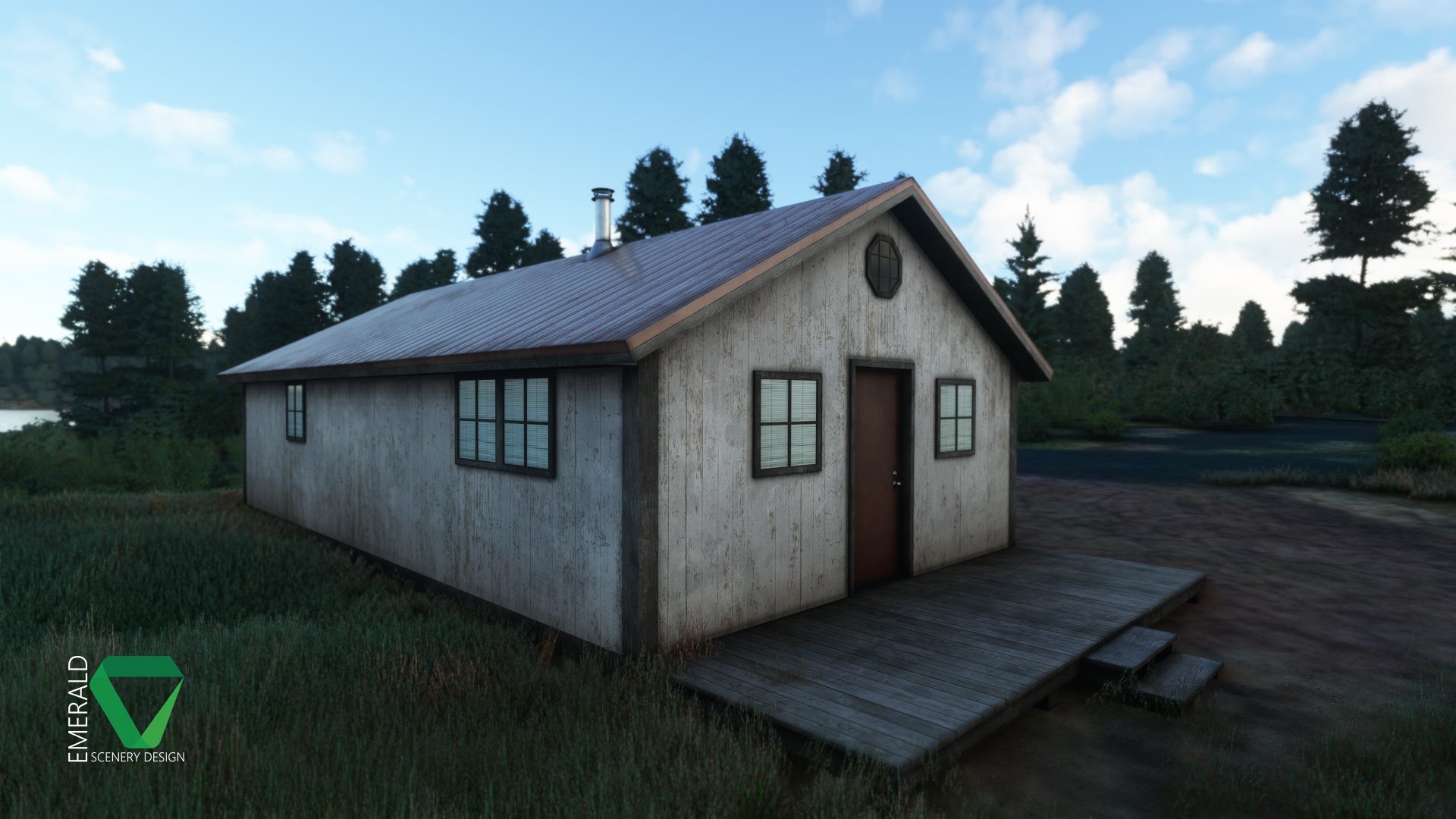
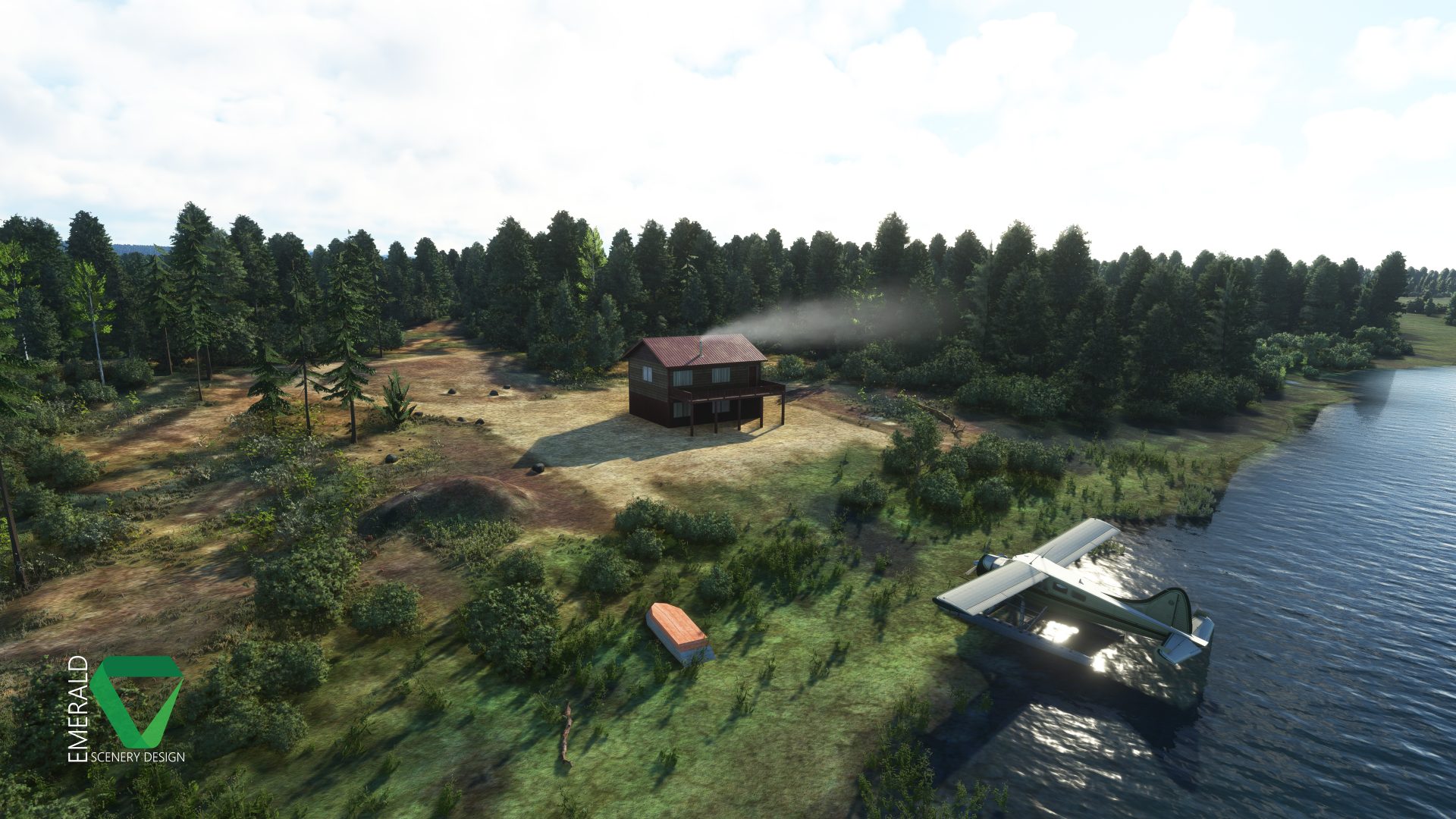
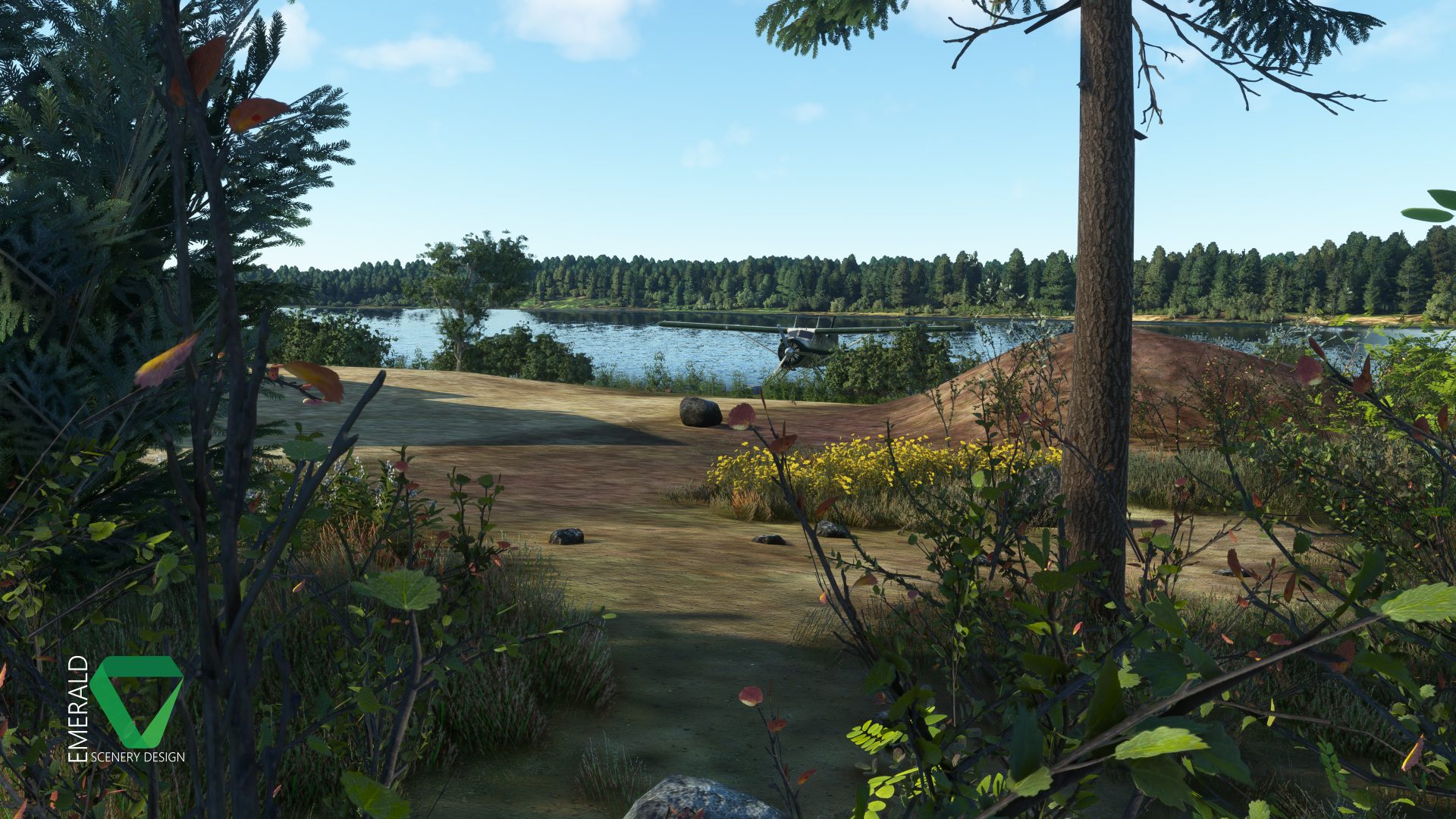
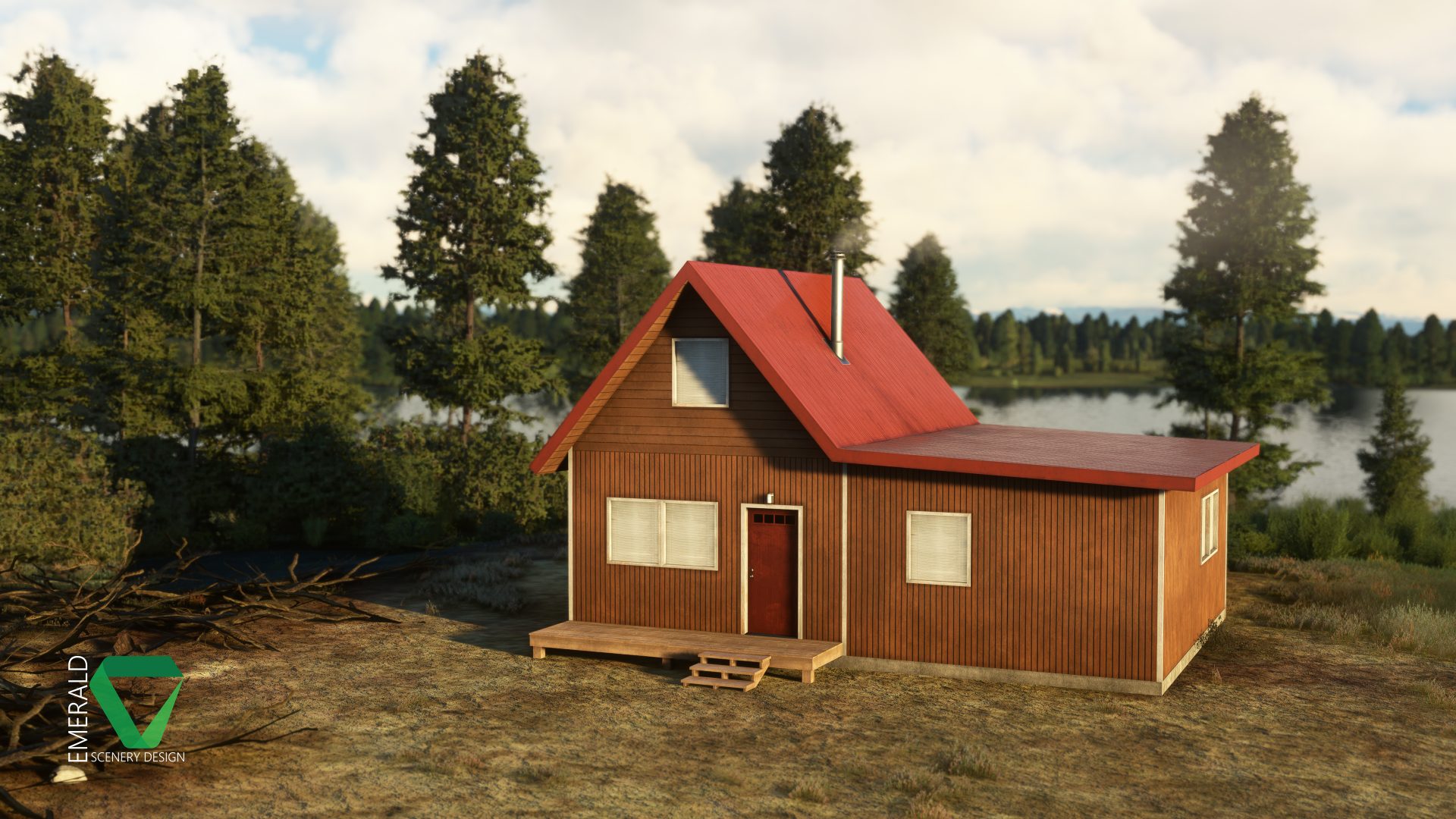

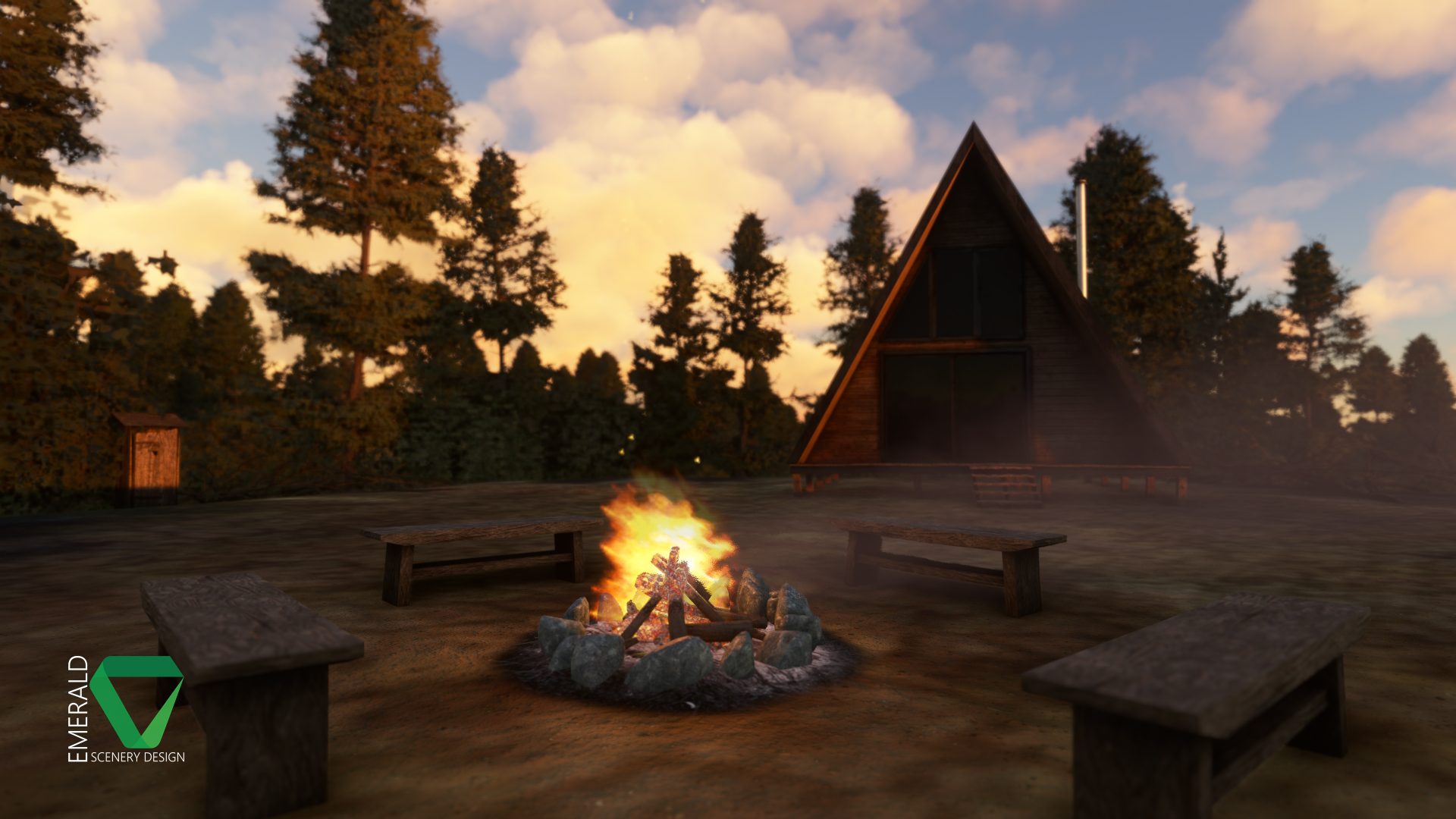
I also did another polishing pass on the aerial imagery, cleaning up building footprints and some shadows around the airstrip.
I hope to have almost everything, including dynamic stuff placed by this weekend and then move into optimization next week. So far it's still looking good for a Fall release (Hopefully next month if all goes smoothly)!
Here's the latest batch of shots showing off some of the locations throughout the coverage area:
- Messages
- 203
- Country
Where did you obtain the aerial imagery if you don't mind me asking, and did you have to spend money on it? And if you'd rather not say that's ok. 
I'm only asking because I'm considering using some aerial imagery for a project, except I have no good sources. All I know is that I can't use Google Maps or Bing.
I'm only asking because I'm considering using some aerial imagery for a project, except I have no good sources. All I know is that I can't use Google Maps or Bing.
Rotornut44
Resource contributor
- Messages
- 671
- Country
Yes, and it was more than I made on my first payware for the sim... several grand. I believe it was purchased through geowgs84, but don't quote me on that. It's been several years now.Where did you obtain the aerial imagery if you don't mind me asking, and did you have to spend money on it? And if you'd rather not say that's ok.
I'm only asking because I'm considering using some aerial imagery for a project, except I have no good sources. All I know is that I can't use Google Maps or Bing.
Honestly, unless you plan a few projects in the coverage area you buy, (in my experience) it's not really financially worth it. Use USGS, Earth Explorer, or a local gov source if the country has it, or just rely on the in-sim Bing data and know it may eventually change (for better or worse).
Optionally, you can also go pretty far with using aprons with custom tiling textures if the surrounding Bing imagery is half decent. I've only tried it for backcountry though, which is easier to blend. Not sure how it would look for a larger airport, but maybe with the right textures..
I'm even doing a bit of that with this airstrip.
Last edited:
- Messages
- 203
- Country
Oh wow that's dedication. Are you planning on breaking even by reusing it on a few sceneries, or does the money not matter because it's your hobby?Yes, and it was more than I made on my first payware for the sim... several grand. I believe it was purchased through geowgs84, but don't quote me on that. It's been several years now.
Honestly, unless you plan a few projects in the coverage area you buy, (in my experience) it's not really financially worth it. Use USGS, Earth Explorer, or a local gov source if the country has it, or just rely on the in-sim Bing data and know it may eventually change (for better or worse).
Optionally, you can also go pretty far with using aprons with custom tiling textures if the surrounding Bing imagery is half decent. I've only tried it for backcountry though, which is easier to blend. Not sure how it would look for a larger airport, but maybe with the right textures..
I'm even doing a bit of that with this airstrip.
Rotornut44
Resource contributor
- Messages
- 671
- Country
Hoping to at least break even. Technically I already have if I count other contract work I have done. Though it would be nice if the projects themselves would also.Oh wow that's dedication. Are you planning on breaking even by reusing it on a few sceneries, or does the money not matter because it's your hobby?
Rotornut44
Resource contributor
- Messages
- 671
- Country
I'm a few weeks behind where I wanted to be with this project due to some burnout I've had over the last month, but I'm still pushing to get this scenery done in the next couple of weeks.
I'm still in the process of creating LODs and doing optimization for all of the cabin models I have created, but I have also been working on my long pre-release to-do list, which includes polishing up some of the library models used throughout the scenery. This is affectively the part of the project where you check two items off of the list and then almost immediately add four more...
Alongside this, I have also still found some time to add a few new features around the Hangar, including Wwise SFX for the clock and improved lighting behaviors which allow the lights to illuminate from Dusk to Dawn as usual, but also when it's Raining or Snowing to brighten up the mood a bit on those gloomy days. This effect is only being done for the lights on the Hangar. All other models throughout the coverage area use the standard Day/Night cycle.
I have put together a short video showcasing the new light code in action, as well as some of the other dynamic features including the clock, snow/icicles, puddles, and snow berms (Though these are all in the background, as the focus was on the lights).
I'm hoping to share some more progress soon, but this project is wrapping up - so there's not a lot left to show!
I'm still in the process of creating LODs and doing optimization for all of the cabin models I have created, but I have also been working on my long pre-release to-do list, which includes polishing up some of the library models used throughout the scenery. This is affectively the part of the project where you check two items off of the list and then almost immediately add four more...
Alongside this, I have also still found some time to add a few new features around the Hangar, including Wwise SFX for the clock and improved lighting behaviors which allow the lights to illuminate from Dusk to Dawn as usual, but also when it's Raining or Snowing to brighten up the mood a bit on those gloomy days. This effect is only being done for the lights on the Hangar. All other models throughout the coverage area use the standard Day/Night cycle.
I have put together a short video showcasing the new light code in action, as well as some of the other dynamic features including the clock, snow/icicles, puddles, and snow berms (Though these are all in the background, as the focus was on the lights).
I'm hoping to share some more progress soon, but this project is wrapping up - so there's not a lot left to show!


Rotornut44
Resource contributor
- Messages
- 671
- Country
Fort Crosby | The Final Dev Update!
I'm pleased to say that Fort Crosby has been undergoing beta testing for just over a week now and is quickly nearing release!
The last week has been focused on finishing optimization and polishing up the scenery as I get feedback. I have also begun the release process, taking screenshots, doing marketplace data, and am beginning to work on a trailer for release day!
Assuming that nothing big arises during the final days of beta, I'm hoping for a release on Tuesday! It will be available for $9.99 USD on the Emerald Scenery Design store and then come to Marketplace at a later date, as determined by Microsoft. I'm hoping for a release to Xbox at the same time as well, but of course that will depend on how Xbox testing goes!
This will be the last dev update for this project before release, so thanks to everyone that followed along with this project over the last few months!
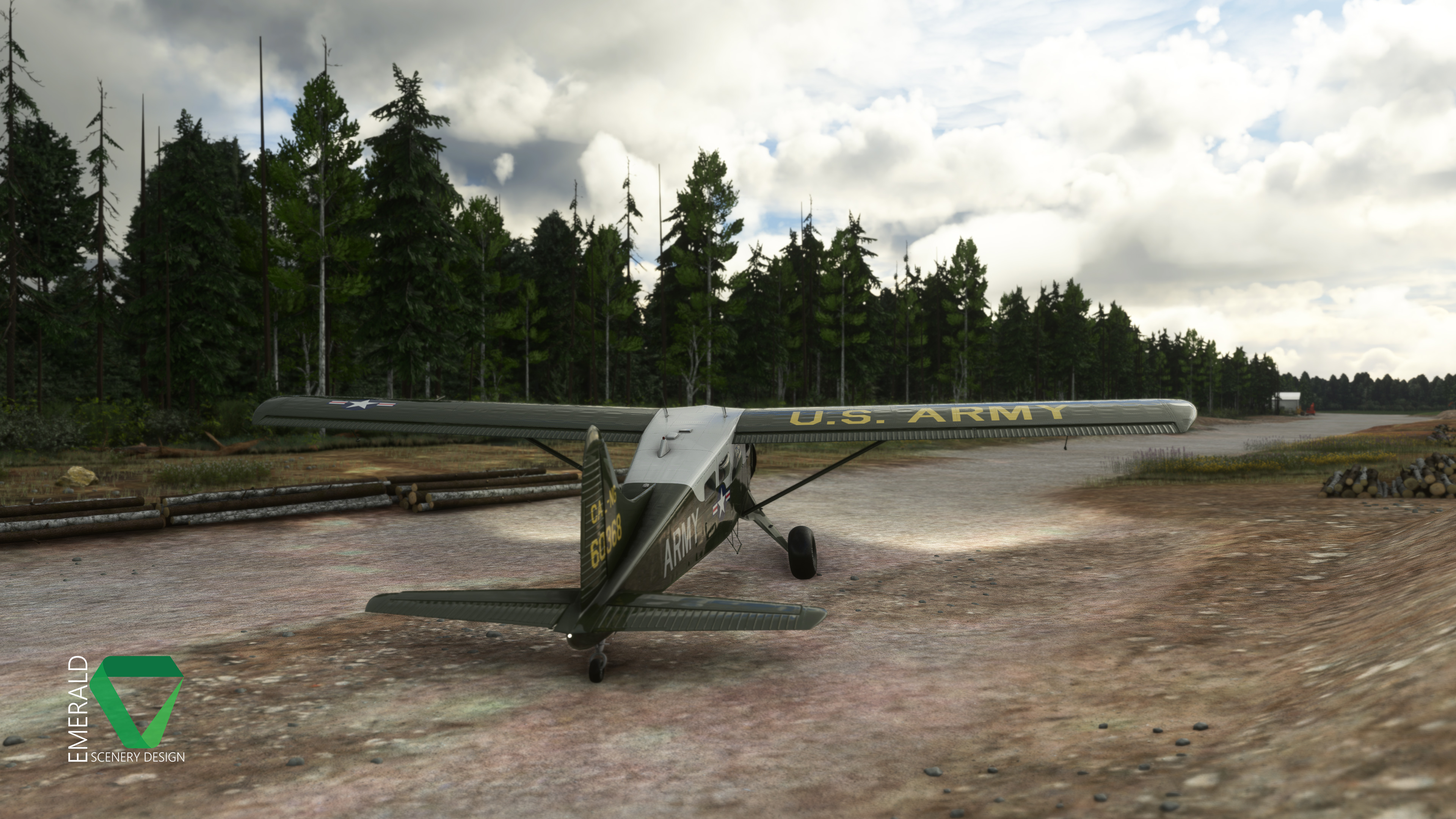
I'm pleased to say that Fort Crosby has been undergoing beta testing for just over a week now and is quickly nearing release!
The last week has been focused on finishing optimization and polishing up the scenery as I get feedback. I have also begun the release process, taking screenshots, doing marketplace data, and am beginning to work on a trailer for release day!
Assuming that nothing big arises during the final days of beta, I'm hoping for a release on Tuesday! It will be available for $9.99 USD on the Emerald Scenery Design store and then come to Marketplace at a later date, as determined by Microsoft. I'm hoping for a release to Xbox at the same time as well, but of course that will depend on how Xbox testing goes!
This will be the last dev update for this project before release, so thanks to everyone that followed along with this project over the last few months!


Rotornut44
Resource contributor
- Messages
- 671
- Country
After several months of hard work, Fort Crosby is now available on the ESD website for $9.99 USD! It has also been submitted to Microsoft and will be available on Marketplace for PC & Xbox at a later date!
You can follow the official MSFS release thread here:
https://forums.flightsimulator.com/t/release-fort-crosby-emerald-scenery-design/613878
The product page can be found here:
https://emeraldscenerydesign.com/products/fort-crosby-msfs/
And a the trailer and in-depth preview here:

You can follow the official MSFS release thread here:
https://forums.flightsimulator.com/t/release-fort-crosby-emerald-scenery-design/613878
The product page can be found here:
https://emeraldscenerydesign.com/products/fort-crosby-msfs/
And a the trailer and in-depth preview here:
- Messages
- 203
- Country
Congratulations!
