• Which the release of FS2020 we see an explosition of activity on the forun and of course we are very happy to see this. But having all questions about FS2020 in one forum becomes a bit messy. So therefore we would like to ask you all to use the following guidelines when posting your questions:

    • Tag FS2020 specific questions with the MSFS2020 tag.
    • Questions about making 3D assets can be posted in the 3D asset design forum. Either post them in the subforum of the modelling tool you use or in the general forum if they are general.
    • Questions about aircraft design can be posted in the Aircraft design forum
    • Questions about airport design can be posted in the FS2020 airport design forum. Once airport development tools have been updated for FS2020 you can post tool speciifc questions in the subforums of those tools as well of course.
    • Questions about terrain design can be posted in the FS2020 terrain design forum.
    • Questions about SimConnect can be posted in the SimConnect forum.

    Any other question that is not specific to an aspect of development or tool can be posted in the General chat forum.

    By following these guidelines we make sure that the forums remain easy to read for everybody and also that the right people can find your post to answer it.

MSFS20 [Released] Bald Eagle Airfield- Myakka Head (67FL)

Rotornut44

Resource contributor
Messages
671
Country
us-florida
This project is special to me as I had started on Myakka Head years back for FSX, but ended up dropping the project. So when I discovered that Cleetus McFarland (Garrett) purchased the airstrip and started publishing videos on it, it sparked an interest in me again to circle back and actually complete the project this time.

Not just because Garrett purchased it, but because now I know I can actually do it some justice.

I have been made aware that ORBX recently published a version of this airfield, but I'm not letting it slow me down. I am still pushing forward with the project. I'm not sure how detailed it will be as compared to my recent Alaska releases, but I am definitely spending my time on it, and I hope that future videos will allow me to improve the project even further.
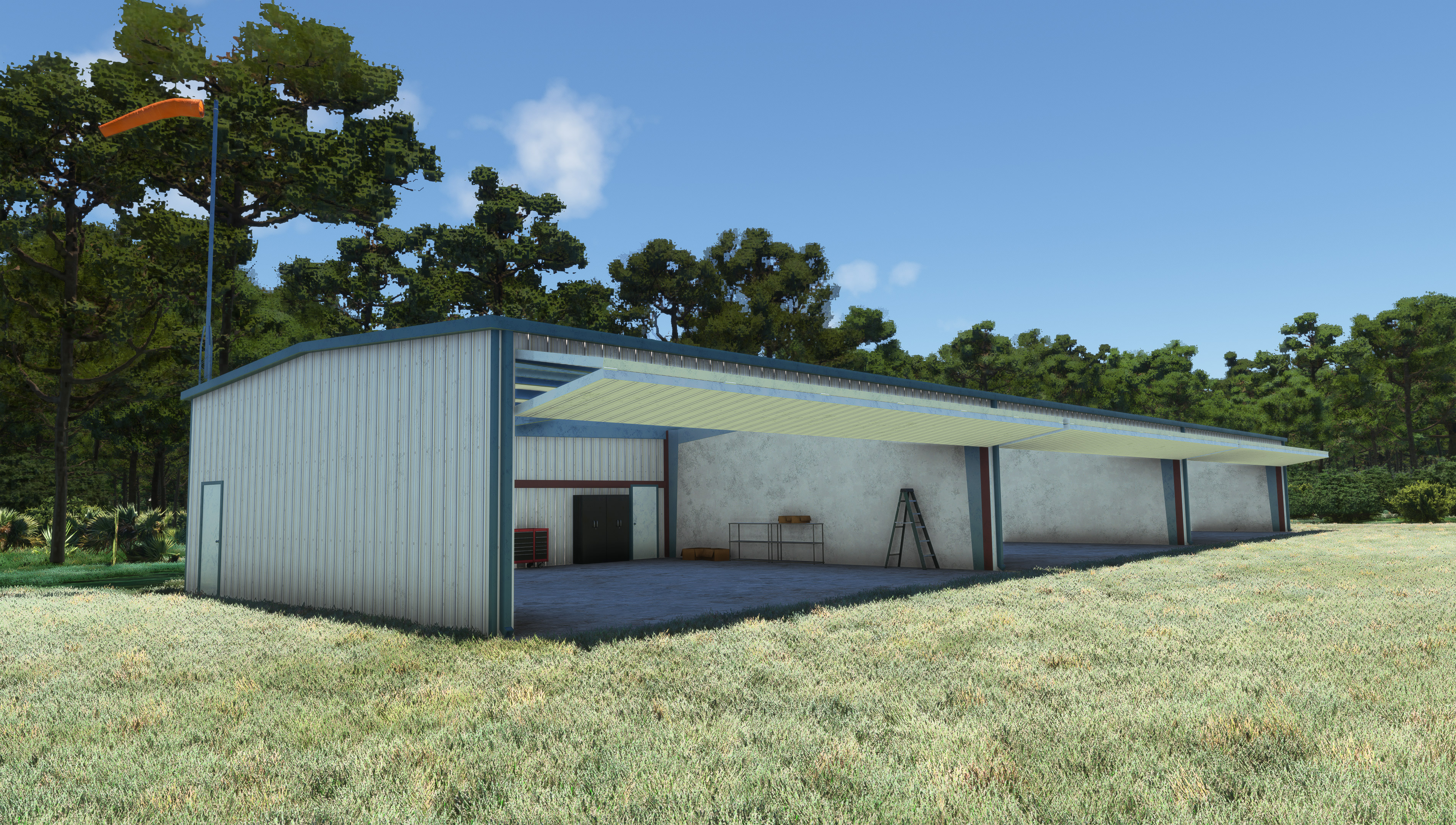
long_hangar_1.jpg


So far I have mostly been focused on the Hangars. The 3-bay hangar is nearly done, though I'm still planning to go back and make some improvements to modeling and textures, as well as add more clutter. I have also started on the larger hangar and have a lot of the base interior modeling done for it. I have yet to start on the framing for the two derelict hangars, but I will be doing those after the large hangar is done.
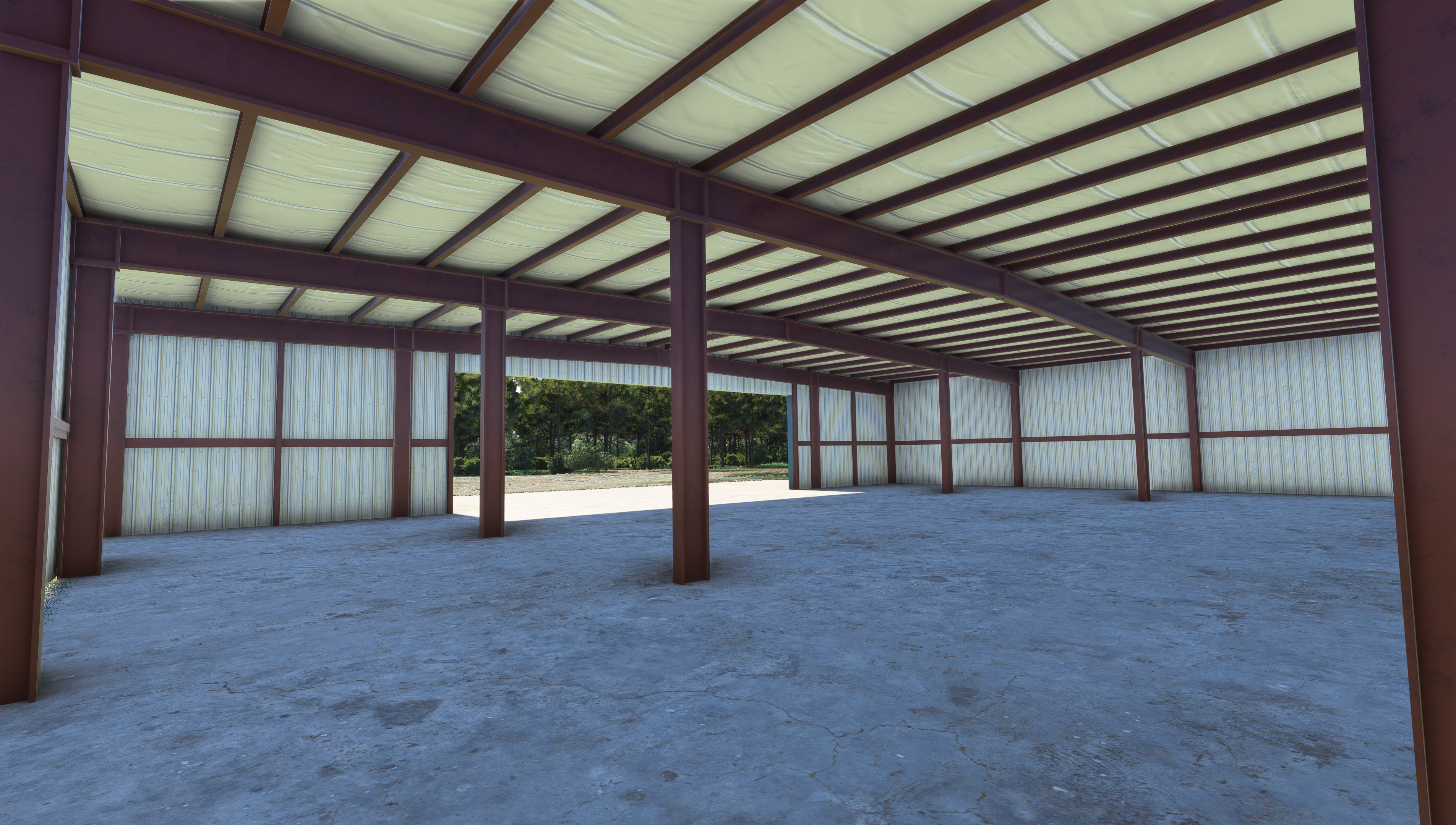
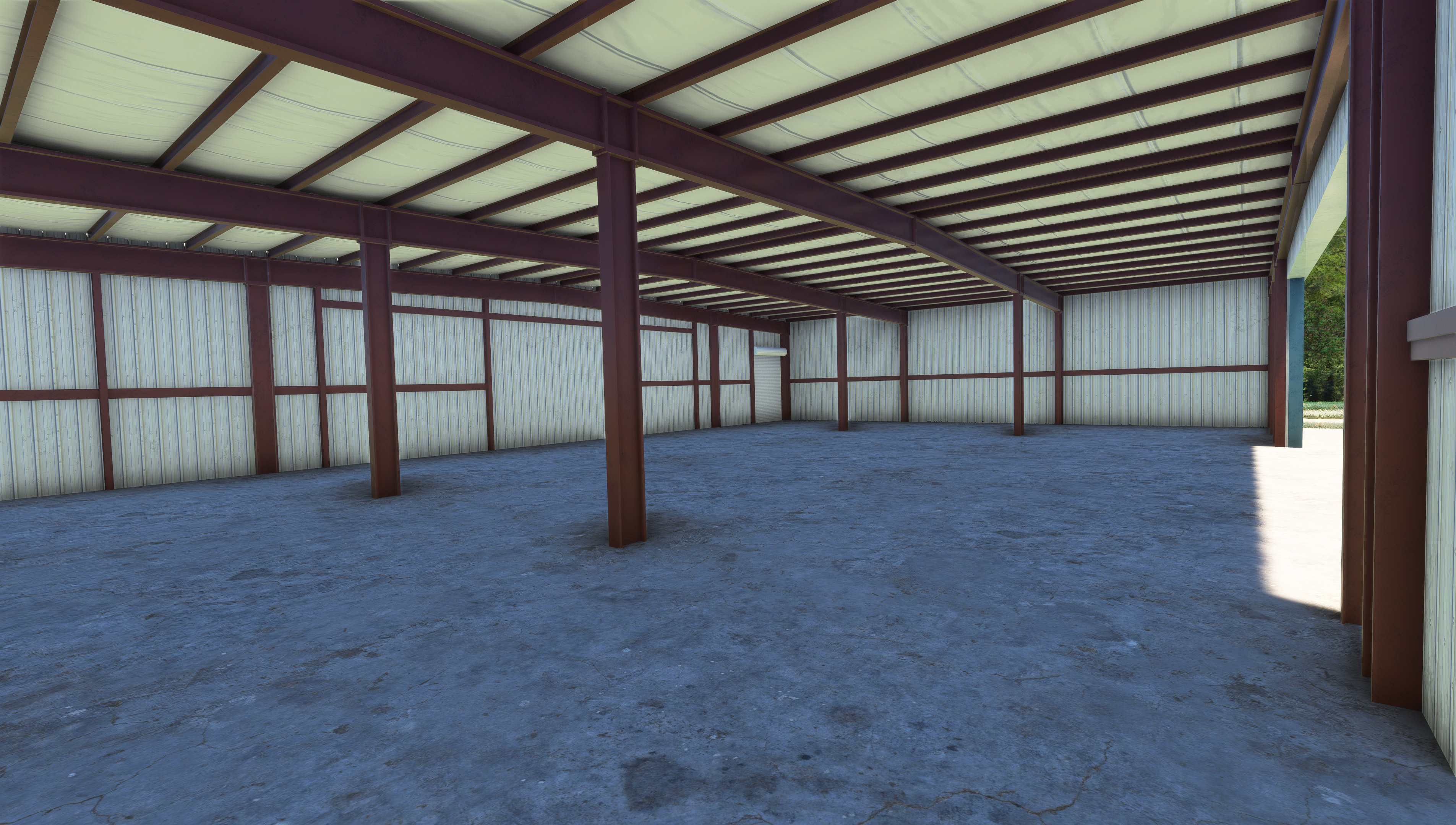
large_hangar_1.jpg
large_hangar_2.jpg


I am working with tiling and detail textures on these hangars as opposed to painting them in Substance Painter, as I normally would. I have less control over grunge texture placement, Ambient Occlusion and such, but since I am sharing the same 1K textures between the hangars, the project is using a fraction of the usual texture memory while maintaining a really high texel density (all textures are super high quality, and even should be on Xbox, which normally turns to water colors).

The last few days I have even started working on pulling some static aircraft into the project. I'm not going to be able to find every aircraft that is found in Garrett's videos, but I've got a few, and the rest will be substituted with appropriate GA Aircraft.
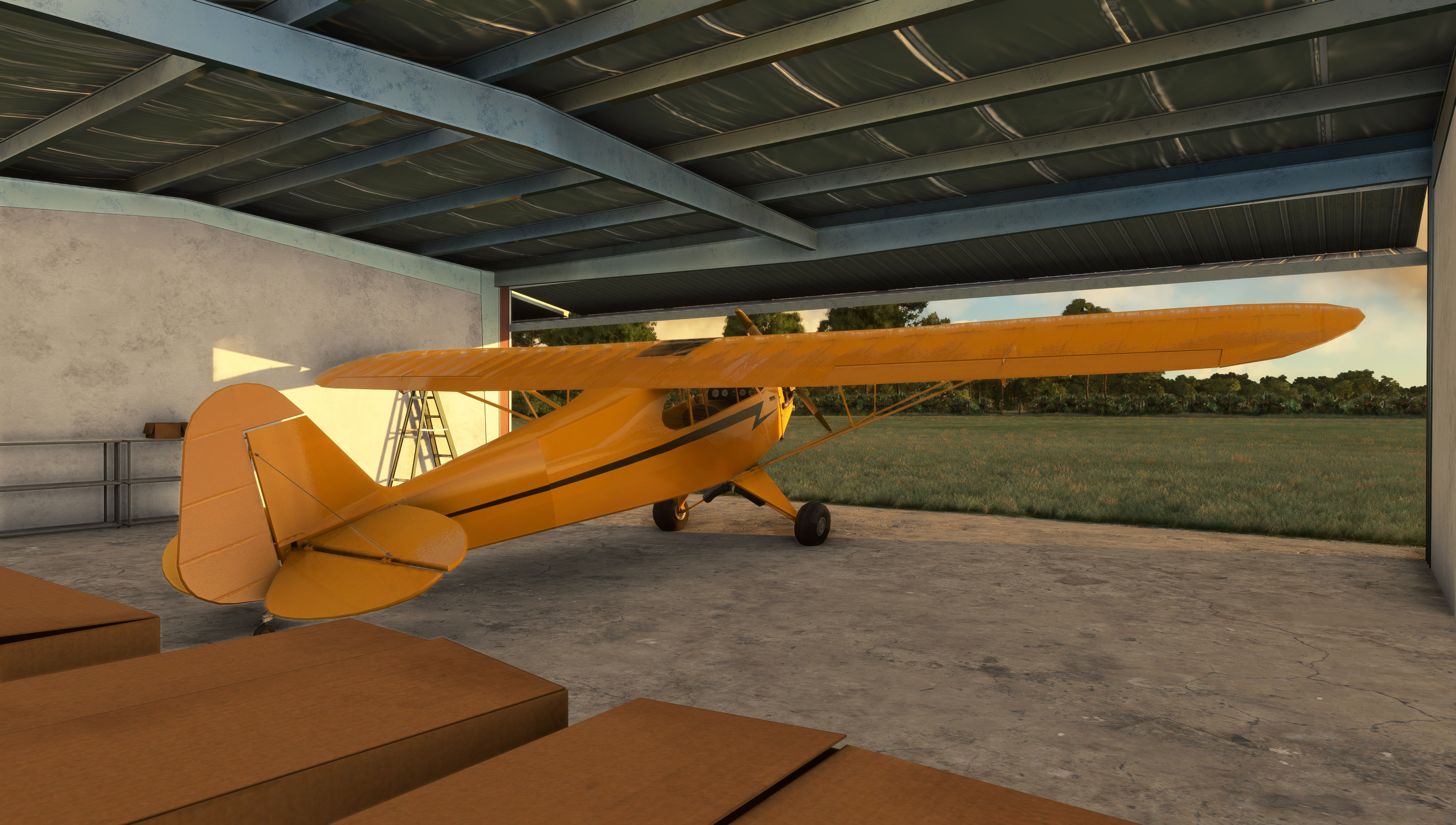
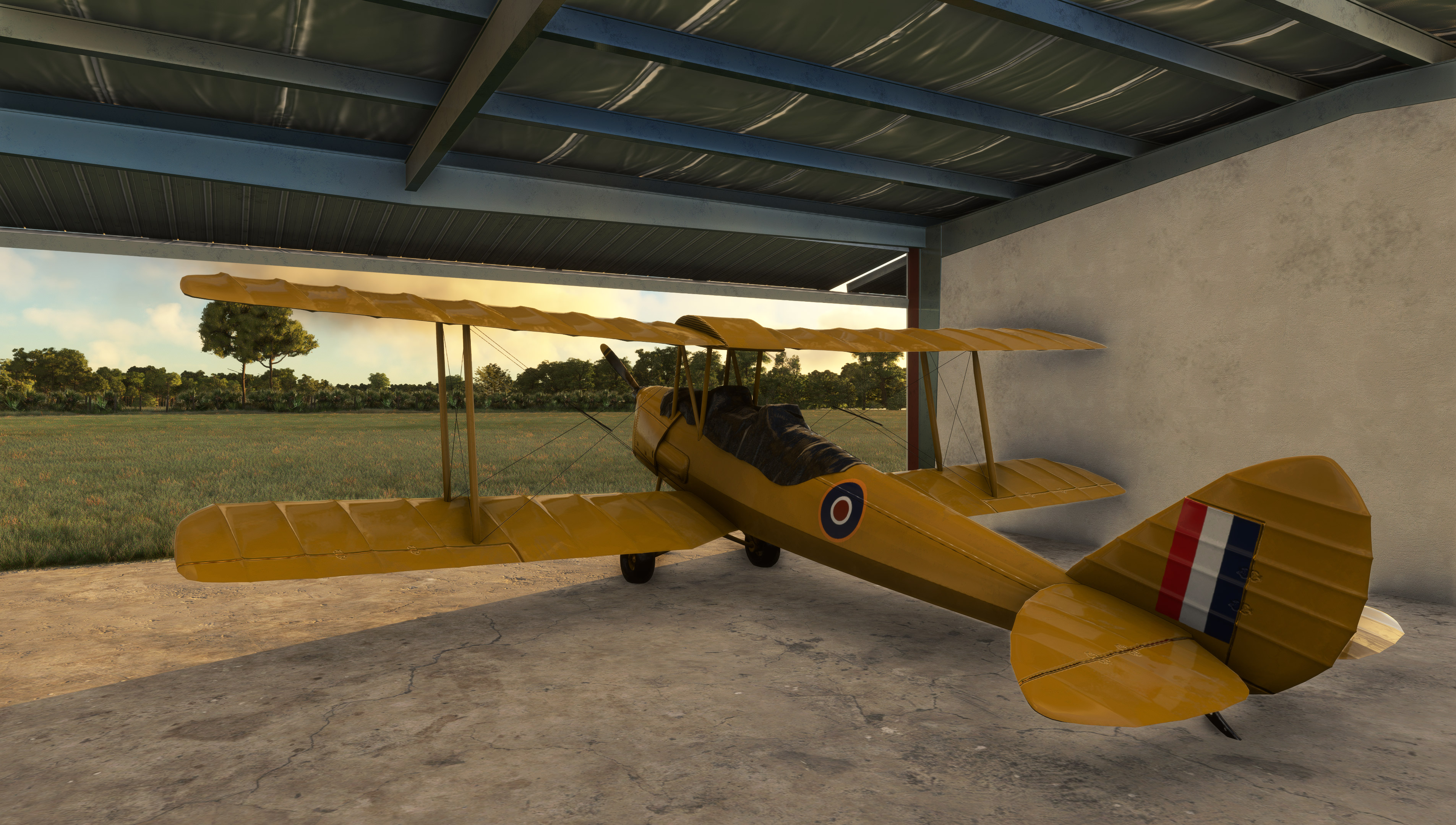
cub.jpg
TigerMoth.jpg


As far as the airport goes, I haven't done much yet outside of the hangars and static aircraft. I have cleaned up trees, added water to the lake nearby, started placing some custom vegetation, and have a placeholder fence placed. However, I am mainly focused on the buildings at this moment.

I have been asked a few times on just what I plan on including in the scenery. Some have asked about including the Freedom Factory as well. To that I say, I'm not really sure just yet, but I am keeping my options open and I'll see what happens as the airport starts to shape up more.

I do plan to incorporate near future upgrades that are made to the airport.

I would also love to get this project in front of Garrett, but I have not had the opportunity to do so yet.

Stay tuned for more updates as development progresses!
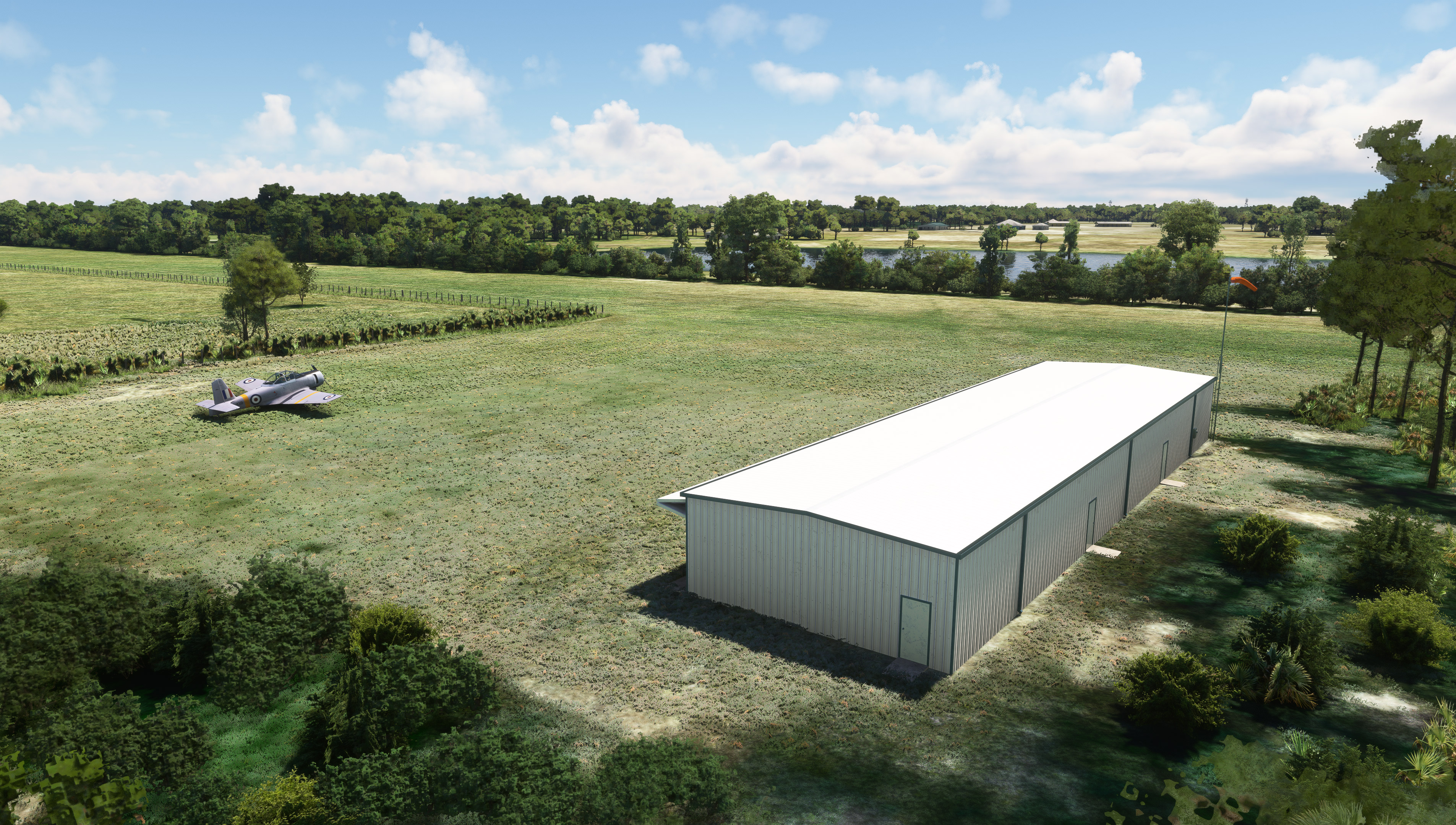
long_hangar_2.jpg


(You can also follow this project and get other project updates over on my Discord!)
https://discord.gg/uW4tsj8p3k
 
Since my last post I have been working on getting some more static models squared away and placed around the large hangar. I went with a mostly common fleet of GA aircraft, most of which do not match the videos. However, this is an aircraft shop, and there is a constant trickle of aircraft coming in and out. Even in Cleetus' latest video, most of the aircraft that were there in the first video are now gone.

hangar_large_1.jpg


Over the weekend I took a bit of a break, but decided to tackle a smaller model, and so did the quite unique runway markers (basic Styrofoam crab trap buoys on a PVC pipe). These were a fun distraction and allowed me to get back into Substance Painter.

runway_markers.jpg


Continuing on today, I worked on finishing up the major model changes and additions on the large hangar. All doors are now present and cut in where needed. Two of the larger structures have been added to the interior of the hangar, the metal cover has been added around back, and several adjustments have been made to the i-beams along the back wall.

I'm pretty happy with the overall model now. Going forward, mostly all I need to do is work on clutter and likely make some adjustments to detail textures.

hangar_large_back_2.jpg
hangar_large_interior_1.jpg
hangar_large_interior_2.jpg


I have also been holding onto this model, but will likely be getting it into the sim soon. Mykrode over at Got Friends worked on it for me while I was busy with the hangars. :) I do plan to make it a functional clock.
clock.jpg


There is still a lot more to do - but that's all for now. Thanks for following along with this project!
 
This is going to be a bit shorter of an update this week. There has been some good visual progress, but overall there just isn't a lot to say about what I have got done. The last week has been a bit off and on for me as I have had to take some days off.

However, I still managed to complete the derelict hangar frames, as well as the roofing panes scattered around them. I also went ahead and took the time to fully optimize them since they are pretty simple and likely wont have any major modifications past this point.

Like the other hangars, these are both sharing the same 1K tiling textures as well.

frames_1.jpg

frames_2.jpg


I was also getting tired of staring at the default placeholder fence, so basing it on the references I have, I made a custom barbwire fence.

All of the fence placement is being done with the Vector Placement Tool, so I still need to go back and make some adjustments to that once I get the entrance gate and fencing done.

barbwire_fence_2.jpg


Beyond this, there hasn't been any more visual progress, however speaking of the entrance gate, I have been working on that, as well as getting the Myakka Head sign drawn out in Inkscape. I hope to get this all finished up and painted soon. However, I will probably take a bit of a break over the weekend here.

gate_wip_1.jpg


Also, if you missed it - last weekend I posted a video over on my YouTube talking through the project a bit and showing off the progress I had made up to that point.

You can find that video here:
 
Progress has been a bit slow over the last month since I took a few weeks off for FSExpo - which involved driving from Florida to Nevada and back with Jonx from Got Friends, visiting some bucket list POIs like the Grand Canyon and Meteor Crater along the way.

Some photos from that trip can be found over on the Got Friends Discord.

Now that I'm back and have had some time to decompress, I have slowly been picking away at the scenery, as well as looking into what including the Freedom Factory would add to the scope of the project, relative to the price point I want to offer it for.

I have started picking at it and have brought on another developer to work on it a bit as I focus on the 3D side of things, but at this time nothing is set in stone. Nothing has been done past some general cleanup and a few buildings.

With one payware and a freeware already out for this airport, and that hype having died off a bit (as I take my sweet time in developing it), I don't have a high expectation for sales, but I still want to see this project complete, no matter what!

grass2.jpg


A lot has changed since my last post. Recently I have added a ground texture overlay to the runway and apron to give it some nice grass stripes.

A lot has been done as far as modeling an textures go as well. Starting with the vegetation: I have overhauled all of the Palmetto models to now be 3D instead of the old photorealistic 2D planes that I was using before. This change will also positively affect my Bear Island freeware scenery - which sees heavy use of these models.

grass.jpg


3D Oak trees have also been added to the pasture area alongside the runway. This gives a bit of diversity to the area while also not going crazy with the amount of 3D vegetation, since I'm hoping this scenery integrates more seamlessly with MSFS 2024's vegetation system.

Not knowing the specifics of that system, I feel like less is better at this point. However, I also expect that the default trees will perform better than what anything custom placed will, so that is also another consideration.

That and the whole process of how I'm building this scenery is to perform exceptionally well on Xbox, where 3D trees and vegetation take a lot of processing power. This project is pretty much just one big workflow experiment...

gate1.jpg
gate2.jpg
gate3.jpg


Since my last post, I have also completed modeling and texturing the front gate of the airstrip. As a bit of an Easter egg, I am also planning to have a trigger box to open the gate. This will be completely useless for aircraft, but should give some realism for ground vehicles. I'm also hoping that this could have some additional use in 2024.

Speaking of completely useless. Yes, the AC Compressor fan for the large hangar is animated. Currently it just free spins based on windspeed.

And of course, the hangar also now has a functional clock.

clock.jpg


Alongside all of this, there has also been a number of smaller changes, like adding more clutter to the 3-bay hangar, adjustments to textures, optimizations, more model placement and additional cleanup and tweaks to the area.

However, this is everything worth mentioning for now!
 
ESD_67FL_Myakka_WIP_Beside_Hangar.jpg


This week was a balance of visuals and a lot of behind-the-scenes work to get some features such as the Hangar doors fully operational.

On the visual side of things, I did a lot more cleanup of default vegetation around the airstrip and placed some more 3D Trees and Palmettos based on my references.

ESD_67FL_Myakka_WIP_Apron_Aerial.jpg
ESD_67FL_Myakka_WIP_Approach.jpg


Some more of that can be seen on the North end of the runway, where I have replaced the default autogen vegetation with 3D trees, which are collidable - just in case you get a bit low. :laughing:

I also worked on some more fun animations to give the airstrip a bit more interactivity. As I had mentioned in the last dev update, the front gate now has a trigger area and can be opened. This has practically no use for an aircraft, but it will be a fun option for the 2% who might take a ground vehicle through it once or twice.

ESD_67FL_Myakka_WIP_Gate_Open.jpg


One morning at 1 am, while I was mindlessly standing in the shower, running on the fumes of the fumes - it occurred to me that I needed to give the scenery a bit more of a Florida flair. So out of that exhaustion came the idea of an interactive Alligator.

You'll find this dude basking in the sun, near the pond at the South end of the runway. But watch out! If you approach em' too close, he get's a bit grumpy. Maybe he just needs a hug?

ESD_67FL_Myakka_WIP_Gator.jpg


As a side note: This is also the first time I have personally ever rigged and animated an animal. I did do a Frog breathing, but I don't count that.

ESD_67FL_Myakka_WIP_Hangar_Doors.jpg


Operational hangar doors are nothing out of the ordinary at my airports, but having a triple hangar for once, I wanted to give it a bit of a dynamic feel.

Both the far left and center doors of the hangar are set to open on various days of the week and have further restrictions for nighttime and while it's raining.

This means that the scenery could be a bit different every time you fly at the airport.

Alongside this, I have also implemented the door trigger for the spawnable right bay of the triple hangar. So, it now opens or closes when you are in or nearby, much like the larger hangar in the scenery.

ESD_67FL_Myakka_WIP_Hangar_Open.jpg


Also, speaking of hangar: Did you know that there is a private airstrip that runs parallel to Myakka's runway, just on the West side? It's a bit hidden by trees, but it is there.

I'm planning on doing a rendition of it while I'm at it. I have already cleaned up the trees and added a custom hangar.

Interestingly, the hangar is the exact same design as the one at Myakka. The only differences are the cement slabs and the door positioning on the back. Other than that, even the color scheme seems to be the same - from what I can tell.

Well, that makes things easy...

ESD_67FL_Myakka_WIP_Private_Airstrip.jpg


Until next time!
RN44
 
I have been making some good progress on Myakka head over the last few months. Although it has been nearly a month since my last update, I have been working hard in the background to get this scenery ready for Beta!

Today, I am happy to announce that my closed test team have received their first Beta copy of the scenery! I am hoping to have it finished over the next couple of weeks and then aim for a release next month!

While I could have easily shared some updates on the project over the last month, I decided to go silent so that I could focus. Now with the accumulation of everything I have worked on over the last month, I am proud to present this nearly hour long look at the scenery in it's current (yet still incomplete) state!

 
Today was Marketplace submission day for Myakka! Beta is officially over, and the scenery is polished, optimized, and ready for Xbox testing!
Thank you to everyone who have followed along with this project from the beginning. It has come a long ways!

The full feature list now includes:
  • Two detailed airstrips: Bald Eagle Airfield- Myakka Head (67FL) and a nearby private airstrip (unlisted, but spawnable).
  • PBR Materials.
  • Tiling and Detail Textures for some models, providing higher texture quality and lower memory usage.
  • Color-matched 15cm/px aerial imagery.
  • Digital Elevation Model with hand-crafted terraforming at 1m/px.
  • Custom environmentals including Weeds, Shrubs, Palmettos, Oak, and Palm Trees.
  • Custom Hangars with dynamic features, interior modeling, environmental occluder, and parking spawns.
  • Custom animated wildlife: Alligator & Wild Boar can be found around the coverage area.
  • Dynamic SFX using Wwise.

Dynamic Features
  • Hangar Doors - The left and center doors of the Triple Hangar will open or close depending on day of week, time of day, and weather. The right door of the Triple Hangar and door of the Large Hangar are triggered by proximity.
  • Hangar Lights - All hangar lights are controlled dynamically. The left and center bay lights of the Triple Hangar will illuminate during Dawn and Dusk, but only when the Hangars are open. All other Hangar lights will illuminate during Dawn, Dusk, Night, and when Raining. The Large Hangar lights also include Wwise SFX!
  • Clock - Clock in the Large Hangar is fully functional, telling local sim time, and plays ticking SFX (Wwise)!
  • Gates - All metal gates throughout the coverage area are triggered by proximity and can be operated by ground vehicles.
  • Alligator - Will react to you if you get too close!
  • Birds SFX (Owl) – Audible around the coverage area at Night, but not when Raining.
  • Insect SFX (Cicadas) – Audible around the coverage area during the Day, from May through July, but not when Raining.
  • Windsock/Flag - Animated based on wind speed and direction.


The scenery will be priced at $6.99 USD, which I'm hoping will make it more accessible!

ESD_Bald_Eagle_Airfield_Myakka_Head_1.jpg
ESD_Bald_Eagle_Airfield_Myakka_Head_5.jpg
ESD_Bald_Eagle_Airfield_Myakka_Head_8.jpg
ESD_Bald_Eagle_Airfield_Myakka_Head_10.jpg
ESD_Bald_Eagle_Airfield_Myakka_Head_12.jpg
ESD_Bald_Eagle_Airfield_Myakka_Head_14.jpg
 
Last edited:
It's been a long last few months, but Myakka is finally done! Bald Eagle Airfield- Myakka Head (67FL) is now available for $6.99 USD on the Emerald Scenery Design website for PC! It is also available on Marketplace for PC & Xbox Series S/X!

The official product page can be found here:

The trailer is also available here:
I guess it doubles as a CAS Cub trailer as well... lol (Not sponsored)

A special thanks to all of you who have followed along with this project since it's start, and encouraged me to keep pushing along even when other versions of the airstrip came out shortly after development began! Your encouragement helped shape the accuracy and detail of this scenery that I present to you today!

ESD_Bald_Eagle_Airfield_Myakka_Head_MSFS_2020_2.jpg


Until the next project!
 
Back
Top